مقدمة
This manual provides essential instructions for the safe and efficient use of your AKG Y100 Wireless Bluetooth Earbuds. Please read this manual thoroughly before using the product and retain it for future reference.
The AKG Y100 earbuds are designed to deliver crisp, clean sound with the convenience of wireless connectivity. They feature a lightweight, ergonomic neckband and multi-point connectivity for seamless switching between devices.
معلومات السلامة
- Do not expose the earbuds to extreme temperatures, humidity, or corrosive environments.
- تجنب إسقاط سماعات الأذن أو تعريضها لصدمات قوية.
- لا تقم بتفكيك سماعات الأذن أو محاولة إصلاحها بنفسك. فقد يؤدي ذلك إلى إلغاء الضمان والتسبب في تلفها.
- أبقِ سماعات الأذن بعيداً عن متناول الأطفال والحيوانات الأليفة.
- استخدم فقط كابل الشحن المقدم أو ما يعادله المعتمد.
- قد يؤدي الاستماع إلى مستويات صوت عالية لفترات طويلة إلى تلف السمع. اضبط مستوى الصوت على مستوى آمن.
محتويات الحزمة
تأكد من وجود جميع العناصر في عبوة المنتج الخاص بك:
- AKG Y100 Wireless Bluetooth Earbuds
- 3 Size ear tips (Small, Medium, Large)
- كابل شحن ميكرو يو اس بي
- حافظة حماية
- دليل البدء السريع (غير متضمن في هذا الدليل الرقمي)
المنتج انتهىview
Familiarize yourself with the components and controls of your AKG Y100 earbuds.
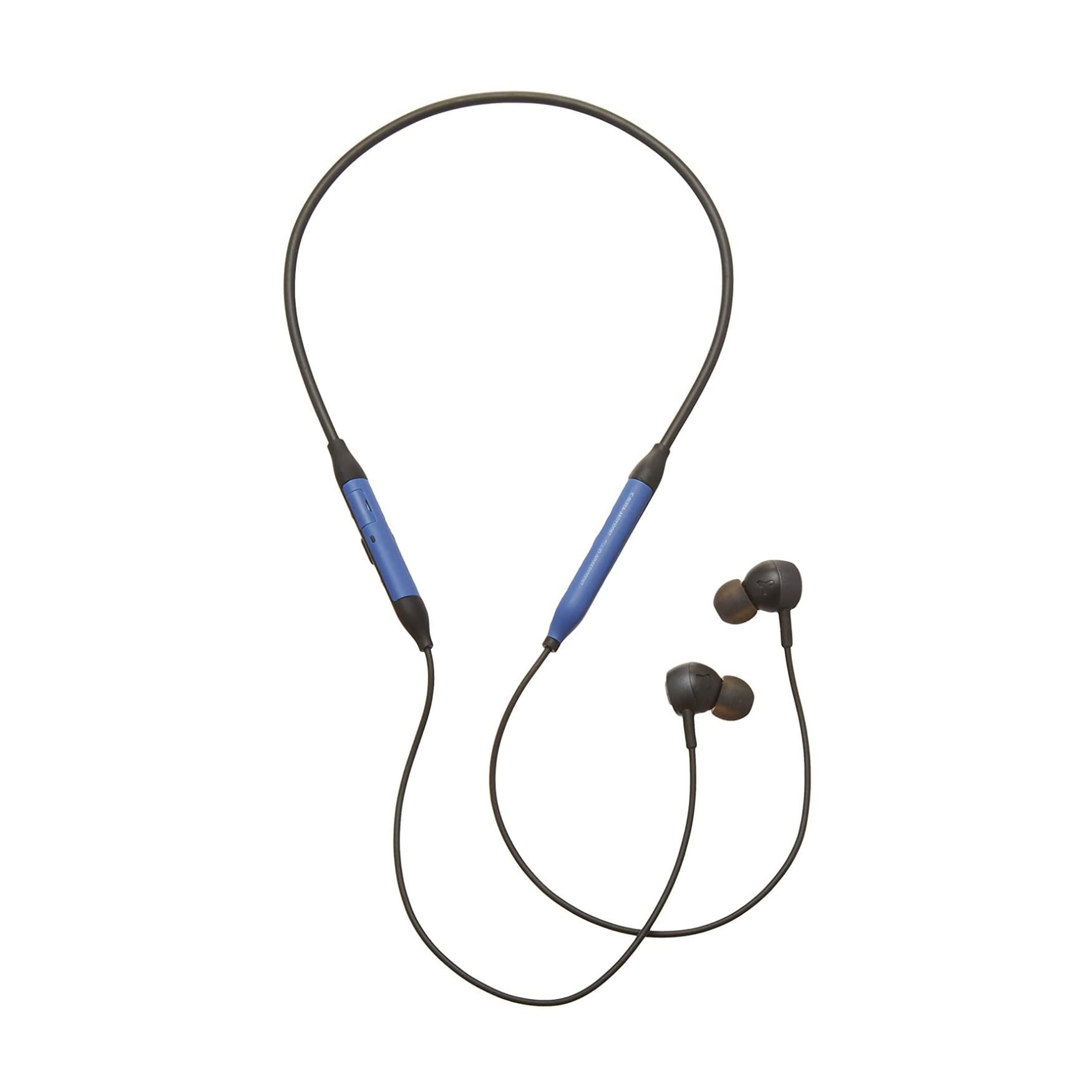
الصورة: الجبهة view of the AKG Y100 Wireless Bluetooth Earbuds, highlighting the blue AKG logo on each earbud.

Image: The AKG Y100 Wireless Bluetooth Earbuds showing the inline remote control with buttons for volume and playback.
عناصر التحكم:
- زر الطاقة: Located on the inline remote. Used for powering on/off and Bluetooth pairing.
- أزرار رفع / خفض الصوت: ضبط مستوى الصوت.
- زر متعدد الوظائف: يتحكم في تشغيل الموسيقى (تشغيل/إيقاف مؤقت، تخطي المقاطع) وإدارة المكالمات (الرد على المكالمات/إنهاء المكالمات).
- ميكروفون: Integrated for hands-free calling and voice control.
- منفذ الشحن: Micro USB port for charging the earbuds.
يثبت
1. شحن سماعات الأذن
Before first use, fully charge your AKG Y100 earbuds.
- Connect the Micro USB charging cable to the charging port on the inline remote.
- قم بتوصيل الطرف الآخر من الكابل بمصدر طاقة USB (مثل الكمبيوتر أو محول الحائط).
- The LED indicator will show charging status. A full charge provides up to 8 hours of playback. A 15-minute speed charge can provide an additional hour of music.
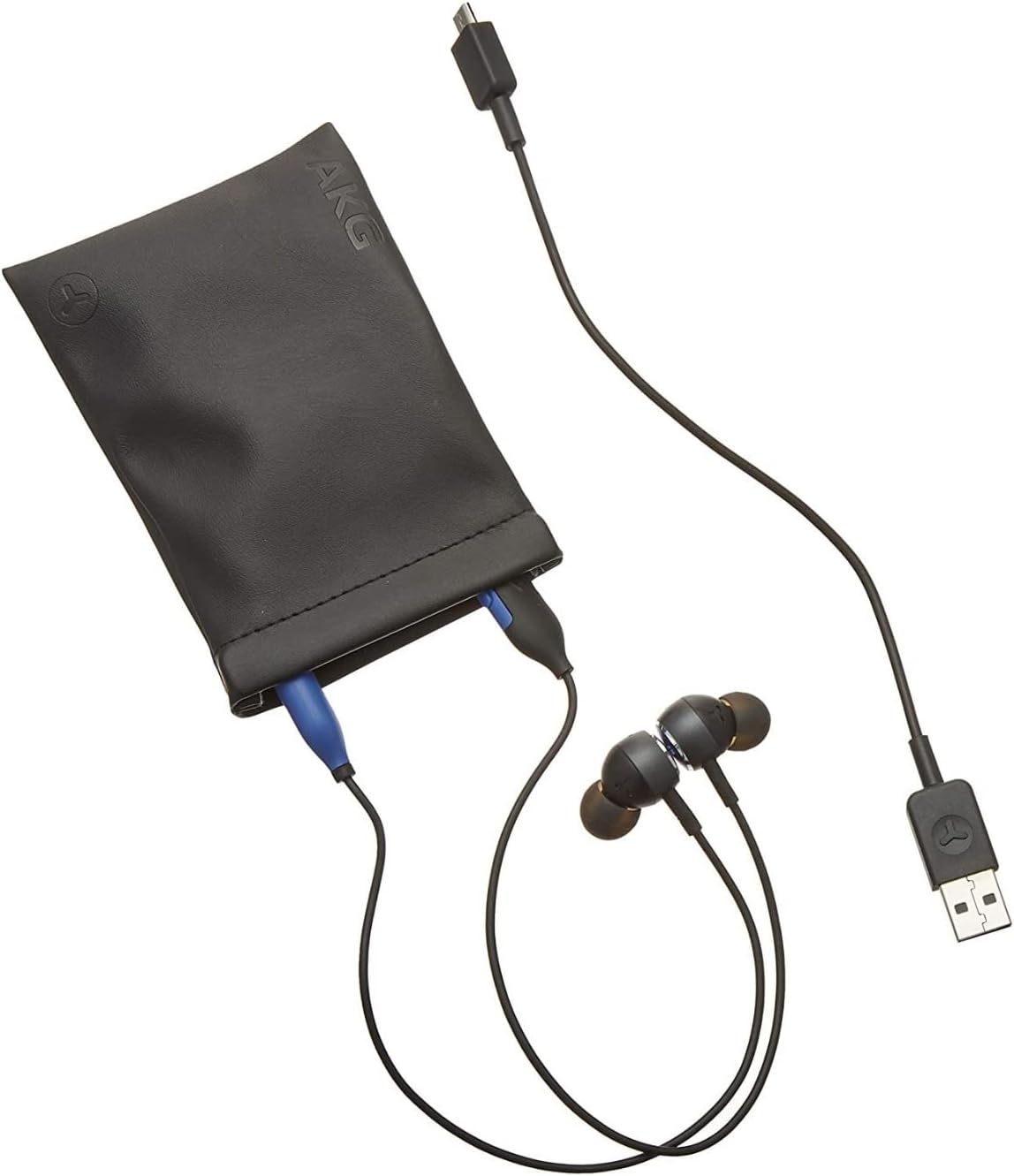
Image: The AKG Y100 Earbuds, protective case, and Micro USB charging cable, illustrating the components included.
2. اقتران بلوتوث
لتوصيل سماعات الأذن بجهاز:
- تأكد من شحن سماعات الأذن وإيقاف تشغيلها.
- اضغط مع الاستمرار على زر الطاقة حتى يومض مؤشر LED باللونين الأزرق والأحمر، مما يشير إلى وضع الاقتران.
- على جهازك (الهاتف الذكي، الجهاز اللوحي، الكمبيوتر)، قم بتمكين البلوتوث وابحث عن الأجهزة المتاحة.
- Select "AKG Y100" from the list of found devices.
- بمجرد الاتصال، سيُظهر مؤشر LED ضوءًا أزرق ثابتًا أو يومض باللون الأزرق ببطء.
الاتصال متعدد النقاط: The AKG Y100 supports connecting to two Bluetooth devices simultaneously. After pairing with the first device, put the earbuds back into pairing mode and connect to the second device. The earbuds will intelligently switch between the two connected devices for audio and calls.
3. تركيب سماعات الأذن
For optimal sound quality and comfort, choose the correct size ear tips.
- Experiment with the three provided ear tip sizes (Small, Medium, Large).
- Gently insert the earbuds into your ears, ensuring a snug fit that seals the ear canal.
- The ergonomic neckband should rest comfortably around your neck.

Image: A person wearing the AKG Y100 Wireless Bluetooth Earbuds, demonstrating the comfortable fit of the neckband and earbuds.
تشغيل سماعات الأذن
تشغيل/إيقاف الطاقة
- تشغيل الطاقة: اضغط مع الاستمرار على زر التشغيل لمدة 2 ثوانٍ تقريبًا حتى يومض مؤشر LED باللون الأزرق.
- إيقاف التشغيل: اضغط مع الاستمرار على زر الطاقة لمدة 3 ثوانٍ تقريبًا حتى يومض مؤشر LED باللون الأحمر ثم ينطفئ.
تشغيل الموسيقى
- تشغيل/إيقاف مؤقت: اضغط على الزر متعدد الوظائف مرة واحدة.
- المسار التالي: اضغط مرتين على الزر متعدد الوظائف.
- المسار السابق: اضغط ثلاث مرات على الزر متعدد الوظائف.
- رفع الصوت: اضغط على زر رفع الصوت.
- اخفض الصوت: اضغط على زر خفض الصوت.
استدعاء إدارة
- الرد/إنهاء المكالمة: اضغط على الزر متعدد الوظائف مرة واحدة.
- رفض المكالمة: اضغط مع الاستمرار على الزر متعدد الوظائف لمدة ثانيتين.
- تنشيط مساعد الصوت: Press and hold the Multi-function button for 2 seconds when not on a call.
Ambient Aware Mode
The AKG Y100 features an Ambient Aware mode, which allows you to hear your surroundings more clearly without removing your earbuds. This is useful for situations where you need to be aware of your environment, such as during commutes or in an office setting.
- Activate/Deactivate Ambient Aware: Refer to your device's Bluetooth settings or the AKG app (if available) for specific controls, as this feature may be managed through software. On some models, a dedicated button or a specific combination of button presses on the inline remote may control this function.
صيانة
- تنظيف: Wipe the earbuds and neckband with a soft, dry cloth. Do not use harsh chemicals or abrasive materials. Remove ear tips and clean them with mild soap and water, then dry thoroughly before reattaching.
- تخزين: When not in use, store the earbuds in the provided protective case to prevent damage. Avoid storing in direct sunlight or extreme temperatures.
- مقاومة الماء: The earbuds are water resistant. However, they are not waterproof. Avoid submerging them in water or exposing them to heavy rain. Dry thoroughly if they get wet.
استكشاف الأخطاء وإصلاحها
| مشكلة | السبب المحتمل | حل |
|---|---|---|
| سماعات الأذن لا تعمل. | بطارية منخفضة. | Charge the earbuds fully using the Micro USB cable. |
| لا يمكن الاقتران بالجهاز. | سماعات الأذن ليست في وضع الاقتران؛ البلوتوث في الجهاز معطل؛ بعيدة جدًا عن الجهاز. | Ensure earbuds are in pairing mode (flashing blue/red LED). Turn on Bluetooth on your device. Move earbuds closer to the device (within 10 meters). |
| لا يوجد صوت أو جودة الصوت رديئة. | Volume too low; earbuds not properly seated; device not connected. | Increase volume on earbuds and device. Adjust earbud fit. Re-pair the earbuds with your device. |
| مشاكل الاتصال متعدد النقاط. | Incorrect switching; device compatibility. | Ensure both devices are paired. The earbuds prioritize active audio/calls. If issues persist, disconnect and re-pair one device at a time. |
تحديد
| اسم الموديل | سنة 100 |
| تكنولوجيا الاتصال | لاسلكي (بلوتوث) |
| نسخة البلوتوث | 4.2 |
| يدعم تقنية Bluetooth Profiles | HFP V1.7 ، A2DP V1.3 ، AVRCP V1.5 |
| عمر البطارية | حتى ساعتين |
| Speed Charge | ١٥ دقيقة لمدة ساعة واحدة من التشغيل |
| نوع التحكم | Voice Control, Touch-based controller |
| وزن العنصر | 24 جرام (0.847 أونصة) |
| مستوى مقاومة الماء | مقاوم للماء |
| الشركة المصنعة | Samsung (AKG by Harman) |
| أبعاد المنتج | 3.86 × 2.01 × 5.91 بوصة |
الضمان والدعم
For warranty information and technical support, please refer to the documentation included with your purchase or visit the official AKG/Samsung support webالموقع. احتفظ بإثبات الشراء الخاص بك لتقديم مطالبات الضمان.
إذا واجهت مشاكل غير مذكورة في هذا الدليل، فيرجى الاتصال بخدمة العملاء للحصول على المساعدة.


