مقدمة
Thank you for choosing the JBL Flip 3 Splashproof Portable Bluetooth Speaker. This manual provides essential information for setting up, operating, and maintaining your speaker to ensure optimal performance and longevity. Please read this manual thoroughly before using your device.
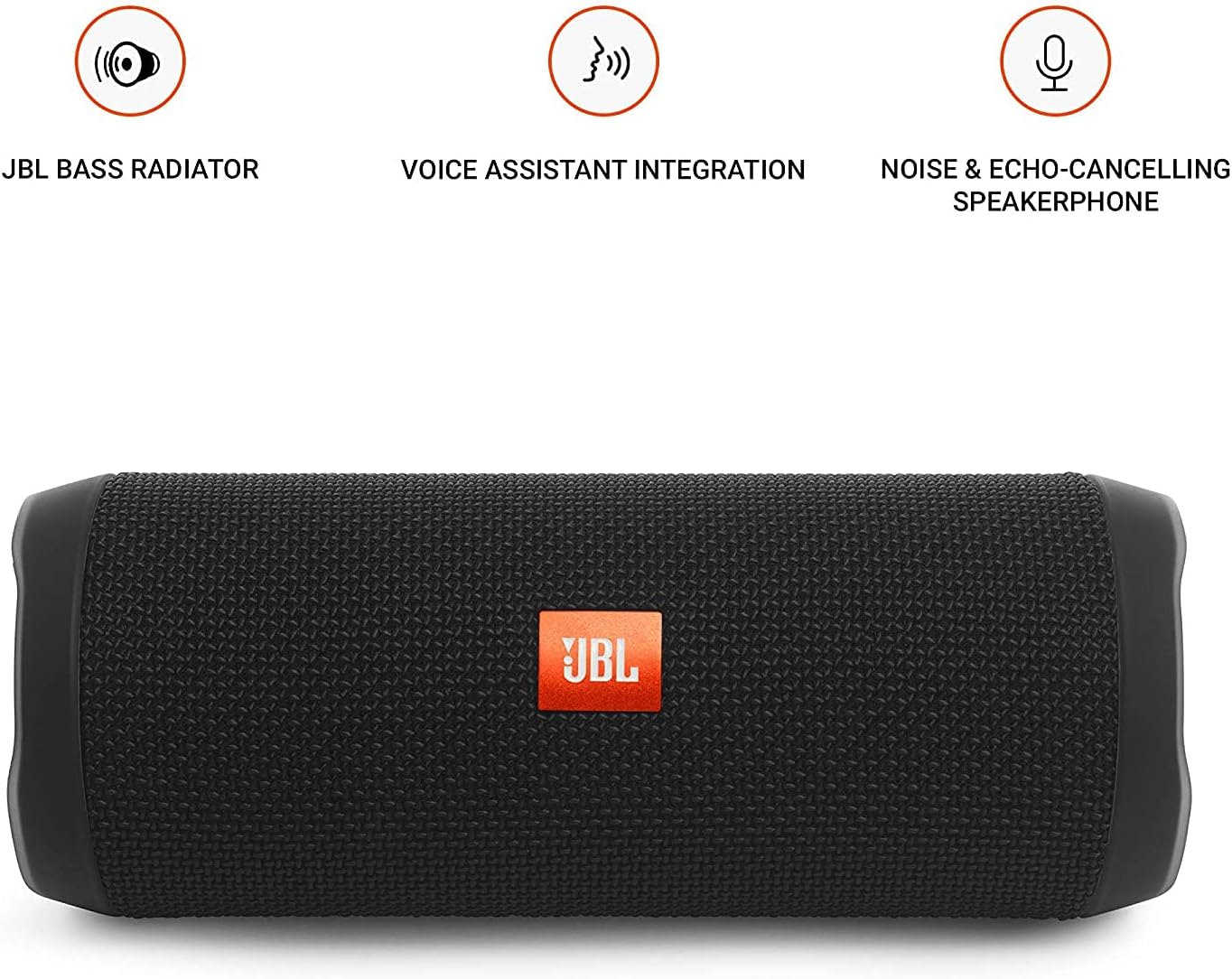
Image: JBL Flip 3 highlighting key features like the bass radiator, voice assistant integration, and noise & echo-cancelling speakerphone.
ماذا يوجد في الصندوق
- JBL Flip 3 Splashproof Portable Speaker
- USB Charging Cable (orange)
- دليل البدء السريع (غير مدرج في هذا الدليل)
- ورقة بيانات السلامة (غير مدرجة في هذا الدليل)
- Warranty Card (not included in this manual)
يثبت
1. شحن البطارية
Before first use, fully charge your JBL Flip 3 speaker. The built-in 3000mAh Li-ion battery supports up to 10 hours of playtime and takes approximately 3.5 hours to fully charge.
- Locate the charging port on the side of the speaker, usually protected by a rubber flap.
- Connect the orange USB charging cable to the speaker's charging port.
- قم بتوصيل الطرف الآخر من كابل USB بمحول طاقة USB متوافق (غير مرفق) أو بمنفذ USB في الكمبيوتر.
- The LED indicators on the speaker will illuminate to show the charging status. All five LEDs will be solid white when fully charged.

Image: The JBL Flip 3 speaker connected to a charging cable, with its battery indicator LEDs lit.
2. تشغيل / إيقاف التشغيل
- للتشغيل ، اضغط على زر الطاقة (usually indicated by a circle with a vertical line). The power indicator light will illuminate.
- لإيقاف التشغيل ، اضغط مع الاستمرار على زر الطاقة كرر ذلك حتى ينطفئ ضوء المؤشر.
تعليمات التشغيل
1. اقتران بلوتوث
The JBL Flip 3 can wirelessly connect up to 3 smartphones or tablets simultaneously.
- قم بتشغيل مكبر الصوت JBL Flip 3.
- اضغط على زر البلوتوث (usually indicated by the Bluetooth logo) on the speaker. The Bluetooth indicator light will flash, indicating it's in pairing mode.
- On your smartphone or tablet, go to the Bluetooth settings and select "JBL Flip 3" from the list of available devices.
- بمجرد الاتصال، سيتحول ضوء مؤشر البلوتوث إلى اللون الثابت.
- To connect additional devices, repeat steps 2-3. The speaker will automatically switch between connected devices when music is played.
2. تشغيل الموسيقى
- تشغيل/إيقاف مؤقت: اضغط على زر التشغيل/الإيقاف المؤقت (usually indicated by a triangle or two vertical bars).
- التحكم في مستوى الصوت: استخدم رفع الصوت (+) و اخفض الصوت (-) أزرار على مكبر الصوت أو جهازك المتصل.
- تخطي المسار: اضغط مرتين على زر التشغيل/الإيقاف المؤقت للانتقال إلى المسار التالي.
3. وظيفة مكبر الصوت
The JBL Flip 3 features a noise and echo-cancelling speakerphone for clear calls.
- الرد/إنهاء المكالمة: اضغط على زر الهاتف (usually indicated by a phone icon) to answer an incoming call or end an ongoing call.
- رفض المكالمة: اضغط مع الاستمرار على زر الهاتف لرفض مكالمة واردة.
4. جي بي ال كونيكت
Amplify your listening experience by wirelessly connecting multiple JBL Connect enabled speakers together.
- Ensure both JBL Connect enabled speakers are powered on.
- اضغط على JBL Connect button (usually indicated by an hourglass or infinity symbol) on both speakers.
- The speakers will automatically connect to each other. Once connected, they will play audio in sync.

Image: The JBL Flip 3 speaker shown vertically, highlighting its compact and portable design.
صيانة
تنظيف
The JBL Flip 3 is splashproof, meaning it can withstand splashes and light rain. You can clean it with running tap water. Important: Do not submerge the speaker in water. Ensure the rubber flap covering the ports is securely closed before cleaning or exposing to water.
العناية بالبطارية
- To prolong battery life, fully charge the speaker at least once every 3 months.
- تجنب تعريض السماعة لدرجات حرارة قصوى (ساخنة أو باردة) لأن ذلك قد يؤثر على أداء البطارية.
استكشاف الأخطاء وإصلاحها
| مشكلة | الحل المحتمل |
|---|---|
| لا يتم تشغيل مكبر الصوت. | تأكد من شحن البطارية. وصّل السماعة بمصدر طاقة باستخدام كابل USB. |
| لا يوجد صوت من السماعة. | تحقق من مستوى الصوت في كل من السماعة والجهاز المتصل. تأكد من إقران السماعة بشكل صحيح عبر البلوتوث. |
| Bluetooth connection fails or is unstable. | Move the speaker closer to your device. Ensure no other devices are interfering with the Bluetooth signal. Try unpairing and re-pairing the speaker. |
| JBL Connect not working. | Ensure both speakers are JBL Connect enabled and are within range. Press the JBL Connect button on both speakers simultaneously. |
If you encounter issues not listed here, please refer to the official JBL support webالموقع أو اتصل بخدمة العملاء للحصول على مزيد من المساعدة.
تحديد
- اسم الموديل: JBLFLIP3BLK
- ماركة: جي بي ال
- الأبعاد (الارتفاع × العرض × العمق): 7.5 × 4.5 × 3.9 بوصة
- وزن السلعة: 16 أوقية (1 جنيه)
- مادة: قماش
- نوع السماعة: في الهواء الطلق
- تقنية الاتصال: بلوتوث، لاسلكي
- تكنولوجيا الاتصالات اللاسلكية: بلوتوث
- نطاق البلوتوث: 10 مترا
- مصدر الطاقة: تعمل بالبطارية
- نوع البطارية: 1 بطارية ليثيوم بوليمر مطلوبة
- سعة البطارية: 3000 مللي أمبير
- وقت اللعب: تصل إلى 10 ساعة
- وقت الشحن: 3.5 ساعة
- الحد الأقصى لقوة إخراج مكبر الصوت: 16 واط
- استجابة التردد: 20 KHz (Note: This is likely the upper limit, typical range is broader)
- إشارة إلى نسبة الضوضاء: 80 ديسيبل
- مقاومة: 4 أوم
- وضع إخراج الصوت: ستيريو
- ميزة خاصة: Built-in Microphone, Echo-certified
- مستوى مقاومة الماء: Water Resistant (Splashproof, do not submerge)
- الأجهزة المتوافقة: الهاتف الذكي والكمبيوتر اللوحي
- الاستخدامات الموصى بها: For Smartphones or Tablets, outdoor activities, parties, travel, portable usage
الضمان والدعم
The JBL Flip 3 comes with a ضمان محدود. For detailed warranty information, please refer to the warranty card included with your product or visit the official JBL webموقع.
For technical support, troubleshooting, or service inquiries, please visit the دعم JBL Webموقع أو اتصل بخدمة العملاء مباشرة.


