مقدمة
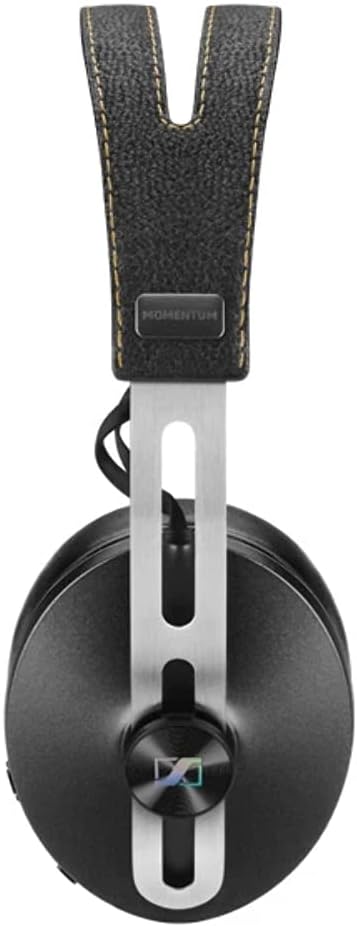
The Sennheiser Momentum 2.0 Wireless headphones offer a premium audio experience with crystal-clear sound and active noise cancellation. This high-resolution headset combines advanced Bluetooth technology with an iconic design, utilizing premium materials like stainless steel and real leather for both performance and comfort. Enjoy extended listening sessions with ergonomically designed memory foam cushions and easily store your headphones thanks to their foldable design. VoiceMax dual microphones ensure clear communication during calls by dynamically canceling external interference.
ماذا يوجد في الصندوق
- MOMENTUM Bluetooth Noise-Cancelling Over-Ear Headphones (Black)
- حقيبة حمل متميزة
- Detachable audio cable (3.5 mm jack)
- كابل شحن يو اس بي
يثبت
1. شحن سماعات الرأس
Before first use, ensure your headphones are fully charged using the supplied USB charging cable. Connect the USB cable to the headphone's charging port and a compatible USB power source. The LED indicator will show charging status.
2. اقتران بلوتوث
- تأكد من إيقاف تشغيل سماعات الرأس.
- اضغط مع الاستمرار على زر الطاقة حتى يومض مؤشر LED باللون الأزرق والأحمر، مما يشير إلى وضع الاقتران.
- On your device (smartphone, tablet, etc.), enable Bluetooth and search for "Sennheiser Momentum 2.0 Wireless" in the list of available devices.
- Select the headphones to complete pairing. A voice prompt will confirm successful connection.
- For NFC-enabled devices, simply tap your device to the NFC area on the headphone to initiate pairing.
3. اتصال سلكي
To use the headphones with a wired connection, insert the detachable audio cable into the headphone's 3.5mm jack until it "clicks" securely. Twist the cable clockwise (to the right) to lock it in place. Connect the other end to your audio source. The headphones can be used passively with the cable, or actively with noise cancellation enabled.
تعليمات التشغيل
1. تشغيل/إيقاف التشغيل
- To power on, slide the power switch to the 'on' position.
- To power off, slide the power switch to the 'off' position.
2. عناصر التحكم
The headphones feature intuitive controls for managing audio and calls:
- التحكم في مستوى الصوت: Use the dedicated volume buttons (up/down) to adjust playback volume.
- تشغيل/إيقاف مؤقت/تخطي: The multi-function button (often labeled as 'play') can be used for playing/pausing music, skipping tracks (double-press for next, triple-press for previous), and answering/ending calls.
- مساعد صوت: Activate your device's voice assistant through a dedicated button or specific press combination (refer to your device's manual for details).
3. Noise Gard Active Noise Cancellation
The Noise Gard hybrid active noise cancellation system uses four microphones to block ambient noise, significantly improving sound quality in noisy environments. This feature is automatically activated when the headphones are powered on and can be used with both wireless and wired connections.
4. VoiceMax Microphones
For crystal-clear phone calls, VoiceMax technology utilizes two built-in microphones that dynamically cancel out external interference, ensuring perfect speech intelligibility even in challenging environments.
صيانة
1. Cable Connection Care
When connecting the detachable audio cable, always ensure it is inserted until it "clicks" and then twisted clockwise to lock it. This prevents accidental disconnections and ensures proper audio transmission. Avoid pulling the cable forcefully without unlocking it first.
2. التنظيف والتخزين
Clean the headphones with a soft, dry cloth. Avoid using harsh chemicals or abrasive materials. Store the headphones in their supplied premium carry case when not in use to protect them from dust and damage. The foldable design allows for compact storage.
استكشاف الأخطاء وإصلاحها
1. انعدام الصوت أو رداءة جودة الصوت
- لاسلكي: Ensure headphones are paired correctly and within Bluetooth range (up to 10 meters). Check device volume.
- السلكية: Verify the detachable cable is fully inserted and locked into the headphone jack. Ensure the other end is securely connected to your audio source.
2. مخاوف بشأن عمر البطارية
The headphones offer up to 22 hours of battery life with both Bluetooth and Noise Gard activated. If experiencing shorter battery life, ensure the headphones are fully charged. Note that there is no auto-sleep function; turn off the headphones manually when not in use to conserve battery.
تحديد
| ميزة | التفاصيل |
|---|---|
| اسم الموديل | الزخم 2.0 |
| رقم موديل العنصر | 506250 |
| تكنولوجيا الاتصال | Bluetooth 4.0, NFC, Wired |
| تكنولوجيا الاتصالات اللاسلكية | بلوتوث |
| التحكم في الضوضاء | Active Noise Cancellation (Noise Gard hybrid) |
| عمر البطارية | 22 Hours (with Bluetooth and Noise Gard activated) |
| استجابة التردد | 16 هرتز إلى 22000 هرتز |
| مقاومة | Passive 28 ohm, Active 480 ohm |
| مقبس سماعات الرأس | 3.5 ملم جاك |
| مادة | Foam, Leather, Stainless Steel |
| وزن العنصر | 2 رطل |
| أبعاد المنتج | 7.4 × 4 × 9.9 بوصة |
الضمان والدعم
The Sennheiser Momentum 2.0 Wireless headphones come with a ضمان لمدة 2 سنوات when purchased from an authorized Sennheiser dealer. For support, please refer to the official Sennheiser webالموقع أو اتصل بالموزع المعتمد لديك.
صور المنتج