1. المقدمة
This manual provides comprehensive instructions for the Sony Cyber-shot DSC-W810 Digital Camera. It covers essential information for setting up, operating, maintaining, and troubleshooting your camera to ensure optimal performance and longevity. Please read this manual thoroughly before using your camera.
2. انتهى المنتجview
Familiarize yourself with the components and controls of your Sony Cyber-shot DSC-W810 camera.
2.1 مكونات الكاميرا
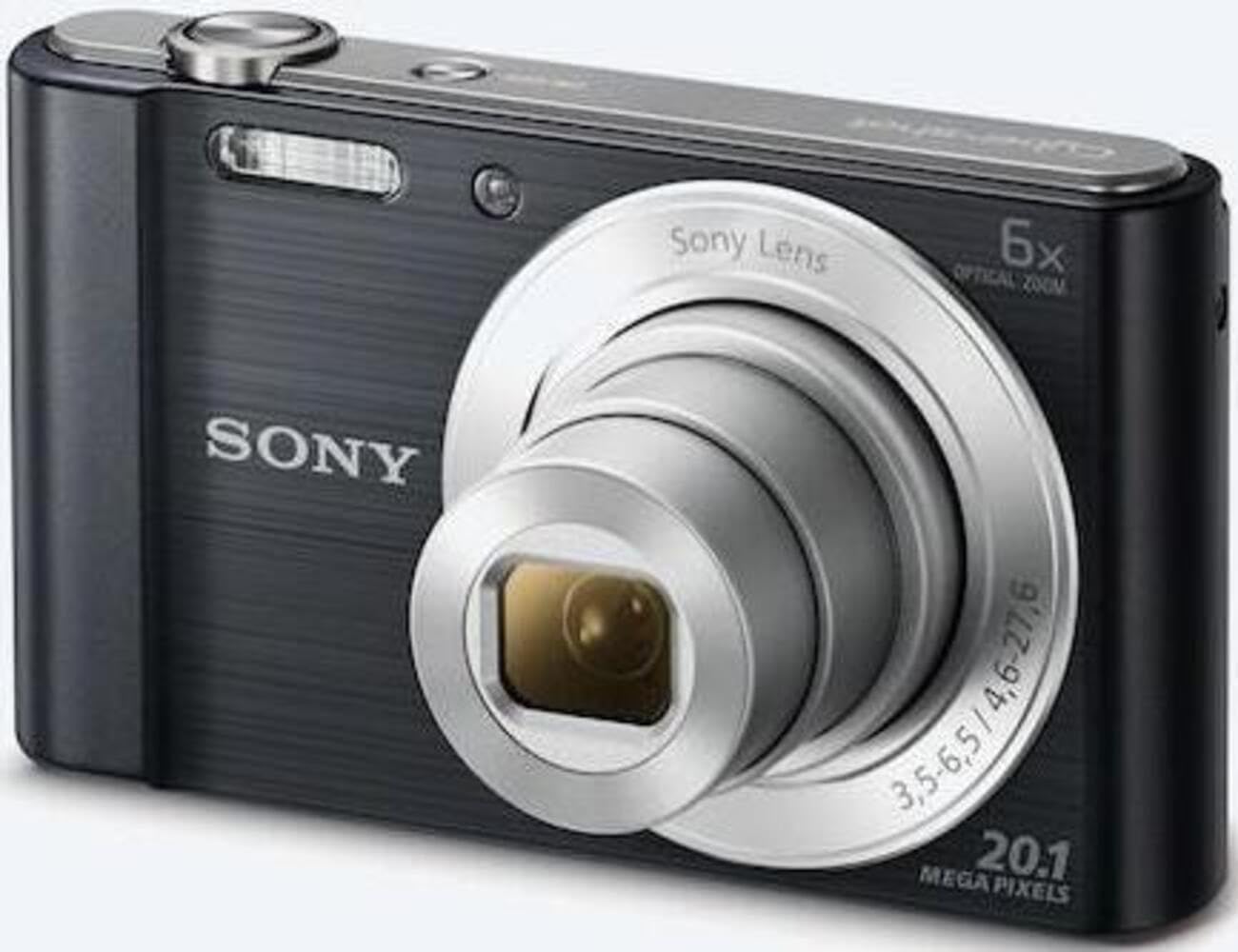
الشكل 1: الجبهة view of the camera with the lens retracted. This shows the lens, flash, and shutter button.
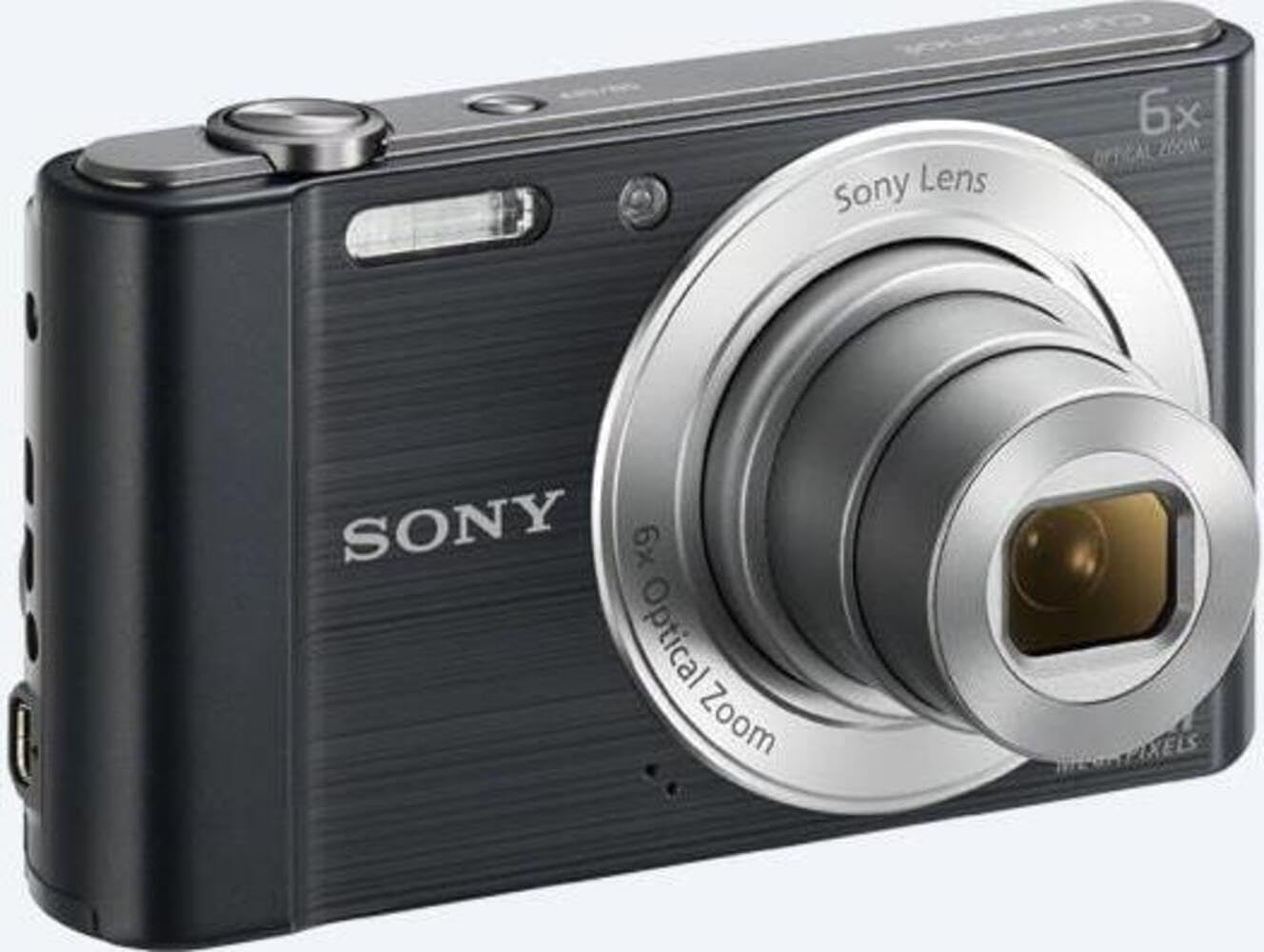
الشكل 2: الجبهة view of the camera with the lens extended, ready for shooting. This illustrates the camera's compact design when in use.

الشكل 3: خلفي view of the camera, highlighting the 2.7-inch LCD screen, navigation buttons, movie record button, and menu button.

الشكل 4: الجزء العلوي view of the camera, showing the power button, shutter button, and zoom lever.
2.2 Control Buttons and Functions
- زر المصراع: اضغط على نصف المسافة للتركيز، أو اضغط بشكل كامل لالتقاط صورة.
- ذراع التكبير/التصغير (وزن/وزن): Adjusts optical and digital zoom. "W" for wide-angle, "T" for telephoto.
- زر الطاقة: تشغيل الكاميرا أو إيقاف تشغيلها.
- Movie Button: يبدأ ويوقف تسجيل الفيديو.
- زر التشغيل: يدخل وضع التشغيل إلى view الصور والفيديوهات.
- زر القائمة: الوصول إلى إعدادات الكاميرا والخيارات.
- أزرار الاتجاه: Navigate menus and select options. Also used for flash settings, self-timer, and display options.
- فلاش: فلاش مدمج لظروف الإضاءة المنخفضة.
- شاشة LCD: 2.7-inch display for framing shots, viewالصور، والتنقل في القوائم.
3. الإعداد
اتبع هذه الخطوات لتحضير الكاميرا للاستخدام الأول.
3.1 إدخال البطارية
- افتح غطاء البطارية/بطاقة الذاكرة الموجود في الجزء السفلي من الكاميرا.
- Insert the battery with the correct orientation, ensuring the terminals align. Push until it clicks into place.
- أغلق الغطاء بإحكام.
Note: The camera does not include batteries. Please use compatible Sony NP-BN or NP-BN1 batteries.
3.2 إدخال بطاقة الذاكرة
The camera supports SDXC or SDHC memory cards.
- افتح غطاء البطارية/بطاقة الذاكرة.
- أدخل بطاقة الذاكرة في الفتحة بالاتجاه الصحيح حتى تسمع صوت طقطقة.
- أغلق الغطاء بإحكام.
Note: A memory card is not included with the camera. Purchase a compatible SDXC or SDHC card separately.
3.3 التشغيل الأولي والإعدادات
- اضغط على زر الطاقة لتشغيل الكاميرا.
- The initial setup screen will appear. Follow the on-screen prompts to set the language, date, and time.
- Ensure the date and time are accurate for proper photo organization.
4. تشغيل الكاميرا
Learn how to capture photos and videos with your DSC-W810.
4.1 التقاط الصور
- قم بتشغيل الكاميرا.
- قم بتأطير اللقطة باستخدام شاشة LCD.
- Use the zoom lever (W/T) to adjust the 6x optical zoom.
- Press the Shutter button halfway down to focus. The focus frame will turn green when focus is achieved.
- اضغط على زر الغالق بالكامل لالتقاط الصورة.
4.2 Using Flash Modes
The camera features a built-in flash with various modes. Press the right directional button (flash icon) to cycle through modes:
- فلاش تلقائي: تحدد الكاميرا تلقائيًا ما إذا كانت هناك حاجة إلى استخدام الفلاش.
- وميض التعبئة: تنطلق ومضات ضوئية مع كل طلقة.
- المزامنة البطيئة: Flash fires, and shutter speed is slowed to capture background light.
- بدون فلاش: تم تعطيل الفلاش.
Tip: For low-light environments, the "Party Mode" (accessible via the menu) can optimize settings for clearer images without harsh flash.
4.3 تسجيل مقاطع الفيديو
- قم بتشغيل الكاميرا.
- Press the dedicated Movie button to start recording.
- Press the Movie button again to stop recording.
Note: Videos are recorded in 720p resolution in MP4 format.
4.4 وضع التشغيل
- اضغط على زر التشغيل للدخول إلى وضع التشغيل.
- Use the left/right directional buttons to browse through your photos and videos.
- اضغط على الزر الأوسط لتشغيل مقاطع الفيديو.
- اضغط على زر التشغيل مرة أخرى للعودة إلى وضع التصوير.
5. الصيانة
تضمن العناية المناسبة طول عمر الكاميرا وأدائها الأمثل.
5.1 تنظيف الكاميرا
- جسم الكاميرا: امسح بقطعة قماش ناعمة وجافة. لإزالة الأوساخ العنيدة، استخدم قطعة قماش مبللة برفق.ampمُغَطَّى بالماء.
- عدسة: استخدم فرشاة العدسات لإزالة الغبار، ثم امسح برفق بقطعة قماش تنظيف العدسات. تجنب لمس سطح العدسة بأصابعك.
- شاشة LCD: Use a soft, dry cloth specifically designed for LCD screens.
Caution: Do not use organic solvents such as alcohol or thinner to clean the camera.
5.2 العناية بالبطارية
- اشحن البطارية بالكامل قبل الاستخدام لأول مرة.
- قم بإزالة البطارية إذا كنت لن تستخدم الكاميرا لفترة طويلة.
- قم بتخزين البطاريات في مكان بارد وجاف.
5.3 التخزين
When not in use, store the camera in a dry, well-ventilated area, away from direct sunlight, high temperatures, and humidity. Use a camera case for protection during transport.
6. استكشاف الأخطاء وإصلاحها
راجع هذا القسم للحصول على حلول للمشاكل الشائعة.
| مشكلة | حل |
|---|---|
| الكاميرا لا تعمل. |
|
| الصور ضبابية. |
|
| Flash is too bright or too dim. |
|
| خطأ في بطاقة الذاكرة. |
|
7. المواصفات
Key technical specifications for the Sony Cyber-shot DSC-W810 Digital Camera.
| ميزة | التفاصيل |
|---|---|
| اسم الموديل | DSCW810B.CE3 |
| دقة ثابتة فعالة | 20.1 ميجا بكسل |
| تقنية مستشعر الصور | جهاز اقتران الشحنات |
| التكبير البصري | 6x |
| تقريب رقمي | 48x |
| الطول البؤري الأقصى | 27.6 ملم |
| الطول البؤري الأدنى | 4.6 ملم |
| تثبيت الصورة | الرقمية والبصرية |
| حجم الشاشة | شاشة LCD مقاس 2.7 بوصة |
| دقة الفيديو | 720 بكسل |
| مدعوم File التنسيقات | JPEG، RAW (صورة ثابتة)، MP4 (فيديو) |
| نوع ذاكرة فلاش | SDXC or SDHC |
| الاتصال | USB ، HDMI |
| وزن العنصر | 111 جرام |
| لون | أسود |
8. الضمان والدعم
8.1 معلومات الضمان
This product comes with a 90-day Limited Hardware Warranty. For full details, please refer to the official warranty document:
View 90-day Limited Hardware Warranty
Note: This is an international version of the camera and may have warranty limitations in certain regions.
8.2 دعم العملاء
لمزيد من المساعدة أو الدعم الفني أو استفسارات الخدمة، يرجى زيارة موقع دعم Sony الرسمي webالموقع أو الاتصال بخدمة العملاء الخاصة بهم.


