መግቢያ
Welcome to your Beats Powerbeats Fit wireless earbuds. These high-performance earbuds are designed for active lifestyles, offering exceptional stability, comfort, and powerful sound. Featuring Active Noise Cancelling (ANC), Transparency mode, and compatibility with both Apple and Android devices, Powerbeats Fit are engineered to enhance your listening experience during workouts and daily activities.
This manual provides detailed instructions on setting up, operating, maintaining, and troubleshooting your Powerbeats Fit earbuds to ensure optimal performance and longevity.
በሣጥኑ ውስጥ ያለው

Image: The Powerbeats Fit earbuds, charging case, and the included extra-small, small, medium, and large silicone ear tips.
- Powerbeats Fit Earbuds
- የዩኤስቢ-ሲ ኃይል መሙያ መያዣ
- Four Ear Tip Sizes (Extra-Small, Small, Medium, Large)
- ፈጣን ጅምር መመሪያ
- የዋስትና ካርድ
- Note: Power adapter and USB-C charging cable are sold separately.
ማዋቀር
1. Achieving the Optimal Fit
A proper fit is crucial for sound quality, noise cancellation, and comfort. Powerbeats Fit earbuds feature secure-fit wingtips and come with four ear tip sizes to ensure a personalized fit.
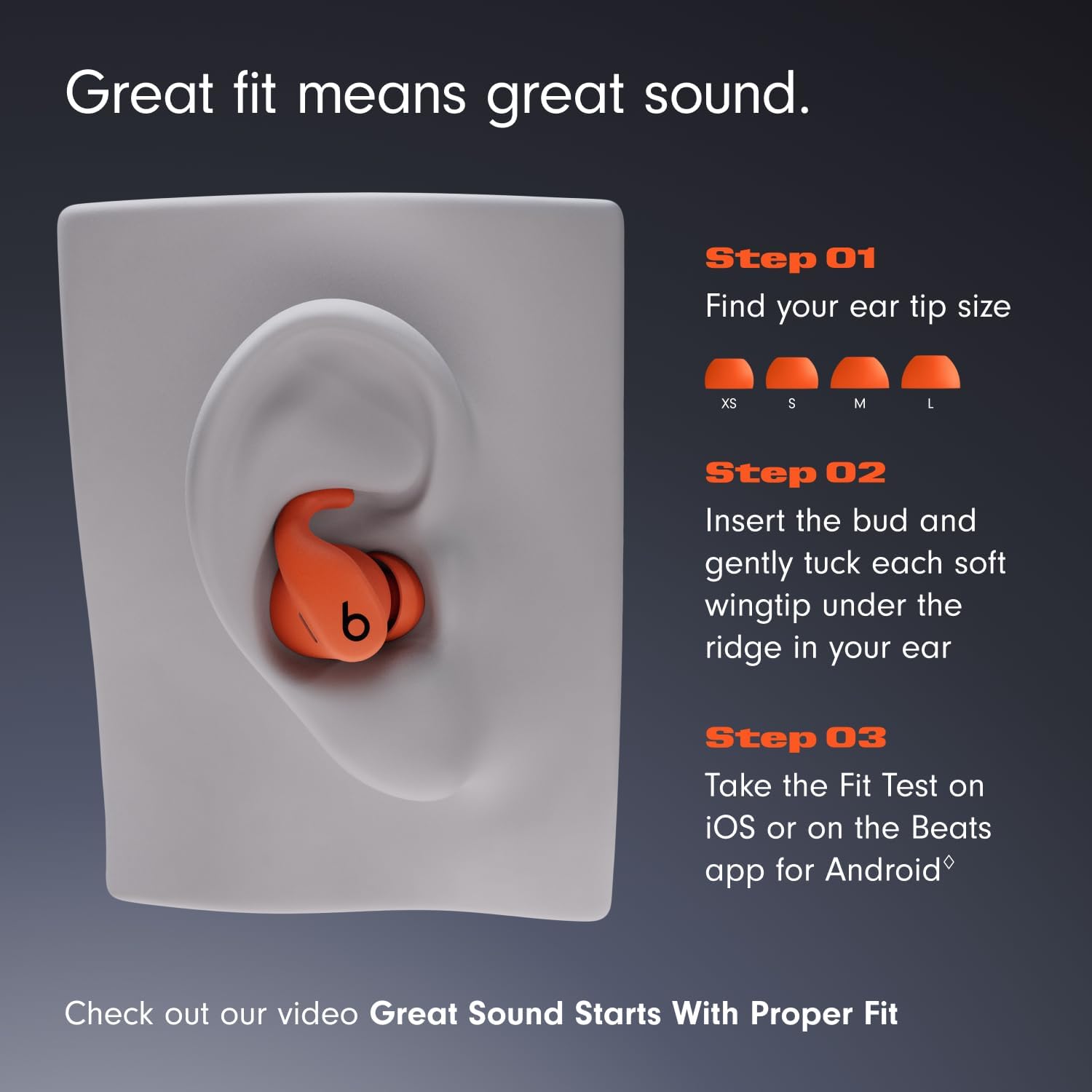
Image: Visual guide for selecting the correct ear tip size (XS, S, M, L) and properly inserting the earbud with its wingtip for optimal fit and sound.
- የጆሮ ጫፍ መጠን ይምረጡ፦ Experiment with the extra-small, small, medium, and large ear tips to find the size that creates a comfortable seal in your ear canal.
- Insert Earbud: Gently insert the earbud into your ear.
- Tuck Wingtip: Carefully tuck the soft wingtip under the ridge of your ear for exceptional stability.
- የአካል ብቃት ሙከራ For Apple users, perform the Fit Test on iOS. Android users can use the Beats app for Android to ensure the best seal.
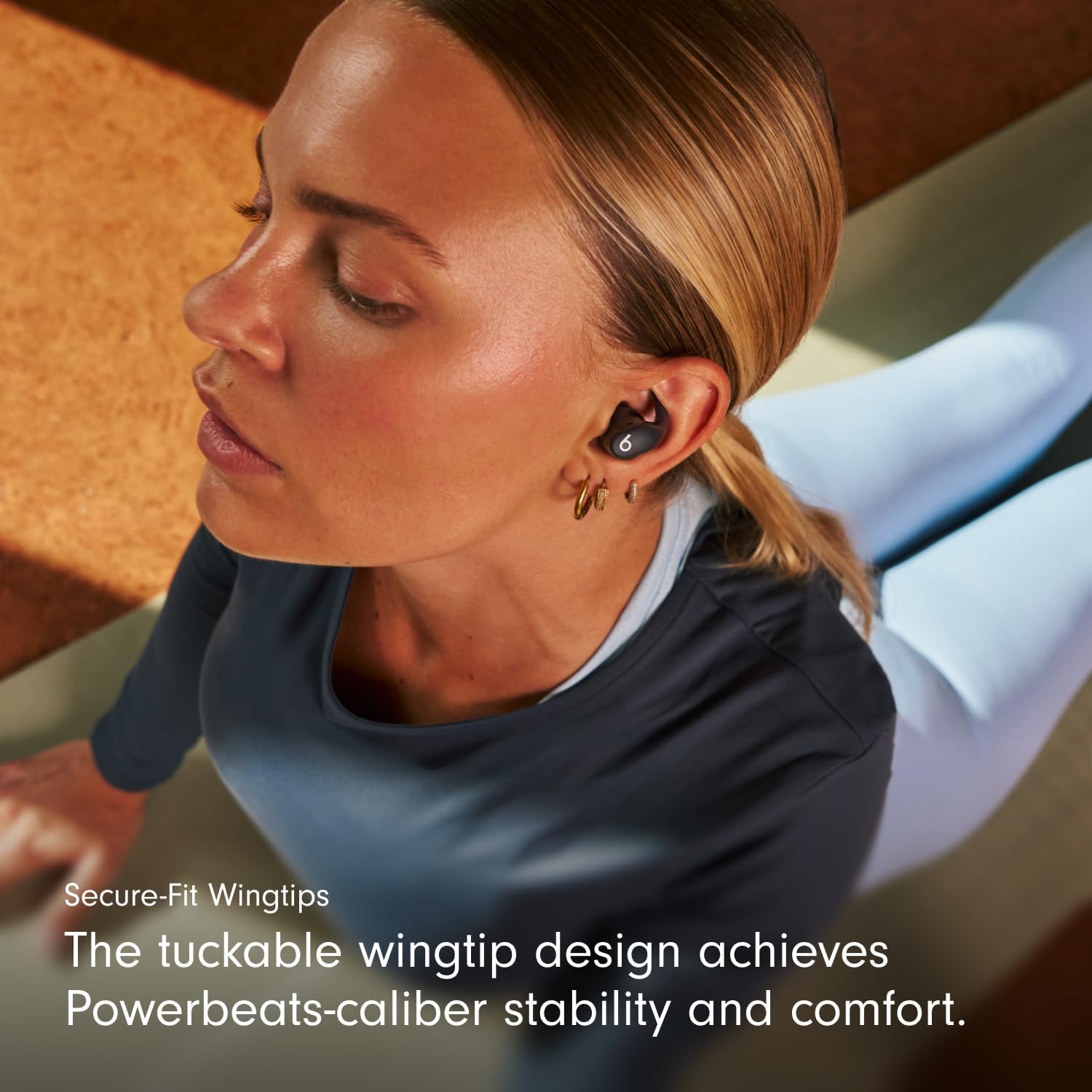
Image: A close-up of a user wearing the Powerbeats Fit earbuds, demonstrating the secure and stable fit provided by the wingtip design.
2. የጆሮ ማዳመጫዎችዎን ማጣመር
For Apple Devices (iOS):
- Open the charging case with your Powerbeats Fit inside, and hold it near your unlocked iPhone.
- Follow the on-screen instructions to connect. The Apple H1 chip enables seamless pairing and features like Automatic Switching, Audio Sharing, and hands-free "Hey Siri."
ለአንድሮይድ መሳሪያዎች፡-
- Download the Beats app for Android from the Google Play Store.
- Open the charging case with your Powerbeats Fit inside, and hold it near your Android device.
- Follow the in-app instructions for one-touch pairing. The Beats app also allows customizable controls, battery status, and the "Locate My Beats" feature.
ለሌሎች የብሉቱዝ መሳሪያዎች፡-
- በመሙያ መያዣው ውስጥ ከጆሮ ማዳመጫዎች ጋር, ክዳኑን ይክፈቱ.
- Press and hold the system button on the charging case until the LED indicator light flashes.
- Go to your device's Bluetooth settings and select "Powerbeats Fit" from the list of available devices.
Operating Your Powerbeats Fit
በመሣሪያ ላይ መቆጣጠሪያዎች
Each earbud features a multi-function button for controlling audio playback, calls, and listening modes. Controls are customizable via the Beats app (Android) or iOS settings.
- አጫውት/ ለአፍታ አቁም፡ አንዴ ይጫኑ።
- ወደ ፊት ዝለል ሁለት ጊዜ ይጫኑ.
- ወደ ኋላ ዝለል፡ ሶስት ጊዜ ይጫኑ።
- መልስ/ጥሪ ጨርስ፡ አንዴ ይጫኑ።
- ጥሪን ውድቅ አድርግ፡ ተጭነው ይያዙ።
- Switch Listening Modes (ANC/Transparency): ተጭነው ይያዙ።
- የድምጽ ረዳትን (Siri) ያግብሩ፦ Say "Hey Siri" (iOS) or customize button press (iOS/Android).
Auto-Play/Pause sensors detect when you insert or remove the earbuds, automatically playing or pausing your audio.
የማዳመጥ ሁነታዎች

ምስል፡ አበቃview of key features including secure fit, sound quality, noise cancellation, water resistance, and battery life.
- ንቁ የድምጽ መሰረዝ (ኤኤንሲ)፦ Blocks external sounds for focused listening. Ideal for noisy environments.
- ግልጽነት ሁነታ: Allows you to hear your surroundings while still enjoying your audio. Useful for awareness in urban environments or during conversations.
Switch between these modes by pressing and holding the multi-function button on either earbud, or through your device's settings/Beats app.
የቦታ ኦዲዮ
Powerbeats Fit supports Personalized Spatial Audio with dynamic head tracking, providing an immersive, theater-like sound experience. Adaptive EQ tailors sound to each earbud's personal fit and seal, optimizing audio for you.

Image: A user engaged in a running activity, showcasing the earbuds' use during exercise and their sound capabilities like Active Noise Cancelling and Spatial Audio.
ጥሪዎች
Enjoy exceptional call quality with dual beam-forming microphones and an internal processor that minimizes external noise. Take calls and FaceTime with Spatial Audio with Dolby Atmos.
የባትሪ ህይወት እና ባትሪ መሙላት
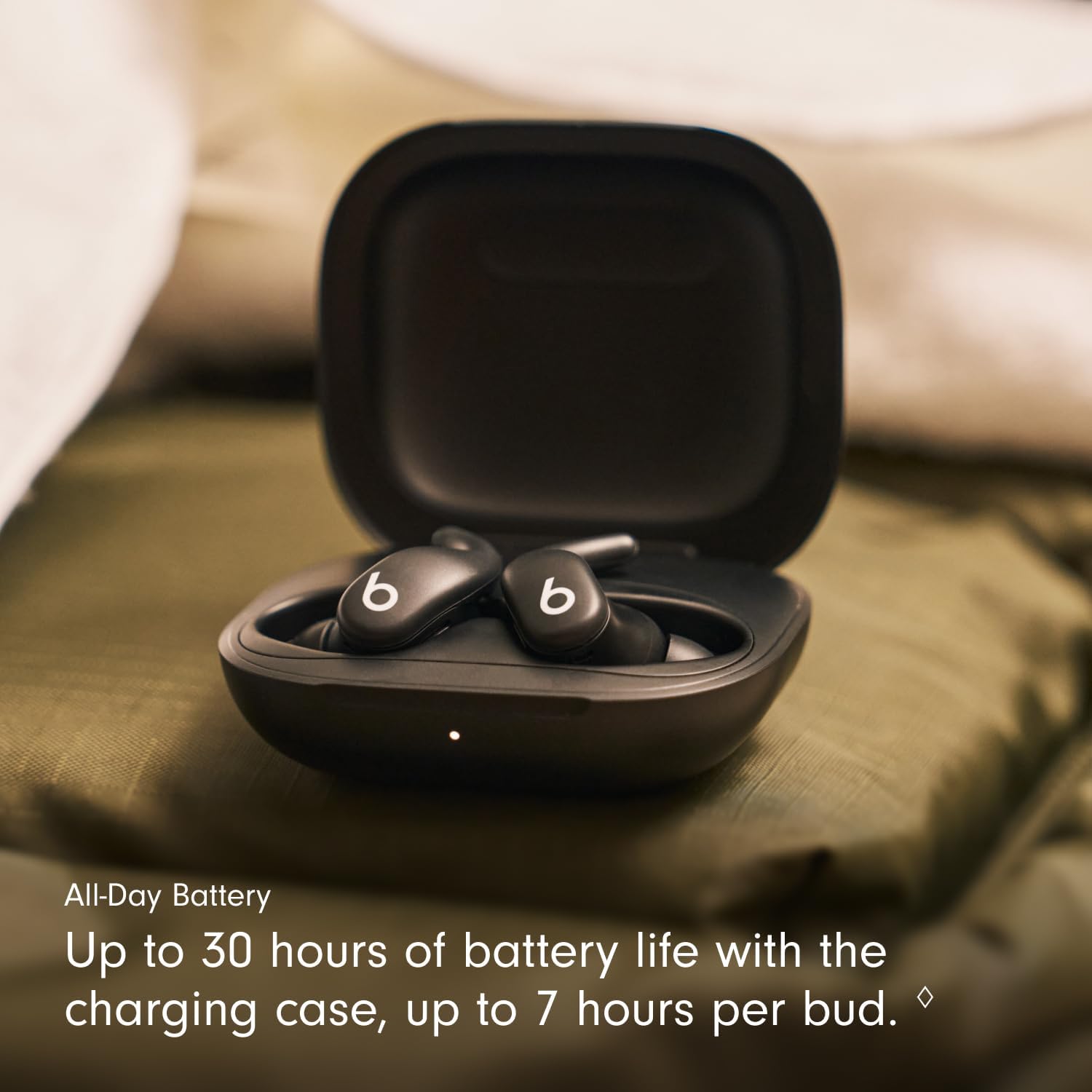
Image: The earbuds resting in their charging case, highlighting the extended battery life of up to 30 hours with the case.
- Earbud Playback: በአንድ ክፍያ እስከ 7 ሰዓታት ድረስ.
- Total with Charging Case: Up to 30 hours of listening time.
- Fast Fuel Charging: ፈጣን የ5-ደቂቃ ቻርጅ ባትሪው ዝቅተኛ ሲሆን እስከ 1 ሰአት መልሶ ማጫወት ያቀርባል።
To charge your Powerbeats Fit, place the earbuds in the charging case and close the lid. Connect the USB-C charging case to a power source using a compatible USB-C cable (sold separately).
ጥገና
የጆሮ ማዳመጫዎችዎን እና መያዣዎን በማጽዳት ላይ
- Wipe earbuds and charging case with a soft, dry, lint-free cloth.
- የኬሚካል ማጽጃዎችን ወይም ማጽጃዎችን አይጠቀሙ.
- የጆሮዎቹን ጫፎች ያስወግዱ እና አስፈላጊ ከሆነ በቀላል ሳሙና እና ውሃ ለየብቻ ያጽዷቸው፣ እንደገና ከማያያዝዎ በፊት ሙሉ በሙሉ ደረቅ መሆናቸውን ያረጋግጡ።
የውሃ መቋቋም (IPX4)
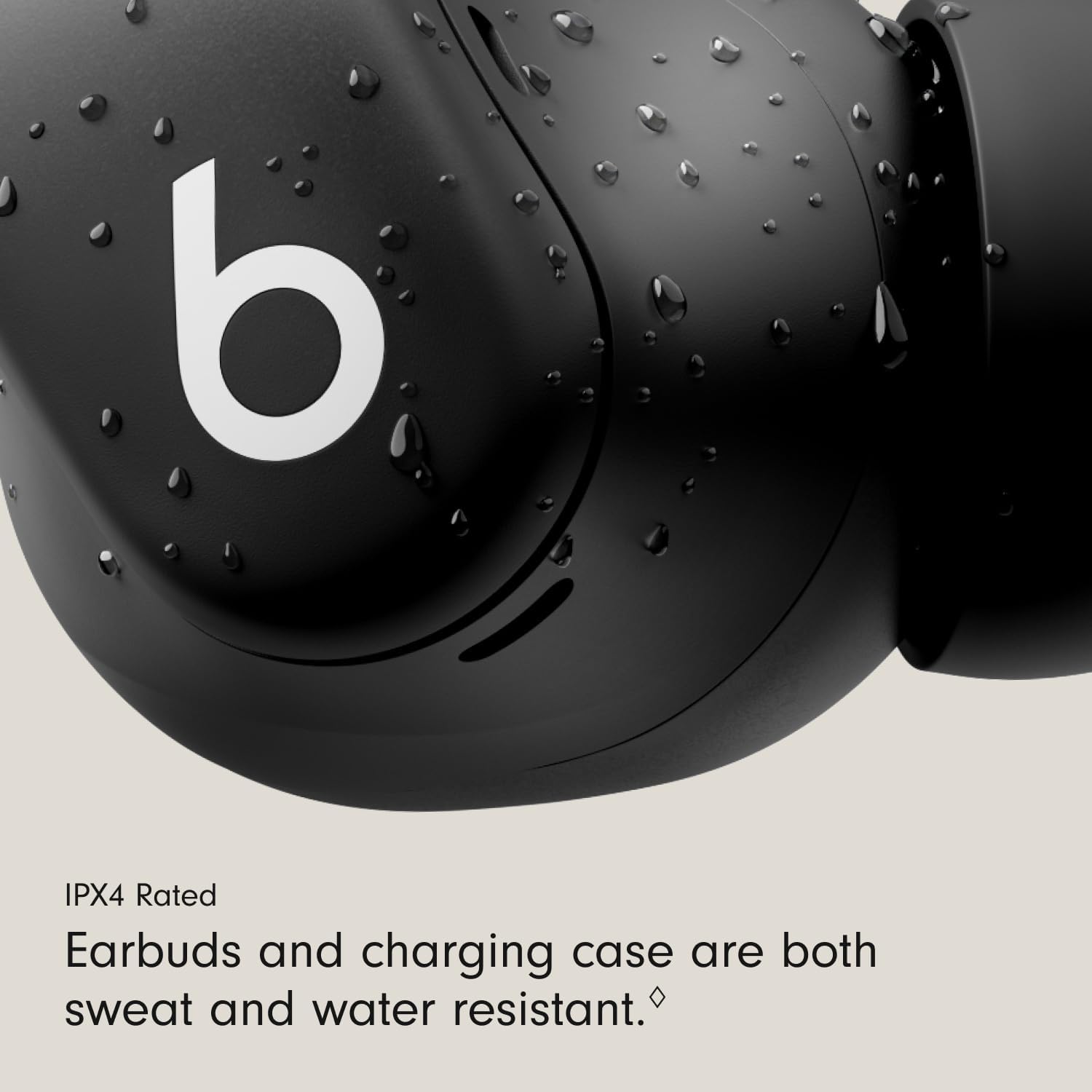
ምስል: ዝርዝር view of an earbud with water droplets, emphasizing its IPX4 rating for sweat and water resistance, suitable for workouts.
Both the Powerbeats Fit earbuds and the charging case are IPX4 rated, meaning they are sweat and water resistant. This makes them suitable for intense workouts and use in light rain or snow.
- የጆሮ ማዳመጫውን ወይም መያዣውን በውሃ ውስጥ አታስገቡ።
- Avoid exposing them to pressurized water or high-velocity water.
- Ensure earbuds and case are dry before charging to prevent damage.
መላ መፈለግ
If you encounter issues with your Powerbeats Fit, try the following steps:
- ምንም የድምፅ/ደካማ የድምፅ ጥራት፡- Ensure earbuds are properly seated in your ears and you have selected the correct ear tip size. Check your device's volume and Bluetooth connection.
- የግንኙነት ጉዳዮች፡- Turn Bluetooth off and on again on your device. Place earbuds back in the case, close the lid, wait a few seconds, then reopen to reset. For persistent issues, try re-pairing the earbuds.
- የመሙላት ችግሮች፡- Ensure the charging cable and power adapter are working correctly. Clean the charging contacts on both the earbuds and the case with a dry cloth.
- ምላሽ የማይሰጡ የጆሮ ማዳመጫዎች፡- Place both earbuds in the charging case, close the lid, and then open it again. If issues persist, perform a factory reset (refer to the Beats support webለተወሰኑ መመሪያዎች ድህረ ገጽ)።
- የማይመች የአካል ብቃት; Experiment with all four ear tip sizes. Ensure the wingtip is gently tucked under the ridge of your ear.
ለተጨማሪ እርዳታ እባክዎን ኦፊሴላዊውን የ Beats ድጋፍን ይጎብኙ webጣቢያ.
ዝርዝሮች
| የሞዴል ስም | Powerbeats Fit |
| የንጥል ሞዴል ቁጥር | ME2J4LL/A |
| ግንኙነት | Class 1 Wireless Bluetooth®, Wi-Fi |
| የድምጽ መቆጣጠሪያ | Active Noise Cancellation, Sound Isolation |
| የውሃ መቋቋም | IPX4 (Earbuds and Charging Case) |
| የጆሮ ማዳመጫ የባትሪ ህይወት | Up to 7 hours (continuous playback) |
| ጠቅላላ የባትሪ ህይወት (ከጉዳይ ጋር) | እስከ 30 ሰዓታት ድረስ |
| ፈጣን ነዳጅ መሙላት | የ5-ደቂቃ ክፍያ እስከ 1 ሰዓት መልሶ ማጫወት ያቀርባል |
| ተስማሚ መሣሪያዎች | Cellphones, Desktops, Laptops, Smart Watch, Tablets (Apple & Android) |
| የመቆጣጠሪያ ዓይነት | የድምጽ መቆጣጠሪያ፣ የመተግበሪያ ቁጥጥር፣ የአዝራር መቆጣጠሪያ፣ Siri፣ የንክኪ ቁጥጥር፣ የድምጽ ቁጥጥር |
| የጆሮ ማዳመጫ ልኬቶች (L x W x H) | 2.74 ሴሜ x 2.15 ሴሜ x 2.04 ሴሜ (1.08 x 0.84 x 0.80 ኢንች) |
| Charging Case Dimensions (L x W x H) | 6.25 ሴሜ x 5.54 ሴሜ x 2.75 ሴሜ (2.46 x 2.18 x 1.08 ኢንች) |
| የጆሮ ማዳመጫ ክብደት | 5.78 ግ |
| የኬዝ ክብደትን መሙላት | 49.75 ግ |
| ዩፒሲ | 195950384512 |
ዋስትና እና ድጋፍ
Your Beats Powerbeats Fit earbuds are covered by a limited warranty. Please refer to the warranty card included in your product packaging for specific terms and conditions.
ለምርት ድጋፍ፣ በተደጋጋሚ ለሚጠየቁ ጥያቄዎች እና ለተጨማሪ ግብዓቶች፣ እባክዎን ኦፊሴላዊውን የቢትስ ድጋፍን ይጎብኙ webጣቢያ፡
You can also explore more Beats products and information at the የቢትስ መደብር በአማዞን ላይ.


