መግቢያ
This manual provides instructions for the Monster Persona 4th ANC Active Noise Canceling Headphones. Please read this manual thoroughly before using the product to ensure proper operation and to understand its features.

Image: Monster Persona 4th ANC Headphones in white, showcasing አጠቃላይ ንድፍ.
የደህንነት መረጃ
Observe the following safety guidelines to prevent damage to the device or injury to yourself:
- የጆሮ ማዳመጫውን ለከፍተኛ ሙቀት ወይም እርጥበት አያጋልጡ።
- የጆሮ ማዳመጫዎቹን ለጠንካራ ተጽእኖዎች ከመጣል ወይም ከመጣል ይቆጠቡ።
- የጆሮ ማዳመጫዎችን እራስዎ አይሰብስቡ ወይም ለመጠገን አይሞክሩ.
- የጆሮ ማዳመጫዎቹን ለስላሳና ደረቅ ጨርቅ ያጽዱ። ጠንከር ያሉ ኬሚካሎችን አይጠቀሙ።
- በከፍተኛ የድምፅ መጠን ለረጅም ጊዜ ማዳመጥ የመስማት ችሎታን ሊጎዳ ይችላል።
የጥቅል ይዘቶች
ሁሉም እቃዎች በጥቅሉ ውስጥ መኖራቸውን ያረጋግጡ፡-
- 1x Monster Persona 4ኛ ANC የጆሮ ማዳመጫዎች
- 1 x ዓይነት-C የኃይል መሙያ ገመድ
- 1 x Aux ገመድ
- 1 x የተጠቃሚ መመሪያ

Image: Contents of the product box, including the headphones, charging cable, aux cable, and user manual.
ምርት አልቋልview እና መቆጣጠሪያዎች
Familiarize yourself with the headphone components and control buttons.

Image: Diagram illustrating the location and function of the control buttons on the headphones.
- ጥራዝ +: Press once to increase volume. Long press for 2 seconds for next song.
- ጥራዝ -: Press once to decrease volume. Long press for 2 seconds for previous song.
- የኃይል ቁልፍ፡-
- በርቷል ለ 3 ሰከንዶች በረጅሙ ተጫን።
- ጠፍቷል ለ 5 ሰከንዶች በረጅሙ ተጫን።
- አጫውት/ ለአፍታ አቁም፡ አንዴ ይጫኑ።
- ጥሪውን ይመልሱ/ያቁሙ፦ አንዴ ይጫኑ።
- ጥሪን አትቀበል፡ ለ 2 ሰከንዶች በረጅሙ ተጫን።
- የድምጽ ረዳት፡ ለ 2 ሰከንዶች በረጅሙ ተጫን።
- ANC Switching Modes: Press once to cycle through modes (Active Noise Canceling, Transparency, Standard).
ማዋቀር
የጆሮ ማዳመጫዎችን መሙላት
ከመጠቀምዎ በፊት የጆሮ ማዳመጫውን ሙሉ በሙሉ ይሙሉ።
- የC አይነት ባትሪ መሙያ ገመድ በጆሮ ማዳመጫዎች ላይ ካለው የኃይል መሙያ ወደብ ጋር ያገናኙ።
- የኬብሉን ሌላኛውን ጫፍ ከዩኤስቢ የኃይል ምንጭ ጋር ያገናኙ (ለምሳሌ፦ ግድግዳ አስማሚ፣ የኮምፒውተር ዩኤስቢ ወደብ)።
- ጠቋሚው መብራቱ የኃይል መሙያ ሁኔታን ያሳያል. ሙሉ ክፍያ በግምት 2 ሰዓት ይወስዳል።
የ10 ደቂቃ የኃይል መሙያ ጊዜ በግምት 5 ሰዓታት የመልሶ ማጫወት እድል ይሰጣል።

Image: Visual representation of the headphone's battery life and fast charging capability.
ኃይል አብራ/ አጥፋ
- ለማብራት፡- ለ 3 ሰከንዶች የኃይል አዝራሩን በረጅሙ ተጫን።
- ለማጥፋት፡- ለ 5 ሰከንዶች የኃይል አዝራሩን በረጅሙ ተጫን።
የብሉቱዝ ማጣመር
የጆሮ ማዳመጫዎችዎን በብሉቱዝ በኩል ከመሳሪያ ጋር ለማገናኘት፦
- የጆሮ ማዳመጫዎች መጥፋታቸውን ያረጋግጡ።
- Long press the Power button for 3 seconds to power on and enter pairing mode (indicator light will flash).
- በመሳሪያዎ ላይ (ስማርትፎን፣ ታብሌት፣ ኮምፒውተር) ብሉቱዝን አንቃ እና የሚገኙ መሳሪያዎችን ፈልግ።
- ከመሳሪያዎች ዝርዝር ውስጥ "Monster Persona 4th ANC" የሚለውን ይምረጡ።
- ከተገናኘ በኋላ ጠቋሚው መብራቱን ያቆማል.

Image: Close-up of the internal Bluetooth 6.0 chip, indicating advanced wireless connectivity.
ባለብዙ-ነጥብ ግንኙነት
The headphones support connecting to two Bluetooth devices simultaneously.
- በብሉቱዝ ማጣመሪያ ክፍል ላይ እንደተገለጸው የጆሮ ማዳመጫዎቹን ከመጀመሪያው መሣሪያ ጋር ያገናኙ።
- Disconnect Bluetooth on the first device temporarily.
- የጆሮ ማዳመጫዎችን ከሁለተኛው መሳሪያ ጋር ያገናኙ.
- Reconnect Bluetooth on the first device. The headphones should now be connected to both devices.

Image: Headphones connected simultaneously to a smartphone and a laptop, demonstrating multi-point connection.
ባለገመድ ግንኙነት
የጆሮ ማዳመጫዎችን በገመድ ግንኙነት ለመጠቀም፡-
- Connect the included Aux Cable to the 3.5mm audio jack on the headphones.
- Connect the other end of the Aux Cable to your audio source's 3.5mm output.
Note: The wired connection on mobile devices only supports Type-C port input and output if using a Type-C to 3.5mm adapter (not included).
በመስራት ላይ
Music Playback and Volume
- አጫውት/ ለአፍታ አቁም፡ የኃይል ቁልፉን አንዴ ይጫኑ።
- ቀጣይ ዘፈን፡- Long press Volume + for 2 seconds.
- ቀዳሚ ዘፈን፡- Long press Volume - for 2 seconds.
- የድምፅ መጠን ይጨምሩ; Press Volume + once.
- የድምፅ መጠን መቀነስ; Press Volume - once.
የጥሪ አስተዳደር
- መልስ/ ስጠኝ የኃይል ቁልፉን አንዴ ይጫኑ።
- ጥሪን ውድቅ አድርግ፡ ለ 2 ሰከንዶች የኃይል አዝራሩን በረጅሙ ተጫን።
የድምጽ ረዳት
- የድምፅ ረዳት አግብር ለ 2 ሰከንዶች የኃይል አዝራሩን በረጅሙ ተጫን።
Sound Modes (ANC, Transparency, Standard)
The headphones offer three listening modes:
- Active Noise Canceling (ANC) Mode: የድባብ ድምጽን ይቀንሳል።
- ግልጽነት ሁነታ: ኦዲዮን በሚያዳምጡበት ጊዜ አካባቢዎን እንዲሰሙ ይፈቅድልዎታል።
- መደበኛ ሁነታ፡ Balanced sound for everyday listening without noise cancellation or transparency.
To switch between modes, press the ANC Switching Modes button once.
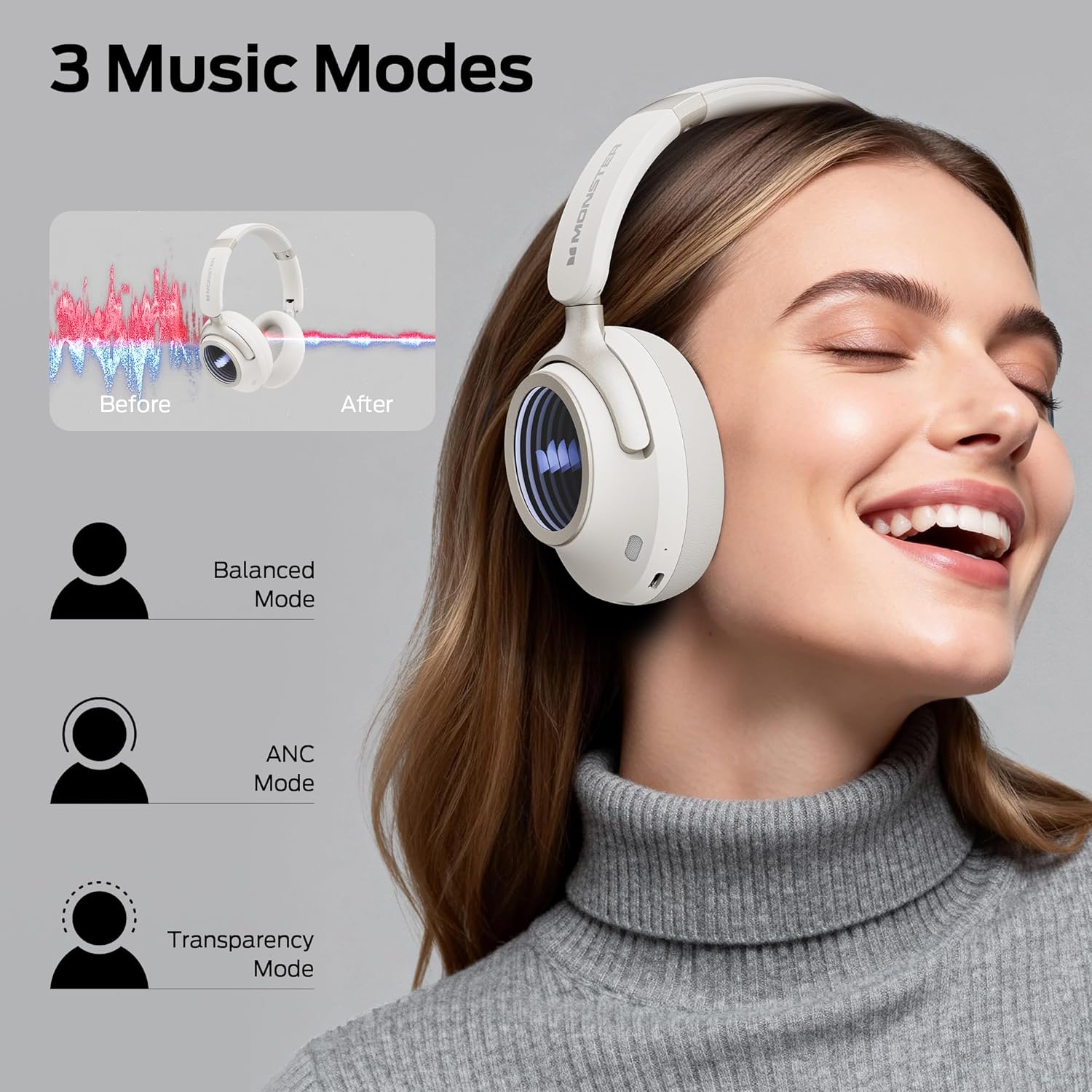
Image: Illustration of the three available music modes: Balanced, ANC, and Transparency, with a user demonstrating the headphones.
የጆሮ ማዳመጫዎችን መልበስ
Adjust the headband and earcups for a comfortable and secure fit. The earcups rotate for flexible adjustments.

Image: Close-up of an earcup, highlighting the breathable cushion design for comfort.

Image: Diagrams showing the dimensions of the headphones for both wireless and wired configurations.
ጥገና
- ማጽዳት፡ Use a soft, dry, lint-free cloth to clean the headphones. Do not use liquid cleaners or aerosols.
- ማከማቻ፡ ጥቅም ላይ በማይውልበት ጊዜ የጆሮ ማዳመጫዎቹን በቀጥታ ከፀሀይ ብርሀን እና ከከፍተኛ ሙቀት ርቀው በቀዝቃዛና ደረቅ ቦታ ያከማቹ። ሊታጠፍ የሚችል ንድፍ የታመቀ ማከማቻ ይፈቅዳል.
- የባትሪ እንክብካቤ የባትሪ ዕድሜን ለመጠበቅ የጆሮ ማዳመጫዎቹን አዘውትረው ቻርጅ ያድርጉ፣ በተደጋጋሚ ባይጠቀሙም እንኳ። ባትሪውን ለረጅም ጊዜ ሙሉ በሙሉ ከመሙላት ይቆጠቡ።
መላ መፈለግ
| ችግር | መፍትሄ |
|---|---|
| የጆሮ ማዳመጫዎች አይበሩም። | የጆሮ ማዳመጫዎቹ መሞላቸውን ያረጋግጡ። የType-C ገመድን በመጠቀም ከኃይል ምንጭ ጋር ያገናኙ። |
| በብሉቱዝ በኩል ማጣመር አይቻልም። | Ensure headphones are in pairing mode (flashing indicator light). Turn off and on Bluetooth on your device. Forget previous pairings and try again. Ensure headphones are within range. |
| ምንም ድምጽ ወይም ዝቅተኛ ድምጽ የለም. | Check headphone and device volume levels. Ensure headphones are properly connected (Bluetooth or wired). Try restarting both devices. |
| Active Noise Canceling (ANC) is not effective. | Ensure ANC mode is activated. Check that the earcups form a good seal around your ears. ANC is most effective against low-frequency sounds. |
| በጥሪዎች ጊዜ ማይክሮፎን አይሰራም። | Ensure the headphones are connected via Bluetooth. Check your device's audio input settings to confirm the headphones are selected as the microphone. |
ዝርዝሮች
| ባህሪ | ዝርዝር |
|---|---|
| የሞዴል ስም | ጭራቅ ፐርሶና 4ኛ ኤኤንሲ |
| የግንኙነት ቴክኖሎጂ | ባለገመድ፣ ገመድ አልባ (ብሉቱዝ 6.0) |
| የጆሮ ማዳመጫዎች ጃክ | 3.5 ሚሜ ሚሜ |
| ገመድ አልባ የመገናኛ ቴክኖሎጂ | ብሉቱዝ |
| ቁሳቁስ | ቆዳ፣ ፕላስቲክ |
| የኃይል መሙያ ጊዜ | 2 ሰዓታት |
| የባትሪ አማካይ ሕይወት | 70 ሰዓቶች (ኤኤንሲ ጠፍቷል)፣ 50 ሰዓቶች (ኤኤንሲ በርቷል) |
| የመቆጣጠሪያ ዓይነት | የአዝራር መቆጣጠሪያ |
| የእቃው ክብደት | 0.2 ኪ |
| የውሃ መቋቋም ደረጃ | የውሃ መቋቋም |
| ከፍተኛው የክወና ርቀት | 33 ጫማ |
| የድምጽ መቆጣጠሪያ | ገባሪ የድምጽ ስረዛ |
| የቅጽ ምክንያት | ከጆሮ በላይ |
| የምርት ልኬቶች | 17.4 x 8 x 19.5 ሴ.ሜ |
ዋስትና እና ድጋፍ
የሞንስተር ምርቶች በከፍተኛ ጥራት ደረጃዎች የተነደፉ እና የተመረቱ ናቸው። የዋስትና መረጃ እና የደንበኛ ድጋፍ ለማግኘት፣ እባክዎን በጥቅልዎ ውስጥ የተካተተውን የዋስትና ካርድ ይመልከቱ ወይም ኦፊሴላዊውን Monster ይጎብኙ። webጣቢያ. ለዋስትና ጥያቄዎች የግዢ ማረጋገጫዎን ያስቀምጡ።
If you encounter any issues not covered in this manual, please contact customer support for assistance.


