ምርት አልቋልview
The CHUWI GemiBook Plus is a 15.6-inch business laptop designed for efficient daily computing. It features an Intel N100 CPU, 8GB of LPDDR5 RAM, and a 256GB SSD, running on Windows 11. This laptop is built for portability and performance, suitable for both work and entertainment.

ምስል፡ ፊት ለፊት view of the CHUWI GemiBook Plus laptop displaying the Windows 11 logo on its screen, highlighting its operating system.
በሣጥኑ ውስጥ ያለው
- CHUWI GemiBook Plus Laptop
- 38Wh Li-ion Battery (integrated)
- የኃይል አስማሚ
- Documentation (User Manual, Warranty Card)
የማዋቀር መመሪያ
1. የመነሻ ኃይል መሙላት
Before first use, connect the power adapter to the laptop's charging port and a power outlet. Charge the laptop until the battery indicator shows a full charge. This ensures optimal battery performance.
2. ማብራት
Press the power button located on the keyboard to turn on the laptop. The power button is typically found in the top right corner of the keyboard area.

ምስል፡ ከላይ ወደ ታች view of the CHUWI GemiBook Plus laptop, showing the full keyboard layout and touchpad, indicating the power button location.
3. የዊንዶውስ 11 ማዋቀር
Follow the on-screen prompts to complete the Windows 11 initial setup. This includes selecting your region, language, connecting to a Wi-Fi network, and creating a user account. Ensure you have an active internet connection for this process.
የአሠራር መመሪያዎች
የቁልፍ ሰሌዳ እና የመዳሰሻ ሰሌዳ
The laptop features a full-sized keyboard and a responsive touchpad for navigation. The touchpad supports multi-touch gestures for enhanced control.

Image: A hand demonstrating the use of the touchpad on the CHUWI GemiBook Plus laptop, highlighting its multi-touch capabilities.
ተያያዥ መሳሪያዎች
ላፕቶፑ ውጫዊ መሳሪያዎችን ለማገናኘት የተለያዩ ወደቦች አሉት.
- የዩኤስቢ ወደቦች፡ Connect USB devices such as mice, keyboards, or external storage drives. The laptop has 1 USB 2.0 port.
- የኤችዲኤምአይ ወደብ ለትልቅ ማሳያ ከውጫዊ ማሳያ ወይም ቲቪ ጋር ይገናኙ።
- ኦዲዮ ጃክ ፦ የጆሮ ማዳመጫዎችን ወይም የውጭ ድምጽ ማጉያዎችን ያገናኙ ፡፡
የገመድ አልባ ግንኙነት
The CHUWI GemiBook Plus supports Wi-Fi 6 (802.11ax) for high-speed internet access and Bluetooth 5.2 for connecting wireless accessories like headphones or speakers.
Webcam Privacy Switch
For enhanced privacy, the laptop includes a physical switch to block the webcam lens. Slide the switch to cover or uncover the camera as needed.
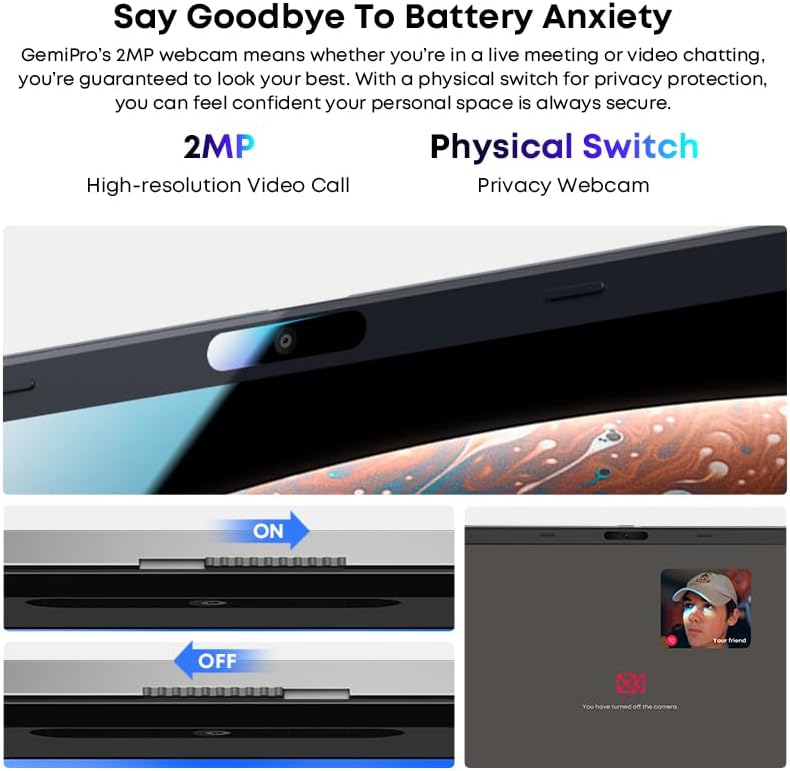
ምስል፡ መቀራረብ view የላፕቶፕ webcam, illustrating the physical privacy switch in both open and closed positions.
ጥገና
ላፕቶፑን ማጽዳት
ስክሪኑን እና የውጪውን ገጽ ለማጽዳት ለስላሳ፣ ከላጣ ነፃ የሆነ ጨርቅ ይጠቀሙ። ለጠንካራ ምልክቶች፣ ትንሽampጨርቁን በውሃ ወይም በስክሪን ማጽጃ መፍትሄ. ኃይለኛ ኬሚካሎችን ወይም ገላጭ ቁሳቁሶችን ያስወግዱ.
የባትሪ እንክብካቤ
The laptop is equipped with a 38Wh Li-ion battery. To prolong battery life, avoid extreme temperatures and fully discharging the battery frequently. It takes approximately 3 hours for a full recharge.
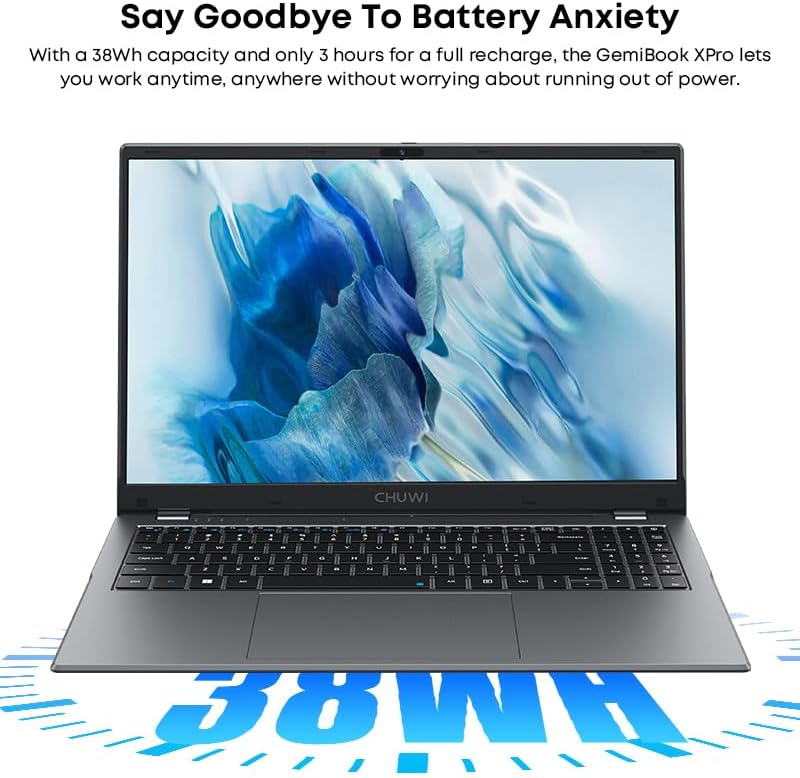
Image: The CHUWI GemiBook Plus laptop with an overlay indicating its 38Wh battery capacity, emphasizing its power endurance.
የሶፍትዌር ዝማኔዎች
ጥሩ አፈፃፀም እና ደህንነት ለማረጋገጥ የዊንዶውስ ዝመናዎችን እና የአሽከርካሪ ዝመናዎችን በመደበኛነት ያረጋግጡ እና ይጫኑ።
መላ መፈለግ
ላፕቶፕ እየበራ አይደለም
- የኃይል አስማሚው ደህንነቱ በተጠበቀ ሁኔታ ከሁለቱም ላፕቶፕ እና ከሚሰራ የኃይል ማከፋፈያ ጋር መገናኘቱን ያረጋግጡ።
- ሌላ መሳሪያ በመጫን የኃይል ማከፋፈያው የሚሰራ መሆኑን ያረጋግጡ።
- ባትሪው ሙሉ በሙሉ ከተለቀቀ ላፕቶፑ ከመብራቱ በፊት ጥቂት ደቂቃዎችን መሙላት ሊወስድ ይችላል።
ምንም የWi-Fi ግንኙነት የለም።
- በዊንዶውስ ቅንጅቶች ውስጥ Wi-Fi መንቃቱን ያረጋግጡ።
- የ Wi-Fi ራውተርዎን እና ላፕቶፑን እንደገና ያስጀምሩ።
- Ensure you are within range of a Wi-Fi network and have entered the correct password.
ቀርፋፋ አፈጻጸም
- ከበስተጀርባ የሚሰሩ አላስፈላጊ መተግበሪያዎችን ዝጋ።
- ማንኛውንም በመጠባበቅ ላይ ያሉ የዊንዶውስ ዝመናዎችን ይመልከቱ እና ይጫኑ።
- Run a disk cleanup and defragmentation (for HDD) or optimize drives (for SSD).
- በኤስኤስዲ ላይ በቂ ነፃ ቦታ ያረጋግጡ።
ዝርዝሮች
| ባህሪ | ዝርዝር |
|---|---|
| የምርት ስም | CHUWI |
| የሞዴል ስም | GemiBook Plus |
| የስክሪን መጠን | 15.6 ኢንች |
| የማያ ጥራት | 1920 x 1080 ፒክሰሎች (ኤፍኤችዲ) |
| ፕሮሰሰር | Intel N100 CPU (up to 3.4GHz) |
| ራም | 8 ጊባ LPDDR5 |
| ሃርድ ድራይቭ | 256 GB SSD (M.2 2280 SSD expansion up to 1TB supported) |
| ስርዓተ ክወና | ዊንዶውስ 11 |
| ግራፊክስ ካርድ | Integrated Intel UHD Graphics for 12th Gen Intel Processors |
| የገመድ አልባ አይነት | Wi-Fi 6 (802.11ax) |
| ብሉቱዝ | ብሉቱዝ 5.2 |
| ወደቦች | 1x USB 2.0, HDMI, Audio Jack |
| የእቃው ክብደት | 3.85 ፓውንድ (1.74 ኪ.ግ) |
| የምርት ልኬቶች | 14.1 x 9.5 x 0.78 ኢንች (35.8 x 24.1 x 1.98 ሴሜ) |
| ባትሪ | 38 ዋ ሊ-ion ባትሪ |
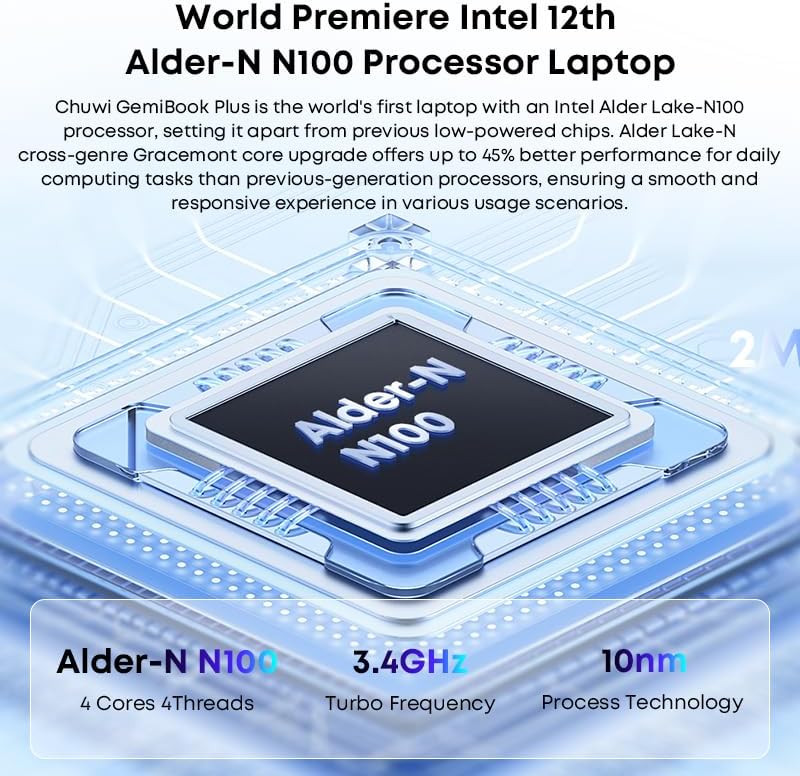
Image: Diagram illustrating the Intel Alder-N N100 processor with details on its 4 Cores 4 Threads, 3.4GHz Turbo Frequency, and 10nm Process Technology.
ዋስትና እና ድጋፍ
የዋስትና መረጃ
The CHUWI GemiBook Plus laptop comes with a የ1-ዓመት ዋስትና valid immediately after purchase. This warranty covers manufacturing defects and ensures product reliability.
የደንበኛ ድጋፍ
CHUWI offers lifetime factory professional support and 24 hours of online support to assist with any issues or questions you may have. For support, please refer to the contact information provided in your product documentation or visit the official CHUWI webጣቢያ.
እንዲሁም መጎብኘት ይችላሉ CHUWI Store on Amazon ለበለጠ መረጃ እና ግብአት።


