1. መግቢያ
Thank you for choosing the eKids Kids Bluetooth Wireless Headphones. These headphones are designed to provide a safe and enjoyable audio experience for children, featuring volume-limiting technology to protect young ears. They offer versatile connectivity options, comfortable wear, and a durable, foldable design for easy portability.
This manual provides detailed instructions on how to set up, operate, and maintain your headphones, ensuring optimal performance and longevity.
2. የጥቅል ይዘቶች
- eKids Kids Bluetooth Wireless Headphones
- የዩኤስቢ ባትሪ መሙያ ገመድ
- 3.5 ሚሜ የድምጽ ገመድ
3. ምርት አብቅቷልview

ምስል 1: የፊት view of the eKids Kids Bluetooth Wireless Headphones, showcasing the white design with black ear cushions.

ምስል 2: ዝርዝር view highlighting key features such as the adjustable headband, foldable design for portability, soft ear cushions, charging port, and line-in audio port.

Figure 3: Illustration of the headphone controls including power/pairing/charging LED indicators, USB charging port, AUX jack, microphone, volume up/skip forward, play/pause/power on/off, hang up/answer phone, and volume down/skip back buttons. Also shows product dimensions.
ቁልፍ ባህሪዎች
- የብሉቱዝ ግንኙነት; Wirelessly stream high-quality stereo sound from compatible devices.
- Volume Reduced for Child Safety: Incorporates volume-limiting technology to protect young ears.
- አብሮ የተሰራ ማይክሮፎን; Facilitates clear communication for video calls and online learning.
- ባለገመድ አማራጭ፡ Includes a 3.5mm audio cable for listening when Bluetooth is unavailable or the battery is low.
- ረጅም የባትሪ ህይወት; Up to 18 hours of continuous Bluetooth playtime.
- ብጁ ብቃት፡ Adjustable headband and soft ear cushions for comfortable wear.
- የሚታጠፍ ንድፍ Ensures easy storage and portability.
4. መጀመር
4.1 የጆሮ ማዳመጫዎችን መሙላት
Before first use, fully charge the headphones. Connect the included USB charging cable to the USB charging port on the headphones (refer to Figure 3 for location) and plug the other end into a USB power source (e.g., computer USB port, USB wall adapter). The LED indicator will show charging status.
- የኃይል መሙያ ጊዜ: ለሙሉ ክፍያ በግምት 2-3 ሰዓታት።
- የ LED አመልካች፡- Red light indicates charging; light turns off when fully charged.
4.2 ማብራት / ማጥፋት
- ለማብራት፡- Press and hold the Power/Play/Pause button (refer to Figure 3) for approximately 3 seconds until the LED indicator flashes.
- ለማጥፋት፡- Press and hold the Power/Play/Pause button for approximately 3 seconds until the LED indicator turns off.
4.3 የብሉቱዝ ማጣመር
የጆሮ ማዳመጫዎችዎን ገመድ አልባ ከመሳሪያ ጋር ለማገናኘት፦
- የጆሮ ማዳመጫዎች መጥፋታቸውን ያረጋግጡ።
- Press and hold the Power/Play/Pause button for approximately 5-7 seconds until the LED indicator flashes red and blue alternately. This indicates pairing mode.
- በመሳሪያዎ ላይ (ስማርትፎን፣ ታብሌት፣ ኮምፒውተር) ብሉቱዝን አንቃ እና የሚገኙ መሳሪያዎችን ፈልግ።
- Select "eKids Headphones" from the list of found devices.
- አንዴ ከተጣመረ በኋላ፣ በጆሮ ማዳመጫዎቹ ላይ ያለው የ LED አመልካች ቀስ ብሎ ሰማያዊ ያበራል።
4.4 ባለገመድ ግንኙነት
You can use the headphones with the included 3.5mm audio cable when Bluetooth is not desired or the battery is depleted.
- Plug one end of the 3.5mm audio cable into the AUX jack on the headphones (refer to Figure 3).
- ሌላውን ጫፍ ወደ የድምጽ መሳሪያዎ የጆሮ ማዳመጫ መሰኪያ ይሰኩት።
- የጆሮ ማዳመጫዎች በራስ-ሰር ወደ ባለገመድ ሁነታ ይቀየራሉ.

Figure 4: Illustration demonstrating the flexibility of switching between wired mode (using the 3.5mm audio cable) and wireless Bluetooth mode, highlighting the battery life for wireless use.
5. የጆሮ ማዳመጫዎችን መስራት
5.1 የሙዚቃ መልሶ ማጫወት መቆጣጠሪያዎች
Use the control buttons on the headphones (refer to Figure 3) to manage your audio:
- አጫውት/ ለአፍታ አቁም፡ Press the Power/Play/Pause button once.
- ድምጽ ጨምር የድምጽ መጨመሪያ አዝራሩን ይጫኑ.
- ጥራዝ ታች የድምጽ ቁልቁል አዝራሩን ይጫኑ.
- ወደ ፊት ዝለል የድምጽ መጨመሪያ አዝራሩን ተጭነው ይያዙ.
- ወደኋላ ዝለል የድምጽ ቁልቁል ቁልፍን ተጭነው ይያዙ።
5.2 የስልክ ጥሪ መቆጣጠሪያዎች
When connected via Bluetooth, you can manage phone calls:
- መልስ/ጥሪ ጨርስ፡ Press the Power/Play/Pause button once.
- ጥሪን ውድቅ አድርግ፡ Press and hold the Power/Play/Pause button for approximately 2 seconds.
5.3 Volume Limiting Feature
These headphones are designed with a built-in volume limiter to ensure safe listening levels for children. This feature cannot be disabled, providing peace of mind during extended use.
6. ተኳሃኝነት
The eKids Kids Bluetooth Wireless Headphones are compatible with a wide range of devices:
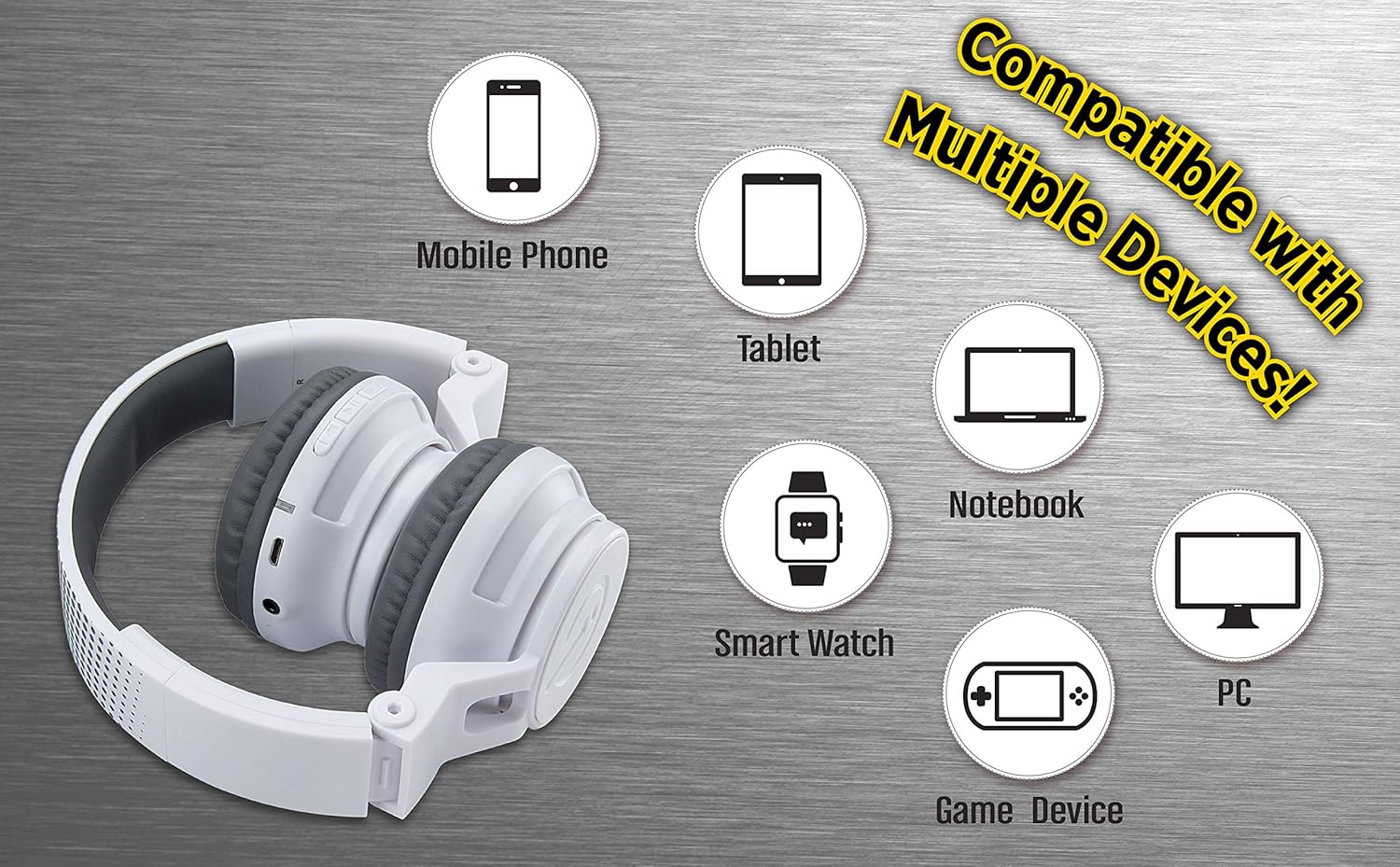
Figure 5: Visual representation of device compatibility, showing the headphones connecting to mobile phones, tablets, notebooks, smartwatches, PCs, and game devices.
- ስማርት ስልኮች (iOS እና አንድሮይድ)
- ታብሌቶች
- Computers (PC, Laptops)
- Gaming Devices (with 3.5mm audio jack)
7. እንክብካቤ እና ጥገና
- ማጽዳት፡ የጆሮ ማዳመጫዎችን ለማጽዳት ለስላሳ እና ደረቅ ጨርቅ ይጠቀሙ. ፈሳሽ ማጽጃዎችን ወይም ኤሮሶሎችን አይጠቀሙ.
- ማከማቻ፡ When not in use, fold the headphones to their compact size and store them in a cool, dry place away from direct sunlight and extreme temperatures.
- እርጥበትን ያስወግዱ; These headphones are not water-resistant. Keep them away from water and excessive moisture.
- በጥንቃቄ ይያዙ; የጆሮ ማዳመጫዎቹን ከመጣል ወይም ለጠንካራ ተጽእኖ ከመጋለጥ ይቆጠቡ።
8. መላ መፈለግ
8.1 ምንም ኃይል የለም
- Ensure the headphones are fully charged. Connect to a power source using the USB charging cable.
- የኃይል መሙያ ገመዱን እና የኃይል ምንጩን በትክክል እየሰሩ መሆናቸውን ያረጋግጡ።
8.2 በብሉቱዝ በኩል ማጣመር አይቻልም
- Make sure the headphones are in pairing mode (LED flashing red and blue alternately).
- ብሉቱዝ በመሳሪያዎ ላይ መንቃቱን እና በመሣሪያዎ ክልል ውስጥ መሆኑን ያረጋግጡ (በተለምዶ 10 ሜትር)።
- መሣሪያውን ከመሣሪያዎ የብሉቱዝ ቅንብሮች ይርሱት እና እንደገና ለማጣመር ይሞክሩ።
- ሁለቱንም የጆሮ ማዳመጫዎች እና መሳሪያዎን እንደገና ያስጀምሩ.
8.3 No Sound in Wired Mode
- Ensure the 3.5mm audio cable is securely plugged into both the headphones and the audio device.
- Check the volume level on both the headphones and the audio device.
- Test the audio cable with another device if possible to rule out a faulty cable.
8.4 ዝቅተኛ ድምጽ
- Remember that these headphones have a built-in volume limiter for child safety.
- Increase the volume on both the headphones and the connected device.
9. ዝርዝሮች
| የሞዴል ቁጥር | EK-B50W.EXV0 |
| የግንኙነት ቴክኖሎጂ | ገመድ አልባ (ብሉቱዝ)፣ ባለገመድ (3.5ሚሜ ጃክ) |
| ገመድ አልባ የመገናኛ ቴክኖሎጂ | ብሉቱዝ |
| የባትሪ ህይወት | Up to 18 hours (Bluetooth playtime) |
| የጆሮ ማዳመጫ ቅርጽ | በጆሮ ላይ |
| ልዩ ባህሪያት | Adjustable Headband, Foldable, Microphone Included, Volume Reduced |
| ተስማሚ መሣሪያዎች | Smartphones, Tablets, Computers, TVs |
| ቁሳቁስ | ፕላስቲክ |
| የእቃው ክብደት | 14.7 አውንስ (0.42 ኪሎ ግራም) |
| የጥቅል ልኬቶች | 8.5 x 8.5 x 3.75 ኢንች |
| የውሃ መቋቋም ደረጃ | የውሃ መቋቋም አይደለም |
| ዩፒሲ | 092298949741 |
10. ይፋዊ የምርት ቪዲዮ
Video: eKids Kids Bluetooth Wireless Headphones. This video provides a visual overview of the headphones' features and functionality, including their design, connectivity options, and child-safe volume limiting.
11. ዋስትና እና ድጋፍ
For warranty information and customer support, please refer to the documentation included with your purchase or visit the official eKids webጣቢያ. ለዋስትና ጥያቄዎች የግዢ ማረጋገጫዎን ያስቀምጡ።
ለተጨማሪ እርዳታ፣ እርስዎም መጎብኘት ይችላሉ። eKids Store on Amazon.


