1. Produk verbyview
The DBPOWER Smart WiFi Bluetooth Projector (Model: E2) offers a native 1080P Full HD resolution with 300 ANSI lumens brightness and a 10,000:1 contrast ratio. It features a 6-layer high-refractive lens for enhanced clarity and reduced eye strain. This projector is designed for versatile home and outdoor use, providing a large display experience with integrated smart features.
Sleutel kenmerke:
- Native 1080P Resolution & 300 ANSI Brightness: Delivers stunning visuals with true Full HD and vibrant clarity.
- Built-in Smart Apps: Stream content directly from Netflix, YouTube, Prime Video, and more without an external TV stick.
- Fast Dual-Band 5G WiFi & Bluetooth 5.2: Ensures stable streaming and wireless audio connectivity with soundbars, headphones, or speakers.
- Large Display & Easy Setup: Projects a 40-200 inch screen with ±15° keystone correction, manual focus, and 50% digital zoom for effortless alignment.
- Dolby Audio: Integrated dual speakers with Dolby Audio support provide immersive sound.
- Wye verenigbaarheid: Features HDMI, USB, AV, and audio ports for connecting various devices like phones, laptops, and gaming consoles.
2. Pakketinhoud
Your DBPOWER Smart WiFi Bluetooth Projector package includes the following items:
- DBPOWER Smart WiFi Bluetooth Projector (Model: E2)
- Afstandbeheer
- Kragkoord
- HDMI kabel
- AV Cable
- Lenspet
- Cleaning Kit (Q-tips)
- Gebruikershandleiding
- Dratas

Image 2.1: The DBPOWER Smart WiFi Bluetooth Projector with its included carrying case and a smartphone displaying Bluetooth and WiFi icons.
3. Opstelgids
3.1 Physical Placement and Adjustments
Place the projector on a stable, flat surface. Ensure there is adequate ventilation around the device. The projector can be placed on a table, mounted on a tripod, or ceiling-mounted.
- Hoogte aanpas: Use the adjustable screw on the bottom of the projector to fine-tune the projection height.
- Keystone-korreksie: Use the keystone adjustment ring/slider on the projector to correct trapezoidal distortion, ensuring a rectangular image. The projector supports ±15° keystone correction.
- Handmatige fokus: Draai die fokusring op die projektorlens totdat die geprojekteerde beeld skerp en duidelik lyk.
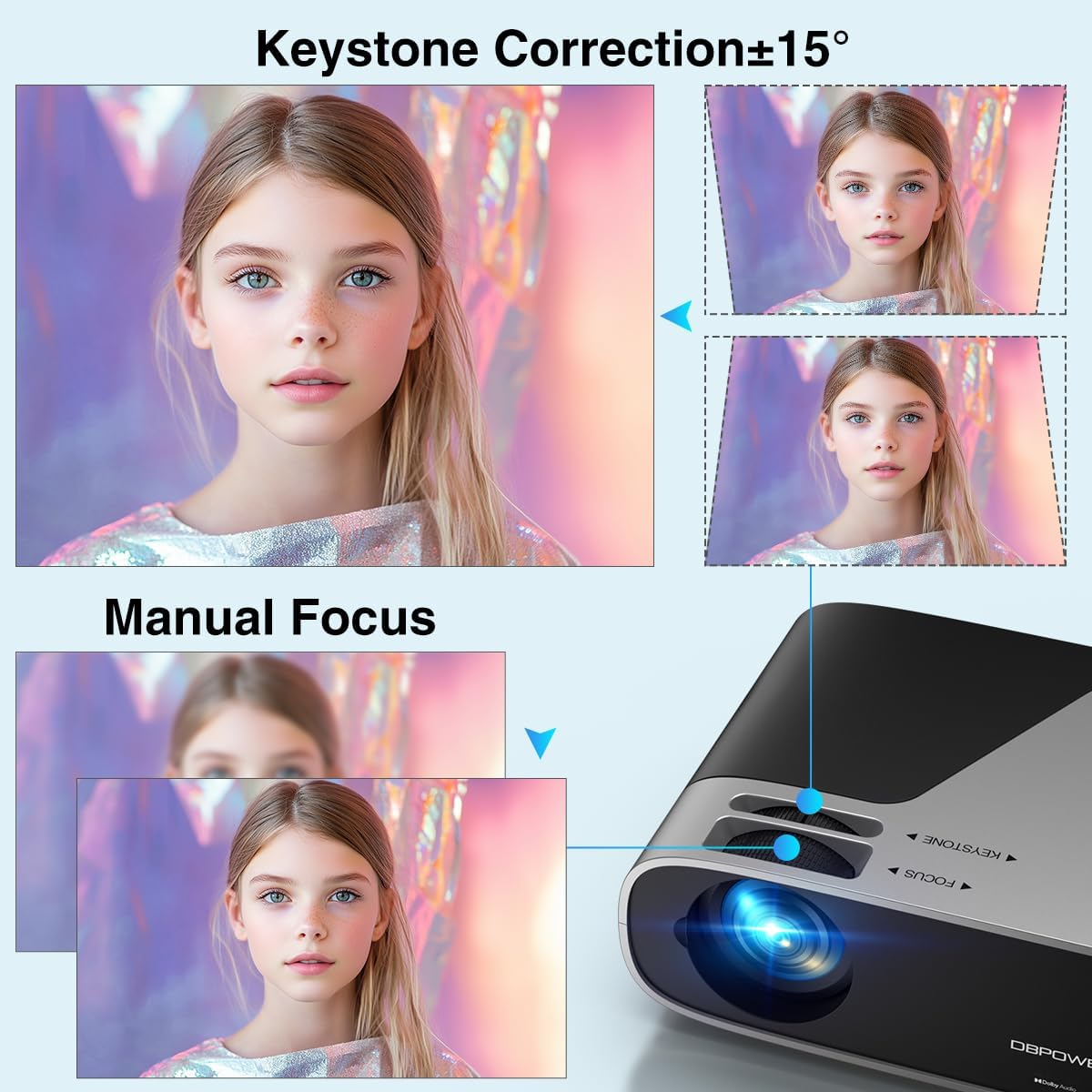
Image 3.1: Visual representation of keystone correction and manual focus adjustments on the projector.
3.2 Aanskakeling en aanvanklike konfigurasie
- Koppel die kragkabel aan die projektor en dan aan 'n kragpunt.
- Druk die kragknoppie op die projektor of die afstandbeheerder om die toestel aan te skakel.
- Follow the on-screen prompts to select your preferred language and connect to your Wi-Fi network (2.4G/5G Dual-Band supported).
3.3 Eksterne Toestelle Koppel
Die projektor bied verskeie konnektiwiteitsopsies:
- HDMI: Connect devices like laptops, gaming consoles (PS5), or TV sticks using an HDMI cable.
- USB: Koppel USB-skywe in vir mediaweergawe.
- VAN: Gebruik die AV-poort vir ouer toestelle.
- Klankuitgang: Koppel eksterne luidsprekers of oorfone via die 3.5 mm-klankaansluiting of Bluetooth.

Beeld 3.2: verbyview of the projector's input/output ports and various compatible devices.
3.4 Bluetooth-konnektiwiteit
To connect Bluetooth audio devices:
- Ensure your Bluetooth device (e.g., soundbar, headphones) is in pairing mode.
- On the projector's home screen, navigate to the Bluetooth settings.
- Kies jou toestel uit die lys van beskikbare toestelle om te koppel.

Image 3.3: The projector demonstrating Bluetooth 5.2 connectivity with various audio devices.
4. Bedryfsinstruksies
4.1 Navigasie deur die gebruikerskoppelvlak
Use the remote control or the physical buttons on top of the projector to navigate the user interface. The remote control provides direct access to apps like Netflix and YouTube.
4.2 Using Built-in Streaming Apps
The projector comes pre-licensed with popular streaming apps. Simply connect to Wi-Fi, log in to your accounts, and start streaming.

Image 4.1: The projector's smart interface showing various pre-installed streaming applications.
4.3 Skermspieëling
Mirror your smartphone or tablet screen wirelessly:
- iOS-toestelle: Use the ScreenSharer function. Ensure your iOS device and projector are on the same Wi-Fi network.
- Android-toestelle: Use the ScreenCast function. Ensure your Android device and projector are on the same Wi-Fi network.
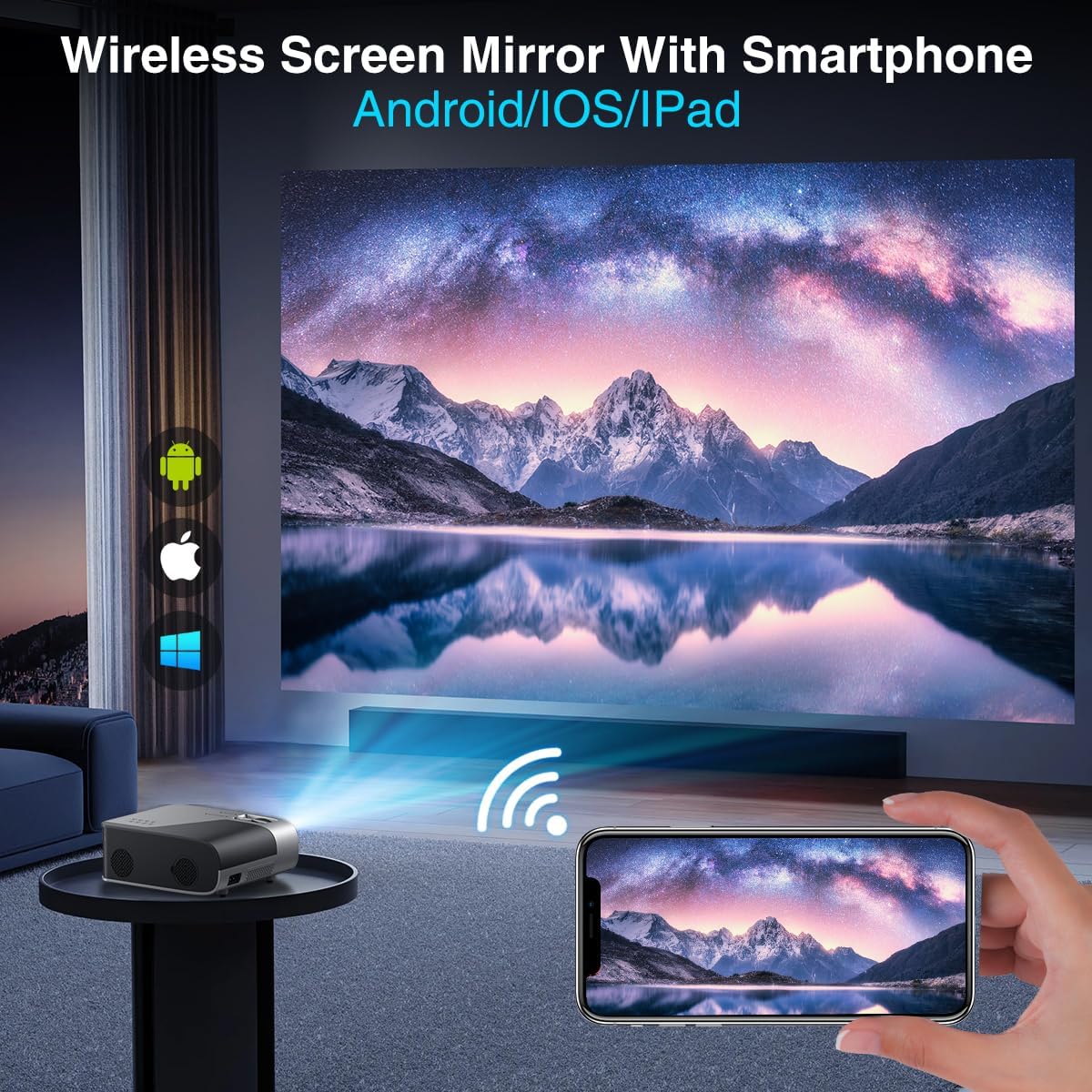
Image 4.2: A smartphone wirelessly mirroring its screen to the projector, compatible with Android and iOS devices.
4.4 Projeksiemodusse
The projector supports multiple installation methods and projection modes:
- Voorprojeksie: Standard setup where the projector is in front of the screen.
- Agterprojeksie: Projector is behind a translucent screen.
- Ceiling Mount (Front/Rear): Projector is mounted upside down from the ceiling. Adjust settings in the Projection Settings menu to flip the image.
4.5 Zoemfunksie
The projector features a 50% digital zoom function, allowing you to adjust the screen size without physically moving the projector. This can be accessed via the remote control or projector settings.

Image 4.3: Illustration of the projector's 50% digital zoom feature, showing various screen sizes from 60 to 200 inches.
4.6 Gebruikscenario's
The DBPOWER projector is suitable for various entertainment and presentation needs:
- Home Cinema: Enjoy movies and TV shows on a large screen.
- Speletjies: Connect gaming consoles for an immersive experience.
- Buitelugvermaak: Perfect for backyard movie nights.
- Aanbiedings: Can be used for displaying content from laptops or PCs.
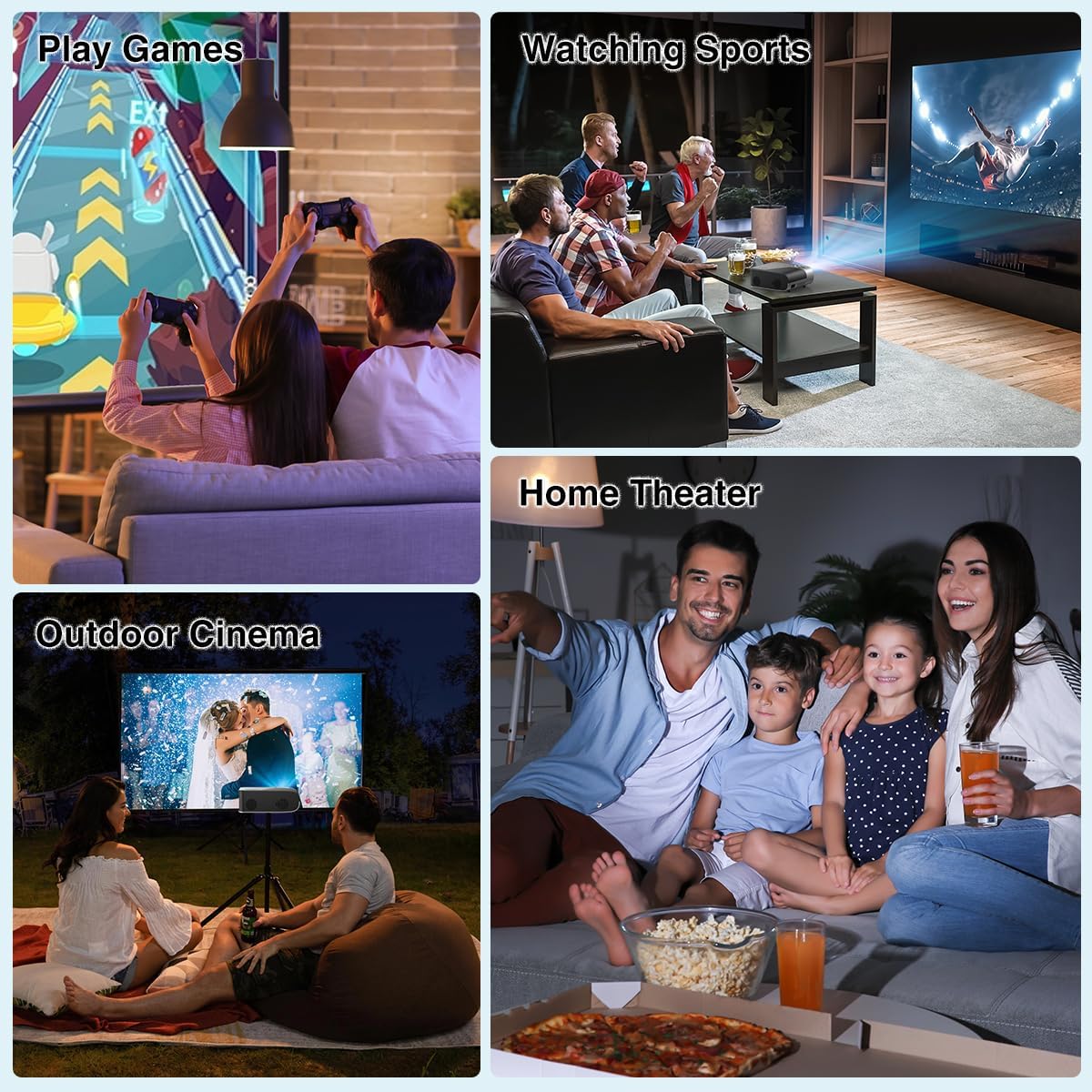
Beeld 4.4: Voorbeeldamples of the projector's use in different settings, such as gaming, sports viewing, home theater, and outdoor cinema.
5. Onderhoud
5.1 Lensreiniging
Regularly clean the projector lens to ensure optimal image clarity. Use a soft, lint-free cloth or the provided cleaning kit. Avoid abrasive materials or harsh chemicals.
5.2 Skoonmaak van die stoffilter
The projector has a removable dust filter to prevent dust buildup inside the device. Periodically remove and clean the filter to maintain proper airflow and prevent overheating. Refer to the detailed instructions in the included user manual for specific steps on removing and cleaning the filter.
6. Probleemoplossing
If you encounter issues with your projector, consider the following common solutions:
- Wasige prent: Adjust the manual focus ring until the image is sharp. Ensure the projector is placed at an appropriate distance from the screen.
- Trapesiumvormige Beeld: Use the keystone correction feature to adjust the image corners until it is rectangular.
- Geen sein: Check all cable connections (HDMI, AV, USB). Ensure the correct input source is selected on the projector.
- Wi-Fi/Bluetooth-verbindingsprobleme: Ensure the projector is within range of your Wi-Fi router or Bluetooth device. Restart both the projector and the external device.
- Sound Sync Issues: If using external Bluetooth speakers, ensure a stable connection. Sometimes, restarting both devices can resolve minor sync issues.
- Black Spots on Screen: This may indicate dust on the lens or inside the projector. Refer to the maintenance section for cleaning instructions.
7. Spesifikasies
| Kenmerk | Spesifikasie |
|---|---|
| Handelsmerk | DBPOWER |
| Vertoon resolusie | 1920 x 1080 (Inheemse 1080P) |
| Helderheid | 300 ANSI lumen |
| Kontrasverhouding | 10,000:1 |
| Verbindingstegnologie | HDMI, USB, AV, Bluetooth 5.2, 5G/2.4G Wi-Fi |
| Spesiale kenmerke | Built-In Speaker, Built-In Wi-Fi, Dolby Audio, ±15° Keystone Correction, 50% Digital Zoom |
| Aanbevole gebruike | Tuisbioskoop |
| Item gewig | 5.17 pond |
| Pakket afmetings | 13.07 x 9.92 x 4.76 duim |
| Kleur | Swart |
8. Waarborg en Ondersteuning
Specific warranty details and support contact information are typically provided in the product packaging or on the manufacturer's official website. Please refer to these resources for the most accurate and up-to-date information regarding your DBPOWER Smart WiFi Bluetooth Projector.
9. Amptelike Produkvideo
Video 9.1: 'n Gedetailleerde oorsigview of the DBPOWER E2 Smart Projector, demonstrating its features, setup, and performance in various environments.


