Inleiding
This manual provides essential information for the proper installation, operation, and maintenance of your Philips 278E1A 27" 4K UHD IPS Monitor. Please read this guide thoroughly before using the product to ensure optimal performance and safety. Keep this manual for future reference.
Veiligheidsinligting
- Maak seker dat die monitor op 'n stabiele, plat oppervlak geplaas word om toevallige val te voorkom.
- Gebruik slegs die kragadapter en kabels wat deur Philips verskaf word.
- Moenie die monitor aan reën of vog blootstel om elektriese skok of brand te vermy nie.
- Vermy die blokkering van ventilasie-openinge om oorverhitting te voorkom.
- Moenie probeer om die monitor self te diens nie. Verwys alle diens na gekwalifiseerde personeel.
Opstelling
1. Uitpak en Monteer
Carefully remove the monitor and all components from the packaging. The box should contain the monitor, stand, HDMI cable, power cable, and user documentation.
- Heg die staanderbasis aan die staandernek vas en maak dit vas met die meegeleverde skroef.
- Align the assembled stand with the mounting holes on the back of the monitor and firmly attach it.
2. Aansluitkabels
Koppel die nodige kabels aan die monitor en jou rekenaar.
- Krag kabel: Connect one end of the power cable to the monitor's power input and the other end to a power outlet.
- Video Input: Connect either an HDMI cable (2 ports available) or a DisplayPort cable (1 port available) from your computer's video output to the corresponding input on the monitor.
- Oudio-invoer/-uitvoer: If desired, connect an audio cable from your computer's audio output to the monitor's audio input, or connect external speakers/headphones to the monitor's audio output.

Figuur 1: Agter view of the Philips 278E1A monitor, highlighting the HDMI, DisplayPort, and audio input/output ports for connectivity.
3. Aanvanklike Aanskakeling
Press the power button located on the bottom right of the monitor to turn it on. The monitor will automatically detect the active input source.
Bedryfsinstruksies
1. OSD-kieslysnavigasie
The On-Screen Display (OSD) menu allows you to adjust various monitor settings. Use the control buttons located on the bottom bezel of the monitor to navigate the menu.
- Druk 'n knoppie om die OSD-kieslys te aktiveer.
- Use the directional buttons to move through menu options.
- Druk die 'OK'- of 'Enter'-knoppie om 'n opsie te kies of 'n instelling te bevestig.
- Druk die 'Verlaat'- of 'Terug'-knoppie om terug te keer na die vorige kieslys of die OSD te verlaat.
2. Prentinstellings
Pas die vertoonkenmerke aan vir optimale viewing.
- Helderheid en kontras: Adjust these settings to control the overall luminance and the difference between light and dark areas.
- Kleurinstellings: Fine-tune color temperature, gamma, and saturation. The monitor supports 109% sRGB color gamut for accurate color reproduction.
- Slimkontras: This feature dynamically analyzes content and automatically adjusts backlight intensity to enhance contrast for optimal digital images and videos.
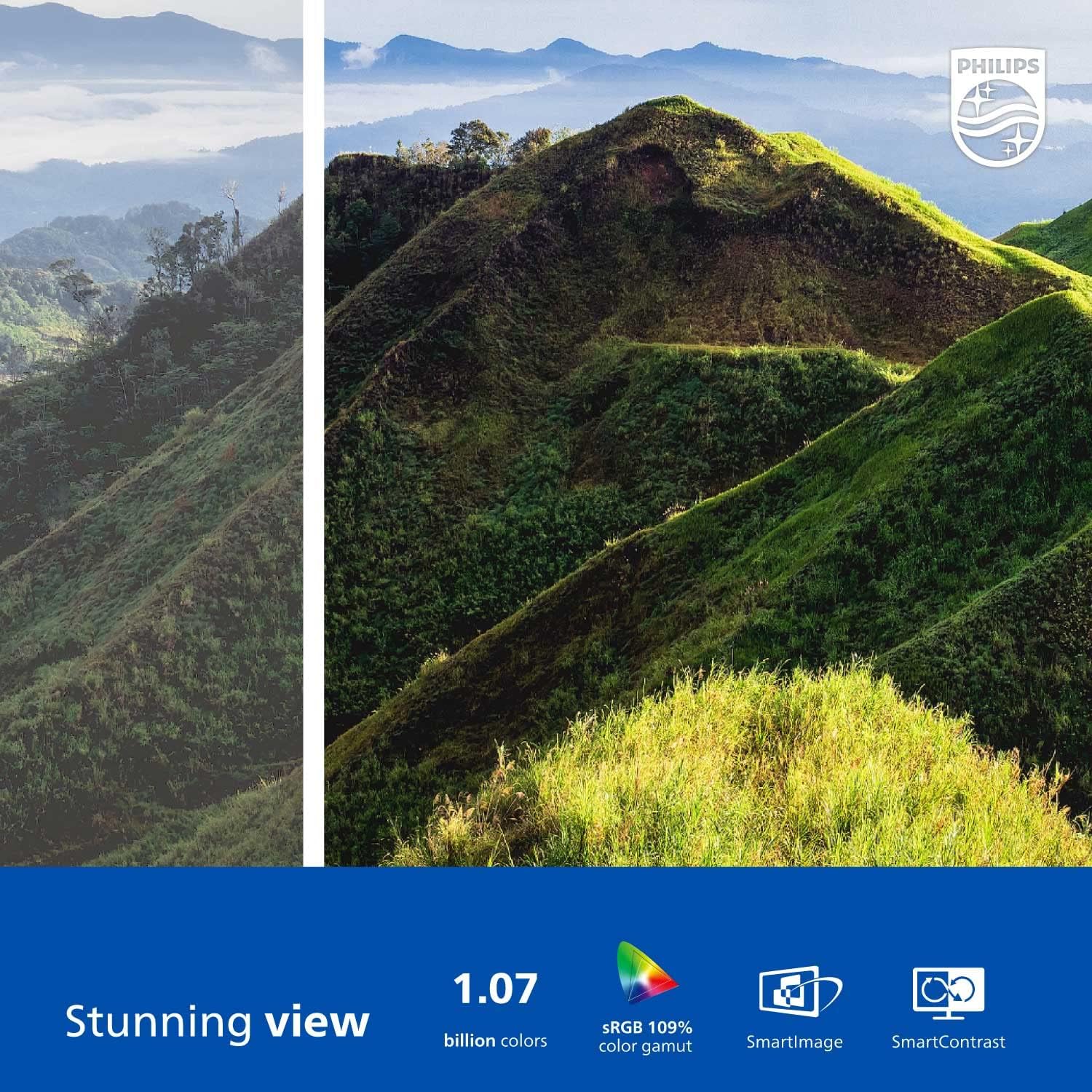
Figure 2: The Philips 278E1A monitor displaying a detailed and colorful mountain scene, illustrating its 4K UHD resolution and wide color gamut.
3. Invoerkeuse
Manually select the desired video input source if the automatic detection does not work or if you have multiple devices connected.
4. Klankinstellings
Control the volume of the built-in speakers or connected audio devices.
5. Oogversorgingskenmerke
The Philips 278E1A includes features designed to reduce eye strain during prolonged use.
- Flikkervrye tegnologie: Regulates brightness and reduces screen flicker for more comfortable viewing.
- Laagblou modus: A software solution that reduces harmful shortwave blue light emissions from the screen.

Figure 3: A split image demonstrating the visual difference when LowBlue Mode and Flicker-free technologies are active, reducing eye strain.
6. Frameless Design and Viewing Hoeke
The monitor features a 3-sided frameless design, ideal for multi-monitor setups, and an IPS panel providing wide 178/178-degree viewing angles for consistent image quality from various perspectives.

Figure 4: A multi-monitor arrangement of Philips 278E1A displays, showcasing the minimal bezels and wide viewing angles suitable for extended desktop environments.
Onderhoud
1. Skoonmaak van die skerm
Om die skerm skoon te maak, vee dit liggies af met 'n sagte, pluisvrye lap. Vir hardnekkige merke, dampen the cloth with a mild, non-abrasive screen cleaner. Never spray cleaner directly onto the screen.
2. Algemene Sorg
Keep the monitor away from direct sunlight, excessive heat, and humidity. Avoid placing heavy objects on the monitor or its cables.
Probleemoplossing
As jy probleme met jou monitor ondervind, raadpleeg die volgende algemene oplossings:
- Geen krag: Ensure the power cable is securely connected to both the monitor and the power outlet. Check if the power outlet is functional.
- Geen sein: Verify that the video cable (HDMI or DisplayPort) is correctly connected to both the monitor and your computer. Ensure the correct input source is selected via the OSD menu.
- Image Problems (e.g., flickering, distorted colors): Check cable connections. Adjust picture settings in the OSD menu. If using a DisplayPort connection, ensure your graphics card supports 4K resolution at 60Hz.
- Geen oudio nie: Check the monitor's volume settings and your computer's audio output settings. Ensure external speakers or headphones are properly connected if used.
Vir verdere hulp, kontak asseblief Philips-kliëntediens.
Spesifikasies
| Kenmerk | Detail |
|---|---|
| Skerm grootte | 27 duim |
| Resolusie | 3840 x 2160 (4K UHD) |
| Paneel tipe | IPS |
| Kleur Omvang | 109% sRGB |
| Konnektiwiteit | 2x HDMI, 1x DisplayPort, Audio In & Out |
| Luidsprekers | Built-in (3W stereo) |
| Afmetings (met staander) | 18.1 x 24.1 x 7.6 duim |
| Gewig (met staander) | 13.57 pond |
| Oogversorgingskenmerke | Flikkervrye, Laeblou-modus |
Waarborg en Ondersteuning
Waarborg inligting
Philips monitors sold in the United States come with a 4-Year Advance Replacement Warranty. This warranty minimizes downtime by providing a replacement unit in advance should your monitor require service.

Figure 5: Visual representation of the Philips 4-Year Warranty and Advance Replacement program, ensuring peace of mind for users.
Kliënte ondersteuning
For technical support, warranty claims, or service inquiries, please visit the official Philips support website or contact their customer service hotline. Refer to the documentation included with your product for specific contact details in your region.
Produkvideo's
Philips Frameless Monitor Overview
Hierdie video bied 'n oorview of the Philips 27-inch frameless monitor, highlighting its features and benefits for various work setups.
Why This Monitor is Top Rated
Learn about the key aspects that make this Philips monitor a top-rated choice, including its display quality and user-friendly features.


