1. Inleiding
The TOPENS PW802 Automatic Gate Opener is designed for heavy-duty dual swing gates, providing a reliable and convenient solution for property access. This manual provides comprehensive instructions for the safe installation, operation, and maintenance of your gate opener.
Sleutel kenmerke:
- Strong Gate Opener: Operates heavy-duty dual swing gates up to 880lbs or 18ft per gate leaf with two stable 24VDC 80W motors.
- Wye gebruik: Compatible with various dual swing gate types, supporting both Pull-to-Open and Push-to-Open installations for residential, courtyard, ranch, and farm use.
- Multiple Guard: Features advanced TOPENS code technology for security, electromagnetism limit switch, stop-and-reverse function for obstacle detection, auto-close, soft start/stop, and a manual release key.
- Personalized Design: Can be powered by 100-240VAC electricity directly, with optional 24V 12Ah automotive/marine type battery and 20W solar panel compatibility (accessories not included).

Key features of the TOPENS gate opener system.

Gate capability chart for the PW802 model.
2. Veiligheidsinligting
Always prioritize safety during installation and operation. Read all instructions carefully before beginning. Ensure the gate area is clear of obstructions and people before operating. Disconnect power before performing any maintenance or adjustments. Keep remote controls out of reach of children.
3. Pakketinhoud
The TOPENS PW802 Automatic Gate Opener kit includes the following components:
- 2 x Gate Opener Actuator (Arm), with a 5 feet 5-Conductor Cable per Arm
- 1 x DPS180-U AC-DC Power Supply, with a 3.3 feet Cord
- 1 x Waterproof Control Box
- 2 x M12 Remote Control Transmitter
- 1 x Full Set of Required Installation Hardware

Complete package contents of the TOPENS PW802 gate opener.
4. Opstelling
Follow these steps for the proper installation of your TOPENS PW802 Automatic Gate Opener. For a visual guide, refer to the official installation video below.
Official TOPENS installation video for PW502/PW802 Dual Gate Opener. This video covers all mechanical and electrical setup procedures.
4.1. Mechanical Installation (Refer to video: 00:40 - 03:06)
This section guides you through assembling the post and pivot brackets, attaching them to the gate arms, and performing initial clutch release tests. Proper positioning of the arms on the gate is critical for optimal performance.
4.2. Connect the Arm to the Control Board (Refer to video: 03:06 - 03:42)
Learn how to connect the extension 5-cord cable to the slave arm and then connect both the slave and master arm cables to the control board. Ensure all connections are secure and correctly wired according to the diagram in your manual.
4.3. Connection of the Power Supply (Refer to video: 03:42 - 05:17)
The TOPENS PW802 can be powered by AC electricity directly using the included DPS180-U power supply. For backup or off-grid operation, you can connect optional 24V 12Ah automotive/marine type batteries and a 20W solar panel (not included). Note that the DPS180-U cannot be connected to the battery or solar panel directly; an optional UPS01 adapter is required for charging and solar regulation.

Different power supply configurations for the gate opener.
4.4. Program the Remote Control (Refer to video: 05:17 - 05:39)
To program your remote controls, press the CODE SW button on the control board until the CODE LED flashes. Then, press the desired button on your remote twice within 4 seconds, holding it for a moment between presses. The CODE LED will flash, indicating successful programming.

M12 Remote Control Transmitter.
4.5. Adjust the Limit Switch (Refer to video: 05:39 - 06:41)
Adjusting the limit switch correctly is essential for defining the gate's fully open and closed positions. This ensures smooth operation and prevents the gate from over-extending or not closing completely. Follow the video instructions to fine-tune these settings.
4.6. Setting of the Control Board (Refer to video: 06:41 - End)
The control board allows for various adjustments, including auto-close time, soft stop/start, and force settings. Refer to the detailed instructions in your user manual and the video to adjust the potentiometers and DIP switches according to your specific needs and gate type.

TOPENS gate opener control board for system configuration.
5. Bedryfsinstruksies
5.1. Basiese werking
Once installed and configured, your TOPENS PW802 gate opener can be operated using the provided remote controls or optional accessories.
- Afstandbeheer: Press the programmed button on your M12 remote control to open or close the gate. A single press will initiate the cycle.
- Wired Push Button (Optional): If a TC147 Wired Push Button is installed, a simple press will activate the gate.
- Wireless Keypad (Optional): Use the TKP3 Wireless Keypad to enter your programmed password and operate the gate.
- Smartphone Control (Optional): With the TC186-R WiFi Smartphone Remote Control (with camera), you can operate and monitor your gate remotely via the Linkcraft APP.
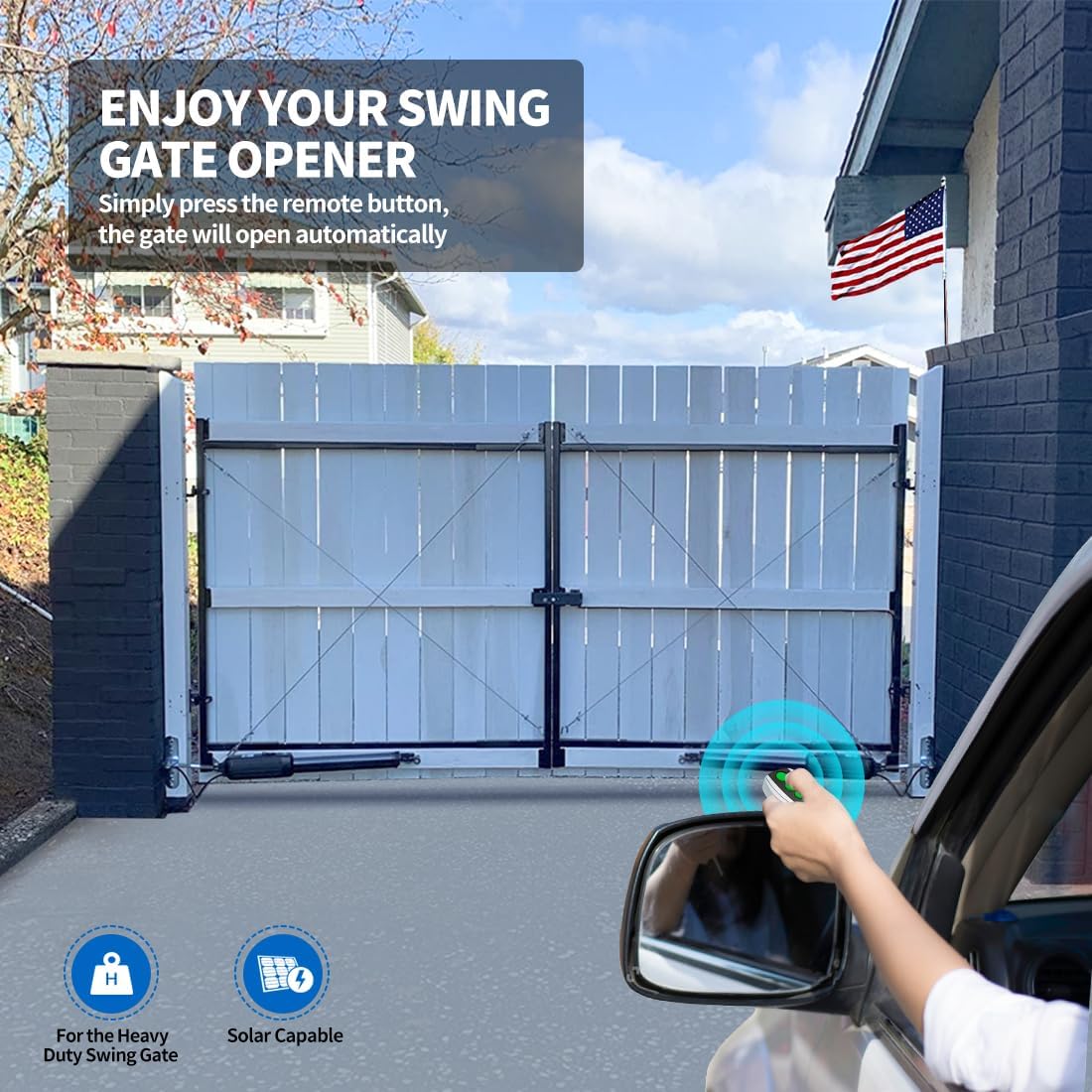
Operating the gate opener with a remote control.
6. Onderhoud
Regular maintenance ensures the longevity and optimal performance of your gate opener. Perform the following checks periodically:
- Netheid: Keep the gate arms and control box free from dirt, debris, and insects.
- Smering: Periodically lubricate moving parts of the gate and opener arms as recommended in the detailed manual.
- Kabel inspeksie: Check all electrical cables for any signs of wear, damage, or loose connections.
- Limietskakelaarkontrole: Verify that the limit switches are still accurately setting the open and closed positions.
- Hindernisopsporing: Regularly test the obstacle detection feature to ensure it functions correctly.
7. Probleemoplossing
If you encounter issues with your TOPENS PW802 gate opener, refer to the following common troubleshooting tips. For more detailed solutions, consult the full user manual or contact customer support.
- Hek reageer nie: Check power supply, remote battery, and ensure no obstructions are blocking the gate path.
- Gate Stops Mid-Cycle: This may indicate an obstruction or an issue with the force setting. Clear the path and check the control board settings.
- Gate Does Not Close Fully: Re-adjust the limit switch for the closed position.
- Ongewone geluide: Inspect for loose components, debris in the mechanism, or issues with lubrication.
8. Spesifikasies
Detailed technical specifications for the TOPENS PW802 Automatic Gate Opener:
| Eienskap | Waarde |
|---|---|
| Vervaardiger | TOPENS |
| Deelnommer | PW802 |
| Item gewig | 42 pond |
| Produk afmetings | 33.66 x 3.31 x 4.09 duim |
| Land van oorsprong | China |
| Item model nommer | PW802 |
| Batterye (ingesluit) | 6 CR2 batterye benodig. (ingesluit) |
| Grootte | Dual Swing Gate Opener Heavy Duty |
| Kleur | Swart |
| Styl | PW802 Heavy-Duty Dual Gate AC Powered |
| Kragbron | AC or Battery, Solar Capable |
| Voltage | 24 Volt |
| Wattage | 80 watt |
| Perdekrag | 0.11 pk |
| Amperage Kapasiteit | 3 Amps |
| Maksimum krag | 80 Watt |
| Item Pakket Hoeveelheid | 1 |
| Maksimum gewig kapasiteit | 880 pond |
| Klankvlak | 50 dB |
| Spesiale kenmerke | Maklik om te installeer |
| Battery sel tipe | Litium metaal |

Dimensions of key components.
9. Waarborg en Ondersteuning
All TOPENS products come with a 12-month warranty against defects, a 30-day exchange & return policy, and excellent technical support. TOPENS is ready to offer professional solutions for any questions or assistance.
For further assistance, visit the TOPENS website or contact customer service. Kindly include your Product Model, Purchasing Date & Site, Order #, and your contact information for prompt support.


