1. Produk verbyview
Command Poster Strips offer a damage-free solution for hanging posters, signs, and other lightweight decorations. Designed for easy application and clean removal, these adhesive strips eliminate the need for nails, tacks, or tape, preserving your walls and surfaces. Each package contains 64 strips, sufficient for hanging up to 16 posters.

Image: Packaging of Command Poster Strips showing 64 strips and a single strip for detail.
2. Safety Information and Important Considerations
To ensure safe and effective use, please observe the following:
- Do not use Command Poster Strips for hanging valuable or irreplaceable items.
- Do not use on wallpaper, fabric, textured walls, brick, or rough surfaces. These surfaces may not provide adequate adhesion or may be damaged upon removal.
- Ensure the indoor temperature is between 50 degrees Fahrenheit (10 degrees Celsius) and 105 degrees Fahrenheit (40 degrees Celsius) during application.
- If walls have been recently painted, wait at least seven days for the paint to cure before applying strips.

Image: Visual guide indicating suitable surfaces (painted walls, metal, painted concrete, laminate & finished wood, tile, smooth surfaces & glass) and unsuitable surfaces (wallpaper, fabric, textured walls, brick, rough surfaces).
3. Opstelling en installering
Follow these steps for proper application:
- Berei die oppervlak voor: Clean the desired surface with rubbing alcohol. Wipe gently and allow it to dry completely. Do not use household cleaners or water, as they may leave residues that reduce adhesion.
- Separate Strips: Take two strips and press them together until they click, forming a pair.
- Apply to Poster: Remove one side of the red liners from the strip pair. Press the adhesive side firmly onto the back of your poster or item. Apply strips to all four corners or as needed for larger items.
- Prepare for Wall: Remove the remaining back liners from the exposed side of the strips.
- Press to Wall: Position your poster on the wall and press firmly for 30 seconds, ensuring good contact between the strips and the wall surface.
- Reinforce Adhesion (Optional but Recommended): To ensure maximum bond, temporarily remove the poster from the wall. Press each strip on the wall firmly for another 30 seconds. Realign the strips and press the poster back onto the wall until each pair of strips clicks together. Wait 1 hour before hanging items to allow the adhesive to build strength.

Image: A person's hands applying Command Poster Strips to the back of a poster before hanging.
4. Gebruiksriglyne
Command Poster Strips are designed for indoor use and are suitable for a variety of smooth surfaces, including:
- Geverfde mure
- Finished wood
- Painted concrete cinder blocks
- Laminaat
- Glas
- Metaal
- Teëls
The strips are perfectly sized for personal decorations and can hold posters securely. Each package contains enough strips to hang up to 16 standard posters.
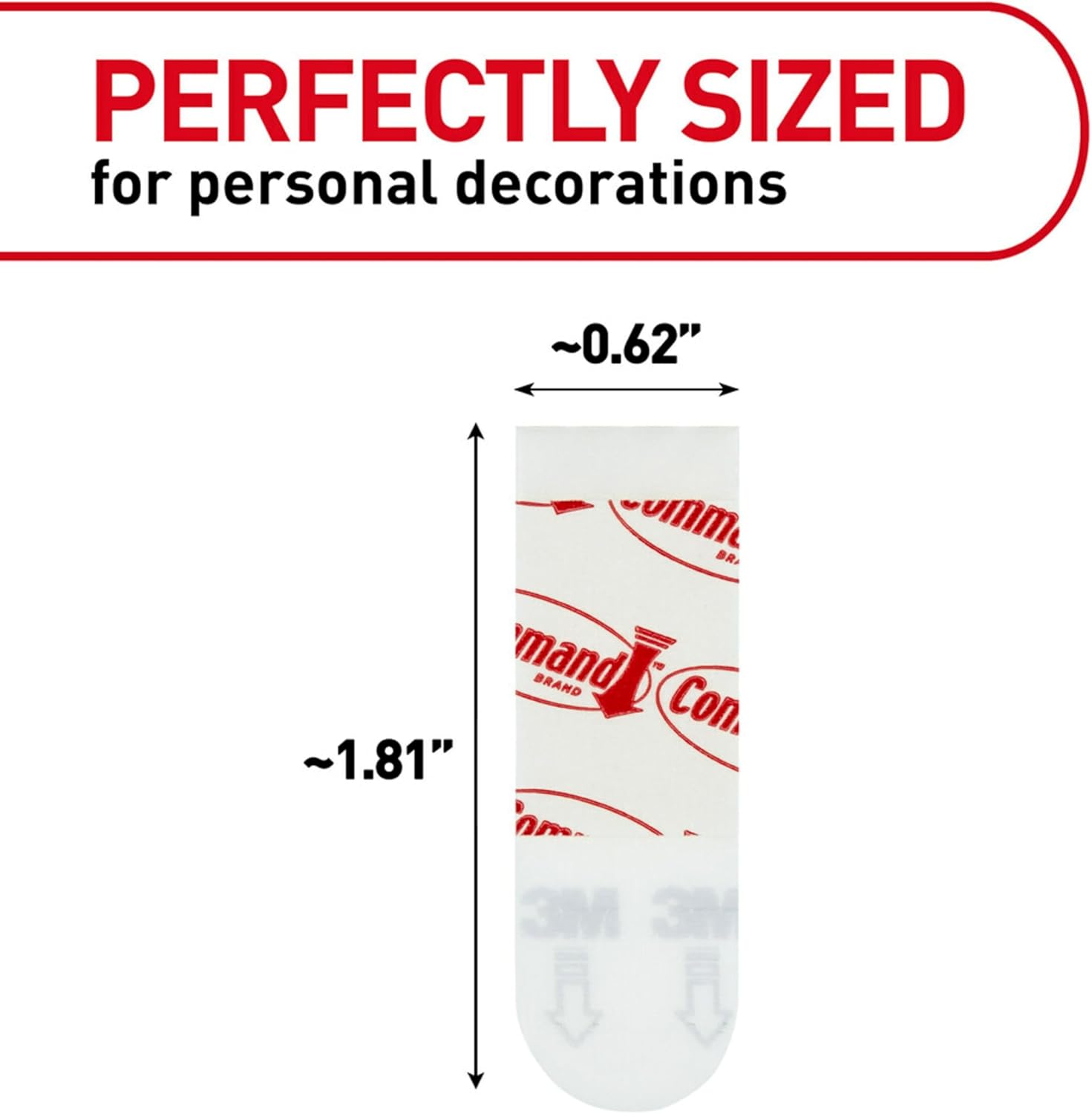
Beeld: 'n Nabyskoot view of a Command Poster Strip, highlighting its approximate dimensions of 0.62 inches wide by 1.81 inches long.
5. Verwydering Instruksies
Command Poster Strips utilize 3M stretch-release technology for clean removal without damaging surfaces. To remove a poster and the strips:
- Gently Remove Poster: Carefully peel the poster away from the wall. The strips should remain on the wall.
- Stretch the Strip: Lightly hold the top of the strip. Slowly pull the strip straight down towards the floor, keeping your hand against the wall. Do not pull the strip towards you or at an angle, as this may damage the surface.
- Continue Stretching: Continue stretching the strip slowly, up to 15 inches (38 cm), until the strip releases from the wall. The strip will stretch and thin out as it releases.

Image: A person's hands demonstrating the proper technique for removing a Command strip by pulling it straight down, showcasing the stretch-release technology.
6. Sorg en Onderhoud
Command Poster Strips are designed for single use. Once removed, they cannot be reused. Store unused strips in their original packaging in a cool, dry place to maintain adhesive quality.
7. Probleemoplossing
If your Command Poster Strips are not adhering properly or are causing issues:
- Strips not sticking: Ensure the surface was cleaned with rubbing alcohol and allowed to dry completely. Verify the room temperature is within the recommended range (50-105°F). If the wall was recently painted, ensure at least 7 days have passed for the paint to cure.
- Damage upon removal: Ensure you are pulling the strip straight down, slowly, and parallel to the wall. Pulling at an angle or too quickly can cause damage. Verify the surface is suitable for Command strips (not wallpaper, textured, etc.).
- Item falling: Ensure the weight of the item does not exceed the strip's capacity. Command Poster Strips are designed for lightweight items like posters. Do not use for valuable or heavy items.
8. Spesifikasies
| Eienskap | Detail |
|---|---|
| Handelsmerk | Bevel |
| Modelnommer | PH024-64NA |
| Kleur | Wit |
| Materiaal | Skuim |
| Aantal items | 1 (package contains 64 strips) |
| Aanbevole gebruike | Indoor hanging of posters and lightweight decorations |
| Spesiale kenmerk | Removable, Damage-Free Hanging |
| Produk afmetings | 0.63"L x 0.63"W x 1.82"Th (per strip) |
| Oppervlak-aanbeveling | Metal, Painted Walls, Finished Wood, Laminate, Glass, Tile, Painted Concrete Cinder Blocks |
| Waterweerstandvlak | Nie waterbestand nie |
| Boonste temperatuurgradering | 105 grade Fahrenheit (40 grade Celsius) |
| Item gewig | 0.64 onse |
| UPC | 638060078631 |
9. Waarborg en Ondersteuning
For additional information, including detailed instructions and product support, please refer to the official user guide available as a PDF document: Gebruiksaanwysings (PDF). For specific warranty details, please visit the official Command brand webwebwerf of kontak hul kliëntediens direk.


