1. Inleiding
This manual provides detailed instructions for the installation, operation, maintenance, and troubleshooting of the Hikvision DS-9632NI-I8 32-Channel 4K Network Video Recorder (NVR). Please read this manual thoroughly before using the product to ensure proper and safe operation. Keep this manual for future reference.
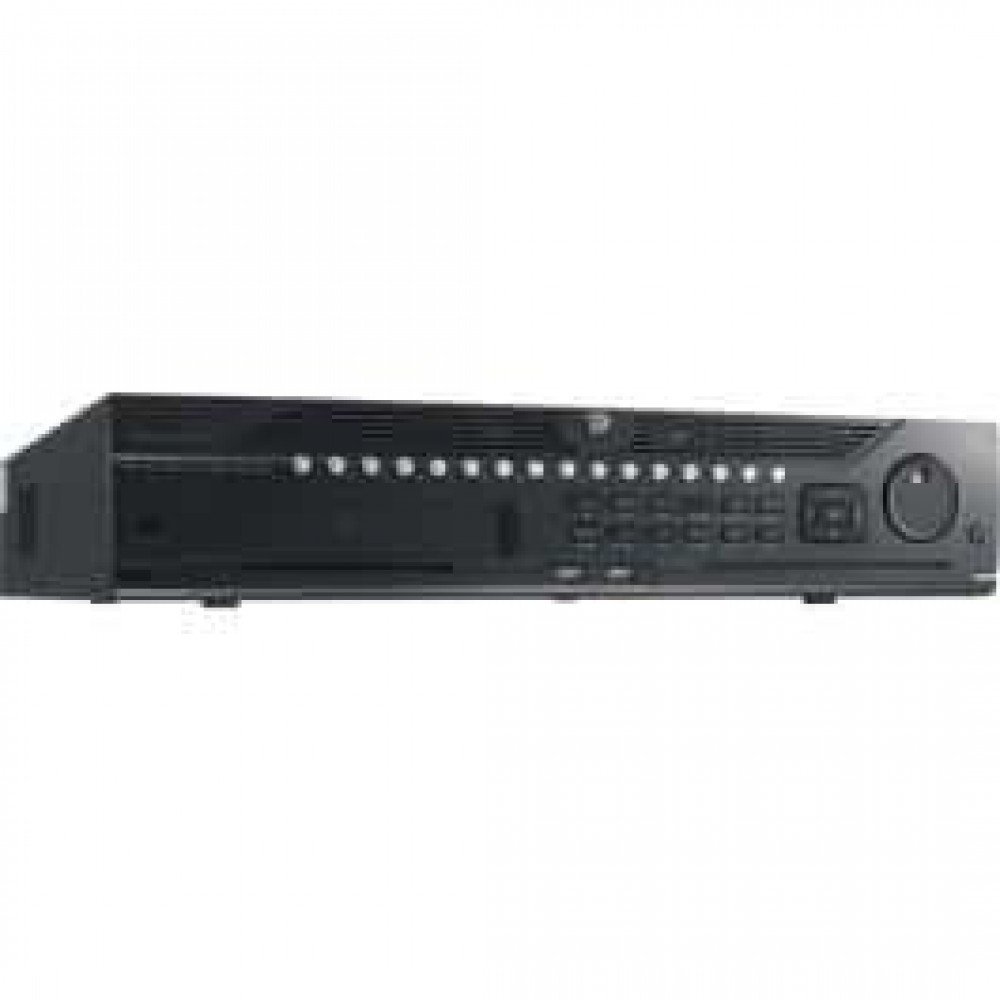
Figuur 1: Voorkant view of the Hikvision DS-9632NI-I8 NVR, showing its robust chassis and various interface ports.
2. Veiligheidsinligting
Always follow basic safety precautions to reduce the risk of fire, electric shock, and injury to persons. This includes, but is not limited to:
- Use only the power adapter specified by the manufacturer.
- Verseker behoorlike ventilasie om oorverhitting te voorkom.
- Moenie die NVR aan water of vog blootstel nie.
- Avoid placing the NVR near heat sources or in direct sunlight.
- Verwys alle diens na gekwalifiseerde dienspersoneel.
3. Pakketinhoud
Verify that all items are present and in good condition. If any item is missing or damaged, contact your dealer immediately.
- Hikvision DS-9632NI-I8 NVR Unit
- Kragadapter/kabel
- USB-muis
- Skroewe vir HDD-installasie
- Vinnige Begingids
- CD-ROM (containing software and full manual)
4. Opstelling
4.1 Hardeware installasie
- Prepare Hard Disk Drives (HDDs): The DS-9632NI-I8 supports up to 8 SATA HDDs. Install HDDs into the NVR chassis using the provided screws. Ensure each HDD is securely mounted.
- Koppel randapparatuur:
- Koppel 'n monitor aan die HDMI- of VGA-uitvoerpoort.
- Connect the included USB mouse to a USB port.
- Koppel die NVR aan jou netwerk met 'n Ethernet-kabel.
- Krag aan: Connect the power adapter to the NVR and then to a power outlet. Press the power button on the front panel.
4.2 Aanvanklike konfigurasie
Met die eerste opstart sal die NVR jou deur 'n aanvanklike opstellingsassistent lei.
- Set Administrator Password: Create a strong password for the 'admin' user.
- Netwerkinstellings: Configure network parameters (DHCP or Static IP). Ensure the NVR is accessible on your local network.
- Datum en Tyd: Stel die korrekte datum, tyd en tydsone in.
- HDD-inisialisering: The NVR will prompt you to initialize the installed HDDs. This process will format the drives for recording.
- Add IP Cameras: Use the wizard to search for and add compatible Hikvision IP cameras to the NVR.
5. Bedryfsinstruksies
5.1 Lewendig View
Nadat jy aangemeld het, sal die NVR die regstreekse view interface, showing feeds from connected cameras. You can switch between different camera views and layouts.
- Enkelkamera View: Double-click a camera window to view dit in volskerm.
- Layout Selection: Use the layout icons at the bottom of the screen to choose different grid arrangements (e.g., 4-channel, 9-channel).
5.2 Opnamebestuur
The NVR supports continuous, scheduled, and event-triggered recording.
- Configure Recording Schedule: Navigeer na Configuration > Storage > Schedule Settings to define recording times for each camera.
- Handmatige opname: Click the record icon on the live view interface to start/stop manual recording.
5.3 Afspeel
Om weerview opgeneem footage:
- Gaan na die Afspeel spyskaart.
- Kies die verlangde kamera(s) en datum-/tydreeks.
- Use the timeline to navigate through recordings.
- Terugspeelkontroles (speel, pouseer, vinnig vorentoe, terugspoel) is beskikbaar.
5.4 Afstandtoegang
The NVR can be accessed remotely via a web browser or Hik-Connect mobile app.
- Web Blaaier: Enter the NVR's IP address into a web blaaier.
- Hik-Connect: Download the Hik-Connect app, register an account, and add your NVR by scanning its QR code or entering its serial number.
6. Onderhoud
6.1 Firmware-opdaterings
Regularly check for and install firmware updates to ensure optimal performance and security. Firmware can be downloaded from the official Hikvision webwebwerf.
- Navigeer na Configuration > System > Maintenance > Upgrade.
- Follow the on-screen instructions to perform the upgrade. Do not power off the NVR during the update process.
6.2 Hardeskyfbestuur
Monitor the health of your HDDs and manage storage space.
- HDD-status: Check HDD status in Configuration > Storage > HDD Management.
- Oorskryfmodus: Configure the NVR to overwrite old recordings when storage is full (default behavior).
6.3 Skoonmaak
Keep the NVR clean to prevent dust buildup, which can affect performance and lifespan.
- Power off and unplug the NVR before cleaning.
- Gebruik 'n sagte, droë lap om die buitekant af te vee.
- Gebruik saamgeperste lug om stof uit ventilasie-openinge te verwyder.
7. Probleemoplossing
| Probleem | Moontlike oorsaak | Oplossing |
|---|---|---|
| Geen video-uitvoer op monitor nie. | Loose cable connection, incorrect input source on monitor, NVR not powered on. | Check HDMI/VGA cable connections. Ensure monitor is set to correct input. Verify NVR power. |
| Kan nie op afstand toegang tot NVR kry nie. | Network configuration issues, firewall blocking, incorrect port forwarding. | Verify NVR network settings. Check router firewall and port forwarding rules. Ensure Hik-Connect is properly configured. |
| Cameras not recording. | HDD not initialized, recording schedule not set, HDD full. | Initialize HDDs. Configure recording schedule. Check HDD status and capacity. |
| Het administrateur wagwoord vergeet. | Wagwoord verlore. | Refer to the full manual or Hikvision support for password reset procedures. This often involves a security code or a physical reset button. |
8. Spesifikasies
| Kenmerk | Detail |
|---|---|
| Model | DS-9632NI-I8 |
| Video-invoer | 32-Channel IP Video Input |
| Video-uitset | HDMI (up to 4K), VGA |
| Dekoderingsformaat | H.265 + / H.265 / H.264 + / H.264 |
| Oudio-invoer/-uitvoer | 1-ch, RCA (2.0 Vp-p, 1 kΩ) / 2-ch, RCA (Linear, 1 kΩ) |
| SATA | 8 SATA interfaces for 8 HDDs |
| Kapasiteit | Up to 10 TB for each HDD (example, actual capacity may vary) |
| Netwerk koppelvlak | 2 RJ-45 10M/100M/1000M self-adaptive Ethernet interfaces |
| USB-koppelvlak | Front panel: 2 × USB 2.0; Rear panel: 1 × USB 3.0 |
| Afmetings (B × D × H) | 23 x 22 x 8 duim (ongeveer) |
| Kragtoevoer | 100 tot 240 VAC, 50 tot 60 Hz |
9. Waarborg en Ondersteuning
9.1 Beperkte waarborg
Hikvision products are covered by a limited warranty. The specific terms and duration of the warranty may vary by region and product type. Please refer to the official Hikvision webwebwerf of u aankoopdokumentasie vir gedetailleerde waarborginligting.
- Hou jou aankoopbewys vir waarborgeise.
- Unauthorized repairs or modifications may void the warranty.
9.2 Tegniese Ondersteuning
For technical assistance, product inquiries, or service requests, please contact Hikvision support through the following channels:
- Amptelik Webwebwerf: Besoek www.hikvision.com vir ondersteuningshulpbronne, algemene vrae en kontakinligting.
- Kliëntediens: Refer to the contact details provided on the Hikvision webwebwerf vir jou spesifieke streek.
- Gemagtigde Handelaars: Your authorized Hikvision dealer can also provide support and service.


