1. Produk verbyview
The Scosche I335 Hookup 3.5mm Auxiliary Audio Cable is designed to transmit audio signals between devices equipped with standard 3.5mm audio jacks. This 3-foot (approximately 0.91 meters) cable provides a reliable connection for various audio applications, including connecting portable media players to car stereos, home audio systems, or headphones.
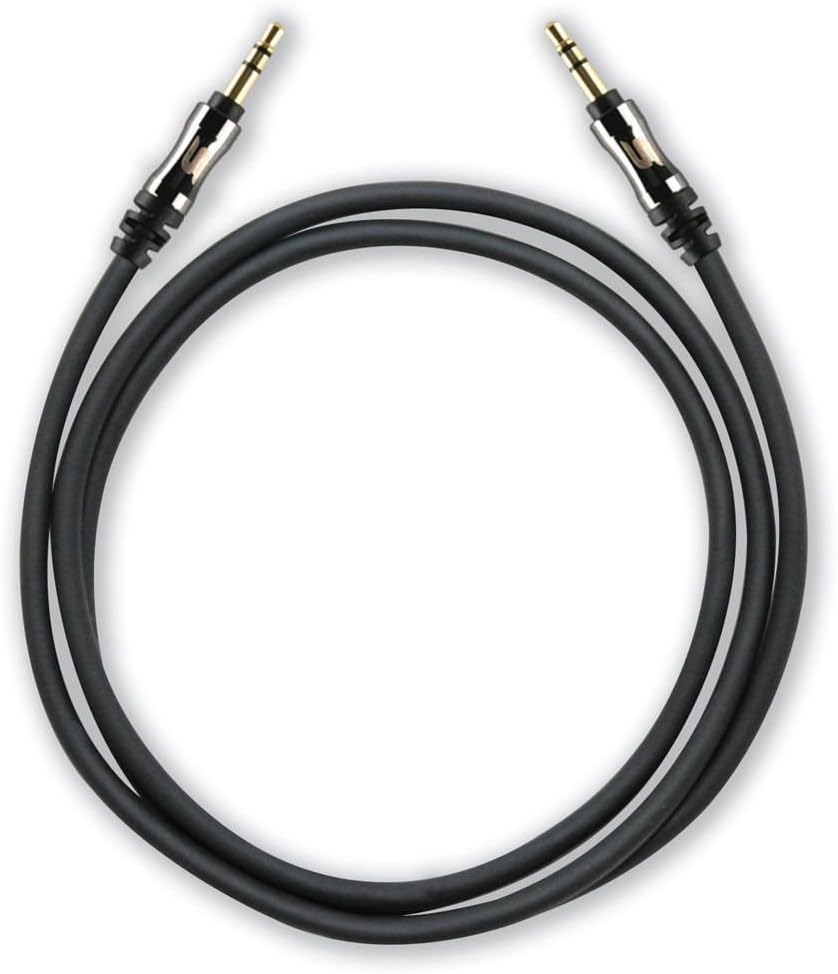
A coiled black 3-foot Scosche I335 auxiliary audio cable with gold-plated 3.5mm male connectors on both ends.
1.1 Pakketinhoud
- 1 x Scosche I335 Hookup 3.5mm Auxiliary Audio Cable (3-foot, Black)
- 1 x Cable Extension Adapter
2. Opstelling en verbinding
2.1 Connecting the Auxiliary Cable
- Identify Audio Ports: Locate the 3.5mm audio output port on your source device (e.g., smartphone, MP3 player) and the 3.5mm audio input port on your destination device (e.g., car stereo, speaker system). These ports are typically labeled as 'AUX OUT', 'HEADPHONE', or 'AUX IN'.
- Connect Cable Ends: Insert one end of the Scosche I335 auxiliary cable into the 3.5mm audio output port of your source device.
- Veilige verbinding: Insert the other end of the auxiliary cable into the 3.5mm audio input port of your destination device. Ensure both connectors are fully inserted for a secure connection.

This image displays a close-up of the 3.5mm audio jack, highlighting its design with integrated strain relief for enhanced durability and a secure connection.
2.2 Using the Extension Adapter
The included extension adapter allows for increased cable length or conversion of one male end to a female port, enabling connection to another 3.5mm male cable.
- Koppel kabel aan adapter: Insert one male end of the Scosche I335 auxiliary cable into one end of the extension adapter.
- Connect Second Cable (Optional): If extending the cable, connect another 3.5mm male-to-male cable into the other end of the extension adapter.
- Koppel aan toestel: Connect the remaining free end of the cable setup to your audio device.

The image shows the Scosche 3.5mm auxiliary cable connected to the included extension adapter, demonstrating how to extend the cable's reach or convert one end to a female port.
3. Bedryfsinstruksies
Once the auxiliary cable is securely connected between your audio source and destination devices:
- Kies invoer: On your destination device (e.g., car stereo, home receiver), select the 'AUX' or 'Line-In' input source. Refer to your device's manual for specific instructions on input selection.
- Speel oudio: Begin playing audio from your source device.
- Pas volume aan: Adjust the volume on both your source device and destination device to achieve the desired audio level. It is often recommended to set the source device's volume to about 75-80% of its maximum and then control the main volume from the destination device.
4. Onderhoud en versorging
Proper care of your auxiliary cable will ensure its longevity and optimal performance:
- Vermy skerp draaie: Do not bend the cable sharply, especially near the connectors, as this can damage the internal wiring.
- Stoor behoorlik: Wanneer dit nie gebruik word nie, rol die kabel losweg op en bêre dit op 'n skoon, droë plek weg van uiterste temperature.
- Maak verbindings skoon: If connectors appear dirty, gently wipe them with a dry, lint-free cloth. Avoid using liquids or abrasive cleaners.
- Hanteer versigtig: Gryp altyd die konnektorbehuising vas wanneer jy die kabel in of uitprop, eerder as om aan die kabel self te trek.
5. Probleemoplossing
If you encounter issues with your Scosche I335 auxiliary cable, try the following solutions:
- Geen klank:
- Ensure both ends of the cable are fully inserted into their respective ports.
- Verify that the correct input source (AUX/Line-In) is selected on your destination device.
- Check the volume levels on both the source and destination devices.
- Test the cable with different devices to rule out an issue with the cable itself or the connected devices.
- Swak klankgehalte (staties, vervorming, lae volume):
- Maak seker dat alle verbindings veilig en vry van puin is.
- Adjust the volume levels on both devices; sometimes setting the source volume too high or too low can cause distortion.
- Check if the cable is damaged (e.g., visible fraying, kinks).
- Ensure the cable is not running near strong electromagnetic interference sources.
- Kabel pas nie:
- Confirm that both devices have standard 3.5mm audio jacks. This cable is not compatible with other jack sizes (e.g., 2.5mm, 6.35mm).
- If using a phone case, ensure it does not obstruct the 3.5mm port, preventing full insertion of the connector.
6. Spesifikasies
| Kenmerk | Detail |
|---|---|
| Handelsmerk | Scosche |
| Modelnommer | I335 |
| Connector Tipe | Hulpbron (3.5mm) |
| Kabel tipe | AUX |
| Kabellengte | 3 voet (ongeveer 0.91 meter) |
| Kleur | Swart |
| Koppelaar Geslag | Man-tot-Manlik |
| Vorm | Ronde |
| Versoenbare toestelle | Any device with a 3.5mm female port |
| Spesiale kenmerk | Extension adapter included |
| Item gewig | 2.4 onse (ongeveer 68 gram) |
| Produk afmetings | 2.75 x 1.12 x 7 duim (verpakking) |
7. Waarborg en Kliëntediens
7.1 Waarborginligting
Scosche products are designed for quality and durability. For specific warranty terms and conditions applicable to your I335 Hookup 3.5mm Auxiliary Audio Cable, please refer to the official Scosche website or contact their customer support directly. Warranty periods may vary by product and region.
7.2 Kliëntediens
If you require further assistance, have questions about your product, or need to report an issue, please visit the official Scosche website for contact information, FAQs, and support resources. You can typically find support details under the 'Support' or 'Contact Us' sections of their webwebwerf.


