
1. Product Overview
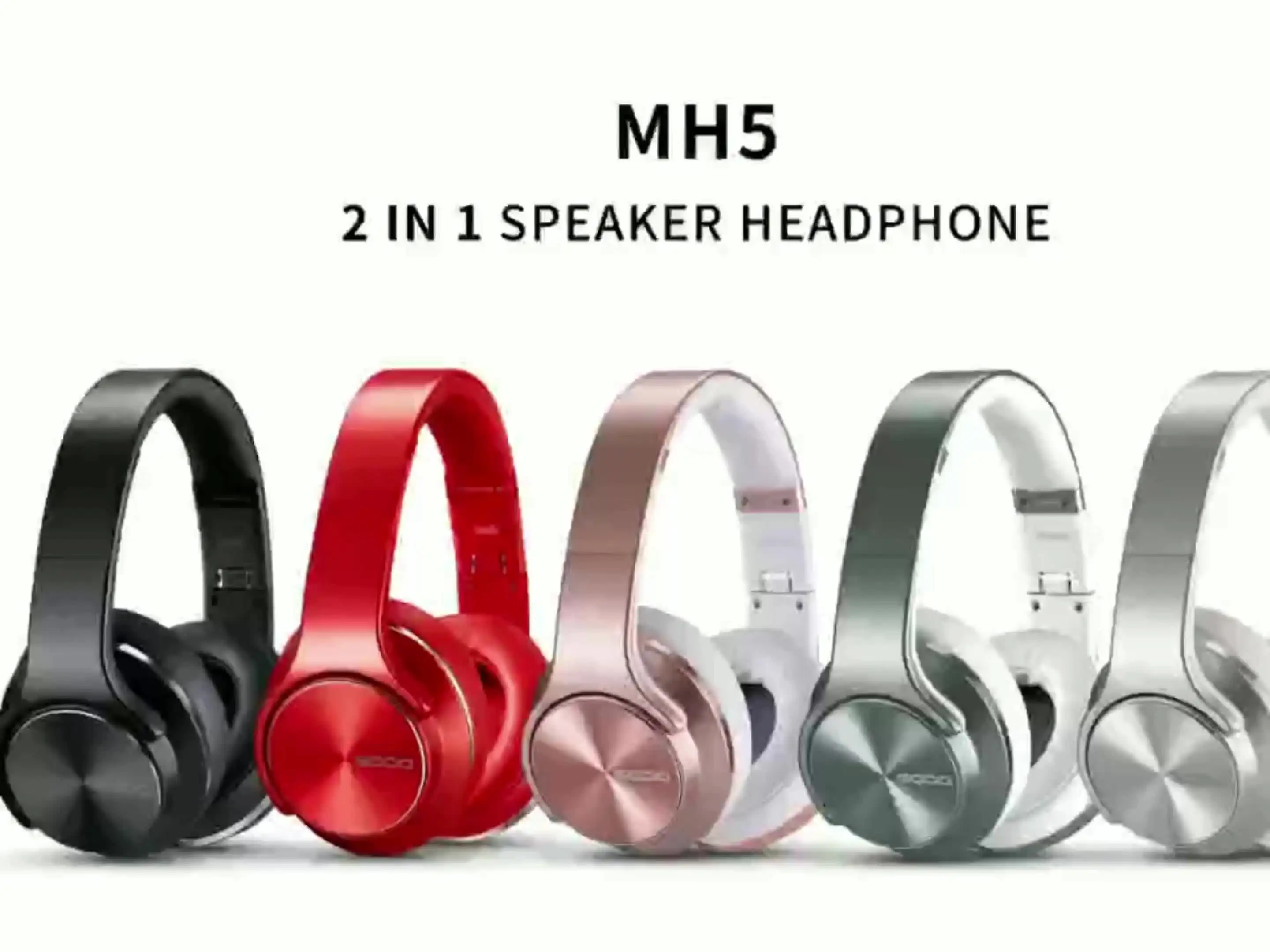
The SODO MH5 is a versatile audio device that functions as both over-ear wireless headphones and a portable speaker. It supports Bluetooth 5.0, TF card playback, FM radio, and wired audio input.


2. Package Contents
Ensure all items are present in the package:
- SODO MH5 Wireless Headphones (x1)
- 3.5mm Audio Cable (Aux cable) (x1)
- Charging Cable (Micro USB) (x1)
- User Manual (x1)
- Carrying Bag / Storage Pouch (x1)

3. Controls and Interfaces
Familiarize yourself with the headphone controls and ports:

- 3.5mm Audio Jack: For wired audio input.
- Micro USB Interface: For charging and PC audio data transfer.
- Power On/Off/EQ Button:
- Long Press (3 seconds): Power On/Off.
- Short Press: Cycle EQ modes (Normal, Vocal, Bass). (Effective in headphone mode only)
- Mode Switch Button: Short press to switch between Bluetooth, FM Radio, TF Card, AUX, and PC Audio modes.
- Call Button:
- Short Press: Answer incoming call / Hang up during a call.
- Long Press (3 seconds): Redial the last call.
- During a call (Long Press 3 seconds): Switch audio between headphone and mobile phone.
- Volume Down / Previous Track Button:
- Short Press: Decrease volume.
- Long Press (3 seconds): Go to previous track.
- Play/Pause Button:
- Short Press: Play/Pause music.
- In Bluetooth Mode (Long Press 3 seconds): Disconnect Bluetooth.
- In FM Mode (Long Press 3 seconds): Scan and store FM channels.
- Volume Up / Next Track Button:
- Short Press: Increase volume.
- Long Press (3 seconds): Go to next track.
- NFC Area: For fast Bluetooth connection with compatible Android devices.
- TF Card Slot: Insert a MicroSD (TF) card for local music playback.
- Microphone: Built-in microphone for calls.
- LED Indicator:
- Charging: Red light (turns green when fully charged).
- Bluetooth Pairing: White light blinks slowly.
- Bluetooth Connected: White light blinks twice every 2 seconds.
- Playing: White light blinks slowly.
- Paused: White light blinks twice.
4. Setup and Operation
4.1 Charging the Headphones
Connect the provided Micro USB charging cable to the Micro USB Interface (2) on the headphones and to a DC 5V power source (e.g., USB wall adapter, computer USB port). The LED indicator (12) will show a red light during charging and turn green when fully charged. Charging time is approximately 2 hours.
4.2 Power On/Off
Long press the Power On/Off/EQ button (3) for 3 seconds to power the headphones on or off.
4.3 Switching Between Headphone and Speaker Mode
- Headphone Mode: Twist the earcups inwards towards the headband.
- Speaker Mode: Twist the earcups outwards away from the headband.

4.4 Bluetooth Connection
- Ensure the headphones are powered on and in Bluetooth mode (the LED indicator (12) will blink slowly).
- On your Bluetooth device (smartphone, tablet, PC), go to Bluetooth settings and search for available devices.
- Select "MH5" from the list to pair.
- Once successfully paired, the LED indicator (12) will blink twice every 2 seconds.
- For Android devices, you can use the NFC area (9) for quick pairing by tapping your device to the NFC area.
4.5 PC Audio Function (Wired)
To use the headphones as a PC audio output device, connect the Micro USB interface (2) on the headphones to your computer using a data-enabled USB cable (note: the included charging cable may not support data transfer, a separate data cable might be required). The computer should recognize the device and allow audio playback through the headphones.
4.6 TF Card Playback
Insert a MicroSD (TF) card with audio files into the TF card slot (10). The headphones will automatically switch to TF card mode and begin playback. Use the Play/Pause (7), Previous Track (6), and Next Track (8) buttons to control playback.
4.7 FM Radio
Press the Mode Switch button (4) to enter FM radio mode. Long press the Play/Pause button (7) for 3 seconds to scan and store available FM channels. Use the Previous Track (6) and Next Track (8) buttons to switch between stored channels.
4.8 AUX Mode (Wired Audio Input)
Connect one end of the 3.5mm audio cable to the 3.5mm Audio Jack (1) on the headphones and the other end to your audio source (e.g., smartphone, MP3 player). The headphones will automatically switch to AUX mode. Control playback from your audio source.
5. Maintenance
- Cleaning: Use a soft, dry cloth to clean the exterior of the headphones. Do not use harsh chemicals or strong cleaning solvents.
- Storage: If not using the headphones for an extended period, store them in a cool, dry place, away from extreme temperatures, humidity, and dust.
- Battery Care: To maintain battery health, charge the headphones at least once every 3 months.
- Avoid Liquids: Do not bring the headphones into contact with liquids.
- Physical Damage: Do not operate the headphones if they have been subjected to shock or physical damage.
6. Troubleshooting
- No Power: Ensure the headphones are fully charged.
- Cannot Pair Bluetooth: Make sure the headphones are in Bluetooth pairing mode (LED blinking slowly) and within range of your device. Forget previous pairings on your device and try again.
- No Sound: Check volume levels on both the headphones and the connected device. Ensure the correct mode (Bluetooth, AUX, TF card) is selected.
- Speaker Mode Not Activating: Ensure the earcups are fully twisted outwards.
- Poor FM Reception: Try moving to a different location or adjusting the headphone's position.
- PC Audio Not Working: Ensure you are using a data-enabled USB cable and that your computer's audio settings are configured to output to the headphones.
7. Specifications
| Feature | Specification |
|---|---|
| Model | MH5 |
| Bluetooth Version | 5.0 |
| Wireless Range | <10m |
| Communication | Wireless + Wired (Bluetooth, 3.5mm AUX, PC Audio) |
| Speaker Specifications | 40mm Driver, 4Ω/3W |
| Number of Drivers | 2 |
| Output Power (Speaker Mode) | 3W * 2 (CLASS D/AB) |
| Output Power (Headphone Mode) | 500mW * 2 (CLASS A) |
| Vocalism Principle | Balanced Armature |
| Impedance Range | up to 32 Ω |
| Resistance | 32Ω |
| Sensitivity | 120dB |
| Frequency Response | 20Hz-18kHz |
| Signal-to-Noise Ratio (Speaker Mode) | >90 dB |
| Signal-to-Noise Ratio (Headphone Mode) | >95 dB |
| Distortion (Speaker Mode) | <3% |
| Distortion (Headphone Mode) | <1% |
| Battery Capacity | 450mAh |
| Charging Input | DC 5V, max 330mA |
| Charging Time | <2 hours |
| Battery Life (Headphone Mode) | Up to 16 hours (approx. 12 hours from OCR) |
| Battery Life (Speaker Mode) | Up to 5 hours (approx. 6 hours from OCR) |
| Headphone Pads Material | Memory Foam |
| With Microphone | Yes |
| Active Noise-Cancellation | No |
| Waterproof | No |
| Support Memory Card | Yes (TF Card) |
| NFC Technology | Yes |
| FM Frequency Band | 87.5-108MHz (Optional function) |
| Weight | 265g |
| Certification | CE |

8. Safety Instructions and Warnings
WARNING: Please read and follow these instructions carefully to prevent potential fire risks and ensure safe operation.
- Always follow the instruction manual for charging and storage.
- For disposal of the lithium-ion battery, please check your local authority's website for more information and dispose of it safely in accordance with applicable legal requirements.
- Charge the headphones at least once every 3 months to keep the battery in good condition.
- Incorrect use or incompatibility with your device may result in reduced battery performance or damage to your device.
- Do not disassemble or modify the headphones.
- Do not bring the headphones into contact with liquids.
- Do not place the headphones near a heat source or open flame.
- Do not operate the headphones if they have been subjected to shock or damage.
9. Warranty and Support
For warranty information, technical support, or service inquiries, please refer to the official SODO website or contact your retailer. Keep your purchase receipt as proof of purchase.
A detailed user manual in PDF format is available for download: SODO MH5 User Manual (PDF)