
1. Introduction
This manual provides detailed instructions for the safe and efficient use of your SODO SD-1004 Wireless Headphones. Please read this manual thoroughly before using the product and retain it for future reference.

2. Package Contents
Ensure all items listed below are present in your package:
- SODO SD-1004 Wireless Headphones
- USB Charging Cable (Type-C)
- 3.5mm Audio Cable
- User Manual

3. Product Features
The SODO SD-1004 headphones are designed for a superior audio experience with versatile functionality:
- Impressive HD HiFi Stereo Sound: Equipped with 40mm dynamic drivers for crystal clear audio.
- Lightweight & Comfortable: Weighing approximately 175g (6.01oz) with soft, skin-friendly memory foam ear pads and an adjustable, flexible headband for extended wear.
- Multiple Working Modes: Supports Wireless (Bluetooth 5.3), Wired (3.5mm AUX-IN), TF Card Playback, and FM Radio modes.
- Long Battery Life: Built-in 400mAh battery provides up to 12 hours of playback time.
- Built-in HD Microphone: For clear hands-free phone calls.
- Foldable Design: For easy portability and storage.
- Quick Controls: Integrated buttons for music playback, volume adjustment, call management, and mode switching.
- Automatic Power-Off: To conserve energy, the headset will automatically power off after 180 seconds of inactivity.


4. Setup
4.1 Charging the Headphones
Before first use, fully charge your headphones. Use the provided Type-C USB charging cable.
- Connect the Type-C end of the charging cable to the charging port on the headphones.
- Connect the USB-A end of the charging cable to a compatible USB power source (DC 5V, max 300mA).
- The indicator light will turn orange while charging.
- Once fully charged (approximately 2 hours), the indicator light will turn off.
WARNING: Please strictly adhere to the usage guidelines when charging and storing to prevent potential fire risks. For disposal, check your local authority's website for more information and dispose of lithium-ion batteries safely in accordance with applicable legal requirements.
4.2 Bluetooth Pairing
To connect your headphones to a Bluetooth-enabled device:
- Ensure the headphones are powered off.
- Long-press the Power/Function button for approximately 4 seconds. The indicator light will flash red and blue alternately, indicating pairing mode.
- On your phone, tablet, PC, or other Bluetooth device, enable Bluetooth.
- Search for available devices and select "SD-1004" from the list to connect.
- Once successfully paired, the indicator light will flash white twice every 2 seconds, and you can begin playing music.
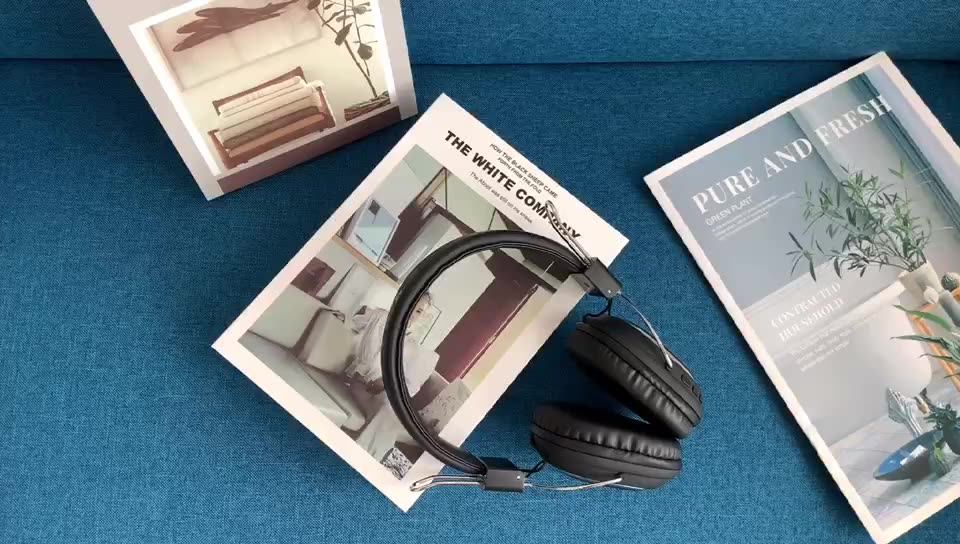
5. Operating Instructions
5.1 Button Functions Overview

- Power/Function Button (Center Button):
- Long press (3 seconds): Power ON/OFF.
- Short press: Play/Pause music.
- Double-click: Switch between modes (Bluetooth, FM, TF Card).
- Four clicks: Turn LED ambient light ON/OFF.
- Incoming call (short press): Answer call.
- Incoming call (long press): Reject call.
- During call (short press): Hang up call.
- During call (long press): Switch between phone and earphone modes.
- In Bluetooth mode (three clicks): Redial last call.
- Volume Up / Previous Track Button (+):
- Short press: Volume up.
- Long press (3 seconds): Previous track.
- Volume Down / Next Track Button (-):
- Short press: Volume down.
- Long press (3 seconds): Next track.
5.2 TF Card Playback (MP3 Mode)
To play music directly from a TF (MicroSD) card:
- Insert a TF card (not included) with MP3 audio files into the TF card slot on the headphones.
- If the headphones are in another mode (e.g., Bluetooth), double-click the Power/Function button to switch to TF Card mode.
- Music playback from the TF card will begin automatically.
5.3 FM Radio Mode
To use the built-in FM radio function:
- With the headphones powered on, double-click the Power/Function button to switch to FM mode.
- Single-press the Power/Function button to initiate an automatic scan for FM radio stations. This process may take approximately 1 minute.
- Short-press the Volume + or Volume - buttons to adjust the volume.
- Long-press the Volume + or Volume - buttons to manually switch between scanned radio stations.
5.4 Wired Mode (AUX-IN)
To use the headphones in wired mode:
- Plug one end of the provided 3.5mm audio cable into the AUX port on the headphones.
- Plug the other end of the audio cable into the audio output jack of your playback device.
- Note: When the audio cable is plugged in, the headphones will power off and function as passive wired headphones.
6. Maintenance
- Clean the headphones with a soft, dry cloth. Do not use harsh chemicals or abrasive materials.
- Avoid exposing the headphones to extreme temperatures, humidity, or direct sunlight.
- Store the headphones in a cool, dry place when not in use. The foldable design helps with compact storage.
- Do not attempt to disassemble or repair the headphones yourself, as this will void the warranty and may cause damage.
- For battery disposal, please consult your local waste management regulations for proper recycling or disposal methods for lithium-ion batteries.
7. Troubleshooting
| Problem | Possible Cause | Solution |
|---|---|---|
| Headphones do not power on. | Low battery. | Charge the headphones fully using the provided Type-C cable. |
| Cannot pair via Bluetooth. | Headphones not in pairing mode; Bluetooth on device is off or already connected to another device. | Ensure headphones are in pairing mode (red and blue lights flashing alternately). Turn off and on Bluetooth on your device. Forget "SD-1004" from your device's Bluetooth list and try pairing again. Ensure headphones are within 10 meters of the device. |
| No sound or low volume. | Volume too low on headphones or device; incorrect mode selected. | Increase volume on both headphones and connected device. Ensure the correct mode (Bluetooth, TF, AUX) is selected. |
| TF card not playing. | TF card not inserted correctly; card is empty or corrupted; incorrect mode. | Ensure TF card is fully inserted. Check if the card contains compatible audio files. Double-click the Power/Function button to switch to TF Card mode. |
| Poor microphone quality during calls. | Environmental noise; microphone obstruction. | Ensure you are in a quiet environment. Check for any obstructions near the microphone. Note that the microphone only works in wireless mode. |
| Headphones automatically power off. | Inactivity. | This is a power-saving feature. The headphones will power off after 180 seconds of inactivity. Power them back on to resume use. |
8. Specifications
| Feature | Detail |
|---|---|
| Model Number | SD-1004 |
| Style | Headband, Over-Ear |
| Communication | Wireless (Bluetooth 5.3) + Wired (3.5mm AUX) |
| Material | Metal, ABS, Plastic |
| Weight | 175g |
| Driver Diameter | 40mm |
| Impedance | 32Ω |
| Frequency Response Range | 20 - 18000Hz |
| Sensitivity | 120dB |
| Bluetooth Version | 5.3 |
| Wireless Range | >10m |
| Battery Capacity | 400mAh (Li-Pol) |
| Playback Time | Up to 12 hours (varies with volume) |
| Charging Time | Less than 2 hours |
| Charging Port | Type-C (DC 5V, max 300mA) |
| Microphone | Built-in |
| Sound Isolating | Yes |
| Active Noise-Cancellation | No |
| Waterproof | No |
| Support Memory Card | Yes (TF Card) |
| FM Frequency Band | 87.5-108MHz (Optional feature) |
| Automatic Power-Off | After 180 seconds of inactivity |
| Product Dimensions (approx.) | 18.5cm (W) x 19.7cm (H) x 7.3cm (D) |
| Certification | CE |

9. User Tips
Based on user feedback, here are some helpful tips for your SODO SD-1004 headphones:
- Sound Quality: Many users appreciate the good bass and clear sound, especially when used in wired mode. If you notice a "flat" sound in wireless mode, ensure proper pairing and consider using the wired connection for potentially enhanced audio.
- Durability: The headphones feature a durable and flexible metal frame, making them resilient to folding and extended use.
- Comfort: The soft ear cushions are noted for comfort, even during long listening sessions.
- Bluetooth Range: In open areas, the Bluetooth connection can maintain stability up to 18-20 meters.
- Microphone Performance: While functional for calls, some users find the microphone quality to be adequate rather than exceptional. Ensure you are in a quiet environment for best call clarity.
- Battery Life: The 400mAh battery provides up to 12 hours of playback. For users seeking significantly longer usage, some have successfully replaced the internal battery with a higher capacity (e.g., 1200mAh Li-Pol) for up to 4 days of active use. (Note: Battery replacement should only be attempted by experienced individuals and may void warranty).
- Wired Connection: If battery runs out or for potentially better sound quality, use the included 3.5mm audio cable.
10. Warranty & Support
For warranty information, technical support, or service inquiries, please refer to the official SODO website or contact your retailer. Keep your purchase receipt as proof of purchase.
A detailed user manual in PDF format is available for download: SODO SD-1004 User Manual (PDF)
11. SODO Production Information
