
LAUNCH Subscription Renewal Card
Contents
LAUNCH 1-Year Subscription Renewal Card Instruction Manual
This manual provides instructions for renewing the 1-year software subscription for compatible LAUNCH CRP series diagnostic tools.
1. Product Overview
The LAUNCH 1-Year Subscription Renewal Card provides a one-year extension for software updates and full functionality (excluding MALL purchases) for supported LAUNCH diagnostic devices.
1.1. Supported Products
This renewal card supports the following LAUNCH diagnostic tools:
- CRP429C
- CRP429
- CRP479
- CRP423
- CRP909E
- CRP909
- CRP909X
- CRP909C
- CRP808
- CRP818
- CRP828
1.2. Non-Supported Products
This renewal card does NOT support the following devices:
- X431 V
- X431 V+
- X431 PROS
- X431 PAD V
- X431 PAD III
- X431 PRO MINI
- Diagun V
Important Note: If you are unsure whether this renewal card supports your specific device, please send a picture of your device with a clear serial number to the seller for verification before placing an order.
1.3. Upgrade Content
All functions of the supported product can be upgraded, except for purchases made through the MALL feature.
2. How to Upgrade Your Device Using the Renewal Card
Follow these steps to renew your device's software subscription and update its software:
Place Your Order
Place your order for the Subscription Renewal Card directly.
Provide Device Information
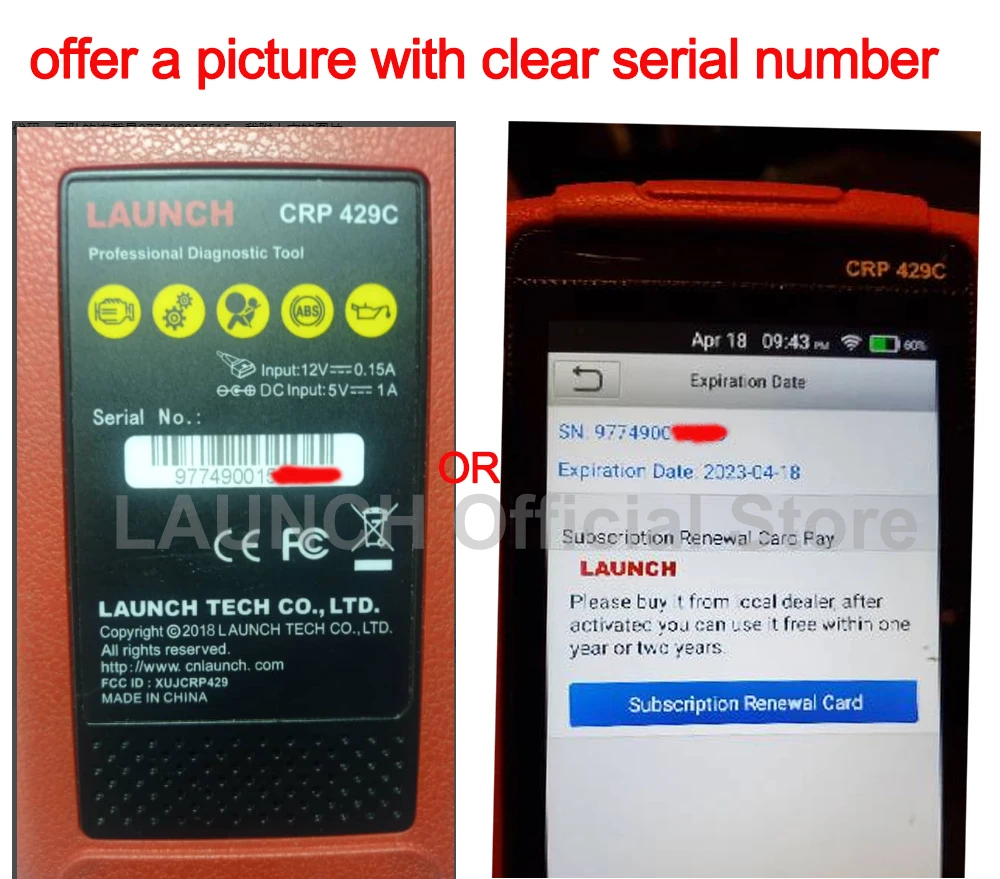
After placing the order, you MUST contact the seller and provide a picture of your device with a clear serial number. This is crucial for the seller to generate the correct update code for your specific device.
Example of serial number location:
Receive Update Code
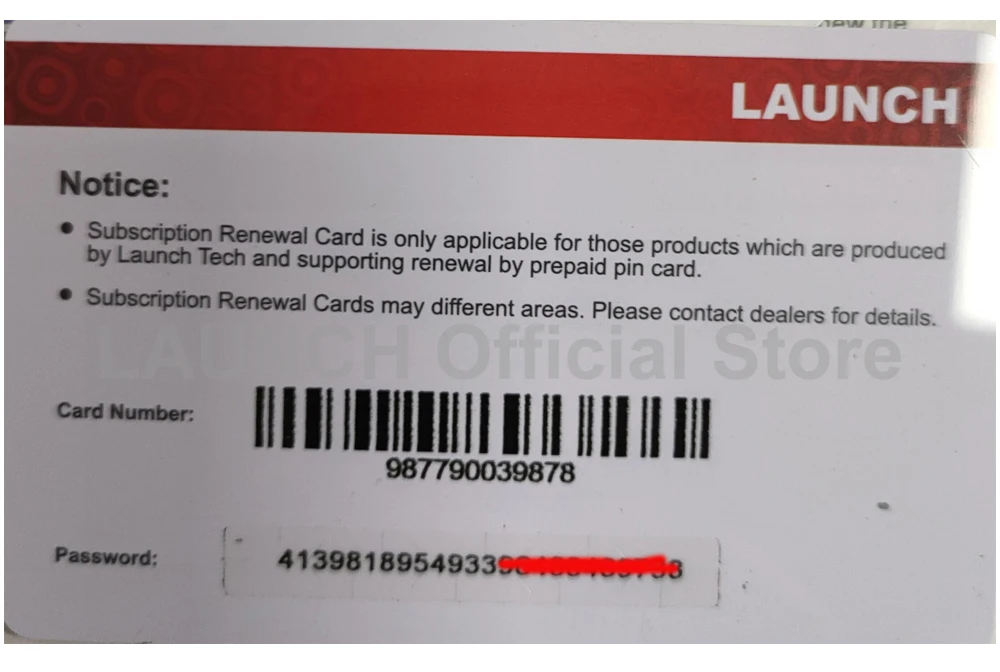
The seller will send the update code (a 24-digit PIN) to you. This code is typically sent within one working day (Monday to Friday). If you contact the seller directly after placing the order during working hours, the code may be sent on the same day.
Example of a renewal card with a card number and password:
Update X-431 App Version
Before proceeding, ensure your X-431 app version is v3.00.004 or later. Update the app if necessary.
Log In and Initiate Renewal on Device
On your LAUNCH diagnostic device:
- Log in to your X-431 account.
- Verify that the displayed serial number on the device matches your device's serial number.
- Navigate to the
Seller-listed specifications
Specification Seller values High-concerned chemical None Origin Mainland China Brand LAUNCH Renewal Card 1 Year Support Products CRP429C, CRP469, CRP479, CRP909E, CRP909X, CRP909C Upgrade function All the functions , Except for MALL bought
Documents and downloads
Ask a question about this manual
Ask about setup, troubleshooting, compatibility, parts, safety, or missing instructions. Manuals+ will review the question and use this page’s manual context to help answer it.