
1. Product Overview
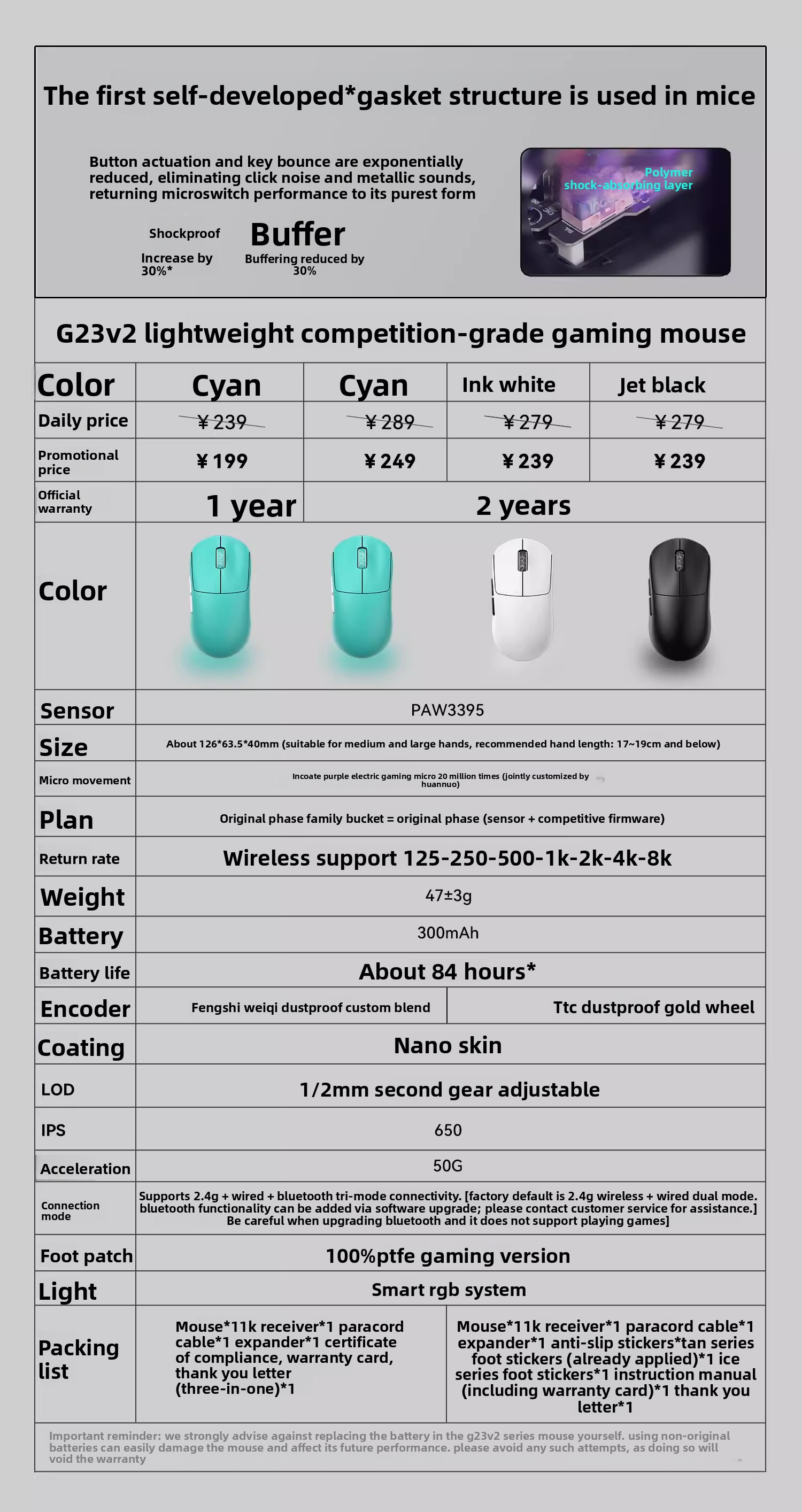
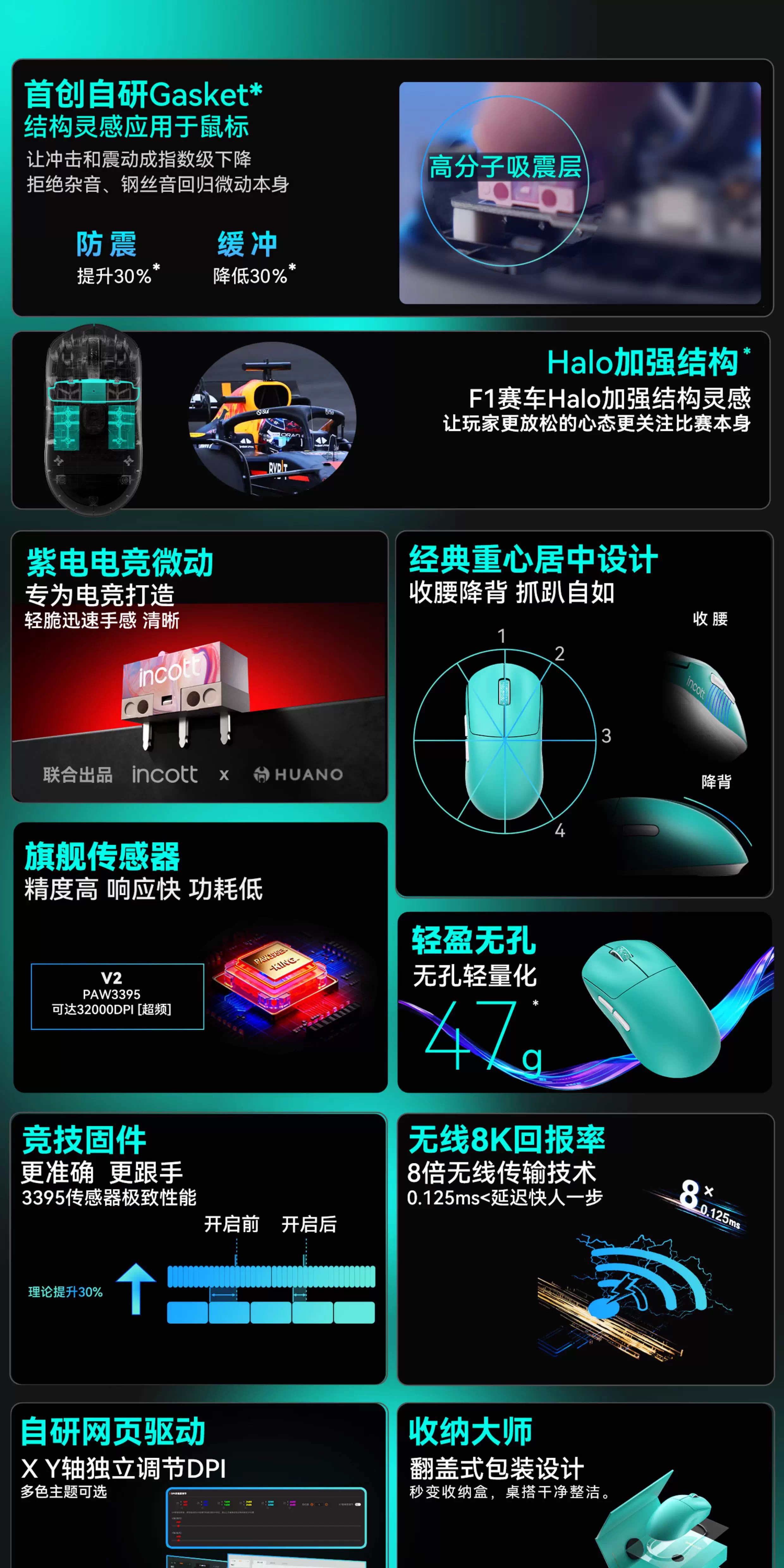
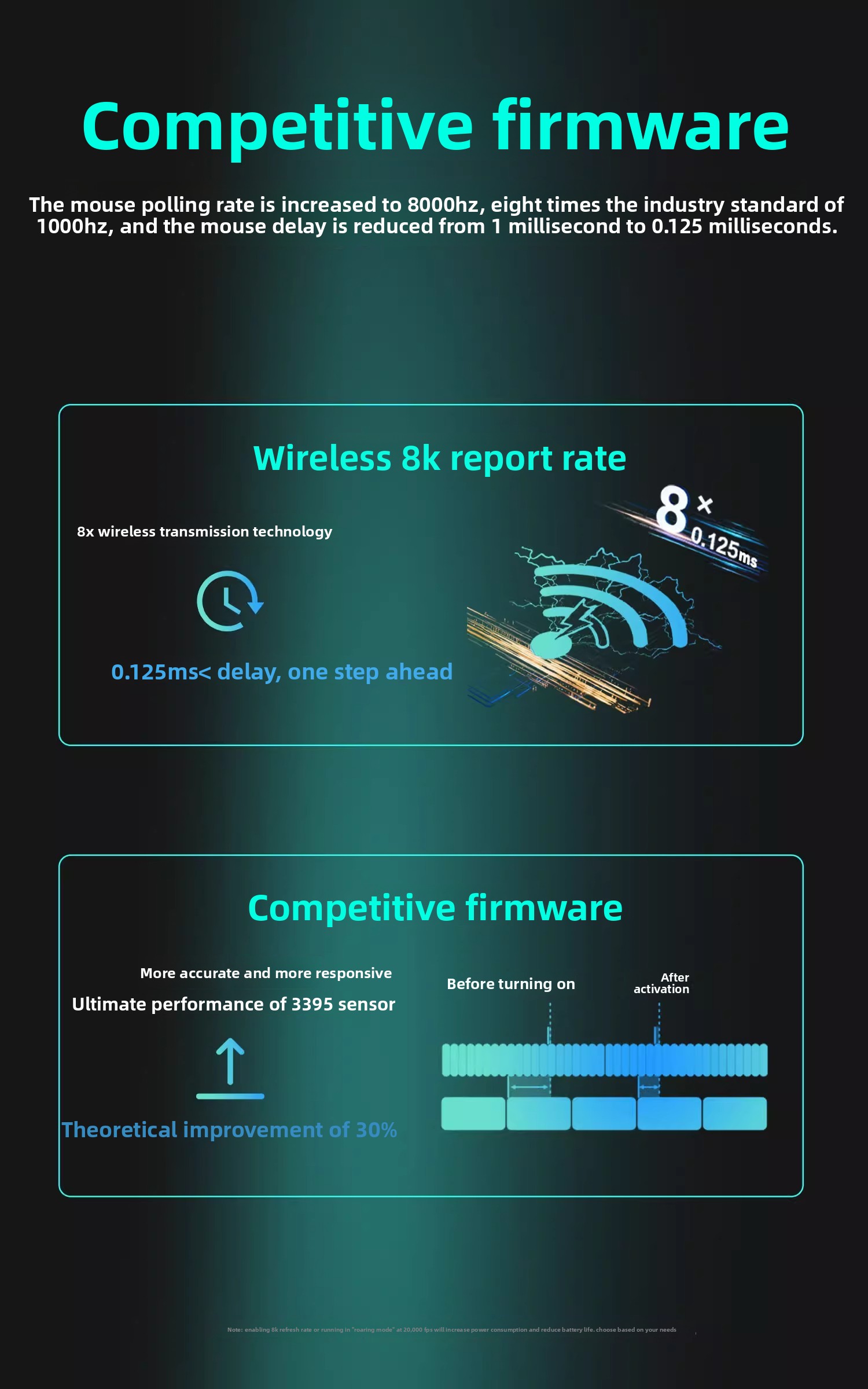
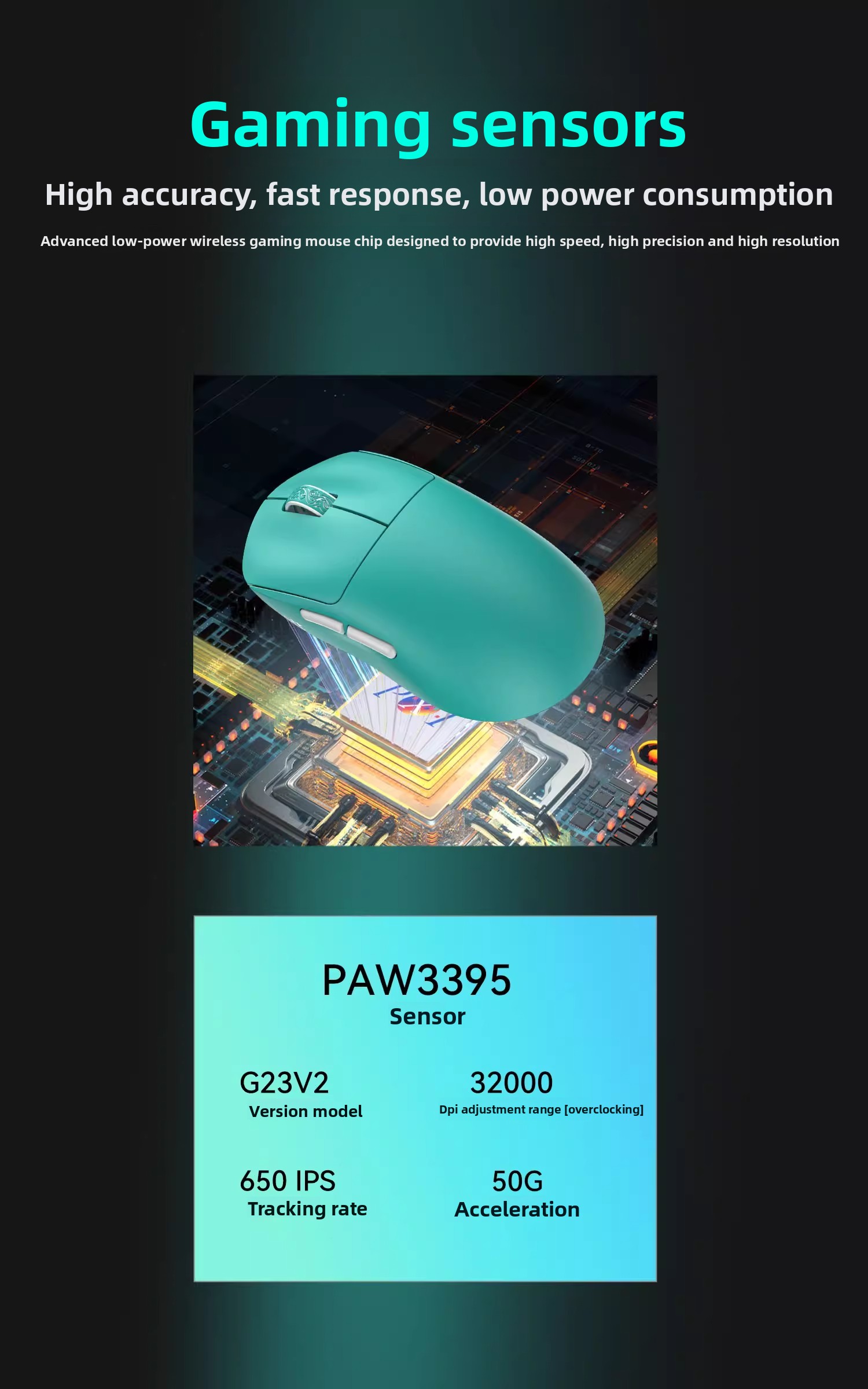
The Incott G23 V2 is a high-performance wireless gaming mouse designed for precise control and comfortable grip, ideal for FPS esports gamers. It features an ultra-lightweight design, a flagship PAW3395 sensor, versatile 3-mode connectivity, and an 8000Hz polling rate for an ultra-fast response.

2. Safety & Warnings
Please read the following safety information carefully before use:
- Choking Hazard: Small parts. Not for children under 3 years.
- General Warning: User restrictions may apply based on age and ability.

3. Setup
3.1 System Requirements
The Incott G23 V2 mouse is compatible with:
- Windows operating systems
- Mac OS operating systems
- Android systems
3.2 Initial Use
- Carefully remove all packaging materials.
- Keep plastic bags away from children to prevent suffocation.
- Inspect the product for any damage before use.
3.3 Connecting the Mouse
For wireless connection:
- Plug the USB receiver into an available USB port on your device (PC, laptop, etc.).
- The mouse should connect automatically. No additional drivers are typically needed.
The mouse supports 3-mode connection: 2.4G Wireless, Bluetooth, and Wired.
3.4 Charging Instructions (for wireless version)
- When the battery is low, the indicator light on the mouse will illuminate.
- Use a USB cable to charge the mouse.
- A full charge typically takes about 1-2 hours.
4. Operating the Mouse
4.1 Basic Functions
- Left/Right Button: Standard click functions.
- Scroll Wheel: Used for page up and down navigation.
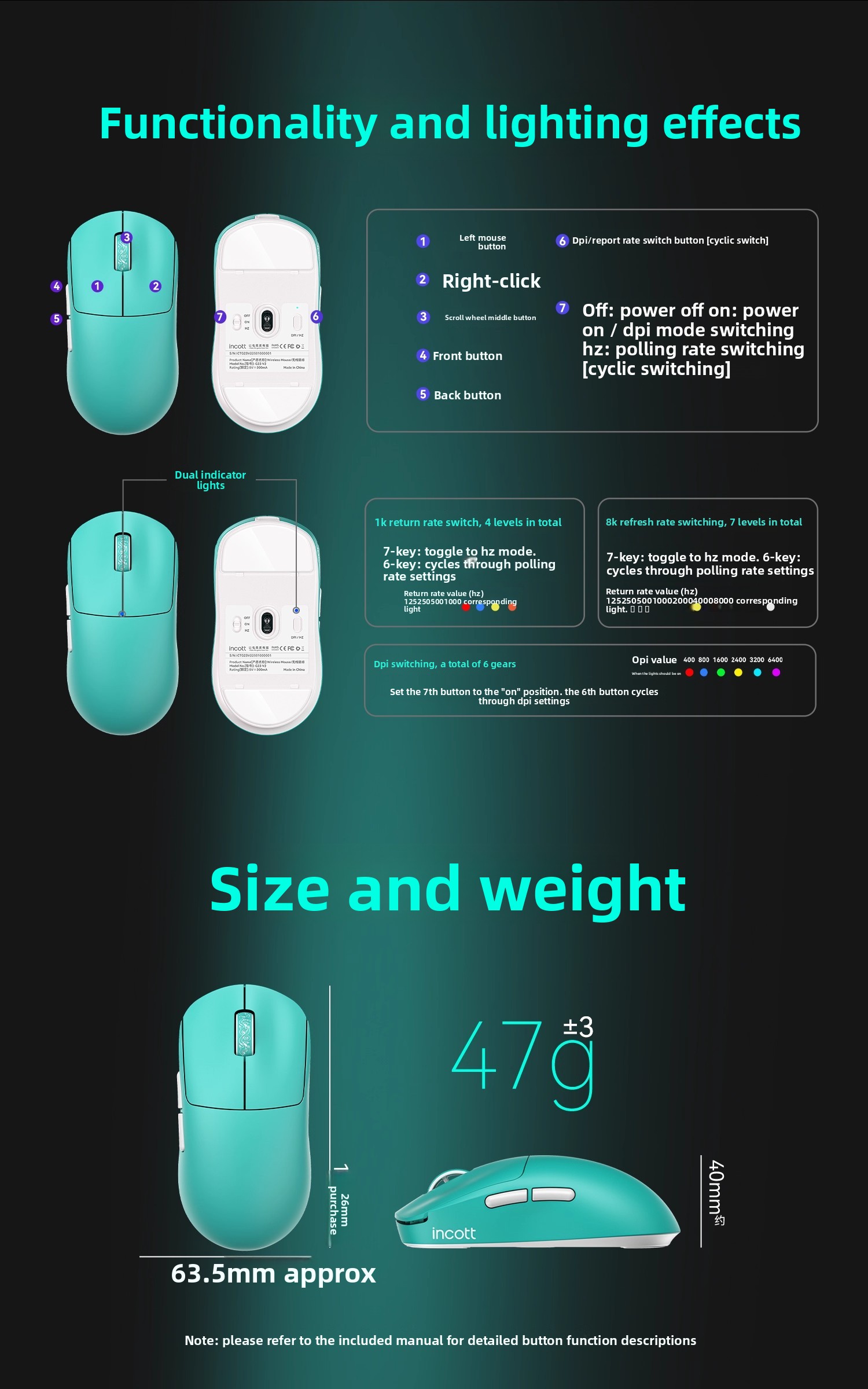
- DPI Button: Adjusts mouse sensitivity (DPI) for different usage scenarios.
- Front Button: Programmable function.
- Back Button: Programmable function.
4.2 DPI and Polling Rate Switching
The mouse features dedicated buttons for cycling through DPI and polling rate settings. Indicator lights will show the current setting.
- DPI Switching: Multiple levels available (e.g., 400, 800, 1600, 2400, 3200, 6400).
- Polling Rate Switching: Supports 1KHz and 8KHz modes.
5. Maintenance
- Do not disassemble or drop the mouse.
- Keep the mouse away from water, high temperatures, and humidity.
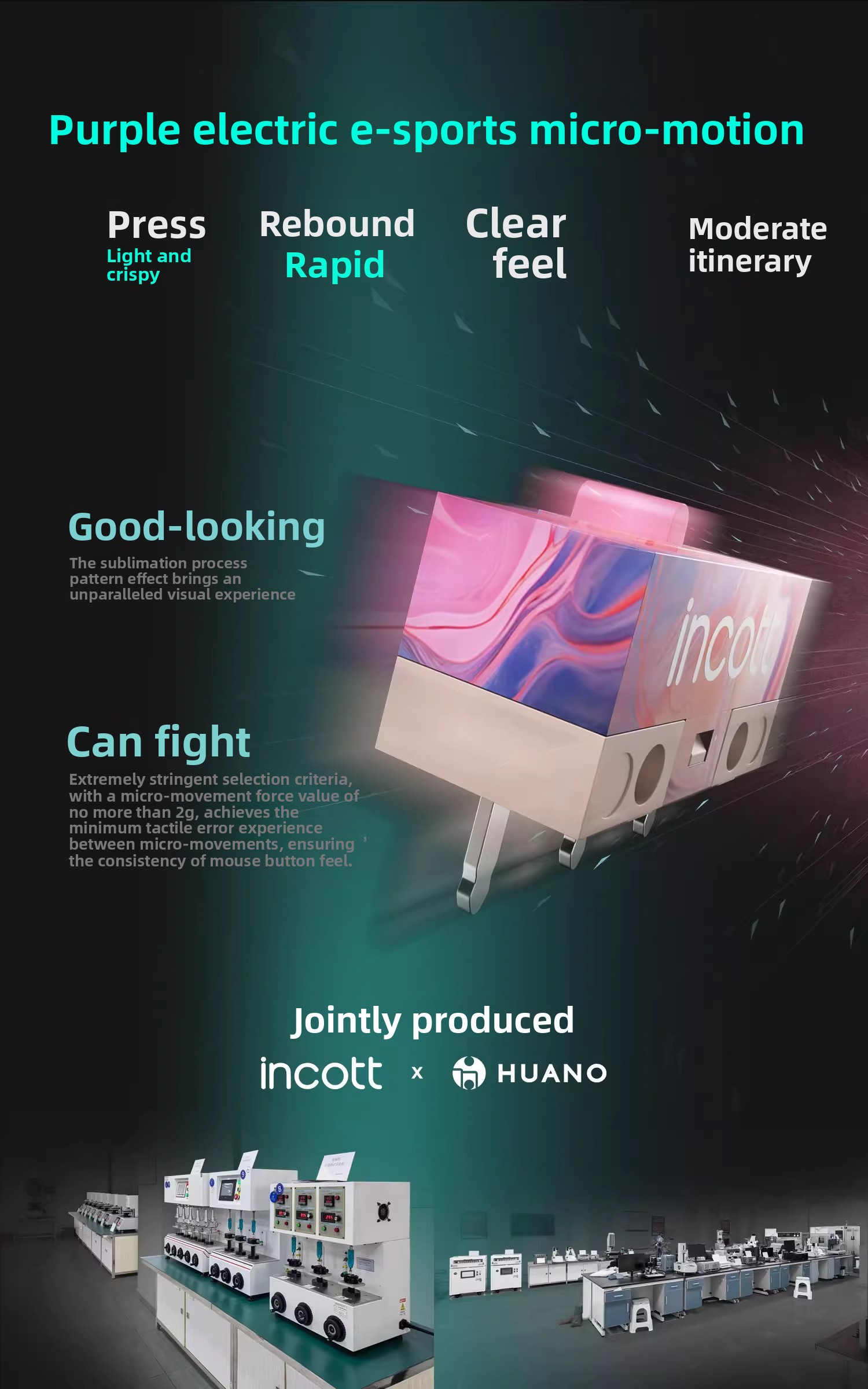
- The mouse features a micro-motion hot-swappable system, allowing for easy replacement of switches without soldering. This system is compatible with 99% mechanical micro-motions.
6. Troubleshooting
- Mouse not working: Check the power and connection first.
- Cannot connect: Reinsert the USB receiver or restart your device.
- Unstable signal: Keep the mouse away from strong electromagnetic interference sources.
7. Specifications
| Feature | Specification |
|---|---|
| Product Type | Wireless Gaming Mouse |
| Model | G23 V2 |
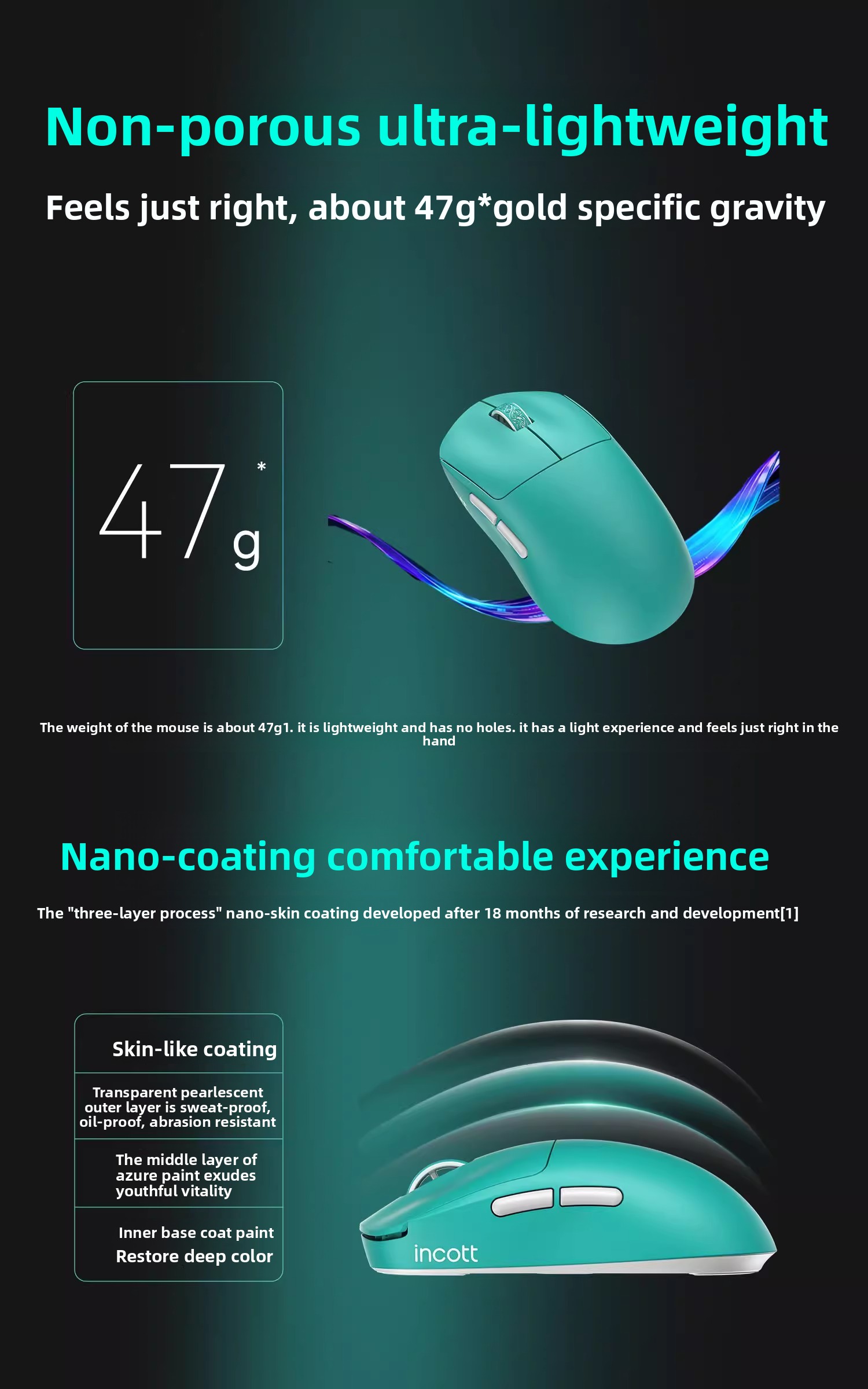
| Weight | 47g Ultra Lightweight |
| Sensor | PAW3395 (up to 32000 DPI overclocking) |
| Connection | 3-Mode (2.4Ghz Wireless, Bluetooth, Wired) |
| Polling Rate | 8000Hz (0.125ms delay) |
| Battery Capacity | 500mAh |
| Battery Life | Approx. 143 hours (in 1KHz non-competitive mode) |
| Charging Time | Approx. 50 minutes for full charge |
| Dimensions (L x W x H) | 126.5mm x 63.5mm x 40mm (approx.) |
| Micro-motion | Hot-swappable, compatible with 99% mechanical micro-motions |
| Coating | Nano-skin coating (3-layer process) |
| Acceleration | 50G |
| IPS | 650 |
| LOD | 1/2mm second gear adjustable |
| Foot Pads | 100% PTFE gaming version |
8. Warranty & Support
8.1 Warranty Information
The Incott G23 V2 mouse typically comes with a 1-year warranty. Some specific versions, such as the G23 Pro, may offer a 3-year warranty. Please refer to your purchase documentation for exact warranty terms.
8.2 Manufacturer Information
Company Name: Wuhan hefenghui trading co., ltd
Full Address: Unit 2nd floor 3 no. 292-293 no. 292-293 (saneqiao primary school), no. 1 unit 2, no. 92, sanqiao, jiangshan district, wuhan city, hubei province
Email: 15949872@qq.com
Phone: 86-13713191609
8.3 EU Authorized Representative
Company Name: MJCM SARL
Address: 78 avenue des Champs Elysees Bureau 326, PARIS, FR
Email: mjcm190928@gmail.com
8.4 Additional Resources
A detailed user manual in PDF format is available for download. You can find it by searching for the product model on the manufacturer's website or by contacting customer support.
For further information, you may refer to the official user manual PDF: Incott G23 V2 User Manual (PDF)
9. User Tips
- Hot-Swap Feature Verification: While the product is advertised with a hot-swappable micro-motion system, some users have reported receiving models where this feature is not present or requires soldering. It is recommended to verify this feature upon receipt if it is a critical requirement for you.
- Ergonomics: The mouse is designed with a classic center of gravity and ergonomic curves to provide a comfortable grip and reduce hand fatigue during extended use. Experiment with different grip styles to find what works best for you.
- Performance Customization: Utilize the DPI and polling rate switching functions to fine-tune the mouse's performance to your specific gaming or work needs.