
1. Introduction
The Aideepen T3 is a versatile and high-precision digital voltmeter ammeter designed for testing various Type-C devices. Featuring a 2.5D curved tempered glass capacitive touchscreen and gravity-sensing automatic screen rotation, it offers a user-friendly experience. This device can measure a wide range of electrical parameters and includes additional utility functions.
2. Package Contents
Please check the box for the following items:
- 1 x T3 Touch Control Gravity Sensor Digital Voltmeter Ammeter
- 1 x Instruction Manual (this document)

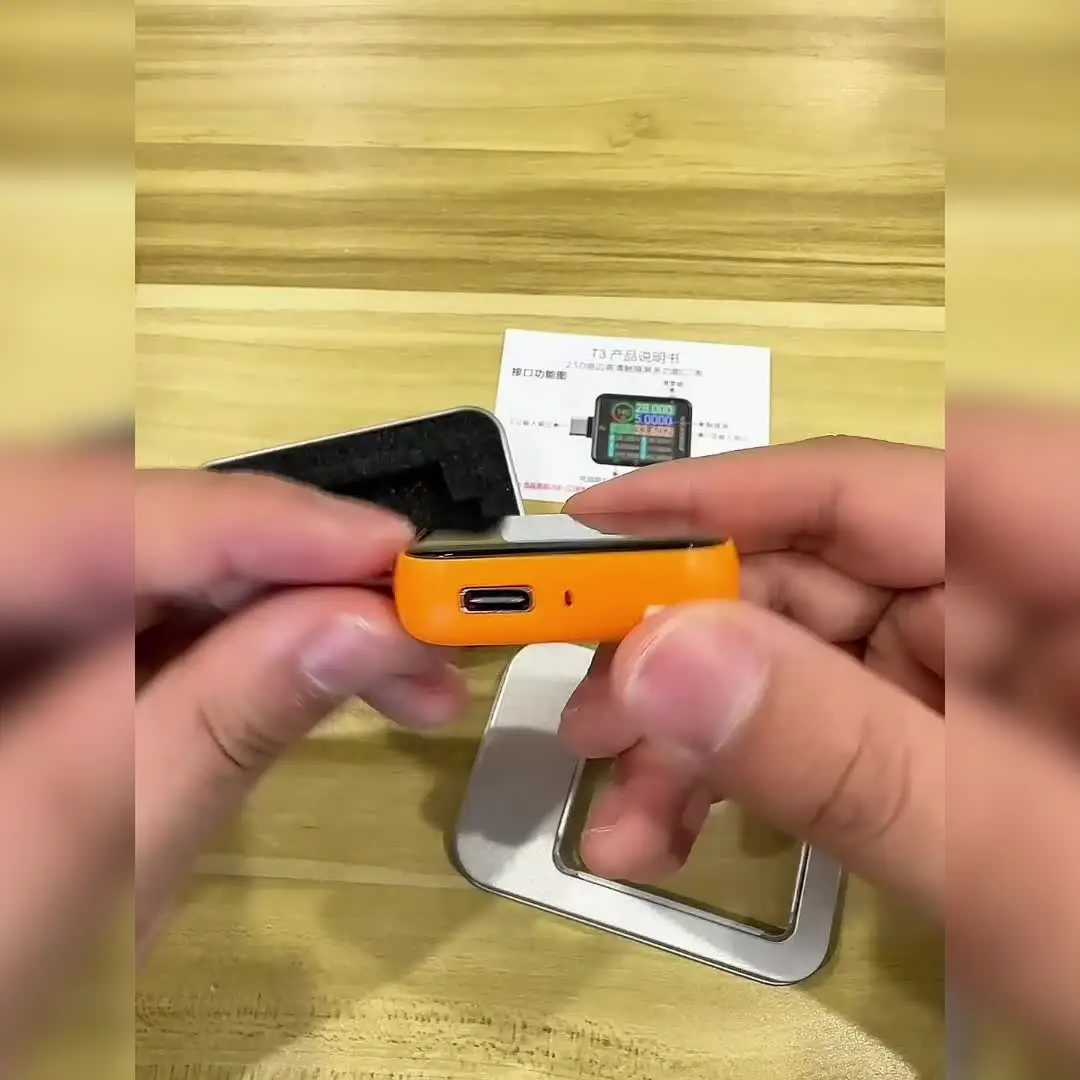
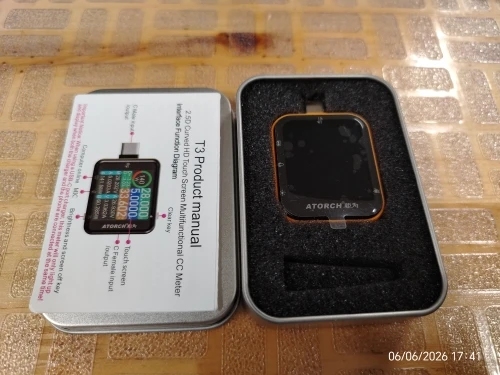
T3 USB Tester in its packaging (Orange variant shown).

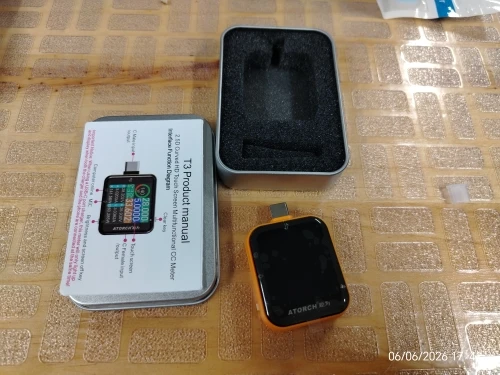
T3 USB Tester in its packaging (Black variant shown).
3. Product Overview
The T3 USB Tester features a compact design with a 2.5D curved edge capacitive touch screen. It is equipped with a Type-C male input/output and a Type-C female input/output for versatile connectivity.

Detailed interface diagram of the T3 USB Tester, labeling Type-C ports, Zero key, PC online interface, MIC, Screen off key, and Touch screen. Important Notice: When using this product for USB-C charger testing, it is necessary to connect the charger and load devices such as mobile phones at the same time for the instrument panel to light up and display normally.

Dimensions of the T3 USB Tester: 53mm (length), 39mm (width), 13mm (thickness).
4. Specifications

T3 Product Parameters Overview.
| Parameter | Value |
|---|---|
| Product Name | Type-C tester |
| Product Model | T3 |
| Working Voltage | DC 4.5-50V |
| Working Current | 0-6A (short-term peak value 12A) |
| Power Display | 0-600W |
| Power Consumption | < 0.15W |
| Sampling Resistance | 0.005R |
| Energy Range | 0-99999Wh |
| Capacity Range | 0-9999mAh |
| Working Temperature | 0-45 ℃ / 32-113 ℉ |
| Product Size | 53 * 39 * 13mm |
| Data Record | Yes |
| Battery Included | No |
| Certification | CE |
5. Setup
To begin using your T3 USB Tester, follow these simple steps:
- Connect the T3 USB Tester to a Type-C power source (e.g., charger, power bank).
- Connect your Type-C device (e.g., mobile phone, laptop) to the other Type-C port on the T3 USB Tester.
- The screen will light up and display measurement data. Ensure both the power source and the load device are connected for normal operation.
Demonstration of connecting the T3 USB Tester to a mobile phone and navigating its touch screen interface.
6. Operating Instructions
6.1 Basic Operation
- Touch Screen Navigation: Lightly touch the screen to swipe between different measurement interfaces or access settings.
- Gravity Sensing: The display content will automatically rotate in four directions to accommodate various measurement orientations, making it easy to view.
The T3 USB Tester's gravity-sensing feature automatically rotates the screen for optimal viewing.

The T3 USB Tester provides a 7-digit high-precision measurement display.
6.2 Measurement Functions
The T3 USB Tester offers a comprehensive suite of measurement capabilities:
- Multiple Parameters: Measures voltage, current, power, electricity quantity, capacity, maximum voltage value, maximum current value, maximum power value, average power value, CPU temperature D+D-, and ripple curve.
- Ripple Measurement: Accurately measures ripple in millivolts and milliamps, and can plot ripple measurement curves.
- Battery Capacity Calculation: Automatically measures and calculates the capacity of connected mobile phones or power banks.
- Line Resistance Measurement / Cable Evaluation: Connect a test load to automatically obtain results and evaluate cable quality (Excellent, Good, Average, Poor).
- Bidirectional Current Charging Detection: Measures current flow in both directions, whether connected to a charger or directly to a mobile phone. Includes a no-load current zeroing function for enhanced accuracy.
- High-Sensitivity Sound Level Meter: Functions as a decibel meter and noise meter.
- Environmental Sensors: Includes a level gauge, barometer for atmospheric pressure detection, and an altimeter.
- Music Spectrometer: Displays an electronic music spectrum, with lights moving to the rhythm of music.

The T3 USB Tester displays multiple measurement parameters simultaneously.

The T3 USB Tester is fully equipped with multiple functions, including ripple measurement, peak and average values, line resistance, and battery capacity calculation.

T3 Bidirectional Current Charging Detection: This technology allows measurements by connecting to a charger or directly to a mobile phone. It also features a no-load current zeroing function for enhanced accuracy.

Cable Reviews: All in One Place. Easily read cable data, including no-load voltage, load voltage and current during testing, and cable resistance measurements. Results are categorized as Excellent, Good, Fair, or Poor.

Features of a High-Precision High-Sensitivity Sound Level Meter. High-definition display suitable for multiple scenarios—maximum practicality.

Includes a practical spirit level and barometer. The T3 features a variety of sensors that measure level, air pressure and altitude.

Say Goodbye to Boring Measurements. Charge, play music, view the spectrum and measure decibels.
6.3 Settings and Interface
- Language Selection: Switch between Chinese and English interfaces.
- Screen Brightness Adjustment: Adjust the display brightness to your preference.
- Zero No-Load Current: Calibrate the device for accurate current measurements.
- Vibration Switch: Toggle vibration feedback on or off.
- Automatic Sleep Switch: Configure automatic screen sleep settings.
- Virtual Keyboard: Easily set parameters using the on-screen virtual keyboard.

The T3 USB Tester supports both Chinese and English interfaces.

T3 Touch Keypad: Manually adjusting settings is a thing of the past with the virtual keyboard.
6.4 PC Software and Mobile App
The T3 USB Tester supports connection to a PC via Bluetooth BLE for remote control, setup, and measurement features. PC software is compatible with Windows 7 and Windows 10 systems. The mobile Bluetooth app requires GPS global positioning permission and Bluetooth function to be enabled.

Powerful desktop software app for Bluetooth BLE mobile phone remote wireless remote control setting and measurement function. PC software only supports WIN7 and WIN10 systems. Mobile Bluetooth app must have GPS global positioning permission and Bluetooth function enabled.
6.5 Mini Games
The T3 USB Tester includes a 'Bubble Poking' mini-game for entertainment during idle times.
Touch control mini game: Poke small troubles in spare time, add points to life decompression.
7. Maintenance
- Keep the device clean and dry. Avoid exposure to moisture or extreme temperatures.
- Use a soft, dry cloth to clean the screen and body. Do not use abrasive cleaners or solvents.
- Store the device in a safe place when not in use to prevent physical damage.
- The screen is made of optimized tempered glass for scratch resistance.
Demonstration of the T3 USB Tester's optimized tempered glass scratch-proof screen.
8. Troubleshooting
- Device not turning on: Ensure both a power source (charger) and a load device (e.g., phone) are connected to the T3 USB Tester. The device requires both to light up and display normally.
- Inaccurate readings: Check that all connections are secure. Ensure the sampling resistance is correctly calibrated (0.005R). If testing cables, ensure the test load is properly connected.
- Screen not rotating: Verify that the gravity sensing feature is enabled in the settings.
- Connectivity issues with PC/App: For PC software, ensure your system is Windows 7 or 10. For the mobile app, ensure Bluetooth is enabled and GPS global positioning permission is granted.
9. Warranty and Support
For any product inquiries, technical support, or warranty claims, please contact the seller or manufacturer directly. Refer to your purchase documentation for specific warranty terms and contact information.