
1. Introduction
The Aideepen Type-C Inductance Tester is a specialized tool designed for quickly and accurately detecting faults in inductors on electronic motherboards, particularly for mobile phones and personal computers. Utilizing precise electromagnetic induction technology, this device simplifies the troubleshooting process, making repairs more efficient and reliable. Its compact, plug-and-play design ensures ease of use for both professionals and hobbyists.
2. Features
- Precise Electromagnetic Induction Positioning: Simple operation allows direct detection of faults in inductors, enabling rapid troubleshooting.
- Plug-and-Play, Simple and Portable: One-button testing with straightforward, convenient operation, enhancing repair and testing efficiency.
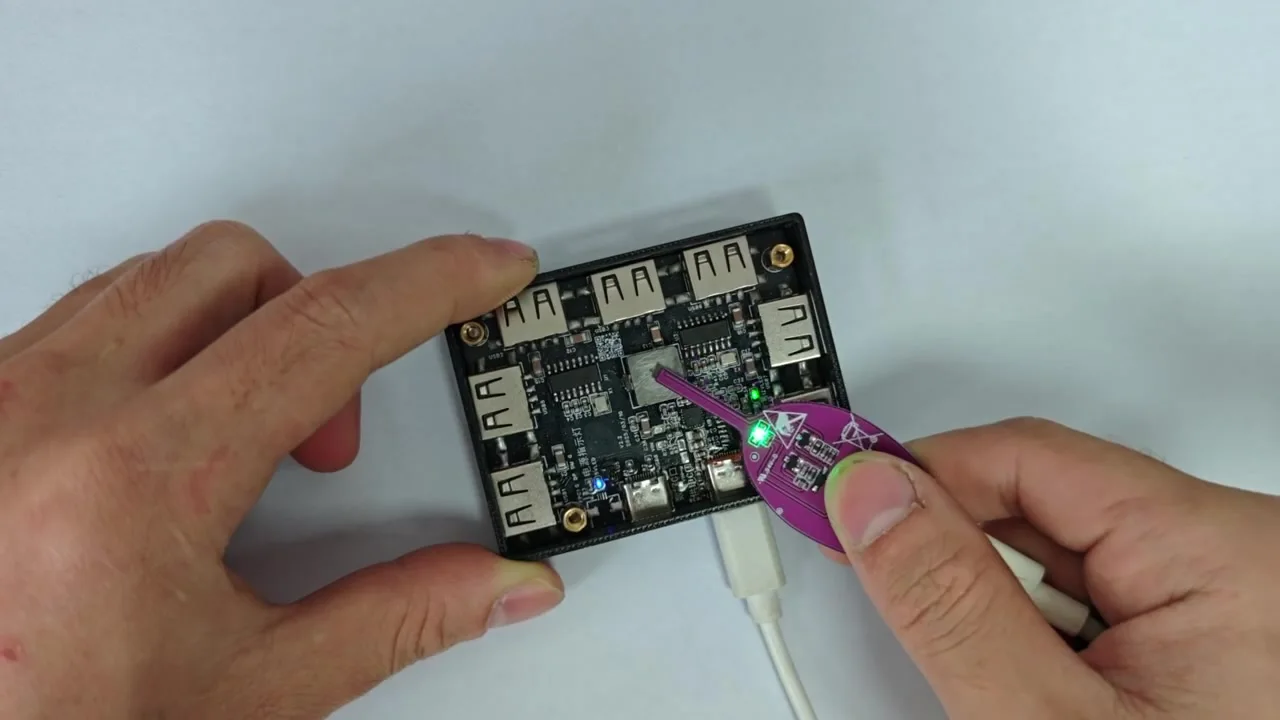
- Indicator Light Display: A green light indicates the inductor is functioning normally; the indicator light turns off if the circuit board is faulty.
- High-Precision Tester: Professional-grade testing technology for accurate and reliable repairs of mobile phone and computer motherboards.
- One-Button Fault Localization: Press and hold to trigger rapid detection, quickly pinpointing the problematic area of the coil.

3. Specifications
| Attribute | Value |
|---|---|
| Product Name | Rechargeable Inductor Tester |
| Model Number | Type-C Inductance Tester |
| Brand Name | Aideepen |
| Power Supply | USB charging |
| Interface | Type-C port |
| Button | Press and hold to use |
| Input Voltage | <50VAC/75VDC |
| Battery Included | No |
| High-concerned chemical | None |
| Certification | CE, RoHS |
| Origin | Mainland China |
| Package Length | 8 cm |
| Package Width | 6 cm |
| Package Height | 1 cm |
| Package Weight | 0.003 kg |


4. Setup
- Connect the Inductance Tester to a power source using a Type-C charger.
Note: Both the Inductance Tester and the motherboard being tested must be powered on to perform the test.
5. Operating Instructions
- Ensure both the Inductance Tester and the target motherboard are powered on.
- Press and hold the button on the Inductance Tester.
- Position the sensor probe near the inductor on the motherboard that you wish to test.
- Observe the indicator light on the tester:
- If the green indicator light illuminates, the inductor is functioning normally.
- If the green indicator light does not illuminate, the inductor is faulty.


6. Troubleshooting
If the green indicator light on the tester does not illuminate when the sensor is placed over an inductor on a powered motherboard, it indicates a fault with that specific inductor. In such cases, further diagnosis or replacement of the faulty component may be required.
7. Maintenance
- Keep the device clean and free from dust and moisture.
- Store in a cool, dry place when not in use.
- Avoid dropping or subjecting the device to strong impacts.
- Use only a Type-C charger for power supply.
8. User Tips
- Always ensure both the tester and the motherboard are powered on for accurate readings.
- For best results, hold the sensor probe as close as possible to the inductor without making direct contact.
- The one-button operation makes it very quick for initial checks, saving time in complex diagnostics.
9. Warranty & Support
For any issues or questions regarding your Aideepen Type-C Inductance Tester, please contact the seller or manufacturer for support. Keep your purchase receipt for warranty claims.
A user manual in PDF format is also available for download: Download User Manual (PDF)
10. Package Contents
- Rechargeable Inductor Tester × 1