
1. Introduction
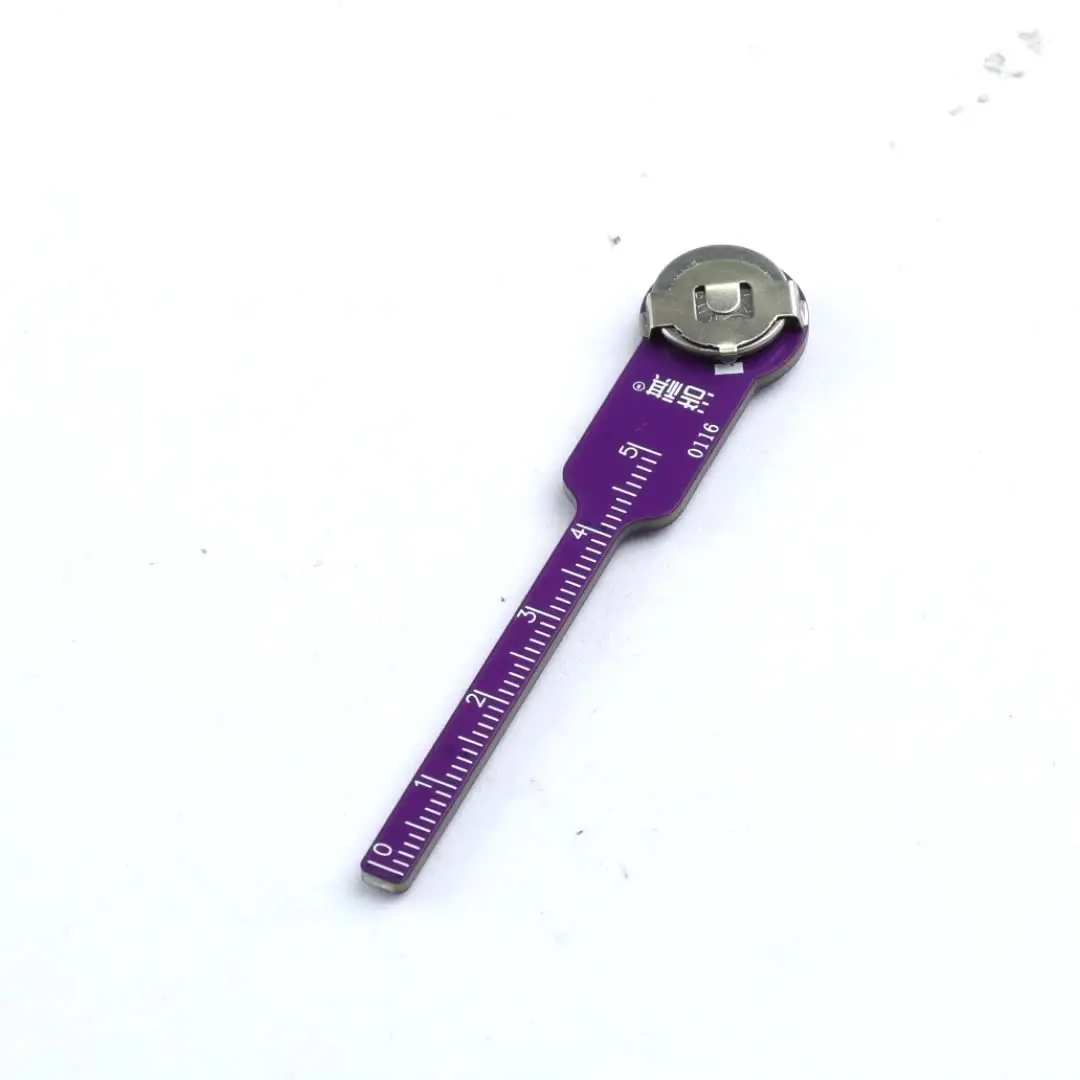
Thank you for choosing the Aideepen Handheld Magnetic Pole Pen Polarity Tester. This compact and portable device is designed for accurate identification of North (N) and South (S) magnetic poles using a dual-color LED indicator. It is ideal for various applications, including motor quality inspection, magnetic material verification, and educational demonstrations. This manual provides essential information for the safe and effective use of your new device.

2. Product Features
- Dual-Color LED Smart Recognition: Features a red LED for S-pole detection and a blue LED for N-pole detection, providing immediate and clear magnetic field polarity identification.
- Ultra-Low Power Consumption & Long Battery Life: Powered by a CR1220 button cell battery, designed for energy efficiency and extended operational time, complemented by a manual on/off switch.
- Precision Temperature-Stabilized Circuit: Incorporates high-precision, stable resistors for excellent stability and reliable performance across various temperatures.
- Ultra-Compact and Portable: Its small form factor allows for easy storage in a pocket or toolkit, ensuring convenience for on-the-go use.
- Wide Range of Applications: Suitable for diverse industrial and educational settings, including motor quality inspection, magnetic material verification, and teaching demonstrations.

3. Setup
3.1 Battery Installation
The device comes with a pre-installed CR1220 button cell battery. If replacement is needed, carefully open the battery compartment and insert a new CR1220 battery, ensuring correct polarity.

4. Operating Instructions
- Power On: Locate the ON/OFF switch on the device and slide it to the 'ON' position.
- Positioning: Hold the detector so that its tip is perpendicular to the magnetic field you wish to test.
- Observe LED:
- If an S-pole (South) magnetic field is detected, the red LED will light up.
- If an N-pole (North) magnetic field is detected, the blue LED will light up.
- Power Off: After completing your measurement, slide the ON/OFF switch to the 'OFF' position. The device does not have an automatic shut-off function, so manual power-off is required to conserve battery life.


5. Maintenance
- Cleaning: Wipe the device with a soft, dry cloth. Do not use abrasive cleaners or solvents.
- Storage: Store the detector in a cool, dry place away from direct sunlight and extreme temperatures.
- Battery Replacement: If the LED indicators become dim or fail to light up, replace the CR1220 button cell battery. Ensure the device is switched off before replacing the battery.
6. Troubleshooting
- Problem: The LED does not light up.
- Solution: Check if the device is switched to the 'ON' position. If it is, the battery may be depleted. Replace the CR1220 button cell battery.
- Problem: Incorrect polarity reading.
- Solution: Ensure the detector's tip is positioned perpendicular to the magnetic field being tested. Interference from other magnetic sources nearby can also affect readings.
7. Specifications
| Feature | Detail |
|---|---|
| Product Name | Magnetic Pole Tester |
| Brand Name | Aideepen |
| Power Supply | CR1220 Button Cell Battery |
| Battery Included | Yes |
| Measurement Method | Close-range Sensing |
| Display Mode | Dual-color LED Indicator Light (Red for S-pole, Blue for N-pole) |
| Dimensions | 75 mm x 15.15 mm x 5.8 mm (Length x Width x Thickness) |
| Certifications | CE, RoHS |
| Origin | Mainland China |


8. User Tips
- Users appreciate the quick and clear polarity readings provided by the dual-color LED.
- The compact size makes it very handy and easy to carry.
- The included CR1220 lithium battery ensures it's ready for use right out of the package.
9. Warranty and Support
For any questions, technical support, or warranty claims, please contact the seller directly through the platform where you purchased the product. Please retain your proof of purchase for any warranty-related inquiries.