
1. Product Overview
The JINKAIRUI Electric Pneumatic Leg Massager is designed to provide deep relaxation and relief for your thighs, calves, and feet through innovative air wave technology. It features multiple massage modes, adjustable intensity levels, and a user-friendly control panel for a personalized massage experience.

Figure 1: JINKAIRUI Electric Pneumatic Leg Massager
2. Safety Information
- Read all instructions before using the appliance.
- Do not use if you have any medical conditions such as severe circulatory disorders, skin infections, or are pregnant, without consulting a doctor.
- Keep out of reach of children.
- Do not use in wet environments or near water.
- Unplug the device from the power outlet when not in use or before cleaning.
3. Setup
- Wear the Leg Wraps: Unzip the leg wraps and slide your feet into the foot sections. Pull the wraps up your legs, ensuring they cover your calves and thighs comfortably. The zipper design allows for easy wearing and removal. This product does not distinguish between left and right feet; it can be worn on either leg.
- Connect the Controller: Insert the inflation tubes from the leg wraps into the corresponding ports on the controller. Then, plug the power adapter into the lowest circular socket on the controller.
- Power Connection: Plug the power adapter into a suitable electrical outlet.

Video 1: Product demonstration showing how to wear the leg wraps and connect the controller.
4. Operating Instructions
The controller features an LED digital display and smart touch buttons for easy operation.
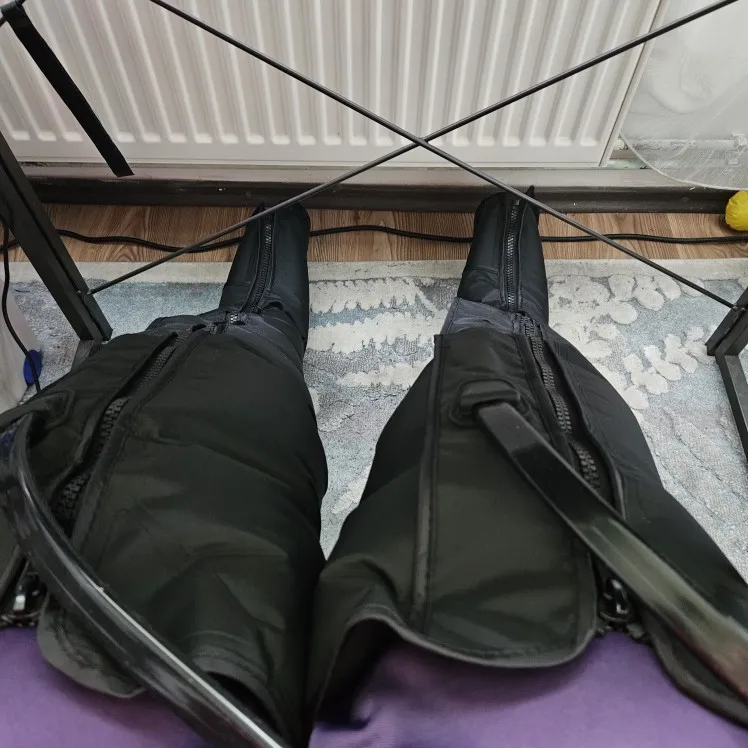
Figure 2: Control Panel Function Description
Hand Control Operation Instruction Book
- Power On: Press the Host Power On Key (1) to turn on the device. All function buttons will turn green, and the main unit enters intelligent massage mode. Press again to turn off, and the buttons return to white.
- Select Mode: Press the Massage Mode Selection Key (2) to cycle through the three available modes (1, 2, and 3). The current mode is displayed in the Air Pressure, Massage Mode Indicator (13).
- Adjust Intensity: Use the Air Pressure Increase Key (4) and Air Pressure Reduction Key (3) to adjust the massage intensity. There are 3 levels of intensity, and adjustments can only be made in one direction. The current intensity level is displayed in the Air Pressure, Massage Mode Indicator (13).
- Select Massage Area: Press the Massage Part Selection Button (5) to switch between massaging the feet, calves, or full legs. The corresponding indicators (Foot Massage Indicator (10), Calf Massage Indicator (11), Thigh Massage Indicator (12)) will light up. Press the Massage Mode Selection Key (2) again to exit massage area selection and enter full-leg mode.

Figure 3: Three-Speed Air Pressure Massage Modes

Figure 4: Massage Areas and Airbag Inflation
5. Maintenance
- Cleaning: The leg wraps are made from wear-resistant, soft, and breathable fabric. To clean, wipe the surface with a damp cloth. Do not immerse the controller or leg wraps in water.
- Storage: Store the device in a cool, dry place away from direct sunlight and extreme temperatures. Ensure the inflation tubes are not kinked during storage.

Figure 5: Thoughtful Design and Exquisite Details
6. Troubleshooting
- Device not turning on: Ensure the power adapter is securely plugged into both the controller and the wall outlet.
- No air pressure: Check that the inflation tubes are firmly connected to both the leg wraps and the controller. Ensure there are no kinks in the tubes.
- Uneven pressure: Verify that the leg wraps are worn correctly and zipped up completely.
If you experience any other issues, please refer to the detailed user manual PDF or contact customer support.
7. Specifications
| Feature | Specification |
|---|---|
| Brand Name | JINKAIRUI |
| Item Type | Massage & Relaxation |
| Rated Voltage | 12V |
| Rated Power | 24W |
| Timer | 15 minutes |
| Intensity Levels | 3 levels of adjustment |
| Product Modes | 3 modes |
| Certification | CE |
| Package Dimensions | 36cm (L) x 22cm (W) x 15cm (H) |
| Package Weight | 2.0 kg |

Figure 6: Product Parameters
Product Dimensions
- Long Version: Total Length: 95cm (37.4in), Leg Length: 75cm (29.53in), Top Width: 61cm (24.02in), Foot Length: 30cm (11.81in), Ankle Width: 20cm (7.87in).
- Short Version: Height: 47.5cm (18.7in), Top Width: 25cm (9.84in), Ankle Width: 20cm (7.87in), Foot Length: 24.5cm (9.65in).
- One Size Fit Most: Max Thigh Circumference: 60cm (23.6in), Max Foot Width: 36cm (14in), Overall Length: 69cm (27in), Foot to Knee Length: 25cm (9.8in).

Figure 7: Product Size (Long Version)

Figure 8: Product Size (Short Version)

Figure 9: One Size Fit Most Dimensions
8. Warranty and Support
For warranty information, please refer to the terms provided by your seller at the time of purchase. For further assistance or detailed instructions, a comprehensive user manual is available in PDF format from the seller.
9. User Tips
- Start Gently: If you are new to leg massagers or prefer a softer massage, begin with the lowest intensity setting and gradually increase it to your comfort level.
- Regular Use: Incorporate the leg massager into your daily routine for consistent relief, especially after prolonged periods of sitting, standing, or intense physical activity.
- Relaxation: Use the massager while reading, watching TV, or simply resting to enhance your relaxation experience.

Figure 10: Ideal for Various Relaxation Needs