
1. Introduction
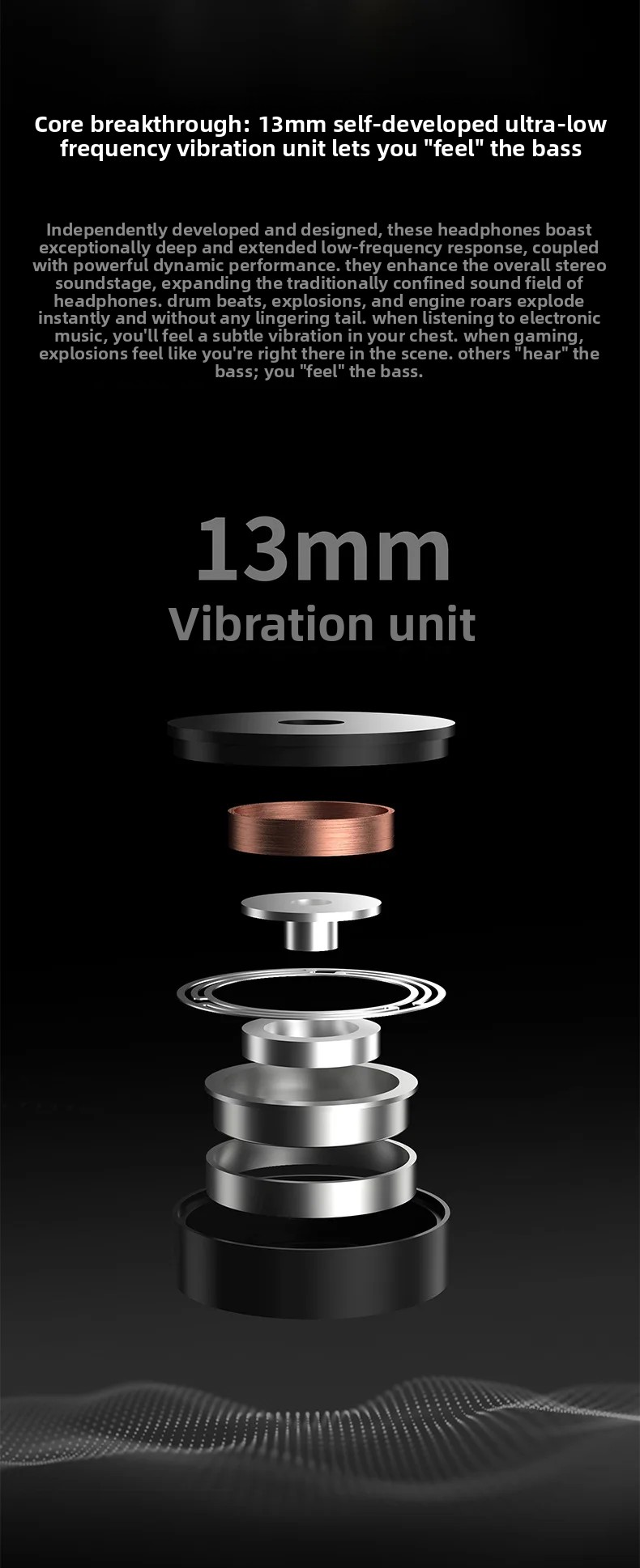
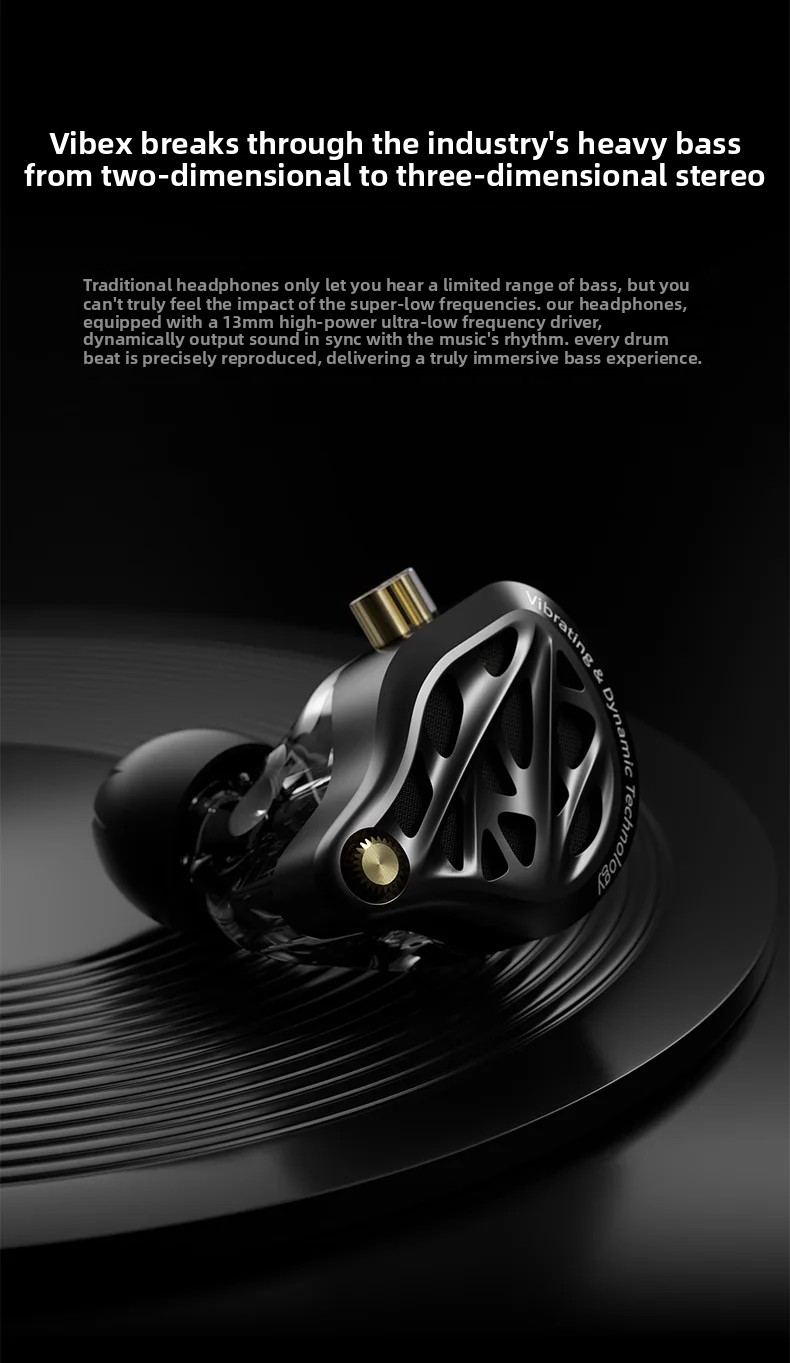
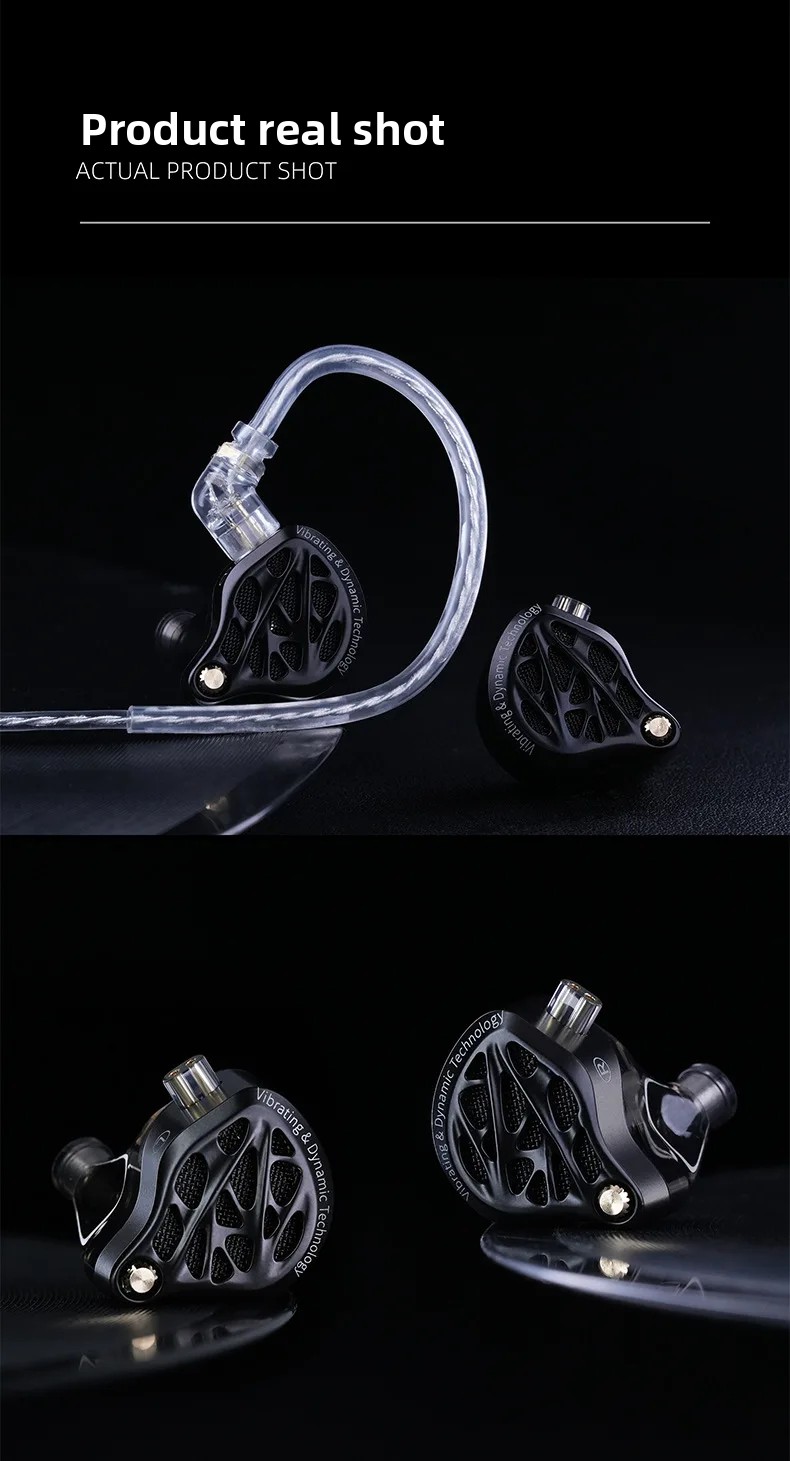
The KZ Vibe X Earphone is a high-performance wired in-ear headphone designed to deliver an immersive audio experience with deep bass and clear stereo sound. Featuring a 13mm self-developed ultra-low frequency vibration unit and a 10mm high-performance dynamic driver, it aims to provide a rich and detailed soundstage for music, gaming, and entertainment.
This manual provides essential information on the safe and effective use of your KZ Vibe X earphones, including setup, operation, maintenance, and troubleshooting.
2. Safety Warnings
WARNING: Choking Hazard
Small parts. Not suitable for children under 3 years of age. Keep all components out of reach of small children.
WARNING: Battery Safety (if applicable to accessories)
If any accessories include coin or button batteries, keep them out of reach of children. Swallowing can lead to severe chemical burns, perforation of soft tissue, and death. Seek medical attention immediately if ingested.
WARNING: Lithium-ion Battery Disposal
If your product or accessories contain a lithium-ion battery, please mind potential fire risk and strictly follow the instruction manual for charging and storage. For disposal, please check your local authority's website for more information and dispose of the lithium-ion battery safely in accordance with applicable legal requirements.
Applicable age for product use: 14 years and above.
3. Package Contents
Please check the package for the following items:
- KZ Vibe X Earphones
- Detachable Earphone Cable (with or without microphone, depending on model)
- Silicone Eartips (various sizes)
- User Manual (this document)

4. Product Overview
The KZ Vibe X earphones feature a unique design with a focus on low-frequency vibration and dynamic sound. The housing is crafted from durable materials, and the detachable cable allows for versatility.
5. Setup
5.1 Attaching the Cable
- Identify the left (L) and right (R) earpieces and the corresponding connectors on the cable. The cable connectors are 0.78mm pin type.
- Carefully align the pins on the cable with the sockets on the earpieces.
- Gently push the cable connectors into the earpiece sockets until they are securely seated. Do not force them.
- Ensure the cable is worn over the ear for a secure and comfortable fit.
5.2 Connecting to an Audio Source
Plug the 3.5mm jack of the earphone cable into the headphone port of your audio device (smartphone, computer, MP3 player, etc.).

5.3 Optional: Bluetooth Module Connection
The KZ Vibe X earphones are designed to be compatible with a configurable wireless Bluetooth module (sold separately). To convert your wired earphones to wireless:
- Detach the wired cable from the earpieces.
- Attach the Bluetooth module's connectors to the earpieces, ensuring a secure fit.
- Follow the Bluetooth module's instructions for pairing with your device.
6. Operating Instructions
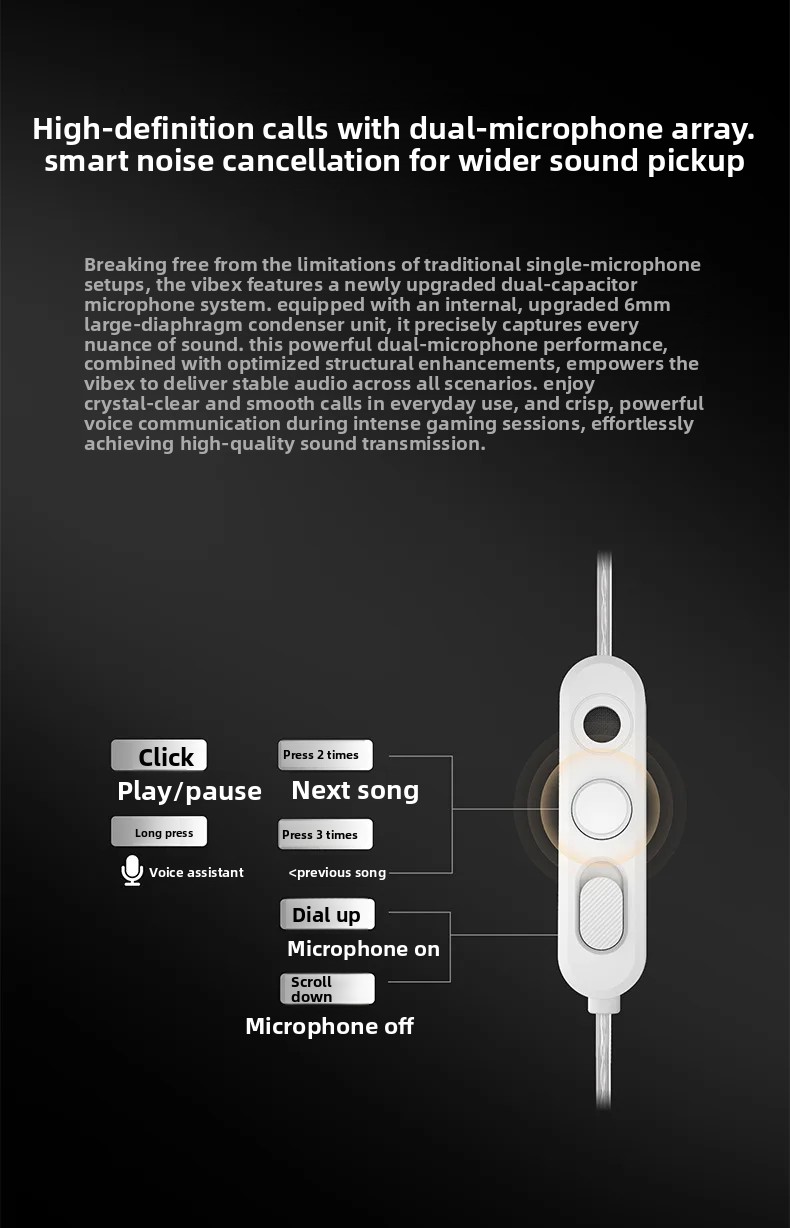
If your KZ Vibe X earphone cable includes an in-line microphone and control button, you can manage calls and media playback directly from the cable.
| Action | Function |
|---|---|
| Click (single press) | Play/Pause music, Answer/End call |
| Press 2 times | Next song |
| Press 3 times | Previous song |
| Long press | Activate Voice Assistant |
| Dial up | Microphone on |
| Scroll down | Microphone off |
Note: The functionality of the control button may vary slightly depending on your connected device and operating system.
7. Maintenance and Care
- Cleaning: Regularly clean the eartips and earphone housing with a soft, dry cloth. For eartips, you can gently remove them and wash with mild soap and water, ensuring they are completely dry before reattaching.
- Storage: Store your earphones in a cool, dry place, away from direct sunlight, extreme temperatures, and humidity. Using a carrying case can protect them from dust and physical damage.
- Cable Care: Avoid bending, twisting, or pulling the cable excessively, as this can damage the internal wires. When detaching the cable, always grip the connector, not the wire.
- Avoid Liquids: Do not expose the earphones to water or other liquids. If they get wet, wipe them dry immediately.
- Handle with Care: Avoid dropping or subjecting the earphones to strong impacts.
8. Troubleshooting
| Problem | Possible Cause | Solution |
|---|---|---|
| No sound or low volume | Loose cable connection, incorrect audio source selection, low volume on device. | Ensure cable is securely connected to both earphones and audio source. Check device volume and audio output settings. |
| Distorted sound | Damaged cable, audio source issues, eartips not properly sealed. | Try with a different audio source or cable. Ensure eartips fit snugly in your ears. |
| Microphone not working | Microphone switch off, device settings, incompatible device. | Check the in-line control for microphone activation. Verify microphone settings on your device. |
| Earphones fall out easily | Incorrect eartip size, improper wearing style. | Try different sizes of eartips for a better fit. Ensure the cable is worn over the ear for stability. |
9. Specifications
| KZ Vibe X Earphone Specifications | |
|---|---|
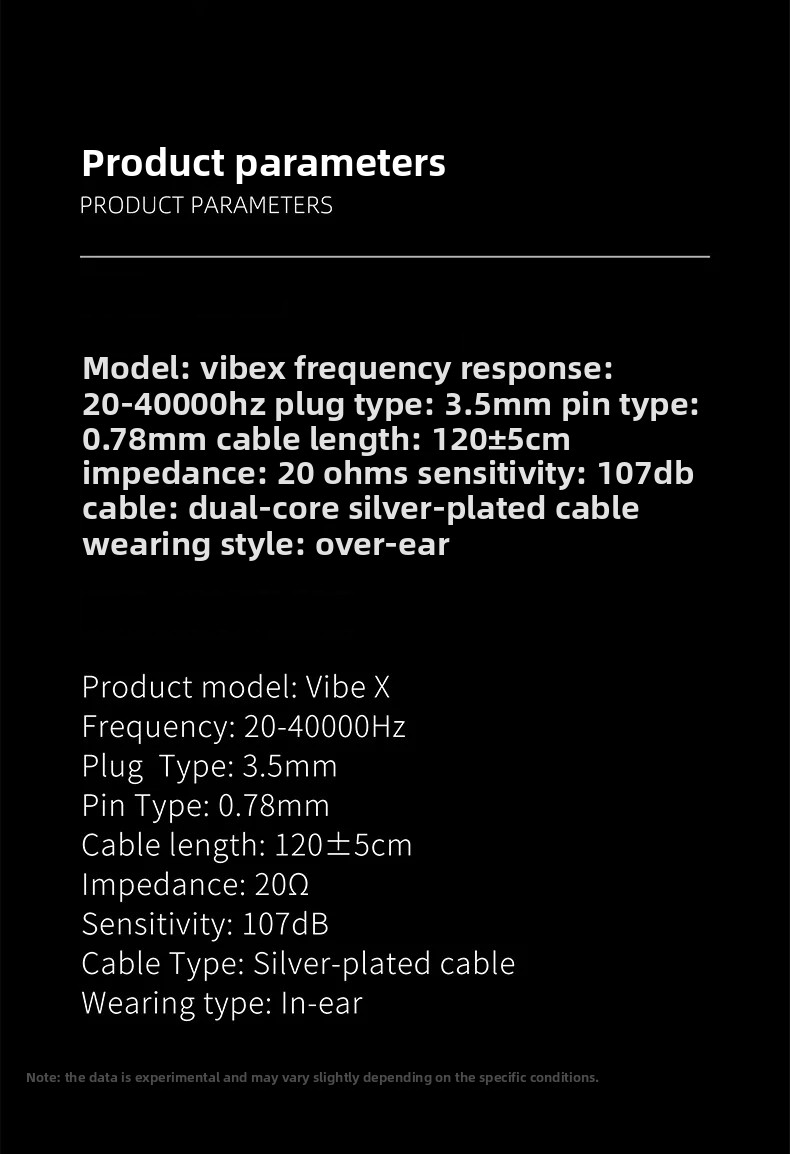
| Model | Vibe X |
| Frequency Response | 20-40000Hz |
| Plug Type | 3.5mm |
| Pin Type | 0.78mm |
| Cable Length | 120 ± 5cm |
| Impedance | 20Ω |
| Sensitivity | 107dB |
| Cable Type | Dual-core silver-plated cable |
| Wearing Style | In-ear, Over-ear hook |
| Vocalism Principle | Dynamic |
| Material | Metal, Plastic |
Note: The data is experimental and may vary slightly depending on specific conditions.
10. User Tips
- The KZ Vibe X is known for its strong bass and clear highs, offering a balanced and open sound profile.
- For an enhanced audio experience, consider using a high-quality Digital-to-Analog Converter (DAC) or a sound card with decent headphone amplification.
- If you prefer a wireless setup, the earphones are compatible with KZ Bluetooth adapter modules (e.g., KZ AZ09).
- Experiment with different eartip sizes to find the best fit for comfort and optimal sound isolation, which significantly impacts bass response.
- Using a balanced audio cable can further improve the performance of your earphones.
11. Warranty and Support
Manufacturer Information:
Company Name: Chongqing Mengya Rabbit Network Technology Co., Ltd.
Full Address: CN Chongqing, Chongqing City, Jiulongpo District, Yuzhou Road Sub-district, No. 200, Qiyuan 1st Road, Building 15-5, #15-5-319
Telephone: 86-18723183702
Email: 913331165@qq.com
EU Authorized Representative:
Company Name: MJCM SARL
Address: 78 avenue des Champs Elysees Bureau 326, PARIS, FR
Email: mjcm190928@gmail.com
For warranty claims or technical support, please contact the manufacturer or the authorized representative using the details provided above.