
Product Overview
Thank you for purchasing the MINISO Portable Fan. This compact and versatile fan is designed to provide powerful cooling with its ultra-high-speed brushless motor and 120 stepless speed settings. Its foldable design allows for use as a handheld fan, desk fan, or even a neck fan with the included lanyard, making it perfect for various situations.
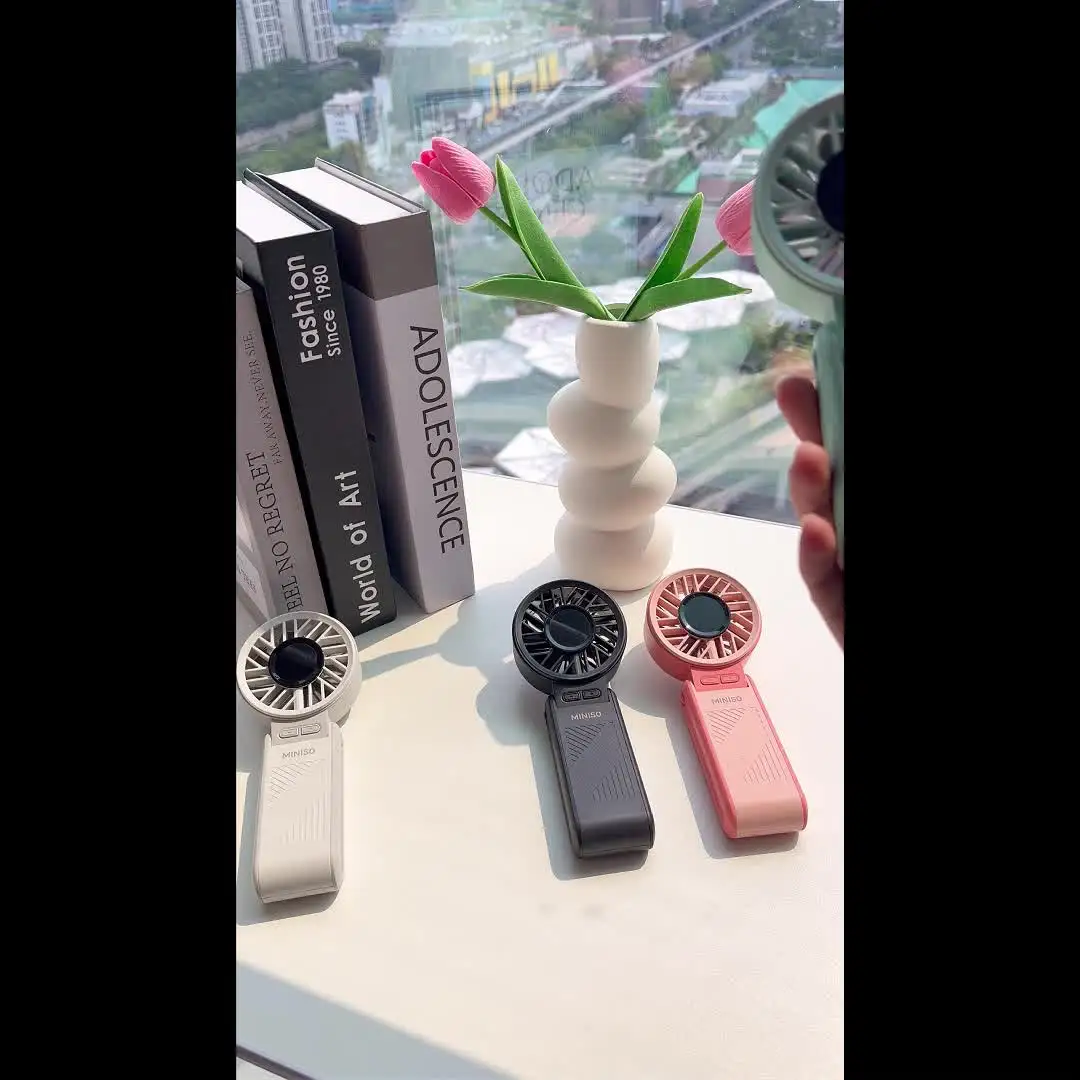
Video: MINISO Portable Fan demonstration, showcasing its features and portability.
Package Contents
- MINISO Portable Fan (MP01-4200)
- USB-C Charging Cable
- Lanyard
- User Manual (this document)
Product Diagram
Familiarize yourself with the components of your MINISO Portable Fan:

Image: Diagram of the MINISO Portable Fan showing its various parts and controls.
- Fan Cover
- Display Screen
- Power Button (On/Off)
- Speed Increase Button (+)
- Speed Decrease Button (-)
- Folding Axis
- USB-C Charging Port
- Lanyard Hole
Setup
Initial Charging
Before first use, fully charge your fan. The fan features a 3600mAh battery that charges via USB-C.
- Connect the provided USB-C charging cable to the USB-C Charging Port (7) on the fan.
- Connect the other end of the cable to a compatible USB power source (e.g., adapter, cellphone charger, laptop, car charger).
- The Display Screen (2) will show the battery percentage during charging.
- The fan is fully charged when the display shows "100%". A full charge typically takes about 3 hours.

Image: Illustration of the fan's 3600mAh battery and USB-C charging capability with various power sources.
Attaching the Lanyard
If desired, attach the lanyard to the Lanyard Hole (8) for convenient carrying or wearing around your neck.
Operating Instructions
Power On/Off
- To turn ON: Press and hold the Power Button (3) for approximately 2 seconds. The fan will start, and the display will show the current speed.
- To turn OFF: Press and hold the Power Button (3) for approximately 2 seconds. The fan will stop, and the display will turn off.
Adjusting Fan Speed
The fan offers 120 stepless speed settings.
- To INCREASE speed: Press the Speed Increase Button (+) (4). Each press will increase the speed by 1.
- To DECREASE speed: Press the Speed Decrease Button (-) (5). Each press will decrease the speed by 1.
- The current speed level (1-120) will be shown on the Display Screen (2).

Image: Visual representation of 120 stepless wind speeds and corresponding battery life estimates.
Folding Function (Desk Fan Mode)
The fan head can be folded to convert it into a desk fan.
- Gently adjust the fan head using the Folding Axis (6) to your desired angle.
- Place the fan on a flat surface for hands-free cooling.

Image: The fan positioned as a desk fan on a vanity table.
Maintenance
Cleaning
- Ensure the fan is turned off and unplugged before cleaning.
- Wipe the exterior of the fan with a soft, dry cloth.
- For stubborn dirt, lightly dampen the cloth with water (do not use harsh chemicals or abrasive cleaners).
- Do not immerse the fan in water or any other liquid.
- Keep the fan cover free from dust and debris to ensure optimal airflow.
Storage
- When not in use for extended periods, store the fan in a cool, dry place.
- It is recommended to charge the fan every 3 months to maintain battery health.
Troubleshooting
- Fan does not turn on:
- Ensure the battery is charged. Connect to a power source and check the display.
- Press and hold the Power Button (3) for 2 seconds to ensure proper activation.
- Fan speed is weak:
- Check battery level; low battery can affect performance.
- Ensure the fan cover is not obstructed by dust or debris.
- Fan does not charge:
- Ensure the USB-C cable is securely connected to both the fan and the power source.
- Try a different USB-C cable or power adapter.
- Verify the power source is active.
- Unusual noise during operation:
- Turn off the fan and check for any foreign objects obstructing the fan blades.
- If the noise persists after checking, discontinue use and contact support.
Safety Precautions
- Do not disassemble, repair, or modify the product.
- Do not use or store the product in high temperatures, high humidity, or dusty environments.
- Keep the product away from water and other liquids.
- Do not insert fingers or any objects into the fan grille while it is operating.
- Keep out of reach of children.
- Use only the specified charging cable for charging.
- If the product exhibits any abnormal behavior (e.g., overheating, strange smell), discontinue use immediately.
Specifications
| Feature | Detail |
|---|---|
| Model | MP01-4200 |
| Material | ABS + PP + Electronic Components |
| Net Weight | 180g (0.4 lbs) |
| Product Dimensions (Folded) | 17.7 x 6.9 x 2.4 cm (6.97 x 2.76 x 0.94 inches) |
| Input Voltage | DC 5V |
| Power (W) | 11W |
| Battery Capacity | 3600mAh |
| Battery Voltage | 3.7V |
| Charging Time | Approx. 3 hours (via USB-C) |
| Usage Time | Approx. 2-8 hours (Speed 1: 8H, Speed 120: 2H) |
| Fan Speeds | 120 Stepless Speeds |
| Motor Type | Ultra High Speed Brushless Motor (10000RPM) |
| Type | Cooling Only |
| Timing Function | No |
| Remote Control Function | No |
| Origin | Mainland China |
User Tips
- Powerful Airflow: Users have noted the fan provides very fast and strong airflow, even at lower settings.
- Battery Life: The 3600mAh battery offers good battery life, ranging from 2 to 8 hours depending on the speed setting.
- Power On/Off: Remember to press and hold the power button for about 2 seconds to turn the fan on or off. This design helps prevent accidental activation.
- Versatile Use: Take advantage of its foldable design to easily switch between handheld and desk fan modes for different situations.
Warranty and Support
For warranty information, technical support, or any inquiries regarding your MINISO Portable Fan, please refer to your purchase documentation or contact the seller directly. Keep your proof of purchase for any warranty claims.