
1. Product Overview
The xiviio TYN23 Solar Outdoor Lamp is a high-performance, motion-sensing LED solar light designed for outdoor illumination. It features a high-efficiency solar panel, a built-in lithium battery, and multiple lighting modes controllable via a remote. Its robust, waterproof design ensures reliable operation in various weather conditions.

Figure 1: xiviio TYN23 Solar Outdoor Lamp in use
2. Package Contents
- Solar Outdoor Lamp Unit
- Mounting Pole/Bracket
- Remote Control
- Mounting Screws and Anchors
- User Manual (this document)
3. Setup and Installation
- Initial Charge: Before first use, install the product and allow it to charge under direct sunlight for at least 8 hours. This ensures the built-in battery is fully charged for optimal performance.
- Mounting Location: Choose a location that receives direct sunlight for the majority of the day. Install the lamp in a south-facing direction (in the Northern Hemisphere) to maximize solar panel exposure. Ensure there are no obstructions (trees, buildings, glass) blocking direct sunlight from reaching the solar panel.
- Assembly: The lamp features a snap-in installation design. Attach the mounting pole/bracket securely to the lamp unit.
- Mounting: Use the provided screws and anchors to securely mount the lamp to a wall, pole, or other suitable surface. No complex wiring is required.
- Remote Control Preparation: Before using the remote control, remove any transparent isolation plate from the battery compartment to activate it.
Video 1: Product demonstration including snap-in installation

Figure 2: Snap-in installation mechanism
4. Operating Instructions
The lamp operates automatically based on light conditions and motion detection. You can select different lighting modes using the provided remote control.
4.1 Automatic Operation
- During the day, the solar panel charges the internal lithium battery.
- At night, the lamp automatically turns on according to the selected mode.

Figure 3: Automatic light control induction
4.2 Remote Control Functions
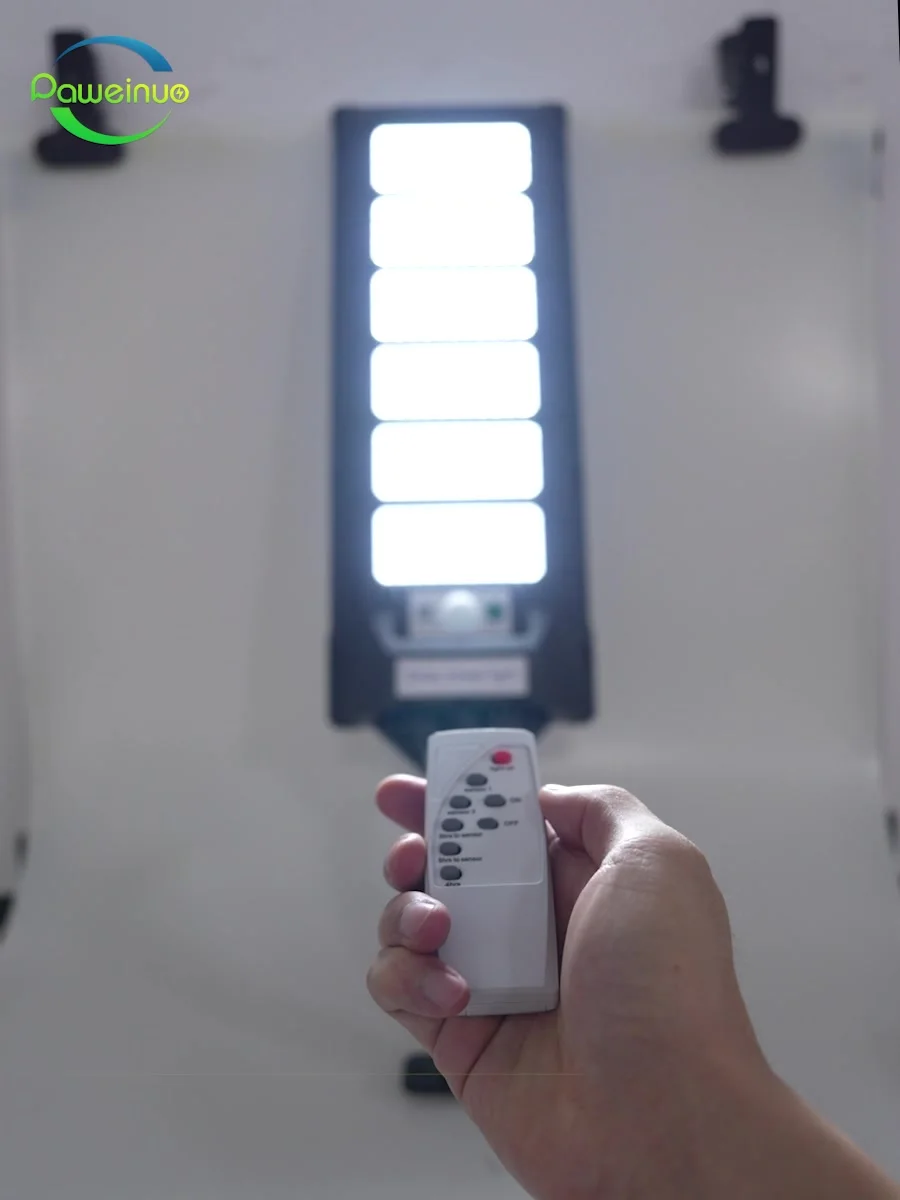
Ensure the lamp's main switch is ON to use the remote control. The remote control has an effective range of up to 10 meters.
- ON/OFF: Turns the lamp on or off manually.
- Mode 1 (Sensor Mode): Lamp is off when no motion is detected. When motion is detected within the sensing distance (up to 10m), it illuminates with strong light. It turns off automatically after 30 seconds of no motion.
- Mode 2 (Dim + Sensor Mode): Lamp stays in low light mode when no motion is detected. When motion is detected, it illuminates with strong light. It returns to dim light after 30 seconds of no motion.
- Mode 3 (Always On): Lamp automatically turns on after dark and stays on continuously until dawn, then automatically turns off and charges.
- Timer Functions (e.g., 3hrs, 5hrs): Some remotes may offer timed illumination options.

Figure 4: Remote control and its effective range

Figure 5: Built-in high-sensitivity IR sensor with 10m range
5. Maintenance
- Solar Panel Cleaning: Regularly wipe the solar panel with a soft, damp cloth to remove dust, dirt, leaves, or other debris. Accumulated dust can significantly reduce charging efficiency.
- Clear Obstructions: Ensure that no new obstructions (e.g., growing tree branches) block direct sunlight from reaching the solar panel.
- Battery Care: The built-in lithium battery is designed for long-term use. Avoid fully discharging the battery frequently to prolong its lifespan.
6. Troubleshooting
- Lamp Not Turning On at Night:
- Ensure the lamp's main switch is ON.
- Verify the solar panel is receiving at least 8 hours of direct sunlight daily.
- Clean the solar panel to remove any dirt or debris.
- Check if the remote control has activated an 'OFF' command or a specific mode.
- Lamp Not Responding to Remote Control:
- Ensure the lamp's main switch is ON.
- Remove any transparent isolation plate from the remote control's battery compartment.
- Check the remote control's battery and replace if necessary.
- Ensure you are within the 10-meter effective range of the remote control.
- Light is Dim or Short-Lived:
- Ensure the solar panel is clean and free from obstructions.
- The lamp may not have received sufficient sunlight for a full charge (e.g., cloudy days). Allow for several sunny days to fully recharge.
7. Specifications
| Model Number | TYN23 |
| Brand Name | xiviio |
| Body Material | ABS Plastic |
| Power Source | Solar |
| Solar Cell Type | Lithium Battery (Built-in) |
| Light Source | LED Bulbs (>18 LEDs) |
| Voltage | 12 V |
| Protection Level | IP66 (Waterproof and Dustproof) |
| Control Method | Remote Control, Motion Sensor |
| Sensor Distance | 5-10 meters |
| Illumination Angle | 120° Wide Angle |
| Lighting Time | >10 hours (fully charged) |
| Features | No wiring, Solar powered, Remote control, Dimmable |
| Certifications | CCC, CE, EMC, FCC, ROHS |
| Typical Dimensions (Approx.) | Length: 40-61 cm, Width: 14-22 cm, Height: 7-8 cm |
| Weight (Approx.) | 0.8 kg |

Figure 6: 120° wide-angle illumination coverage

Figure 7: IP66 waterproof rating
8. User Tips
- For best performance, ensure the solar panel is always clean and free from any obstructions.
- Position the lamp where it can receive maximum direct sunlight throughout the day.
- Test different lighting modes to find the one that best suits your needs for security and illumination.
9. Warranty and Support
This product comes with a 1-year warranty from the date of purchase, covering manufacturing defects.
9.1 Contact Information
For technical support, warranty claims, or inquiries, please contact:
- Manufacturer: Shenzhen Paweinuo Technology Co.,LTD
- Manufacturer Email: 712714095@qq.com
- EU Authorized Representative: WeTapeV Euro s.r.o.
- EU Representative Email: info@wetapeveuro.com
A detailed user manual in PDF format is also available for download from the seller's product page or by contacting support.
10. Compliance and Safety Information
This product complies with relevant safety and environmental standards, including CCC, CE, EMC, FCC, and ROHS.
▲ WARNING: Please mind potential fire risk and strictly follow the instruction manual for charging and storage. For disposal, please check your local authority's website for more information and dispose of the lithium-ion battery safely in accordance with the applicable legal requirements.