
1. Introduction
Thank you for choosing the abay F9 Wireless Straightening Brush. This innovative cordless hair comb is designed for quick styling and on-the-go touch-ups, featuring fast heating, ionic, and ceramic care for smooth, silky hair. Please read this manual carefully before use to ensure proper operation and to maximize the product's lifespan.

2. Safety Information
- Ensure the product is turned off when carrying it to prevent accidental activation.
- Do not use the product while it is charging.
- Keep a safe distance between the heating teeth and your skin or eyes during operation.
- This appliance is equipped with an automatic shut-off feature, turning off after 15 minutes of continuous operation to prevent overheating and conserve battery.
- Do not immerse the device in water or use it in wet environments.
- Keep out of reach of children.

3. Product Features
- 4D Straight Hair Comb Technology: New upgraded technology for an enhanced straightening experience.
- Dual MCH Heating: Ensures rapid and even heat distribution.
- 4-Speed Temperature Regulation: Customizable heat settings for various hair types.
- Digital Temperature Display: Clear display of current temperature.
- Ceramic Glaze Rapid Heating Plate: Provides instant heating without waiting.
- Thermal Conductive Comb: Assists in straightening every strand of hair effectively.
- Thermal Insulation Protection: Features 4 layers of protection, including anti-scald design on the front, sides, and back, and an anti-overheating automatic power-off.
- Lightweight & Portable: Easy to use and carry, perfect for travel and quick touch-ups.
- Type-C Charging: Fast charging for extended battery life.


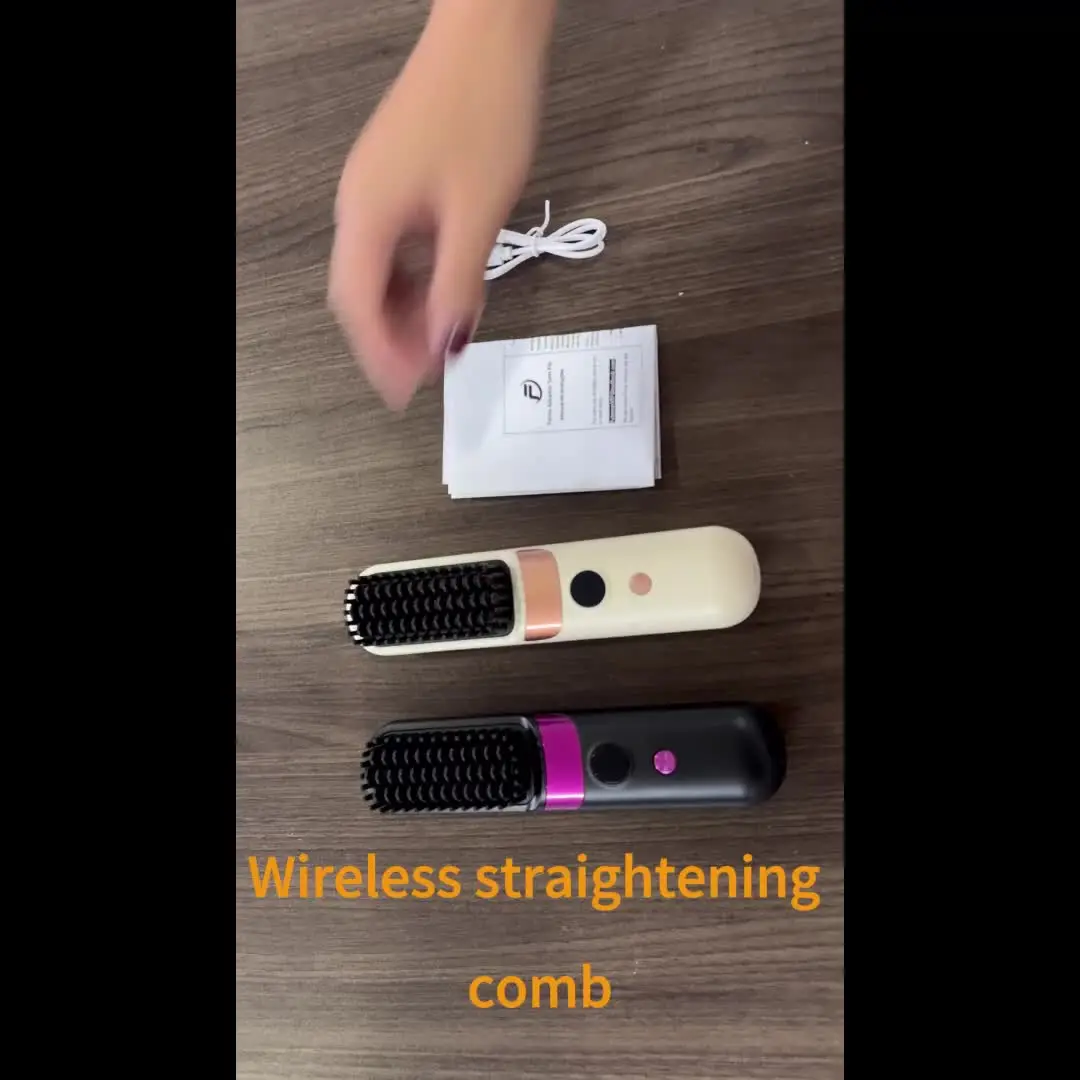
4. Package Contents
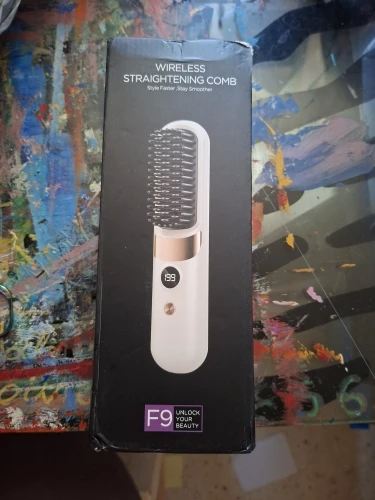
- 1 x Wireless Straightening Comb (Model F9)
- 1 x USB Type-C Charging Cable
- 1 x User Manual (PDF version available online)
5. Specifications
| Attribute | Value |
|---|---|
| Product Name | Wireless Straight Comb |
| Product Model | F9 |
| Brand Name | abay |
| Item Type | Comb |
| Rated Input | 5V 1-2A |
| Rated Power (W) | 35W (25W-39W range) |
| Voltage | 100-240V (Dual voltage) |
| Power Source | Battery (DRY BATTERY) |
| Commodity Quality Certification | CE |
| Material | Plastic |
| Min. Temperature | 140 °C (285 °F) |
| Max. Temperature | 200 °C (375 °F) |
| Temperature Controller | Knob |
| Applicable Hair | Dry |
| Working Time | Approx. 30 minutes (laboratory data, may vary) |
| Charging Time (0-100%) | Approx. 3-5 hours (may vary with charger) |
| Automatic Shut-off | After 15 minutes of inactivity |
| Package Dimensions (approx.) | Length: 24cm, Width: 11cm, Height: 7cm |
| Package Weight (approx.) | 0.299 kg |
6. Setup
6.1 Initial Charging
Before using your Wireless Straightening Brush for the first time, ensure it is fully charged. Connect the provided USB Type-C charging cable to the device and a suitable power source (e.g., USB wall adapter, computer USB port). The display screen will light up and the battery indicator will flash during charging. Once fully charged, the battery level indicator will show 100%.
- Charging time from 0-100% is approximately 3-5 hours, depending on the charging adapter.
- The product cannot be used while charging.

6.2 Hair Preparation
For optimal results, wash and blow dry your hair thoroughly until it is smooth and free from tangles. The hair should be in a dry state before using the comb; otherwise, the styling effect may not be achieved as expected.
7. Operating Instructions
7.1 Power On/Off
- To Power On: Press and hold the power button for 2 seconds. The display screen will light up, and the product will default to 140°C (285°F).
- To Power Off: Press and hold the power button for 2 seconds. The display screen will turn off, and heating will stop.
7.2 Temperature Adjustment
After powering on, short press the power button to cycle through the 4 available temperature settings. The display screen will show the current temperature in real-time as it heats up or cools down. Once the set temperature is reached, the display will stop jumping.

Temperature Selection Guide:
- 140°C (285°F): Suitable for bleached, damaged, or soft hair texture.
- 160°C (320°F): Suitable for ordinary or slightly curly hair.
- 180°C (350°F): Suitable for thick, curly, and rough hair.
- 199°C (390°F): Suitable for coarse/naturally curly hair.
7.3 Hair Straightening
Once the product has reached your desired temperature, hold the handle firmly. Gently brush through sections of your dry hair, from roots to ends, to achieve a smooth, straight look. Ensure to maintain a safe distance between the heating teeth and your skin or eyes.
8. Maintenance
- Cleaning: Ensure the device is powered off and completely cool before cleaning. Wipe the comb and body with a soft, dry cloth. Do not use harsh chemicals or abrasive materials.
- Storage: Store the straightening brush in a cool, dry place, away from direct sunlight and moisture.
- Battery Care: If the product is not used for a long time, charge it periodically (e.g., every 3 months) to maintain battery health.
9. Troubleshooting
| Problem | Possible Cause | Solution |
|---|---|---|
| Device does not turn on. | Low battery or not powered on correctly. | Ensure the device is fully charged. Press and hold the power button for 2 seconds. |
| Device is not heating. | Temperature setting is too low or device is off. | Check if the device is powered on and the temperature is set to a desired level. |
| Poor straightening effect. | Hair is not dry or incorrect temperature setting. | Ensure hair is completely dry before use. Adjust temperature according to hair type. |
| Device turns off automatically. | Automatic shut-off feature activated. | This is a safety feature. If you need to continue using it, long press the power button for 2 seconds to restart. |
10. User Tips
- For best results, always ensure your hair is completely dry before using the straightening brush.
- When first using the device, start with the lowest temperature setting (140°C) and gradually increase if needed, especially if you have fine or damaged hair.
- Take small sections of hair for more effective and even straightening.
- The wireless design makes it ideal for quick touch-ups throughout the day or while traveling.
- To help maintain your style for a longer period, consider applying a small amount of hair gel or setting spray after straightening.
11. Warranty and Support
This product is covered by a standard manufacturer's warranty. For any issues, technical support, or warranty claims, please contact the seller or the point of purchase. Keep your purchase receipt as proof of purchase.
For additional information, you may refer to the original PDF user manual: View User Manual (PDF)