
1. Introduction
Thank you for choosing the SUITU Multi-functional Wireless Car Vacuum Cleaner and Air Duster. This versatile device is designed for efficient cleaning in various environments, offering powerful vacuuming, blowing, and inflation/extraction capabilities. Please read this manual thoroughly before use to ensure safe and optimal operation.
2. Safety Instructions
To prevent serious personal injury or material damage, please observe the following safety precautions:
- Always read and understand the entire content of this manual before operating the product.
- Any operation not in accordance with the instructions in this manual may result in serious personal injury or damage to the product.
- Keep the product out of reach of children and individuals unable to assess environmental risks.
- Do not store or use the product in high places where there is a risk of falling.
- Avoid exposing the device to water or extreme temperatures.
- Do not attempt to disassemble or repair the device yourself. Contact customer support if issues arise.
3. Product Features
- High-Efficiency Brushless Motor: Provides rapid and powerful suction/blowing with a motor speed of up to 80,000 RPM.
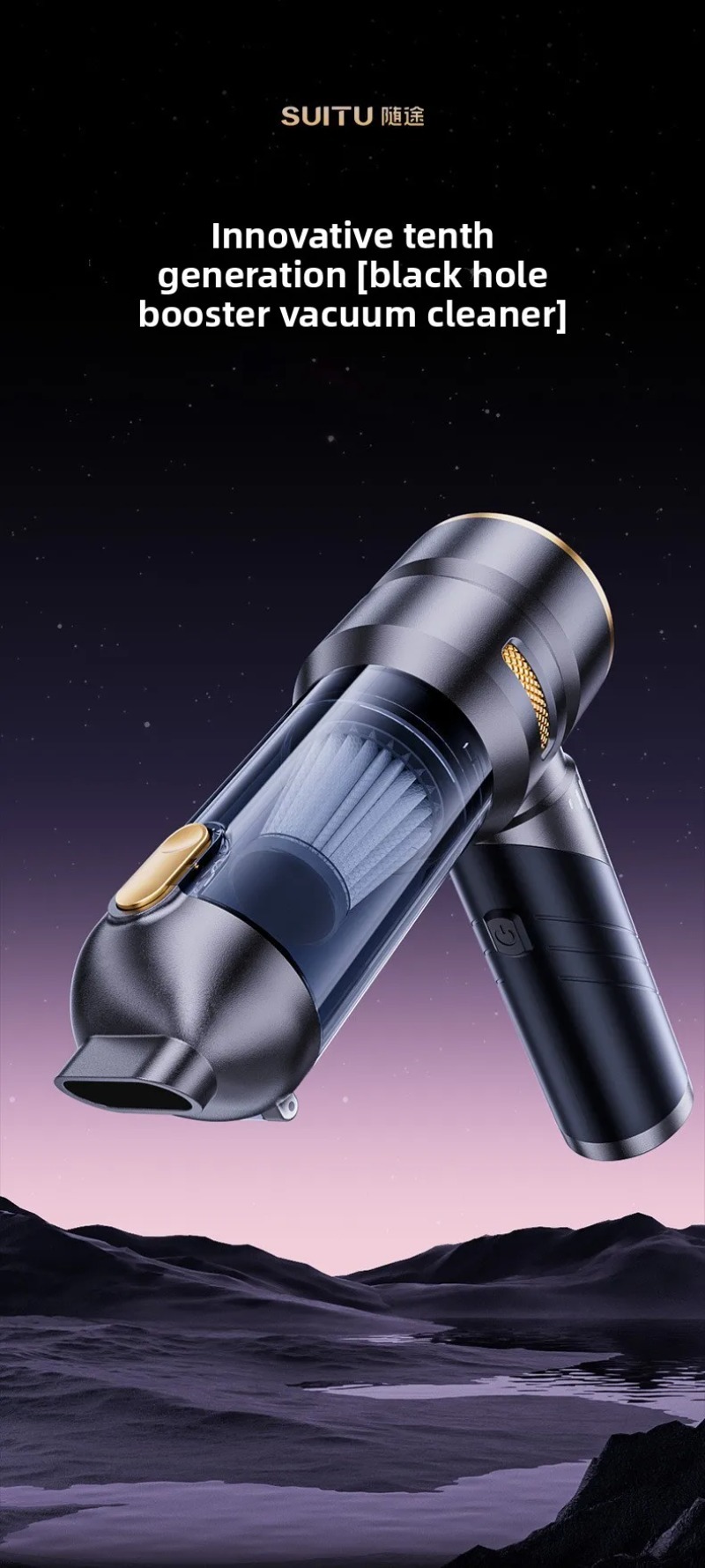
- Multi-functional Design: Combines vacuuming, blowing, inflating, and air extraction in one compact device.
- Strong Suction Power: Up to 22KPa for effective debris capture.
- Compact & Portable: Features a 90° free folding design for easy storage and portability.
- Long-Lasting Battery: Equipped with a 6000mAh battery for extended use.
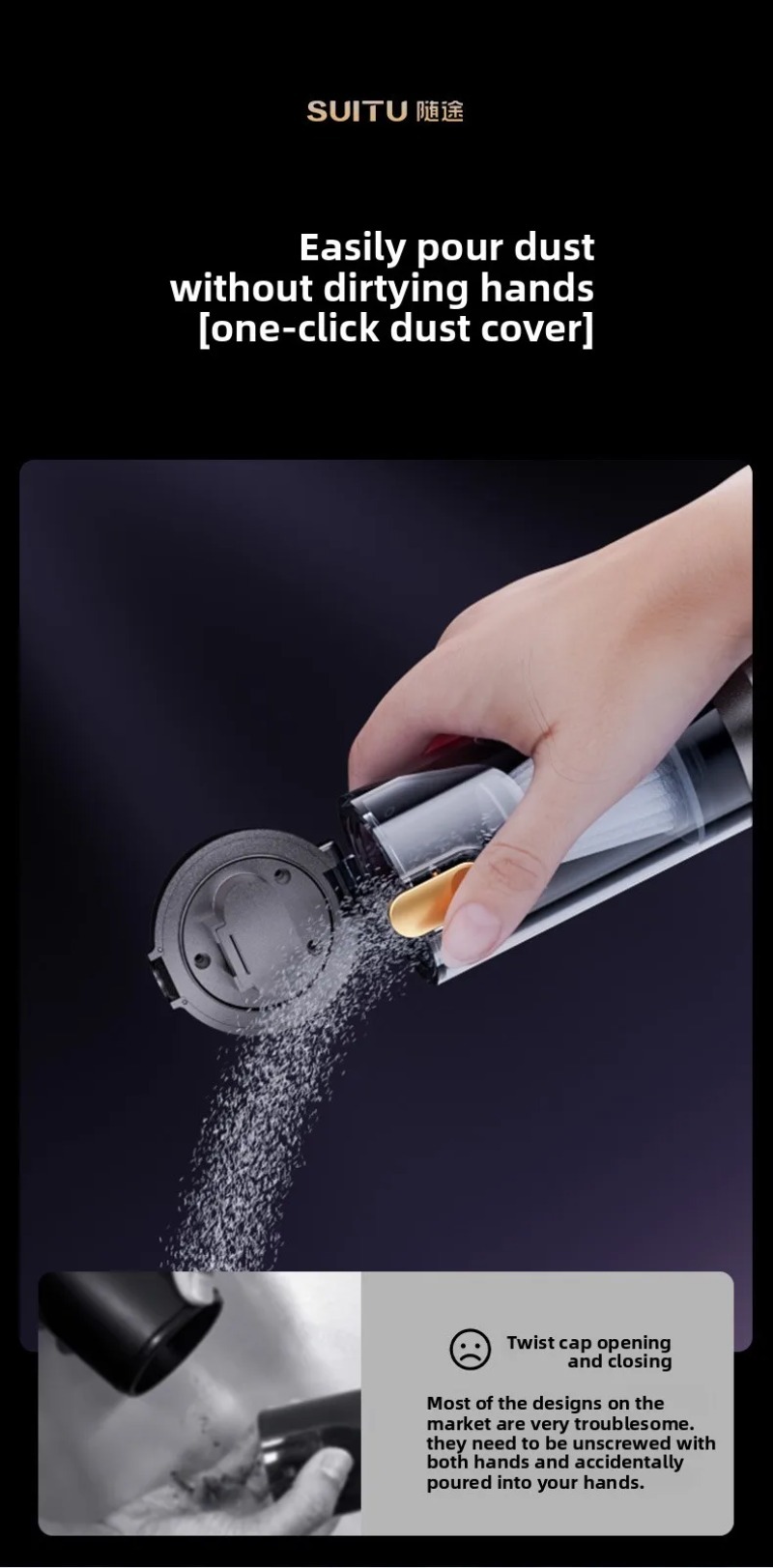
- One-Click Dust Emptying: Simplifies maintenance by allowing easy disposal of collected dust without dirtying your hands.
- Durable Construction: Made with ABS material and durable metal components.
- 360° All-Round Cleaning: Designed to reach and clean various surfaces and crevices.
- UV Light: Integrated UV light for enhanced cleaning and sterilization (implied by product images).
4. Package Contents
Please check the package to ensure all items are present:
- Main Unit (Wireless Vacuum Cleaner/Air Duster)
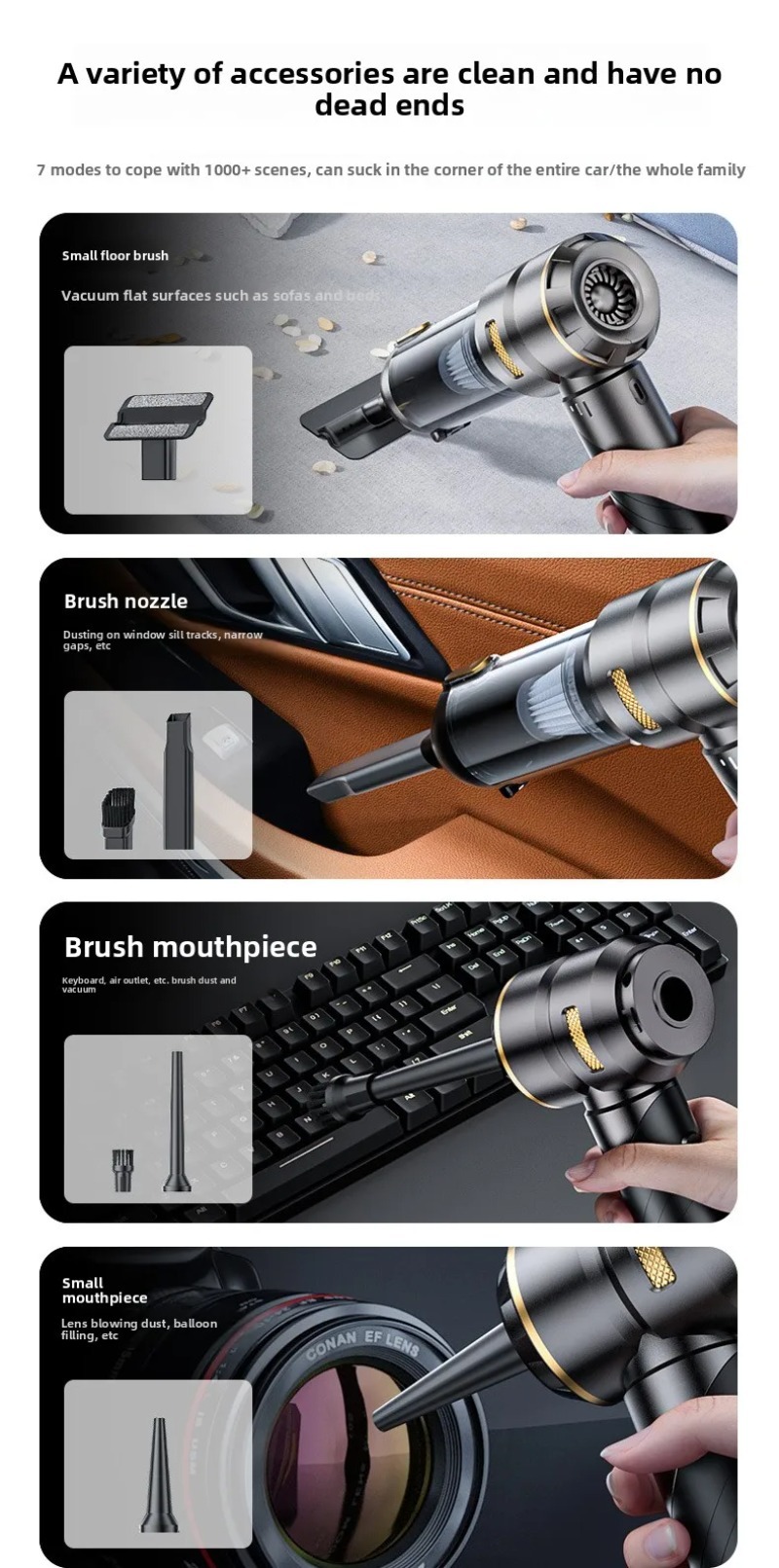
- Small Floor Brush
- Brush Suction Nozzle
- Exhaust Nozzle (for blowing)
- Brush Blowing Nozzle
- Small Blowing Nozzle
- Large Inflation Nozzle
- Swimming Ring Inflation Nozzle
- USB Type-C Charging Cable
- User Manual (PDF available for download: User Manual PDF)

5. Setup
5.1 Charging the Device
- Connect the provided USB Type-C charging cable to the device's charging port.
- Connect the other end of the cable to a compatible USB power adapter (5V 1.5A recommended).
- The charging indicator lights will show the charging status. Three green grids indicate a full charge.
- Charging typically takes approximately 3-3.5 hours.
5.2 Attaching Accessories
The device supports various attachments for different functions. Ensure the device is turned off before attaching or detaching accessories.
- For Vacuuming: Rotate and attach the transparent dust collecting cup to the main unit. Then, select and firmly attach the desired suction nozzle (e.g., small floor brush, brush suction nozzle, or flat suction nozzle) to the dust cup opening.
- For Blowing: Attach the desired blowing nozzle (e.g., exhaust nozzle, brush blowing nozzle, or small blowing nozzle) to the rear air outlet of the main unit.
- For Inflation/Extraction: Attach the appropriate inflation nozzle (large inflation nozzle, swimming ring inflation nozzle) or air extraction nozzle to the rear air outlet.
6. Operating Instructions
6.1 Power On/Off and Gear Selection
Locate the power button on the handle. Press once to turn on the device. Press again to cycle through the power gears (low, medium, high). Press and hold to turn off the device.
The gear mode indicators are green, orange, and red, corresponding to POWER 35W, 75W, and 100W respectively.
6.2 Vacuuming Mode
- Ensure the dust collecting cup and desired suction nozzle are securely attached.
- Turn on the device and select the appropriate power gear.
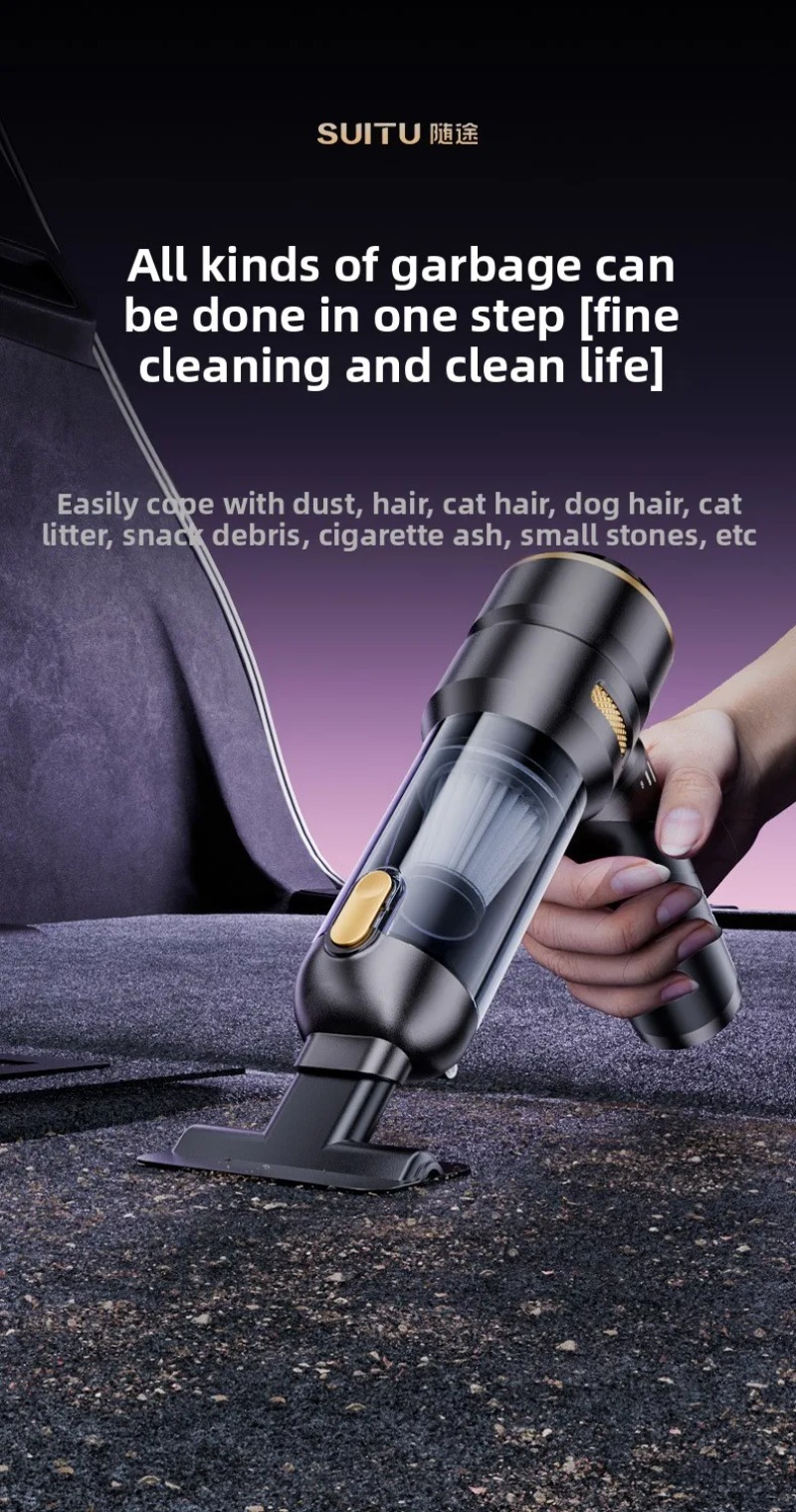
- Direct the nozzle towards the area to be cleaned. Use the small floor brush for flat surfaces like car mats or upholstery. Use the brush suction nozzle for dusting on window sills, narrow gaps, or air vents. The flat suction nozzle is ideal for tight crevices.
- The integrated UV light (if present) will activate during operation to assist in cleaning.

6.3 Blowing Mode
- Ensure the desired blowing nozzle is securely attached to the rear air outlet.
- Turn on the device and select the appropriate power gear.
- Direct the nozzle towards the area to be cleaned. This mode is effective for dusting keyboards, computer cases, camera lenses, or inflating balloons.
6.4 Inflation/Extraction Mode
- Ensure the appropriate inflation or extraction nozzle is securely attached to the rear air outlet.
- Turn on the device.
- For Inflation: Use the large inflation nozzle for items like inflatable beds or steam boats. Use the swimming ring inflation nozzle for smaller items like swimming rings or lifebuoys.
- For Air Extraction: Use the air extraction nozzle for vacuum bags or fresh-keeping bags to remove air and compress contents.
7. Maintenance
7.1 Emptying the Dust Cup
- Ensure the device is turned off.
- Locate the one-click dust cover release button.
- Press the button to open the dust cover and easily empty the collected debris into a trash bin.

7.2 Cleaning the Filter
The filter should be cleaned regularly to maintain optimal suction performance. The dust cup can be rotated and detached for filter access.
- Turn off the device and detach the dust collecting cup.
- Carefully remove the filter from the dust cup.
- Tap the filter gently to remove loose dust. For a more thorough clean, the filter can be rinsed under running water.
- Ensure the filter is completely dry before reinserting it into the dust cup and reattaching the cup to the main unit.
7.3 General Cleaning
Wipe the exterior of the device with a soft, damp cloth. Do not use harsh chemicals or abrasive cleaners.
8. Troubleshooting
- Device does not turn on: Ensure the battery is charged. Connect the device to the charger and check the charging indicator.
- Weak suction/blowing: Check if the dust cup is full and empty it if necessary. Clean the filter thoroughly. Ensure all attachments are securely fitted.
- Device overheats: Turn off the device and allow it to cool down for a few minutes before resuming use. Avoid prolonged use on the highest setting without breaks.
- Unusual noise: Turn off the device immediately. Check for any obstructions in the nozzles or the dust cup. Remove any foreign objects.
9. Specifications
| Feature | Specification |
|---|---|
| Product Material | ABS |
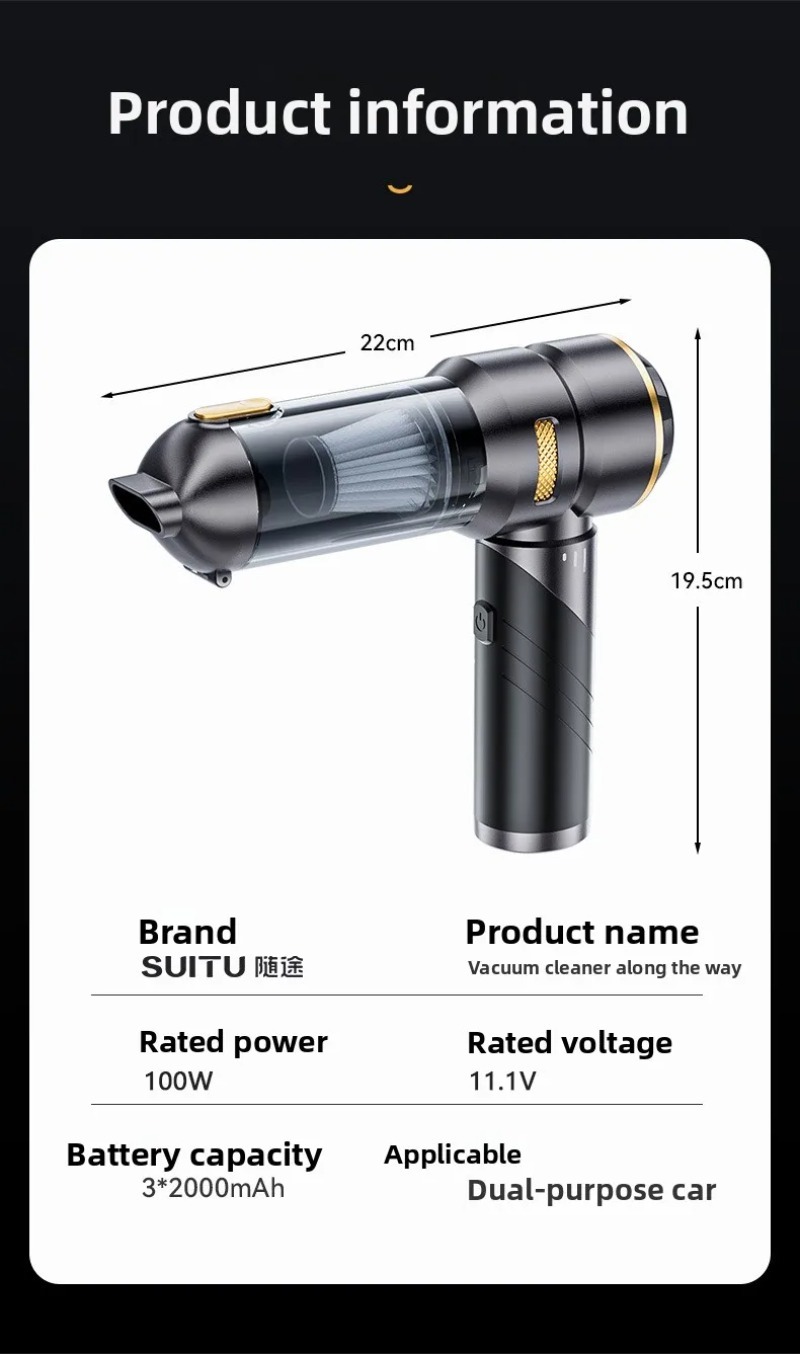
| Product Dimensions (L x W x H) | 6 x 6 x 28.5 cm (Unfolded: 8.3 x 7.8 inches, Folded: 8.3 x 4.7 inches) |
| Weight (Bare Machine) | Approx. 460g |
| Motor Power | 100W (Max) |
| Motor Speed | 80,000 RPM |
| Charging Interface | Type-C |
| Vacuum Degree | High end: 22KPa, Medium end: 14KPa, Low end: 6KPa |
| Input Voltage | Type-C 5V 1.5A |
| Battery Capacity | 6000mAh |
| Charging Time | Approx. 3-3.5 hours |
| Battery Life | Low range: ~30 min, Mid-range: ~18 min, High-end: ~12 min |
| Working Temperature | -20 ℃ to 50 ℃ |
| External Testing Certification | CE |

10. User Tips
- For optimal performance, regularly empty the dust cup and clean the filter after each significant use.
- Utilize the various nozzles for their intended purposes: the flat nozzle excels in tight crevices, the brush nozzle is great for upholstery and vents, and the blowing nozzles are perfect for electronics.
- The compact, foldable design makes it easy to store in your car's glove compartment or a small bag.
- Don't forget to use the inflation/extraction nozzles for quick inflation of small items or compressing storage bags.
11. Warranty & Support
For any product-related inquiries, technical support, or warranty claims, please contact the seller or manufacturer directly. Keep your purchase receipt as proof of purchase.