
Important Safety Information
Warning: Be aware of potential fire hazards and strictly follow the instructions for charging and storage. For disposal information, visit your local government website for further details and safely dispose of lithium-ion batteries in accordance with applicable laws and regulations.
1. Product Overview
The SY-T10 Fabric Headband Over-Ear Headphones are designed for an immersive audio experience with both wireless and wired connectivity options. They feature a comfortable design with a breathable fabric head beam and skin-friendly protein earmuffs.
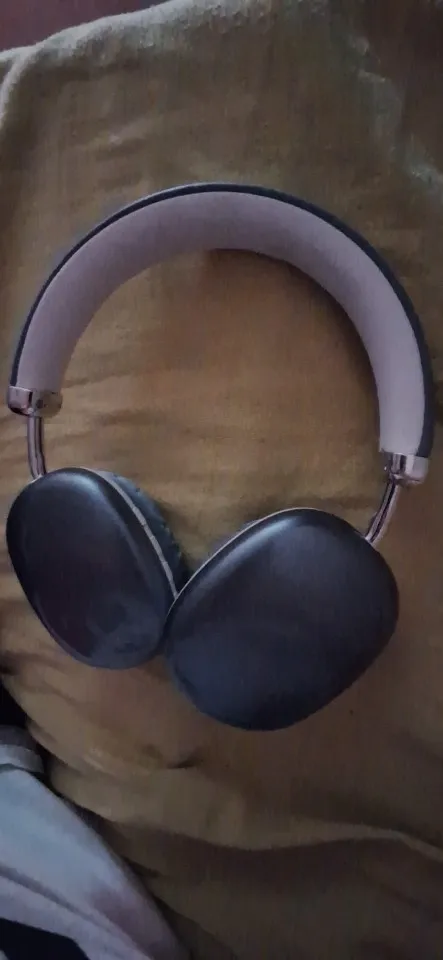
Image: Close-up view of the headphone headband and earmuffs, highlighting the 'Breathable Fabric Head Beam' and 'Skin-friendly Protein Earmuffs'.

Image: Diagram showing key adjustable features: 1. Multi-level Adjustable Headband for different head sizes. 2. Flexible Rotating Axis for a snug fit without pinching. 3. Skin-friendly Protein Ear Cups for breathability, sweat-proof, and comfort.
2. Setup and Initial Use
2.1 Initial Charging
- Connect the provided Type-C charging cable to the headphone's charging port.
- Connect the other end of the cable to a 5V power source (e.g., USB wall adapter, computer USB port).
- Allow the headphones to fully charge before first use.
- Note: Do not use a charger with a current exceeding 1.5A or a power exceeding 67W for charging.
2.2 Power-On and Pairing Mode
- After a full charge, press and hold the power button on the headphones for 3 seconds.
- The headphones will power on and automatically enter pairing mode, indicated by a flashing LED light (if applicable).
2.3 Device Connection
- On your mobile phone or other Bluetooth-enabled device, enable Bluetooth.
- Search for available Bluetooth devices.
- Select "SY-T10" (or similar name) from the list to connect.
- Once connected, the LED indicator will typically show a solid light or stop flashing.
3. Operating Instructions
3.1 Wireless Mode (Bluetooth 5.3)
Once connected via Bluetooth, you can enjoy high-fidelity stereo surround sound wirelessly. The headphones feature a Bluetooth 5.3 chip for stable connectivity and enhanced anti-interference.

Image: Visual representation of the 'Hardcore Wireless V5.3 Chip' highlighting its role in stable, energy-efficient connections.
3.2 Wired Mode (AUX Play)
The headphones support a 3.5mm audio cable connection, allowing you to listen to music, play games, or watch movies without a wireless connection. This is useful when battery is low or for devices without Bluetooth.

Image: Diagram illustrating the 'Wired & Wireless Connectivity' options, showing the 3.5mm audio jack for AUX Play Mode and the wireless icon for Wireless Mode.
3.3 Controls
- Volume Control: Use the dedicated volume buttons on the headphones or your connected device to adjust the audio level.
- Playback Control: Buttons are available for play/pause, skip track forward/backward.
- Voice Assistant: The headphones have a built-in voice assistant feature, including Amazon Alexa support. Refer to your device's instructions for activating the voice assistant.
- Active Noise-Cancellation: These headphones feature active noise-cancellation for enhanced audio quality and reduced ambient sound.
4. Maintenance and Care
4.1 General Precautions
- Avoid water exposure; do not use the headphones in rainy conditions or immerse them in liquid.
- Maintain moderate volume levels to protect your hearing.
- Do not disassemble the headphones arbitrarily, as this may void the warranty and cause damage.
- Handle the headphones with care as they can be quite fragile.
4.2 Cleaning
- Wipe the headphones with a soft, dry cloth.
- Do not use abrasive cleaners, solvents, or strong chemicals.
4.3 Storage
- Store the headphones in a cool, dry place away from direct sunlight and extreme temperatures.
- When not in use for extended periods, ensure they are stored safely to prevent physical damage.
5. Troubleshooting
5.1 Cannot Connect to Device
- Ensure the headphones are fully charged and powered on.
- Make sure the headphones are in pairing mode (LED flashing).
- Disable and re-enable Bluetooth on your device.
- Restart both your device and the headphones, then attempt reconnection.
- Ensure the headphones are not already connected to another device.
5.2 Low Volume
- Check the volume settings on both the headphones and your connected device.
- Ensure the headphones are properly connected and not experiencing interference.
5.3 Sound Delay (Latency)
- If experiencing a time difference between audio and video (e.g., when watching movies), try restarting your connected device and the headphones.
- Ensure you are within the optimal transmission distance (up to 10 meters) and there are no significant obstacles between the headphones and your device.
- Some devices or applications may have higher latency; try with different media or devices to isolate the issue.
6. Specifications
| Feature | Specification |
|---|---|
| Product Model | SY-T10 |
| Wireless Version | V5.3 |
| Transmission Distance | 10M |
| Frequency Response Range | 20Hz~20KHz |
| Charging Voltage | 5V |
| Driver Unit | 40MM |
| Working Time | Approximately 20h |
| Battery Capacity | 350mAh |
| Weight (Without Packaging) | 170g |
| Material | ABS, Plastic |
| Colors Available | Black, Silver, Blue, Green, Pink |
| Communication | Wireless+Wired |
| Connectors | Type-C (Charging), 3.5mm (Audio) |
| Impedance Range | up to 32 Ω |
| Certification | CE, RoHS, FCC |

Image: Detailed table of product specifications including model, wireless version, battery, and dimensions.
6.1 Dimensions
- Overall Size: 170mm (width) x 80mm (depth) x 200mm (height)
- Rotating Flat Size: 200mm x 35mm x 200mm
Image: Diagram showing the dimensions of the headphones: 170mm/6.69inch width, 200mm/7.87inch height, and 80mm/3.15inch depth.
6.2 Package List
- User Manual (this document)
- 3.5mm Audio Cable
- Type-C Charging Cable
7. User Tips
- Private Listening: The headphones provide loud music output for the user, but are designed so that people nearby generally cannot hear the audio, ensuring a private listening experience.
- Long-lasting Battery: The 350mAh battery offers approximately 20 hours of continuous playback, making them suitable for extended use.
- Effective Noise Isolation: Users have noted that the headphones isolate external noise very well, enhancing the listening experience.
- Handle with Care: While robust in features, some users find the headphones to be quite fragile; handle them gently to ensure longevity.
- iPhone Compatibility: These headphones are compatible with iPhones and other Bluetooth-enabled devices.
8. Warranty and Support
For any issues, questions, or support needs regarding your SY-T10 headphones, please contact the seller or retailer from whom you purchased the product. They will be able to provide assistance in accordance with their warranty policies.
8.1 Battery Disposal
For disposal information regarding the lithium-ion battery, please visit your local government website for further details and safely dispose of the battery in accordance with applicable laws and regulations.