
1. Product Overview
The MINI X05 is a compact, high-speed handheld fan designed for personal cooling. It features a powerful airflow, long battery life, and a cold compress function for enhanced cooling. Its lightweight and portable design makes it ideal for various indoor and outdoor activities.
2. Safety Precautions
- General Safety: This product is not a children's toy. Ensure infants and young children do not play with it. Children under 14 years old should use it under adult supervision.
- Usage Restrictions: Do not directly blow on the human body for a long time, especially the elderly and children, to avoid physical discomfort.
- Foreign Objects: When using, do not insert fingers, sharp objects, or metal objects into the fan, as this may cause product malfunction, electric shock, and injury.
- Water Exposure: Do not use wet hands or wet towels to plug and unplug the power supply to avoid electric shock. This product is not waterproof. Do not rinse the product or use it in a bathroom directly with water. If water gets on the surface, wipe it dry and air dry it before use. Do not reuse if completely soaked in water.
- Airflow Obstruction: Do not cover the air outlet and air inlet with clothes, towels, fabrics, etc., to avoid product malfunctions.
- Temperature: Do not use or store the product in high-temperature environments (above 50°C) or enclosed spaces (e.g., greenhouses, construction sites, stoves, exposed car cabins). This can cause plastic deformation, flame scattering, and other malfunctions, including fires and battery explosions.
- Battery Handling: Do not squeeze, disassemble, or place the battery in a high-temperature environment (50°C or above) for a long time, as this may lead to leakage or explosion.
- Power Adapter: If using a power adapter to charge, ensure the adapter's input voltage and current are within 5V=2A and it has national mandatory safety certification.
- Battery Care: This product uses lithium-ion batteries with no memory function. Overcharging or over-discharging will affect performance. Charge the product in a timely manner to prolong its service life.
- Malfunction: If smoke, fire, or other malfunctions occur during use, immediately turn off the power, stop use, and send it to the dealer or manufacturer for processing. Do not disassemble or assemble on your own.
- Power Cord: Do not bend or pull the power cord during use to avoid poor contact.
3. Product Components and Controls
- Outlet: Where the airflow exits.
- Cold Compress Tablets: Integrated cooling elements for cold compress mode.
- Screen: Digital display for wind speed and battery level.
- Fan Gear: Indicates the current wind speed level.
- Power/Cold Compress Button: Controls power and cold compress mode.
- Air Inlet: Where air is drawn into the fan.
- +/- Keys: Buttons for adjusting wind speed.
4. Setup
4.1 Unboxing
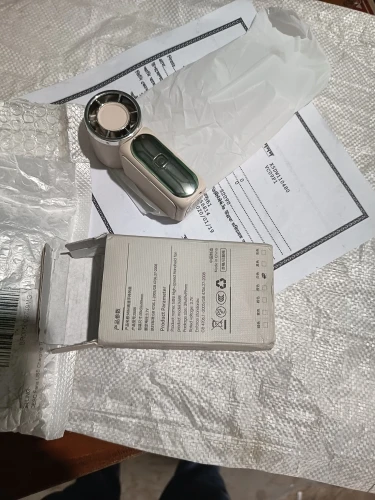
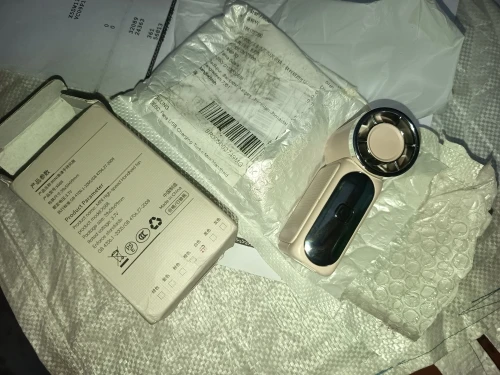
Upon receiving your MINI X05 fan, carefully remove all components from the packaging. Ensure the following items are present:
- Handheld fan (1 unit)
- USB-C charging cable (1 unit)
- Instruction manual (1 unit)
- Lanyard (1 unit)
4.2 Initial Charging
- Before first use, or when the battery is low, connect the provided USB-C charging cable to the fan's charging port.
- Connect the other end of the USB-C cable to a compatible 5V=2A power adapter (not included) or a USB power source.
- During charging, the screen will display the real-time battery level, and a charging icon on the right will light up.
- When fully charged, the screen will display "100", and the charging icon will remain on.
- A full charge typically takes approximately one hour.

5. Operating Instructions
5.1 Power On/Off
- To Turn On: Press and hold the Power button (labeled with a power icon) to turn on the fan. It will default to the first gear.
- To Turn Off: Press and hold the Power button again to turn off the fan.
5.2 Adjusting Wind Speed
The fan offers 100 levels of wind speed adjustment.
- Increase Wind Speed: Press and hold the '+' key to continuously increase the wind speed. The highest gear is 100. A single click of the '+' key increases the speed by 20 gears.
- Decrease Wind Speed: Press and hold the '-' key to continuously decrease the wind speed. The lowest gear is 1. A single click of the '-' key decreases the speed by 20 gears.
5.3 Activating Cold Compress Mode
- To Activate: Click the Power/Cold Compress button. The cold compress icon on the screen will light up, indicating that the cold compress mode is activated.
- Note: The cold compress mode must be used together with the fan and cannot be used alone.
5.4 Display Screen Status Description
| Operation/Status | Display Screen Shows Content |
|---|---|
| Press the power button | Turns on the fan and displays the current wind speed gear. After 5 seconds of no operation, the current battery level will be displayed. |
| Adjust wind speed | Pressing +/- keys adjusts the gear and displays it in real-time. After 5 seconds of no operation, the current battery level is displayed. |
| When the battery is low | The display screen flashes from 5% until the battery level shows 0% and the device shuts down. |
| Cold compress display | Click to turn on/off the cold compress mode. |
| Charging | The screen displays the battery level and flashes continuously. The charging icon on the right is always on. |
| Fully charged | The icon to the right of "100" is always on. |
6. Maintenance
6.1 Product Cleaning
- Before cleaning, ensure the fan is turned off.
- The product's face mask (grille) cannot be removed.
- When cleaning, use a clean, soft cloth to wipe the surface of the fan and the grille of the air inlet.
- Do not clean electrical parts (such as motors, power switches, etc.) with water or other liquids.
- Do not touch the power supply and electrical components with wet hands or cloths.
7. Troubleshooting
- Fan not turning on: Ensure the battery is charged. Press and hold the power button for a few seconds.
- Weak airflow: Check if the air inlet or outlet is obstructed. Adjust the wind speed using the '+' button.
- Cold compress not working: Ensure the cold compress mode is activated and the fan is running. Remember it cannot be used alone.
- Fan shuts down unexpectedly: The battery might be low. Recharge the device.
- Charging issues: Ensure the USB-C cable is properly connected and the power adapter meets the 5V=2A specification.
- Unusual noise or smell: Immediately turn off the fan and discontinue use. Contact customer support or the manufacturer for assistance. Do not attempt to disassemble or repair.
8. Specifications
| Feature | Specification |
|---|---|
| Product Model | X05 |
| Product Name | High speed Refrigeration Fan |
| Input Power | 2A |
| Battery Model | 21700 |
| Battery Capacity | 3000mAh 3.7V (11.1Wh) |
| Battery Voltage | 3.7V |
| Product Size | 60mm * 55mm * 155mm |
| Working Power | 10W |
| Input Voltage | 5V |
| Timing Function | No Timing |
| Remote Control Function | No |
| Origin | Mainland China |
| Execution Standard | GB4706.1-2005 GB4706.27-2008 |
The content of this manual and the technical specifications of the product are subject to change without prior notice.
9. User Tips
- Maximize Portability: The MINI X05 is designed for lightweight travel. Utilize the included lanyard for easy carrying, or simply slip it into a pocket or small bag.
- Optimal Cooling: For the most effective cooling, especially in hot outdoor conditions, activate the cold compress mode in conjunction with a higher wind speed setting.
- Battery Management: To ensure consistent performance, keep an eye on the digital battery display and recharge the fan promptly when the level drops.
- Versatile Use: Don't limit its use to just handheld. The fan's design allows for stable desktop use, making it suitable for offices, home, or camping.

10. Warranty and Support
For warranty information, technical support, or service inquiries, please refer to the official product documentation or contact the seller directly. In case of any malfunction, do not attempt to disassemble or repair the product yourself. Always consult with authorized service personnel.
A detailed user manual in PDF format is available for download: View User Manual (PDF)
Battery Disposal
When the battery installed in the appliance contains materials harmful to the environment, the instructions for using the appliance should provide instructions on how to remove the battery. Before discarding the appliance, the battery must be removed from the appliance. When removing the battery, the appliance must be powered off. Batteries should be disposed of safely according to local regulations.