
1. Introduction
Thank you for choosing the Aideepen FM783 Schumann Wave Generator. This device is designed to produce a 7.83Hz pulse square wave, simulating the Earth's natural geomagnetic field, also known as Schumann resonance. It aims to promote well-being, improve sleep quality, and help balance the body's energy by resonating with cellular frequencies.
This manual provides essential information for the safe and effective use of your Schumann Wave Generator, including setup, operation, maintenance, and troubleshooting.
2. Safety Information
- Keep the device away from water and moisture to prevent electric shock or damage.
- Do not expose the device to extreme temperatures or direct sunlight.
- Do not attempt to open, modify, or repair the device yourself. Refer all servicing to qualified personnel.
- Use only the provided USB cable or a compatible 5V USB power source.
- Keep out of reach of children.
- This device is not a medical instrument and should not be used to diagnose, treat, cure, or prevent any disease.
3. Package Contents
Please check the package for the following items:
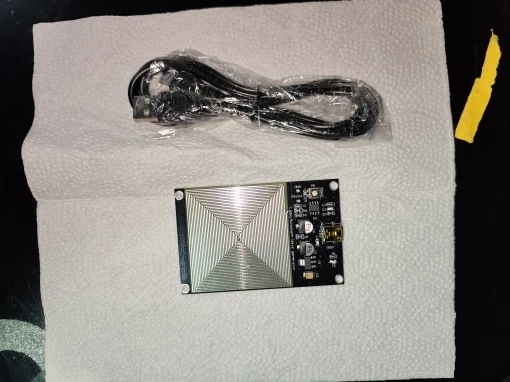
- 1 x Aideepen FM783 Schumann Wave Generator Board
- 1 x Mini USB Cable

4. Product Overview
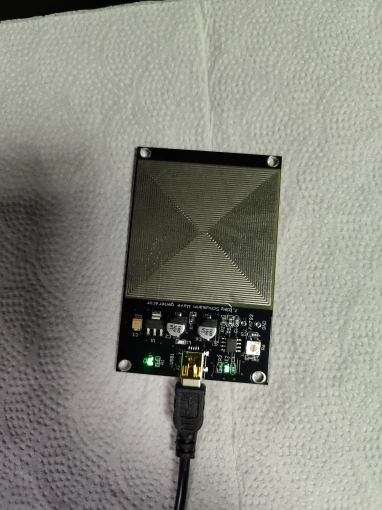
The Schumann Wave Generator is a compact circuit board featuring a spiral antenna design on its surface. It is powered via a Mini USB port and includes indicator LEDs for operational status.

5. Setup
- Connect the provided Mini USB cable to the USB port (USB1) on the generator board.
- Connect the other end of the USB cable to a compatible 5V USB power source (e.g., a USB wall adapter, computer USB port, or power bank).
- Place the generator in your desired location. Common placements include near your bed, in your workspace, or in any area where you wish to experience its effects.
6. Operating Instructions
- Once connected to a 5V USB power source, the generator will automatically power on.
- Observe the indicator LEDs on the board; they should illuminate, indicating the device is active and generating the Schumann wave.
- The device operates continuously when powered. There are no on/off switches or complex controls for daily operation.
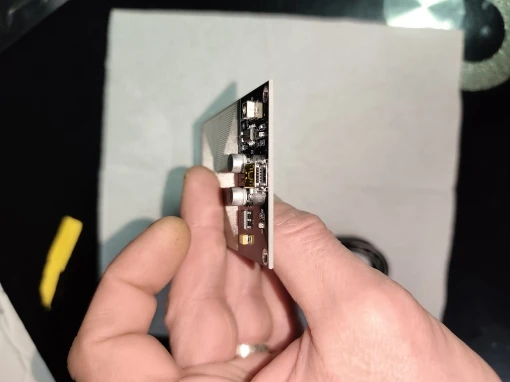
- Frequency Adjustment: The board features a small potentiometer (R6, typically labeled near GND) that allows for fine-tuning of the output frequency. Use a small screwdriver to carefully adjust this component if precise frequency calibration is desired.

7. Maintenance
- Keep the device clean and free from dust. Use a soft, dry cloth for cleaning.
- Avoid dropping the device or subjecting it to strong impacts.
- Store the device in a cool, dry place when not in use for extended periods.
8. Troubleshooting
- Device does not power on:
- Ensure the USB cable is securely connected to both the generator and the power source. Try a different USB port or power adapter to rule out power source issues.
- Concern about output frequency accuracy:
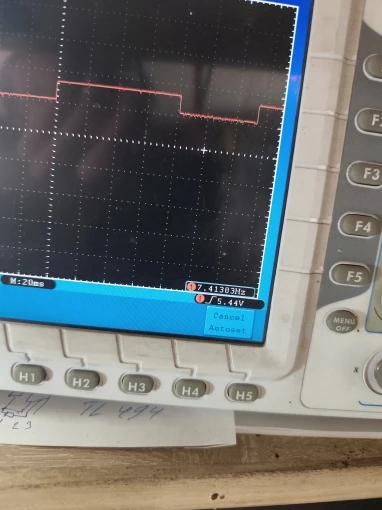
- The device is designed to output approximately 7.83Hz. Minor variations may occur. If precise frequency is critical for your application, an oscilloscope can be used to verify the output. The potentiometer (R6) can be adjusted for fine-tuning. Note that the output is a pulse square wave, not a sine wave.
9. Specifications
| Feature | Specification |
|---|---|
| Model | FM783 |
| Power Input | +5V DC, 0.1A via Mini USB |
| Output Frequency | 7.83Hz (adjustable) |
| Waveform | Pulse Square Wave, 50% Duty Cycle |
| Dimensions (L x W) | Approx. 8.2 cm x 5.3 cm (3.22 in x 2.08 in) |
| Weight | Approx. 0.049 kg |
| USB Cable Length | Approx. 99 cm (38.97 in) |


10. User Tips
- Placement: Experiment with different placements to find what works best for you. Many users place it on a nightstand, desk, or near their meditation area.
- Frequency Verification: If you require a highly precise 7.83Hz output, consider using an oscilloscope to verify the frequency and adjust the potentiometer (R6) as needed. Be aware that the output is a square wave, not a sine wave.
- Power Source: While any 5V USB source works, a stable power supply (like a dedicated wall adapter) might offer more consistent performance than some computer USB ports.
11. Warranty and Support
For any questions, technical support, or warranty inquiries, please contact the seller directly through your purchase platform. Please provide your order number and a detailed description of the issue for prompt assistance.