
1. Product Overview
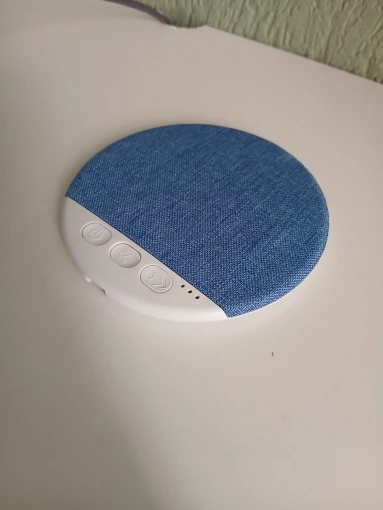
The Magic Bear Pillow Speaker is a multi-functional device designed to provide an immersive and comfortable audio experience for sleep and relaxation. It features Bluetooth connectivity for streaming music, podcasts, or audiobooks, and includes a built-in white noise library to aid in falling asleep faster. Its ultra-thin, soft fabric design allows it to be placed discreetly under your pillow, delivering high-fidelity sound without the discomfort of traditional headphones. The speaker also includes a timed shutdown function to conserve battery life.

2. Package Contents
- 1 x Pillow Speaker
- 1 x USB Charging Cable
- 1 x User Manual (This document, also available as PDF: View PDF)
3. Specifications
The following table details the technical specifications of the Magic Bear Pillow Speaker:
| Feature | Detail |
|---|---|
| Product Name | Magic Bear Pillow Speaker | Bluetooth White Noise Sleep Aid Device |
| Material | ABS + PC + Linen-like Fabric (Soft, breathable fabric top + durable ABS base) |
| Connectivity | Bluetooth 5.0 (range up to 10m), 3.5mm AUX input |
| Sound Mode | Hi-Res Sound Mode, Full-Range Audio Crossover |
| Built-in Features | White noise library (rain, ocean, fan, etc.), Timed shutdown (15/30/60/90 minutes), Hands-free call support |
| Battery | Rechargeable 1200mAh lithium battery, Up to 8 hours continuous playback |
| Charging | USB (5V/1A) |
| Compatibility | Smartphones, tablets, and other Bluetooth-enabled devices (Harmony OS, iOS, Android) |
| Unit Weight | 48g |
| Unit Dimensions | 100mm diameter, 12mm height |
| Speaker Size | 40mm |
| Impedance | 4Ω |
| Distortion | ≤ 3% at 50-3 KHz |
| Operating Temperature | -20℃ to 55℃ |
| Frequency Response | 20-20 KHz |
| Sound Generation Method | Pressure Air Conduction |
| Acoustic Structure | Front Cavity & Rear Cavity |
| Waterproof | Yes |
| Voice Control | No |
| Support APP | No |
4. Initial Setup
-
Charge the Speaker
Connect the USB cable to a power source (e.g., USB wall adapter, computer USB port) and plug it into the speaker's charging port. Charge for 2-3 hours until the indicator light turns green, indicating a full charge.
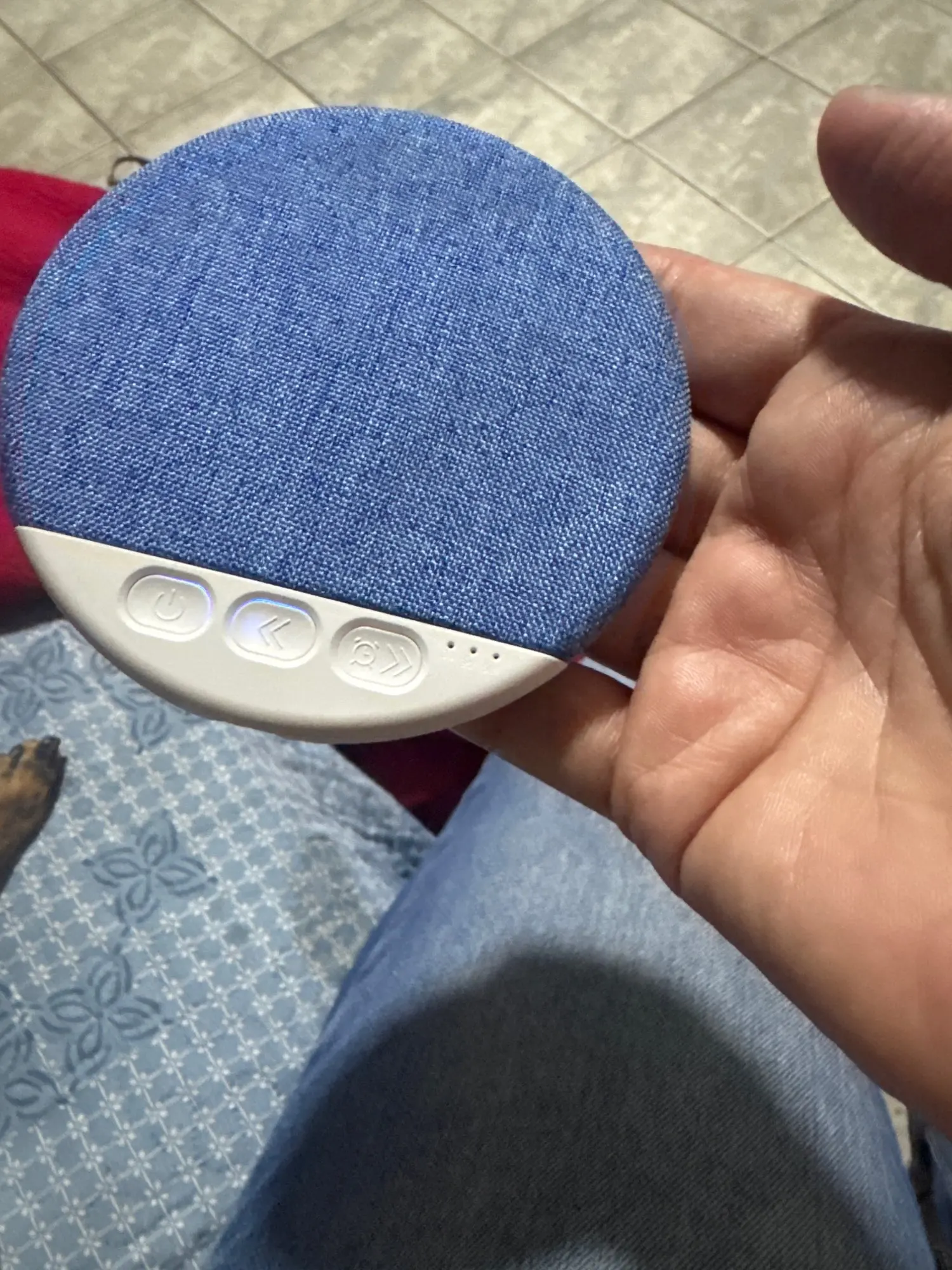
Figure 4: Speaker connected via USB for charging. 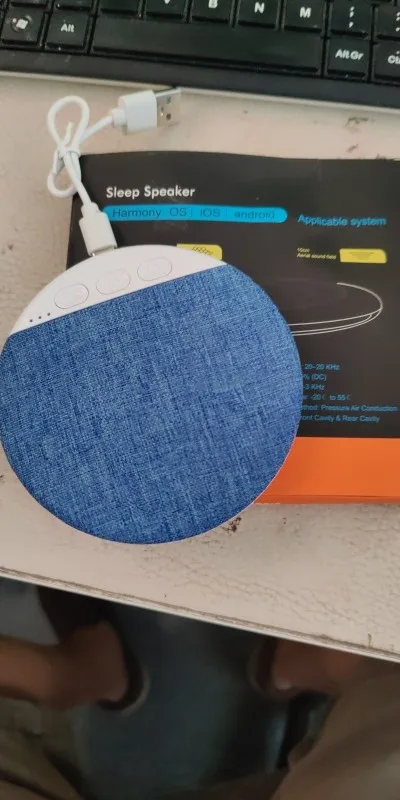
Figure 5: The underside of the speaker, which may feature a wireless charging area. -
Pair with Bluetooth
Press and hold the power button for 3 seconds to enter pairing mode (the indicator light will flash blue). On your device (smartphone, tablet, etc.), navigate to the Bluetooth settings and select "Magic Bear Pillow Speaker" from the list of available devices to connect.

Figure 6: Bluetooth pairing with a mobile device.
5. Operation

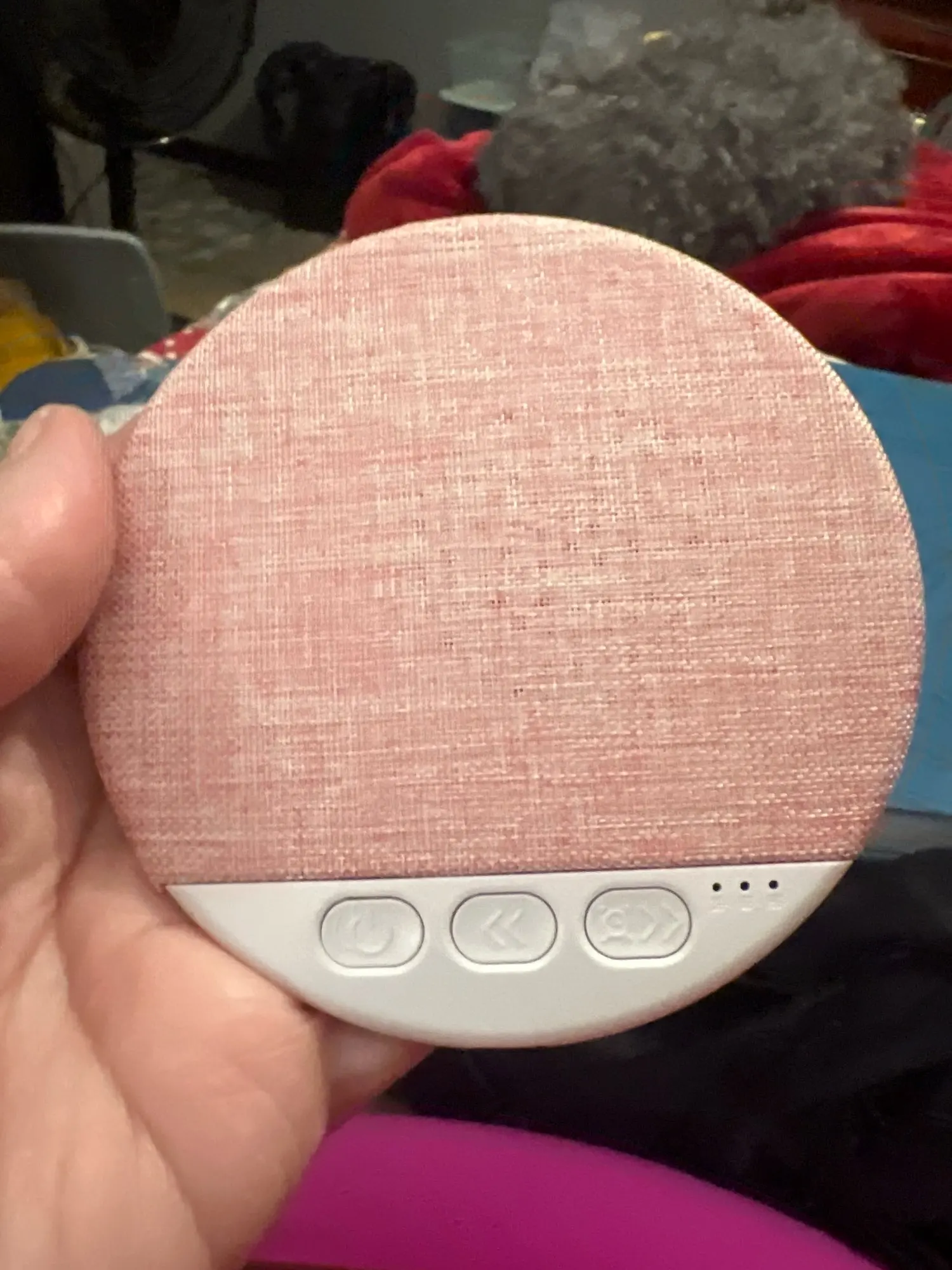
- Power On/Off: Press the power button (leftmost button) to turn the speaker on or off.
- White Noise Mode: Press the noise button (leftmost button, same as power) to cycle through the built-in white noise sounds. Press again to pause.
- Timed Shutdown: Press the timer button (rightmost button) to set a 15, 30, 60, or 90-minute auto-shutdown.
- Volume Control: Use the volume +/- buttons on your connected device to adjust the audio volume. The speaker itself does not have dedicated volume buttons.
- Wired Connection: For non-Bluetooth devices, plug a 3.5mm AUX cable into the speaker's AUX input and your device's audio output.

6. Placement
Slide the speaker under your pillow with the fabric side facing up for optimal sound transfer and comfort. Avoid placing it directly on your ear to prevent pressure discomfort. The speaker is designed to be unobtrusive, allowing you to enjoy audio without disturbing others.

7. Care & Maintenance
- Cleaning: Wipe the fabric surface with a damp cloth and mild detergent. Do not submerge the speaker in water.
- Battery Care: Recharge the speaker when the sound becomes distorted or the indicator light flashes red.
- Storage: Keep the speaker in a cool, dry place when not in use. Avoid folding or pressing the fabric surface for extended periods to maintain its shape and functionality.
8. Safety Warnings
- Do not use the speaker while sleeping with a heating pad or in direct sunlight, as this may cause overheating.
- Keep the speaker and charging cable away from water to prevent electrical hazards.
- Do not disassemble the speaker, as this may damage internal components and void the warranty.
9. Troubleshooting
- Low Volume: If the sound is too quiet, ensure your connected device's volume is set to maximum. The speaker is designed for subtle, personal listening under a pillow, not for loud room-filling audio.
- Speaker Not Charging: Ensure the USB cable is securely connected to both the speaker and a working power source. Check if the power source is active. If the battery still doesn't charge after several hours, the battery or charging cable may be faulty.
- Bluetooth Disconnection/Audio Still Playing on Phone: If the speaker disconnects or audio continues playing on your phone after turning off the speaker, manually disconnect the speaker from your device's Bluetooth settings. Ensure the speaker is fully charged for stable Bluetooth connection.
- Cannot Connect Two Speakers to One Phone: This speaker does not support simultaneous connection of two units to a single phone for stereo output (TWS). Most phones also do not support dual Bluetooth audio output natively.
- No Sound from Built-in White Noise: Press the power/noise button to cycle through the white noise sounds. Ensure the speaker is powered on and not connected via AUX cable, which would prioritize external audio.
10. User Tips
- For optimal personal listening without disturbing a partner, place the speaker directly under your pillow.
- The speaker's volume is intentionally soft, ideal for relaxation music or podcasts as you fall asleep. Adjust your device's volume to its maximum for the best experience.
- Its tiny and lightweight design makes it highly portable for travel or use in different rooms.
- Consider the speaker's subtle volume when choosing it for relaxation; it's not intended for high-volume audio.
11. Warranty & Support
This product is covered by a standard manufacturer's warranty against defects in materials and workmanship. For detailed warranty information, technical support, or service inquiries, please refer to the official product page or contact the seller directly. Keep your proof of purchase for any warranty claims.