
1. Product Overview
The Aideepen M3 is a compact and versatile USB rechargeable electric screwdriver designed for general household use and light maintenance tasks. Featuring a built-in lithium battery, all-copper motor, and an integrated LED light, it offers convenience and efficiency for various screwing and unscrewing applications. Its electronic automatic torque control prevents damage to fasteners and materials.

2. Safety Information
- This product is intended for general household use and is not suitable for high-intensity or heavy-duty applications.
- Do not drill: This screwdriver is designed for driving and removing screws. It is not suitable for drilling holes in hard materials such as walls, tiles, concrete, or iron. It can drill holes in wood and plastic.
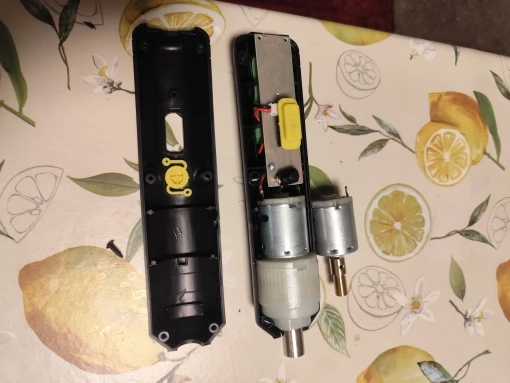
- The built-in lithium battery is non-disassemblable. Do not attempt to open the device or replace the battery.
- Keep the device away from water and excessive moisture.
- Ensure the correct bit is used for the fastener to prevent stripping or damage.
3. Package Contents
Please check the package for the following items:
- 1 x Electric Screwdriver (M3 Model)
- 1 x USB Charging Cable (Note: Charging head/adapter is not included)
- 1 x Batch Head (50mm bit)
- 1 x User Manual (PDF version available online)

4. Product Features
- Built-in Lithium Battery: Provides cordless operation for convenience. The battery is non-removable.
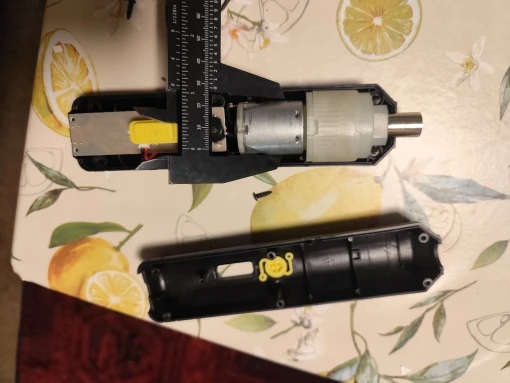
- All Copper Movement: Ensures high speed and large torque for efficient performance.
- Integrated LED Lamp: Illuminates the work area, making it convenient to work in dark or poorly lit spaces.
- Electronic Automatic Torque Control: Features a torque control chip that automatically slips after tightening, effectively preventing damage to screws and articles caused by over-screwing.
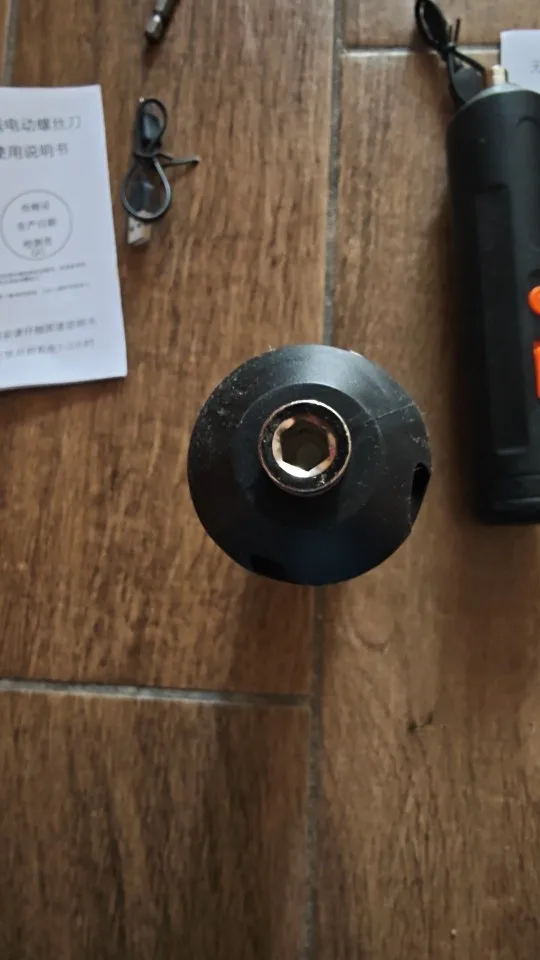
- Built-in Magnet: The hexagonal chuck has a built-in magnet to securely hold the batch head.
- USB Interface: For easy and universal charging.
- Lightweight and Portable: Compact design for easy handling and transport.

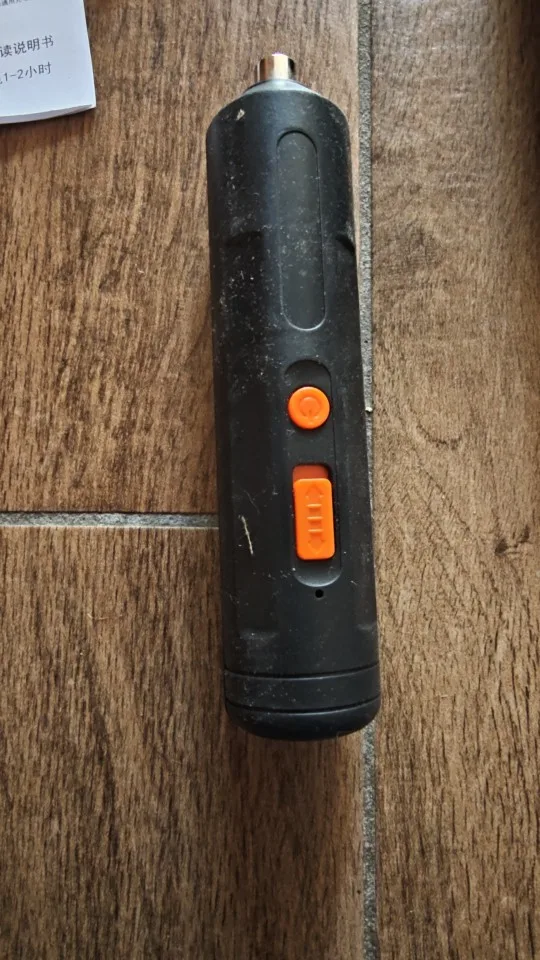
5. Specifications
| Attribute | Value |
|---|---|
| Model | M3 |
| Dimensions (Length x Width) | 175mm (6.89in) x 43mm (1.69in) |
| Supply Voltage | 3.6V |
| Battery Power | 1850mwh (Lithium Battery Technology) |
| Largest Screw Diameter | 4mm |
| Charging Interface | USB |
| Motor Type | All Copper Movement |
| Application Scope | Maintenance of computers, various loading and unloading screws (general household use) |

6. Setup
6.1 Initial Charging
Before first use, it is recommended to fully charge the screwdriver. Connect the provided USB charging cable to the screwdriver's USB port and to a standard USB power source (e.g., computer USB port, USB wall adapter). Charge for approximately 1-2 hours.
6.2 Installing the Batch Head (Bit)
- Select the appropriate 50mm batch head (bit) for your screw type.
- Insert the batch head into the hexagonal chuck at the front of the screwdriver. The built-in magnet will hold it in place.
- A slight gap may be present after insertion, and the end of the bit might appear slightly uneven during operation. This is normal and does not affect the actual use or performance of the tool.

7. Operating Instructions
7.1 Power and Direction Control
The screwdriver features a slide switch for controlling power and rotation direction:
- Slide Up / In: Activates the screwdriver in the forward (tightening) direction.
- Slide Down / Roll Out: Activates the screwdriver in the reverse (loosening) direction.

7.2 Using the LED Light
The integrated LED light automatically illuminates when the screwdriver is in operation, providing visibility in dimly lit areas.
7.3 Electronic Automatic Torque
The screwdriver is equipped with an electronic automatic torque control chip. Once a screw is tightened to the appropriate level, the mechanical gear will automatically slip, preventing overtightening and potential damage to the screw head or the material.
7.4 Typical Applications
This electric screwdriver is suitable for a variety of light-duty tasks, including:
- Computer maintenance (loading and unloading screws)
- General household maintenance and repairs
- Assembly and disassembly of small household appliances (e.g., fans)
- Carpentry maintenance
- Electrical maintenance (e.g., switch removal)
8. Maintenance
- Cleaning: Wipe the screwdriver with a clean, dry cloth. Do not use harsh chemicals or abrasive cleaners.
- Charging: Recharge the battery regularly, especially if the tool will be stored for an extended period, to maintain battery health.
- Storage: Store the screwdriver in a dry place, away from direct sunlight and extreme temperatures.
- Battery: The built-in lithium battery is not user-replaceable. Do not attempt to open the casing.
9. Troubleshooting
- Screwdriver not operating: Ensure the battery is charged. Connect to a USB power source and allow it to charge.
- Bit not holding securely: Check if the batch head is fully inserted into the hexagonal chuck. The built-in magnet should hold it firmly.
- Ineffective screwing/unscrewing: Ensure you are using the correct type and size of batch head for the screw. Verify the rotation direction is set correctly (forward for tightening, reverse for loosening).
- Charging issues: Use the provided USB cable. Ensure the USB power source is functioning correctly. Avoid using high-wattage chargers if the device is not explicitly rated for them, as this can sometimes cause compatibility issues or damage.
- Axis misalignment: If the bit appears significantly misaligned or wobbles excessively, inspect the chuck for damage. If the issue persists and affects functionality, contact customer support.
10. User Tips
- This screwdriver is particularly effective for unscrewing tasks, offering adequate power for common household fasteners.
- Consider this device a good value option for general, light-duty tasks if you are looking for an affordable electric screwdriver.
- Always perform a quick visual inspection upon receipt to ensure the product is in good condition and free from visible damage or misalignment.
11. Warranty and Support
For warranty information, technical support, or any product-related inquiries, please contact the seller or manufacturer directly. Keep your purchase receipt as proof of purchase.
A detailed user manual in PDF format can be accessed via this link: Aideepen M3 User Manual (PDF)