

Important Safety Notes
- The product uses a rechargeable lithium battery. Only charge with a 5V phone charger. Charging with other voltages is strictly prohibited.
- Do not randomly throw or hit the flashlight during use to prevent damage to the light and battery.
- The operating temperature range for the light is -20°C to 40°C. Using it beyond this temperature range may cause damage or malfunction.
- Fully charge the flashlight before long-term storage to prevent self-discharge, over-discharge, and damage to the battery.
- Do not disassemble the flashlight. If there is a quality issue, consult after-sales service for repair or replacement.
- Do not stare directly at the light source; it may damage your vision.
- Parts of the flashlight may become hot during operation; caution is advised.
- This is a Class III luminaire, safety extra-low voltage light.
- Keep away from fire sources; do not place in fire.
Product Structure
The WARSUN A700 flashlight features a simple and functional design for ease of use.

Diagram showing the flashlight's components: Clip, USB Charging Port, Power Switch, and the main flashlight body.
- Clip: For attaching to belts, pockets, or gear.
- USB Charging Port: Type-C port for convenient recharging.
- Power Switch: Controls power and light modes.
Setup
Initial Charging
- Locate the Type-C charging port on the flashlight.
- Connect the flashlight to a 5V phone charger using a Type-C USB cable.
- The indicator light will stay on during charging.
- The indicator light will turn off once the battery is fully charged.
It is recommended to fully charge the flashlight before its first use.
Operating Instructions
Power On/Off and Mode Switching
The flashlight features a single-click gear switch for cycling through modes.
- To Turn On: Press the power switch once.
- To Cycle Modes: With the flashlight on, single-click the power switch to cycle through: High beam, Medium beam, Low beam, and Tail light.
- Turbo Mode: With the flashlight on, double-click the power switch to activate Turbo mode. The flashlight will return to the previously selected mode after 10 seconds.
- To Turn Off: Long-press the power switch to turn off the light source.
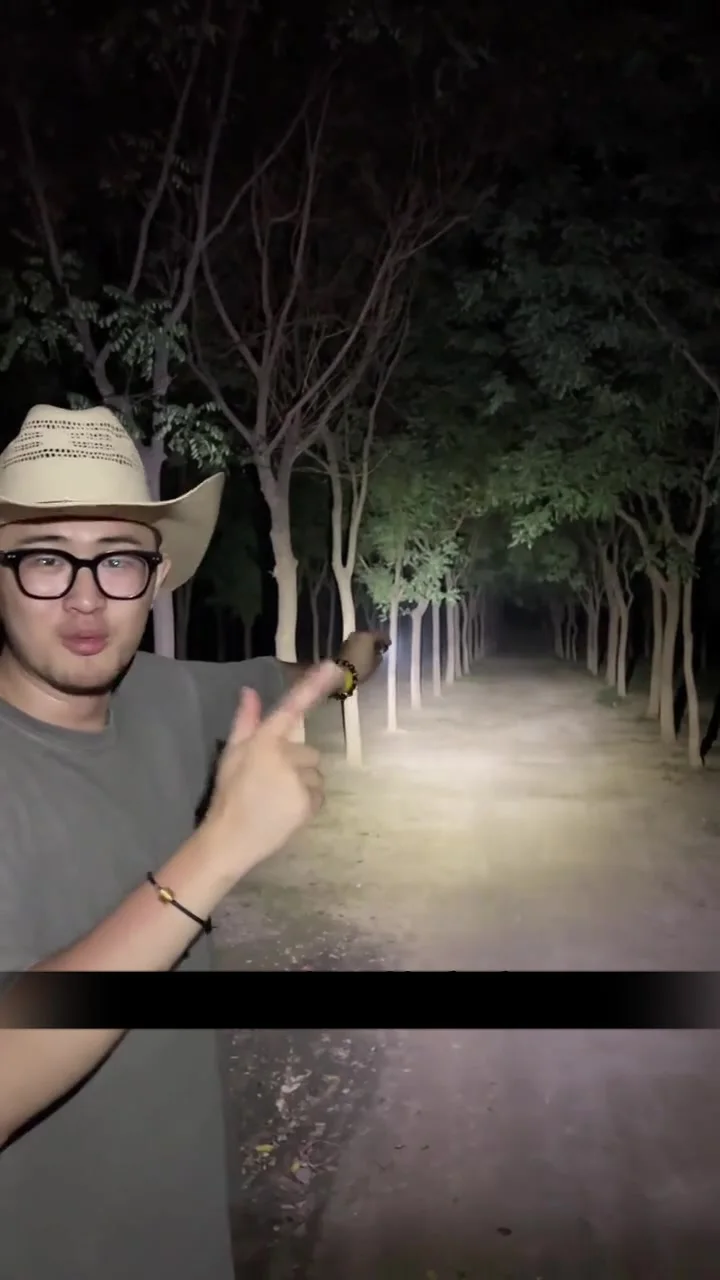
Video demonstrating the WARSUN A700 flashlight's beam distance and various light modes in a dark environment.
Maintenance
- Cleaning: Wipe the flashlight body with a soft, dry cloth. Do not use abrasive cleaners or solvents.
- Storage: If storing for an extended period, ensure the battery is fully charged to prevent self-discharge and damage. Store in a cool, dry place away from direct sunlight and extreme temperatures.
- General Care: Avoid dropping or hitting the flashlight to prevent internal damage. Ensure the Type-C charging port is kept clean and free of debris.
Troubleshooting
- Flashlight not turning on: Ensure the battery is charged. If the issue persists, contact after-sales service.
- Charging issues: Ensure the Type-C cable is properly inserted and the charger is a 5V phone charger. If the indicator light does not turn on, try a different cable or charger.
- Light flickering: While not visible to the naked eye, some cameras may detect flickering. This is generally not an issue for its intended lighting purposes.
- Unresponsive switch or unexpected power off: If the switch feels difficult to press or the light turns off when shaken, there might be an internal issue. Contact after-sales service for assistance.
For any issues not covered here, please contact WARSUN after-sales service for support.
Specifications
| Feature | Detail |
|---|---|
| Model No. | A700 |
| Material | Aluminum Alloy |
| Light Source | 1*P50+COB |
| Brightness | 800LM + 30LM |
| Battery | 1*18650 (1*2200MAH) |
| Switch Modes | 4 Light Modes (High, Medium, Low, Tail light) |
| Protection Level | IP56 |
| Product Size | 25*25*104MM / 1.0*1.0*4.1INCH |
| Weight | 82G |
| Voltage Type | Type-C |
| Endurance Time | 3-15 Hour |
| Charging Time | 3 Hour |
| Height of Fall Resistance | 2 M |
| Focal Length | Non-adjustable (Fixed Focus) |
| Lighting Distance | 100-200 m |
| Wattage | 10W |
| Certification | CE, FCC, ROHS, UL |
Warranty and Support
Warranty Statement
The battery included with this product is not covered by the warranty. For other components, if there is a quality issue, please consult WARSUN after-sales service for repair or replacement.
After-Sales Service
For technical support, troubleshooting, or warranty claims, please contact the seller or WARSUN customer service directly. Do not attempt to disassemble or repair the product yourself, as this may void any applicable warranty.
User Tips
- Charging Compatibility: When charging, it is recommended to use an A-to-C USB cable with a 5V charger. Some users have reported that C-to-C USB cables from USB PD chargers may not initiate charging.
- Power Button: The power button can be small and may require a firm press. Familiarize yourself with its feel.
- Power Off Behavior: If the flashlight has been operating for a few seconds, a single press may cycle through modes instead of turning it off. A long-press is consistently used to power off the device.
- Portability: The compact size and lightweight design make it ideal for clipping to a belt or carrying in a pocket for easy access during travel or outdoor activities.