
Introduction
Welcome to the Oukitel WP60 Rugged Phone user manual. This guide provides essential information to help you set up, operate, maintain, and troubleshoot your device. The Oukitel WP60 is designed for durability and high performance, featuring a massive 7.2-inch display, a powerful MediaTek Dimensity 7025 processor, a 108MP camera, and a colossal 10000mAh battery.

Video Description: Official Oukitel WP60 product overview showcasing its design, features, and rugged capabilities.
Product Overview
Device Layout
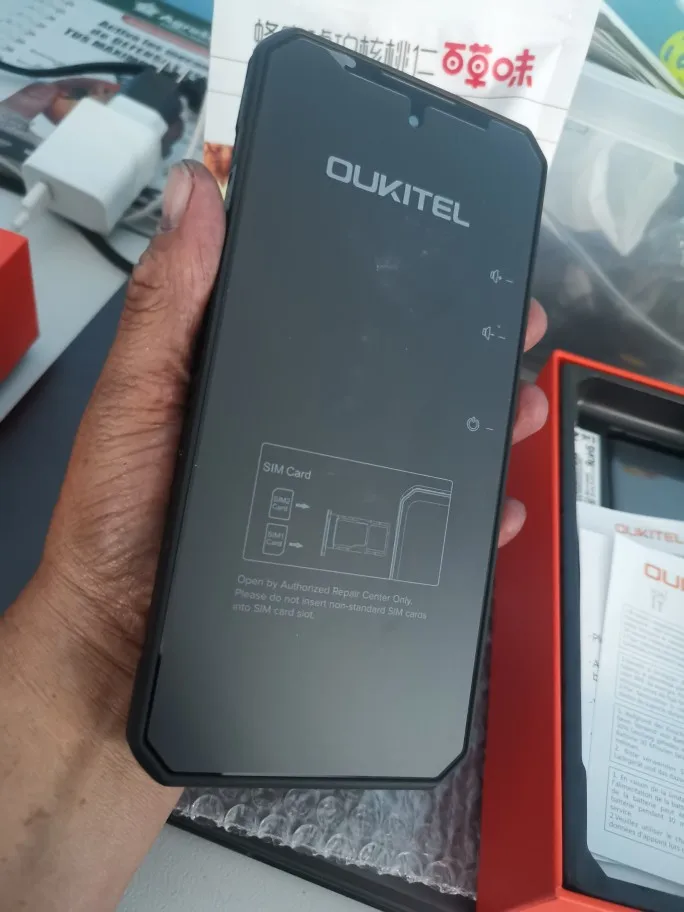
Image Description: Multiple views of the Oukitel WP60 phone, illustrating the front, back, and side components.
Front View
- Vent Hole: For internal ventilation.
- Receiver: Earpiece for calls.
- Front Camera: 32MP IMX616 F2.2 for selfies and video calls.
- Type-C Port: For charging and data transfer.
- Microphone: For voice input during calls and recordings.
- Loudspeaker: For audio output.
Rear and Side Views
- SIM Card Slot: For inserting Nano SIM and TF cards.
- Night Vision Camera: 8MP Hi-846 F2.2 for enhanced low-light visibility.
- Custom Key: Programmable button for quick access to functions.
- Main Rear Camera: 108MP S5KHM6 F1.9 for high-resolution photography.
- Macro Camera: 2MP F2.2 for close-up shots.
- Night Vision Light: Illuminates for night vision camera.
- Volume + / - Buttons: Adjust media and call volume.
- Flash: LED flash for camera and flashlight function.
- Power Button with Fingerprint Sensor: Turns the device on/off and provides secure fingerprint unlocking.
Package Contents
Upon unboxing your Oukitel WP60, please ensure all the following items are included:
- Rugged Phone x 1
- USB Cable x 1
- EU Plug Power Adapter x 1
- User Manual x 1
- Warranty Card x 1
- Protective Film x 1
Setup Instructions
1. Inserting the SIM/TF Card
To ensure your device can make calls and access mobile data, follow these steps to insert your SIM card(s) and/or TF card:
- Locate the SIM card tray on the side of the phone.
- Insert the ejector pin (included in the package) into the small hole on the SIM card tray. Press firmly until the tray pops out.
- With the device facing up, carefully place your Nano SIM card(s) and/or TF card into the designated slots on the cardholder. Ensure the gold contacts are facing down and the cards are correctly oriented as shown in the diagram.
- Gently slide the cardholder back into the device until it clicks into place.

Image Description: A visual guide demonstrating how to eject the SIM card tray and correctly place SIM and TF cards.
2. Powering On Your Device
The Oukitel WP60 features a non-removable internal battery. To power on your phone:
- Press and hold the Power Button (located on the side, integrated with the fingerprint sensor) for 3-5 seconds until the Oukitel logo appears on the screen.
3. Initial Charge
It is recommended to fully charge your device before first use. The WP60 supports 33W fast charging.
- Connect the provided USB cable to the Type-C port on your phone.
- Connect the other end of the USB cable to the EU Plug Power Adapter.
- Plug the power adapter into a wall outlet.
- The battery icon on the top right of the screen will indicate charging status.

Image Description: An illustration highlighting the phone's 10000mAh battery capacity and fast charging capability.
Operating Instructions
1. Sending SMS and MMS
SMS (Short Message Service)
- Open the Messaging app.
- Tap on 'New Message' or 'New Information'.
- Enter the recipient's phone number or select a contact from your address book.
- Type your message in the text field.
- Tap the 'Send' button.
MMS (Multimedia Messaging Service)
- While composing an SMS, tap the attachment icon (usually a paperclip or '+' symbol).
- Select images, videos, or other files you wish to attach. You can also take a new photo or record a video directly.
- Tap the 'Send' button.
2. Language Switching Settings
To change the device language:
- Go to 'Main Menu' > 'Settings' > 'System' > 'Languages & input'.
- Select 'Languages' > 'Add a language'.
- Choose your desired language. The system will automatically return to the language interface.
- To set your preferred language as primary, tap and hold the icon next to your desired language and drag it to the top of the list.
3. Other Key Features
- NFC: Supports Near Field Communication for contactless payments and data exchange.
- GPS+GLONASS+Beidou+Galileo: Advanced navigation system for precise positioning.
- Side Fingerprint Sensor: Convenient and secure biometric authentication.
- Custom Key: Assign a shortcut to your favorite app or function for quick access.

Image Description: An illustration detailing the phone's NFC, side fingerprint sensor, GPS capabilities, and dual SIM/TF card slot.
Maintenance
Proper maintenance ensures the longevity and optimal performance of your Oukitel WP60.
- Handling: Avoid dropping, knocking, or shaking your device. Rough handling can damage the screen, internal circuit board, and delicate components.
- Cleaning: Do not use chemical solvents or detergents. Wipe the device case with a soft cotton cloth dampened with water and mild soap.
- Screen and Camera Lens: Clean the screen and camera lens with a clean, dry, soft cloth.
- Charging: When the charger is not in use, unplug it from the power outlet. Do not leave a fully charged battery connected to the charger for extended periods, as overcharging can shorten battery life.
- Disassembly: Do not attempt to open the device or disassemble accessories yourself. Refer to authorized service centers for repairs.
Troubleshooting
If you encounter issues with your Oukitel WP60, try the following solutions:
Common Issues & Solutions
- Device not turning on: Ensure the battery is charged. Press and hold the power button for 3-5 seconds. If it still doesn't turn on, connect it to the charger for at least 30 minutes before trying again.
- Poor call quality or no network: Check if the SIM card is correctly inserted. Verify that you are within network coverage. If issues persist, contact your mobile service provider.
- Volume too low: Adjust the volume using the volume up button. Check sound settings in the device menu. Ensure no obstructions are covering the loudspeaker.
- Apps crashing or device freezing: Restart the device. Clear cache for problematic apps (Settings > Apps > [App Name] > Storage > Clear Cache). Ensure sufficient storage space is available.
- Battery draining quickly: Reduce screen brightness, disable unnecessary features like Wi-Fi, Bluetooth, GPS when not in use. Close background apps. Check for app updates.
- Network Compatibility (International Use): The Oukitel WP60 is a global version and supports a wide range of 5G, 4G, 3G, and 2G bands, making it compatible with most networks worldwide. For specific regional compatibility, please refer to the detailed network specifications below or consult your local carrier.
Specifications
| Feature | Specification |
|---|---|
| CPU | MediaTek Dimensity 7025, 6nm, Octa-core (2x Arm Cortex-A78 2.5GHz + 6x Arm Cortex-A55 2.0GHz) |
| GPU | IMG BXM-8-256 |
| RAM | 12GB (up to 24GB Virtual Extended) / 16GB (up to 32GB Virtual Extended) |
| ROM | 512GB |
| Expandable Storage | Up to 2TB (TF card, not included) |
| Battery Capacity | 10000mAh, Polymer (Non-detachable) |
| Charging Power | 33W Fast Charging (Type-C interface) |
| Operating System | Android 15 |
| Display Size | 7.2-inch FHD+ (19.5:9 aspect ratio) |
| Display Resolution | 720 x 1560, 239PPI |
| Refresh Rate | 120Hz |
| Panel Glass | Corning Gorilla Glass 5 |
| Rear Camera | 108MP S5KHM6 F1.9 (Main) + 8MP Hi-846 F2.2 (Night Vision) + 2MP F2.2 (Macro) |
| Front Camera | 32MP IMX616 F2.2 |
| Biometrics | Side Fingerprint Recognition |
| NFC | Yes |
| GPS | GPS+GLONASS+Beidou+Galileo |
| Wi-Fi | 802.11 a/b/g/n/ac, 2.4G+5G |
| Bluetooth | V5.2 |
| SIM Card Quantity | Dual SIM (Nano+Nano/Nano+TF) |
| Cellular Network | 5G NR, 4G FDD/TDD, 3G WCDMA, 2G GSM (Global Version) |
| Ruggedness | IP68/IP69K, MIL-STD-810H |
| Dimensions | 172.2 x 81 x 15.3mm |
| Weight | 0.72 kg (Package Weight) |
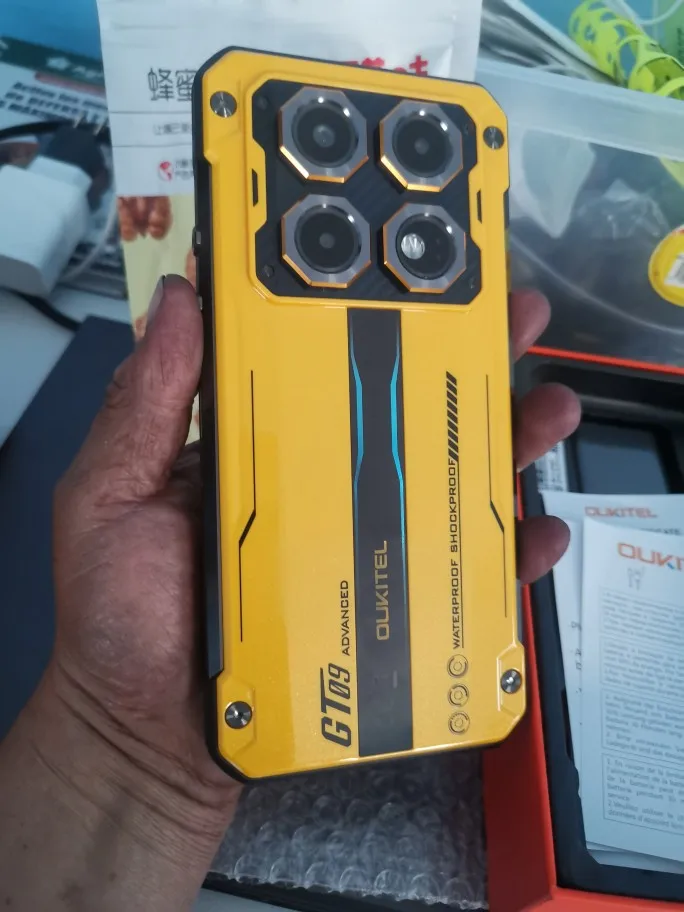
Image Description: The Oukitel WP60 highlighting its IP68, IP69K, and MIL-STD-810H certifications for water, dust, and shock resistance.
User Tips
- Volume Optimization: If you find the volume not loud enough, ensure no protective cases or debris are blocking the loudspeaker. You can also explore sound enhancement settings in Android 15 or consider using Bluetooth headphones for a richer audio experience.
- Network Compatibility: The WP60 is a global version, designed to work across various regions. If you experience network issues in a specific country, double-check your SIM card insertion and ensure your local carrier's bands are supported by the device's specifications.
- Maximizing Battery Life: With its 10000mAh battery, the WP60 offers extended usage. To further optimize, manage background app usage, adjust screen brightness, and utilize power-saving modes when needed.
Safety Information
Please read and adhere to the following safety guidelines to ensure safe operation of your Oukitel WP60:
- Medical Devices: Keep the device at least 15cm away from medical implants (e.g., pacemakers, hearing aids) to avoid interference. Do not carry the device in your coat pocket if you have such implants.
- Temperature Exposure: Do not expose the device or its battery to high temperatures or heat-generating equipment such as direct sunlight, heaters, microwave ovens, ovens, or water heaters. Overheating can cause the battery to explode.
- Charging Safety: Disconnect the charger from the device and unplug it from the power outlet once charging is complete or if not charging.
- Battery Replacement: The battery is non-removable. Do not attempt to replace it yourself, as this may damage the battery or the device.
- Approved Accessories: Use only OUKITEL-approved batteries, chargers, and power sources. Using unapproved or incompatible accessories can lead to fire, explosion, or other hazards.
- Battery Handling: Do not disassemble, reset, crush, scratch, or puncture the battery. Avoid inserting foreign objects or immersing the battery in water or other liquids to prevent leakage, overheating, fire, or explosion. Excessive external pressure can cause internal short-circuits.
- SAR Compliance: The maximum electromagnetic Specific Absorption Rate (SAR) for this product is ≤2.0 W/kg. The device complies with RF specifications when used at 5mm from your body.
FCC Caution
Any changes or modifications not expressly approved by the party responsible for compliance could void the user's authority to operate this equipment. This device complies with Part 15 of the FCC Rules. Operation is subject to the following two conditions: (1) This device may not cause harmful interference. (2) This device must accept any interference received, including interference that may cause undesired operation.
This Product meets the government's requirements for exposure to radio waves. The guidelines are based on standards that were developed by independent scientific organizations through periodic and thorough evaluation of scientific studies. The standards include a substantial safety margin designed to assure the safety of all persons regardless of age or health.
FCC RF Exposure Information and Statement: The SAR limit of USA (FCC) is 1.6 W/kg averaged over one gram of this Device WP60 (2ANMU-WP60) has been tested against this SAR limit. SAR information on this can be viewed online at http://www.fcc.gov/oet/ea/fccid/. Please use the device FCC ID number for search. This device was tested for typical operations 10mm from the body. To maintain compliance with FCC RF exposure requirements, 10mm separation distance should be maintained to the user's bodies.
Restrictions in the 5 GHz band
The WLAN function for this device is restricted to indoor use only when operating in the 5150 to 5250 MHz frequency range.
Image Description: QR code linking to the Oukitel website, along with FCC, CE, and RoHS compliance logos. Also specifies charger power requirements (min 10W, max 33W).
Warranty and Support
Your Oukitel WP60 comes with a Warranty Card included in the package. Please refer to this card for detailed warranty terms and conditions.
- Manufacturer: Shenzhen Yunji Intelligent Technology CO., LTD
- Manufacturer Address: 202, Building A2, Silicon Valley Power Intelligent Terminal Industrial Park, No. 20, Dafu Industrial Zone, Kukeng Community, Guanlan Street, Longhua District, Shenzhen China
- Official Website: For further support, product information, and full CE compliance details, please visit www.oukitel.com.