
1. Introduction
This manual provides comprehensive instructions for the CD AP200 2-in-1 Car Charger and Mini Locator Tracker. This innovative device combines a powerful 20W fast charger with a precise locator that integrates seamlessly with Apple's official 'Find My' app, allowing you to efficiently charge your iPhone and track your vehicle's location in real-time.

2. Safety & Warnings
Read all instructions before use. Failure to follow these instructions may result in damage to the product or personal injury.
- Warning: Keep the device and its cord out of reach of children under 3 years old.
- Keep away from children unless supervised by an adult.
- Do not use this product for purposes other than its intended use.
- Inspect the product before each use; do not use if damaged.
- Follow installation and operation guidelines to avoid injury.
- Please abide by local laws and regulations before installation and use. When the device is used in company vehicles or rental vehicles, it is necessary to clearly inform the drivers that the vehicle is equipped with a positioning device. Prohibited for any illegal tracking, privacy theft or other unlawful purposes.
- Please perform the installation and disassembly while the vehicle is off. After installation, make sure the equipment is securely fastened and does not interfere with the driver's foot operations (such as the accelerator, brake, and clutch). During driving, please do not operate any equipment or check your mobile phone apps to avoid distraction.
- Take good care of your platform login account and password to prevent information leakage.
3. Product Overview
The CD AP200 is a compact and versatile device designed to enhance your driving experience with both charging and tracking capabilities. It features a robust build and seamless integration with Apple's ecosystem.

Key Features:
- Apple Find My Integration: Utilizes Apple's official 'Find My' app for precise, real-time location tracking of your vehicle. No additional software downloads required.
- Dual Port Fast Charging: Equipped with USB Type-C and QC3.0 ports, providing 20W fast charging for compatible devices, ensuring quick power-ups on the go.
- Easy Installation: Plugs directly into your car's cigarette lighter socket for quick and secure setup.
- Durable Design: Constructed with ABS shell material for durability.
- Waterproof: Designed to be waterproof for enhanced reliability.


4. Setup & Installation
Step 1: Locate the OBD Interface
The OBD-II interface of the vehicle is usually located below the driver's dashboard, in the area near the steering wheel (in front of the knees). Common positions include:
- An exposed interface on the left bottom of the steering wheel.
- One covered by a small cover plate, which needs to be removed. (If not found, please refer to the vehicle user manual.)
Step 2: Connecting the Device
- Make sure the vehicle is in the "off" position.
- Align the OBD interface plug of the locator with the OBD socket on the vehicle in the correct direction (usually in a trapezoidal design to prevent incorrect insertion).
- Insert it smoothly and firmly until you hear a "click" sound or feel that it is completely tightened.
- Check whether the equipment is firmly fixed and ensure that it is not suspended or obstructing the pedals.

Step 3: Powering On and Activating the Equipment
- After the device is connected, its LED indicator light will start to flash.
- Enter the vehicle, turn the vehicle's ignition to the "ON" position (no need to start the engine), allowing the device to obtain sufficient power.
- Open your mobile phone, scan the QR code on the device or packaging, and download the corresponding official APP.
- Register an account using your mobile phone number and log in.
- Inside the APP, follow the prompts to "add the device", usually requiring you to enter the IMEI number or SIM card number (printed on the device body or the instruction manual).
- After the binding is completed, the device is activated successfully and the platform will display the vehicle's location.
5. Operating Instructions
Charging Function:
Once plugged into the car's cigarette lighter and the vehicle's ignition is on, the AP200 provides 20W fast charging. Connect your compatible devices (e.g., iPhone) using appropriate USB Type-C or USB-A (QC3.0) charging cables to the respective ports on the device.
Location Tracking:
After successful activation and binding to your Apple 'Find My' app account, the device will begin transmitting its location. To view your vehicle's real-time location, simply open the 'Find My' app on your iPhone. The app will display the current position of the AP200, and by extension, your vehicle.
6. Specifications
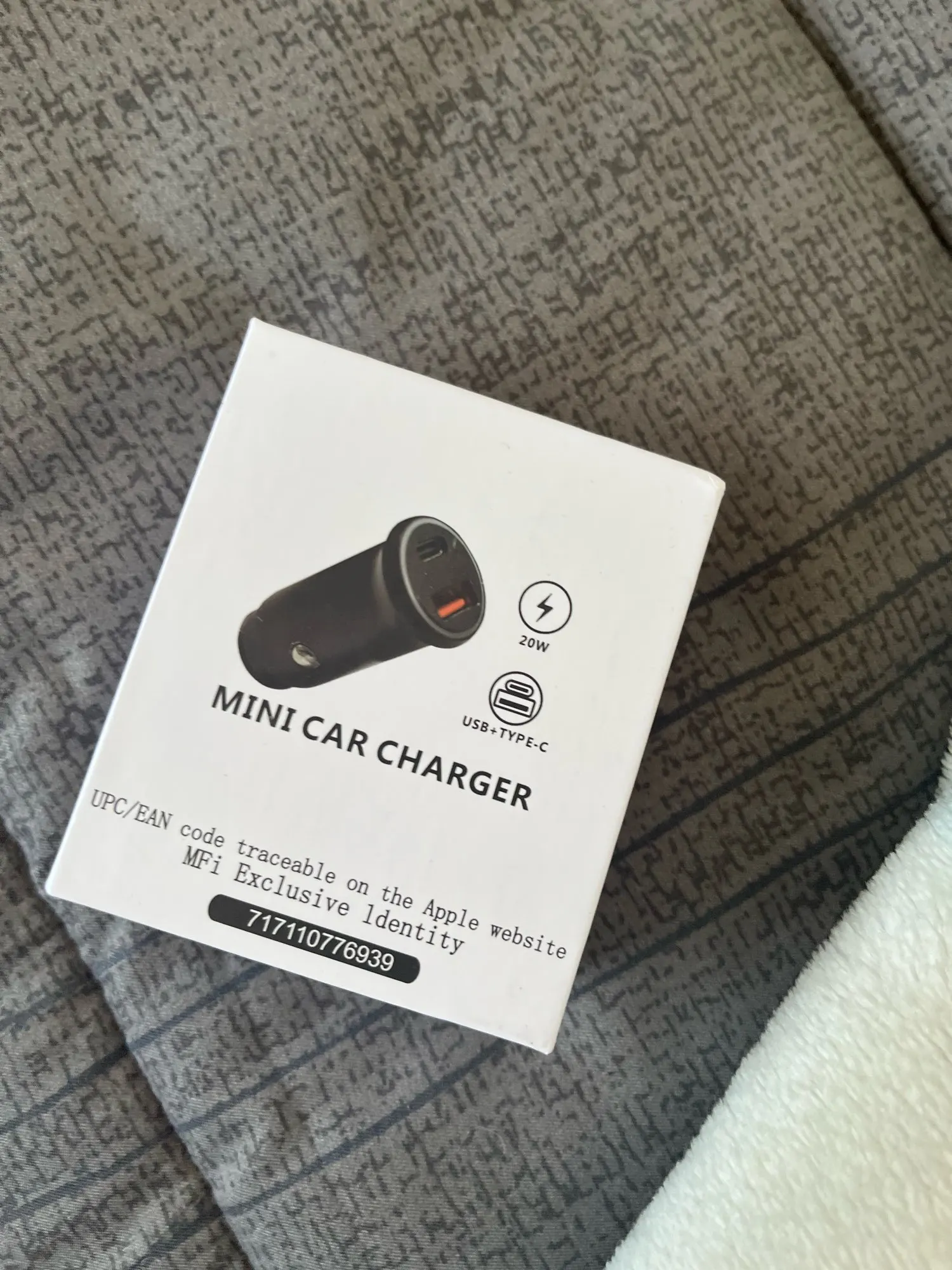
| Attribute | Value |
|---|---|
| Product Name | For Apple anti-loss device |
| Model | AP200 |
| Functions | Finding/Locating/Navigation |
| Shell Material | ABS |
| Supply Voltage | 12V |
| Product Net Weight | 20g |
| Waterproof | Yes |
| Certification | CE |
| Application | Only fit for Apple Phone |
| Feature | For iPhone "Find My" app |
| Package Dimensions (L x W x H) | 18cm x 16cm x 3cm |
| Package Weight | 0.06 kg |
7. User Tips
- Ensure the device is firmly seated in the cigarette lighter socket to maintain a consistent power supply for both charging and tracking functions.
- For optimal tracking performance, ensure your iPhone's 'Find My' app has all necessary permissions enabled, including location services.
- Regularly check the device's LED indicator to confirm it is powered on and functioning correctly.
- Users have reported that the device works reliably for its intended purpose, providing peace of mind for vehicle tracking.
8. Troubleshooting
- Device not powering on: Ensure the car's ignition is in the 'ON' position and the device is securely plugged into the cigarette lighter socket. Check the car's fuse for the cigarette lighter if necessary.
- No location data in 'Find My' app: Verify that the device is properly activated and bound to your Apple ID. Ensure your phone has an internet connection and location services are enabled for the 'Find My' app.
- Slow charging: Ensure your charging cable is compatible with fast charging and that your device supports 20W charging. Check for any debris in the charging ports.
- Device not recognized by 'Find My' app: Double-check the IMEI or SIM card number entered during the binding process. If issues persist, try re-binding the device through the app.
9. Frequently Asked Questions (FAQ)
- Q: Is this device compatible with Android phones?
A: No, this device is specifically designed to work with Apple's 'Find My' app and is only compatible with Apple iPhones. - Q: Does it require a separate subscription for tracking?
A: The device integrates with Apple's official 'Find My' app, which typically does not require a separate subscription for basic tracking features. - Q: How accurate is the location tracking?
A: The accuracy depends on various factors, including GPS signal strength and network availability. It uses Apple's 'Find My' network for location services. - Q: Can I use this device in any car?
A: The device is designed to plug into a standard 12V cigarette lighter socket. Ensure your vehicle has a functional cigarette lighter port.
10. Warranty & Support
For warranty information and technical support, please refer to the seller's contact information or the official product website. Keep your purchase receipt for warranty claims.
A detailed user manual in PDF format is available for download. You can find the link to the PDF manual in the product description on the seller's page.