
1. Setup Guide
This section provides instructions for the initial setup of your Xiaomi REDMI Book 14 2025 laptop.
1.1 Unboxing and Initial Inspection
Before powering on your laptop, carefully inspect the packaging and the device for any signs of damage. Ensure all components are present.

Figure 1: Xiaomi REDMI Book 14 2025 Laptop Overview
1.2 First-Time Startup
- Connect Power Adapter: For the first use, connect the power adapter to your laptop and a power outlet. The battery indicator will show red (≤20%), orange (20%-90%), or green (>90%).
- Power On: Press the power button. Follow the on-screen instructions to configure the operating system and pre-installed software. Do not shut down the device until the operating system setup is complete and you reach the desktop.
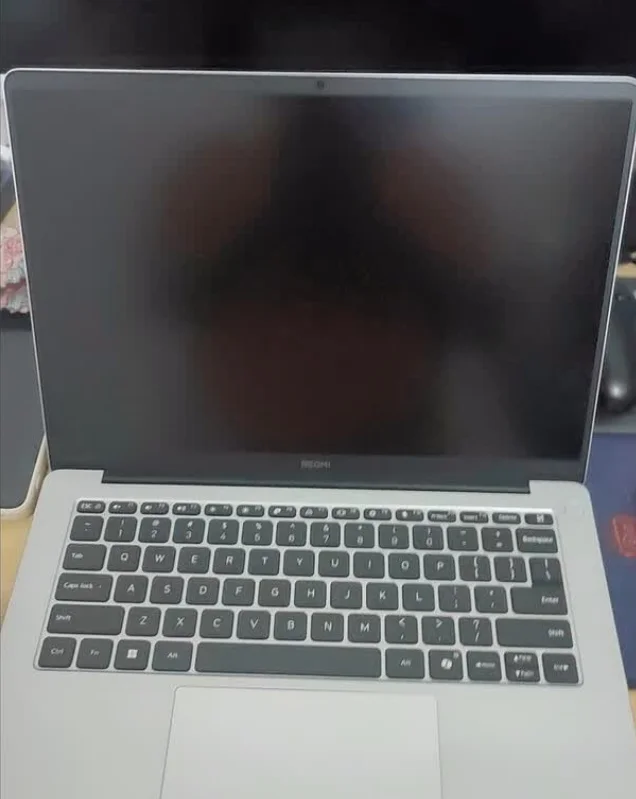
Figure 2: Laptop Components Diagram (Screen, Keyboard, Touchpad)
1.3 Operating System Language
Your laptop comes with Windows 11 Home Edition. The default language is English. If you require a different language, you may need to adjust settings within Windows after initial setup.
2. Operating Instructions
This section details the various features and functionalities of your REDMI Book 14 2025.
2.1 Keyboard and Touchpad
The laptop features a full-size English keyboard layout and a responsive touchpad for navigation. The laptop can open up to 180 degrees, allowing for flexible viewing and sharing.

Figure 3: Full-Size Keyboard

Figure 4: Laptop Displaying 180-Degree Closure
2.2 Connectivity and Ports
Your laptop is equipped with a variety of ports for comprehensive connectivity:
- Left Side: 3.5mm Headphone/Microphone Jack, HDMI 2.1 TMDS (supports up to 4K 60Hz), Fully featured USB-C 3.2 Gen2 (x2).
- Right Side: USB-A 2.0, USB-A 3.2 Gen1.

Figure 5: Left Side Ports (Audio, HDMI, USB-C)

Figure 6: Right Side Ports (USB-A)
2.3 Xiaomi HyperConnect Features
Leverage Xiaomi HyperConnect for seamless integration with your other Xiaomi devices:
- Cross-Device Camera: During video calls or live broadcasts, use cameras from devices like Mijia cameras in mobile phones for dual perspectives.
- Desktop Mirroring: View and drag files from your phone directly on your laptop for smoother operation.
- Xiaomi Mutual Transmission: Easily transfer files between your Xiaomi devices.
- Fusion Equipment Center: Manage your phone, tablet, headphones, and TV from your laptop's control center.
- Keyboard Sharing: Smoothly drag and drop between notebook and tablet for cross-screen operation.
- Telephone Collaboration: Connect to your phone to switch calls and continue chatting on your laptop.
- Cross-Device Clipboard: Copy and paste text, pictures, videos, and files between mobile phones and tablets, saving up to 20 historical records.
- Apply Relay: Browse web pages and process files with more poses.
- App Store: Access over 2,000 software downloads securely.
- Communication Sharing: Automatically connect to car hotspots for mobile office work.

Figure 7: Cross-Device Camera Functionality

Figure 8: Enjoying Desktop Mirroring

Figure 9: Xiaomi Mutual Transmission in Action

Figure 10: Fusion Equipment Center (Keyboard Sharing, Telephone Collaboration)

Figure 11: Communication Sharing via Car Hotspot
Figure 12: Cross-Device Clipboard Functionality

Figure 13: Apply Relay and App Store Access
2.4 Xiao Ai Voice Assistant
Your laptop integrates Xiao Ai, Xiaomi's voice assistant (language is Chinese). Features include:
- File Search: Voice search to open files.
- Voice Translation: Press and hold the Xiao Ai key to convert voice to text.
- Linked to Smart Home: Control smart home devices.

Figure 14: Xiao Ai Voice Assistant Features
2.5 Wear Gesture Control
If paired with a compatible Xiaomi Watch S4 or S4 eSIM (firmware updated), you can control PPT page turns by clenching your fist while wearing the watch.

Figure 15: Wear Gesture Control Example
3. Maintenance
Proper maintenance ensures the longevity and optimal performance of your laptop.
3.1 Battery Care
- The battery contains small amounts of harmful substances. Do not disassemble, remove, replace, or modify the battery yourself, as this may damage it, leading to overheating, leakage, or explosion.
- Do not immerse the battery in water.
- Only authorized Xiaomi service providers should replace the built-in battery.
- Dispose of used batteries according to local regulations, separate from household waste.
- Using an incorrect battery type may lead to an explosion.
- You can select a target charge level (40%, 50%, 60%, 70%, 80% recommended) to extend battery life.
3.2 Cleaning
- Use a soft, lint-free cloth slightly dampened with water or a screen cleaner to clean the display.
- For the keyboard and chassis, use a soft, dry cloth. Avoid harsh chemicals or abrasive materials.
3.3 Cooling System
The laptop features a hurricane cooling system with dual fans and dual 8mm heat pipes. Ensure the ventilation holes are not covered by newspapers, tablecloths, curtains, or placed on soft surfaces like sofas or carpets to prevent overheating.
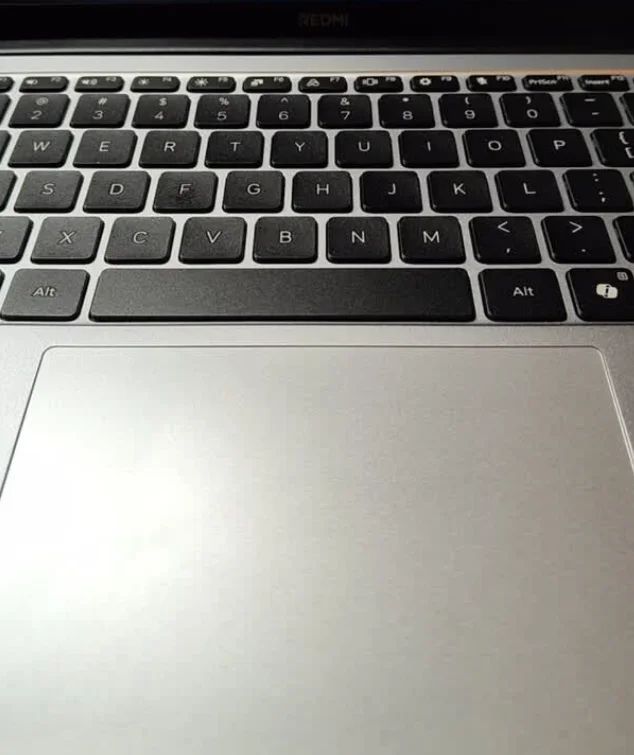
Figure 16: Hurricane Cooling System
3.4 Storage and Environmental Conditions
- Operating Temperature: 5°C to 35°C.
- Storage Temperature: -15°C to 45°C.
- Relative Humidity: 5% to 90% RH (non-condensing).
- Atmospheric Pressure: 86-106kPa.
- Avoid placing the product near open flame sources, such as lit candles.
- If moving the laptop from a low-temperature environment to an operating temperature environment, allow it to sit for at least 2 hours before powering on to prevent damage.
4. Troubleshooting
This section provides solutions to common issues you might encounter.
4.1 General Issues
- No Power: Ensure the power adapter is securely connected to both the laptop and a working power outlet. Check the power indicator light.
- Display Problems: If the screen is blank or flickering, try restarting the laptop. Ensure external monitors are properly connected if used.
- Connectivity Issues: For Wi-Fi or Bluetooth problems, ensure the features are enabled in Windows settings. Restarting the laptop or your router may help.
4.2 Eye Health and Low Blue Light
To prevent eye fatigue from prolonged use, it is recommended to rest for 5-15 minutes every 2 hours, view distant objects, or perform eye exercises. The laptop supports hardware anti-blue light, effectively reducing blue light radiation and eye strain. Harmful blue light wavelengths are typically 415nm-455nm.
4.3 Wireless Device Information
Wireless devices may be restricted in certain situations or environments. Always observe relevant regulations and management rules when using wireless features. For example, using wireless devices on airplanes may interfere with other equipment or services. The laptop's wireless network operates in the 5150-5350MHz frequency band, which is restricted to indoor use only in mainland China.
5. Specifications
Detailed technical specifications for the Xiaomi REDMI Book 14 2025.
5.1 General Specifications
| Feature | Specification |
|---|---|
| Brand Name | XIAOMI |
| Type | Laptop |
| Operating System | Windows 11 |
| Recommended Use | Learning, Business Use, Daily Entertainment |
| Dimensions (WxHxD) | 313mm*16mm*221mm |
| Thickness | 15mm-18mm (approx. 15.9mm) |
| Weight (Battery Included) | 1.5Kg-1.8Kg (approx. 1.35kg) |
| Keyboard Language | English |
| Keyboards | Touchpad |
| Certification | CE |
5.2 Processor and Graphics
| Feature | R5-7535H Model | R7-7735H Model |
|---|---|---|
| CPU Brand/Model | AMD Ryzen 5 7535H | AMD Ryzen 7 7735H |
| Number of Cores | 6 Cores / 12 Threads | 8 Cores / 16 Threads |
| Base Frequency | 3.3 GHz | 3.2 GHz |
| Max Turbo Frequency | 4.55 GHz | 4.75 GHz |
| L3 Cache | 16MB | 16MB |
| Graphics Card Model | AMD Radeon 660M | AMD Radeon 680M |
| Graphic Type | Dedicated | Dedicated |
| Graphics Brand | AMD | AMD |
| Video Memory Capacity | Main memory allocated memory | Main memory allocated memory |

Figure 17: AMD Ryzen 5 7535H Key Specifications

Figure 18: AMD Ryzen 7 7735H Key Specifications
5.3 Memory and Storage
| Feature | Specification |
|---|---|
| RAM | 16 GB LPDDR5 (Dual channel high frequency memory) |
| Memory Type | DDR5 |
| Hard Drive Capacity | 512GB |
| Hard Drive Type | SSD (PCIe 4.0) |
| Hard Drive Interface | M.2 (Reserve second M.2 hard drive expansion space) |
5.4 Display
| Feature | Specification |
|---|---|
| Display Size | 14 Inches (350mm) |
| Display Ratio | 16:10 |
| Display Resolution | 1920x1200 (FHD) |
| Screen Refresh Rate | 60 Hz |
| Brightness | 300 nits |
| Color Gamut | 100% sRGB |
| Dimming | Full DC Dimming |
| Eye Protection | TÜV Rheinland certified for better eye protection |
5.5 Network and Communication
| Feature | Specification |
|---|---|
| Network Communication | Bluetooth-Compatible, WiFi |
| Wireless Interfaces | Wi-Fi 6 (802.11ax), 2*2 MIMO dual antennas, compatible with 802.11a/b/g/n/ac, supports 2.4GHz/5GHz dual band |
| Bluetooth | Bluetooth 5.2 |
5.6 Battery and Power
| Feature | Specification |
|---|---|
| Battery Capacity | 56Wh (typical capacity 58Wh) |
| Power Adapter | 68W All-in-one adapter |
| Playback Time | Up to 17.8 hours of local 1080P video playback (screen brightness set to 150nits) |
5.7 Durability and Testing
The REDMI Book 14 2025 undergoes rigorous testing to ensure quality and durability:
- Crash Test: 3000 directional bumps on the machine.
- Structural Strength Test: 13+ structural strength and pressure resistance.
- Rotary Shaft Opening and Closing Durability Test: Opening and closing 25,000 times.
- Whole Machine Twist Test: ±1.5 degrees alternating twists 10,000 times.
- Salt Spray Test: No corrosion spraying at 8 hours.
- High and Low Temperature Storage Test: -20°C ~ 60°C stable storage.
- Cold/Hot Start Stability Test: 60,000 times (30,000 each).
- Software Testing: 5200+ items, strict software testing.

Figure 19: Durability Tests (Crash, Structural, Rotary Shaft, Twist)

Figure 20: Environmental Tests (Salt Spray, Temperature Storage)
5.8 Hazardous Substances Information (RoHS)
The product complies with China's RoHS regulations. The table below indicates the presence of hazardous substances:
| Part Name | Lead (Pb) | Mercury (Hg) | Cadmium (Cd) | Hexavalent Chromium (Cr(VI)) | Polybrominated Biphenyls (PBB) | Polybrominated Diphenyl Ethers (PBDE) |
|---|---|---|---|---|---|---|
| Printed Circuit Board | X | O | O | O | O | O |
| Hard Drive | X | O | O | O | O | O |
| Display Screen | X | O | O | O | O | O |
| Casing | X | O | O | O | O | O |
| Battery | X | O | O | O | O | O |
| Keyboard | X | O | O | O | O | O |
| Speaker | X | O | O | O | O | O |
| Heat Sink Module | X | O | O | O | O | O |
| Microphone | X | O | O | O | O | O |
| Wi-Fi Module | X | O | O | O | O | O |
| AC Adapter | X | O | O | O | O | O |
Note: 'O' indicates the hazardous substance content is below the limit. 'X' indicates the hazardous substance content exceeds the limit in at least one homogeneous material of the component.
6. User Tips
- Smooth Performance: Users have noted the laptop runs quite smoothly, indicating good overall performance for daily tasks and more demanding applications.
- Craftsmanship: The laptop is praised for its good craftsmanship and delicate feel due to the precision sandblasting process.
- Initial Charge: Your laptop may come with a partial charge, allowing for immediate use after unboxing.
- Language Settings: The global version defaults to English. If you need other languages, adjust them in Windows settings.
- Keyboard Layout: The physical keyboard layout is English. While stickers for other languages might be provided, the underlying layout remains English.
- Package Inspection: Due to the high value of the product, always inspect the package and the laptop for any damage or discrepancies before signing for delivery. If issues are found, refuse delivery and contact the seller.
7. Warranty and Support
Your Xiaomi REDMI Book 14 2025 laptop comes with a half-year warranty covering quality problems from the factory. For any quality issues during use, please contact customer service for assistance. They can help you apply for Xiaomi's after-sale service.
For more detailed information and troubleshooting, you can refer to the official user manual available in PDF format. A link to the PDF user manual is typically provided by the seller or can be found on the official Xiaomi support website.
Service Information: Scan the QR code on the included warranty certificate for service information and warranty details.