
1. Important Safety Information
WARNING: Please mind potential fire risk and strictly follow the instruction manual for charging and storage. For disposal, please check your local authority's website for more information and dispose of the lithium-ion battery safely in accordance with the applicable legal requirements.
This product is declared to be in conformity with the relevant legislation:
- (EU) 2023/1542 Batteries and Waste Batteries
- 2014/53/EU Radio equipment
- 2011/65/EU RoHS
For a detailed user guide, you may refer to the official PDF manual: MINISO MS188 User Manual (PDF)
2. Product Overview
The MINISO MS188 earbuds feature an innovative design with an HD LED screen on the charging case, offering multiple functions at a glance.

Image: MINISO MS188 Earbuds and Charging Case with Screen. The charging case displays time and date, with a 'swipe right to unlock' prompt.
Earbud Components
- Multi-function key touch position: Located on the outer surface of each earbud.
- Bluetooth LED Display light: Integrated into the earbud for status indication.
- Charging Contacts: Located on the inner side of each earbud, connecting with the charging case.
Charging Case Components
- Multi-function key: Located on the charging case.
- Type-C Interface: For charging the case.
- HD LED Screen: Displays battery level, time, and various functions.
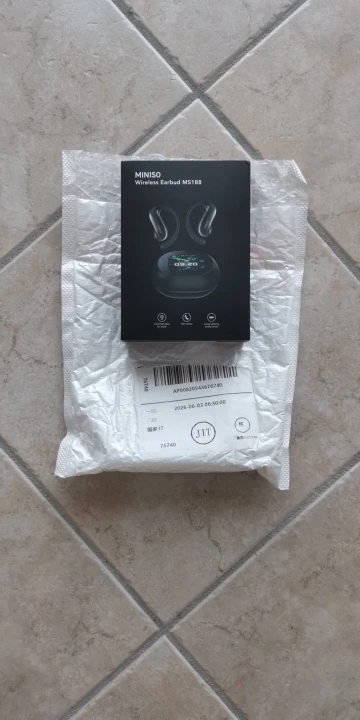
Image: Innovative 3D Super Vision Screen functions. The screen can display options like 'Like', 'Volume adjustment', 'Photograph', and 'Phone Music'.
3. Setup
3.1. Download the EarJoy APP
The EarJoy APP is essential for utilizing the full features of your MS188 earbuds, including AI translation.
- Search for "EarJoy APP" in your Android (Google Play Store) or iOS (Apple App Store) app store and download it.
- Alternatively, scan the QR code provided in the original manual to download and install the EarJoy APP.
Compatibility: EarJoy APP supports mobile operating systems such as Android 7.1 and iOS 12 and above.
This software is free to use for a lifetime and does not charge any fees.
3.2. Wearing the Earbuds
Proper fit ensures optimal sound quality and comfort.
- Gently place the earbud into your ear canal.
- Adjust the ear hook to rest securely over the top and behind your ear. Ensure a snug but comfortable fit.
3.3. Initial Pairing
When there is no previous pairing record for the left and right earphones:
- Turn on both earbuds.
- The left and right earphones will automatically pair with each other.
- Upon successful internal pairing, you will hear two beeps.
- Enable Bluetooth on your device (smartphone, tablet, etc.) and select "MINISO MS188" from the list of available devices to connect.
If the earphones have previous pairing records, they will automatically connect back to the last paired device when turned on, and you will hear a "beep" prompt.
4. Operating Instructions
4.1. Indicator Light Description
- When the headset is turned on: The white light flashes.
- When the headset is turned off: The red light stays on for 2 seconds and then turns off.
- Pairing status: White light flashing.
- Connection successful: No light.
- Headphone Charging: The red light stays on for a long time. After being fully charged, the red light goes off.
- Charging Case Display: The charging case display screen shows the battery level. When fully charged, it shows 100%. After displaying charging status, the screen automatically turns off after about 30 seconds of inactivity. Sliding on the screen can re-enter the display.
4.2. Basic Earbud Operations
These operations are performed by tapping the multi-function key touch position on the earbuds (L = Left earbud, R = Right earbud).
| Function | Action | Earbud |
|---|---|---|
| Power On | Press and hold for 3 seconds | L or R |
| Power Off | Press and hold for 5 seconds | L or R |
| Answer/Hang Up Call | Tap 1 time | L or R |
| Reject Call | Press and hold for 2 seconds | L or R |
| Volume Up | Tap 2 times | R |
| Volume Down | Tap 2 times | L |
| Next Track | Tap 3 times | R |
| Previous Track | Tap 3 times | L |
| Play/Pause Music | Tap 1 time | L or R |
| Activate Voice Assistant | Press and hold for 2 seconds | L |
| Activate AI Translation | Press and hold for 2 seconds | R |
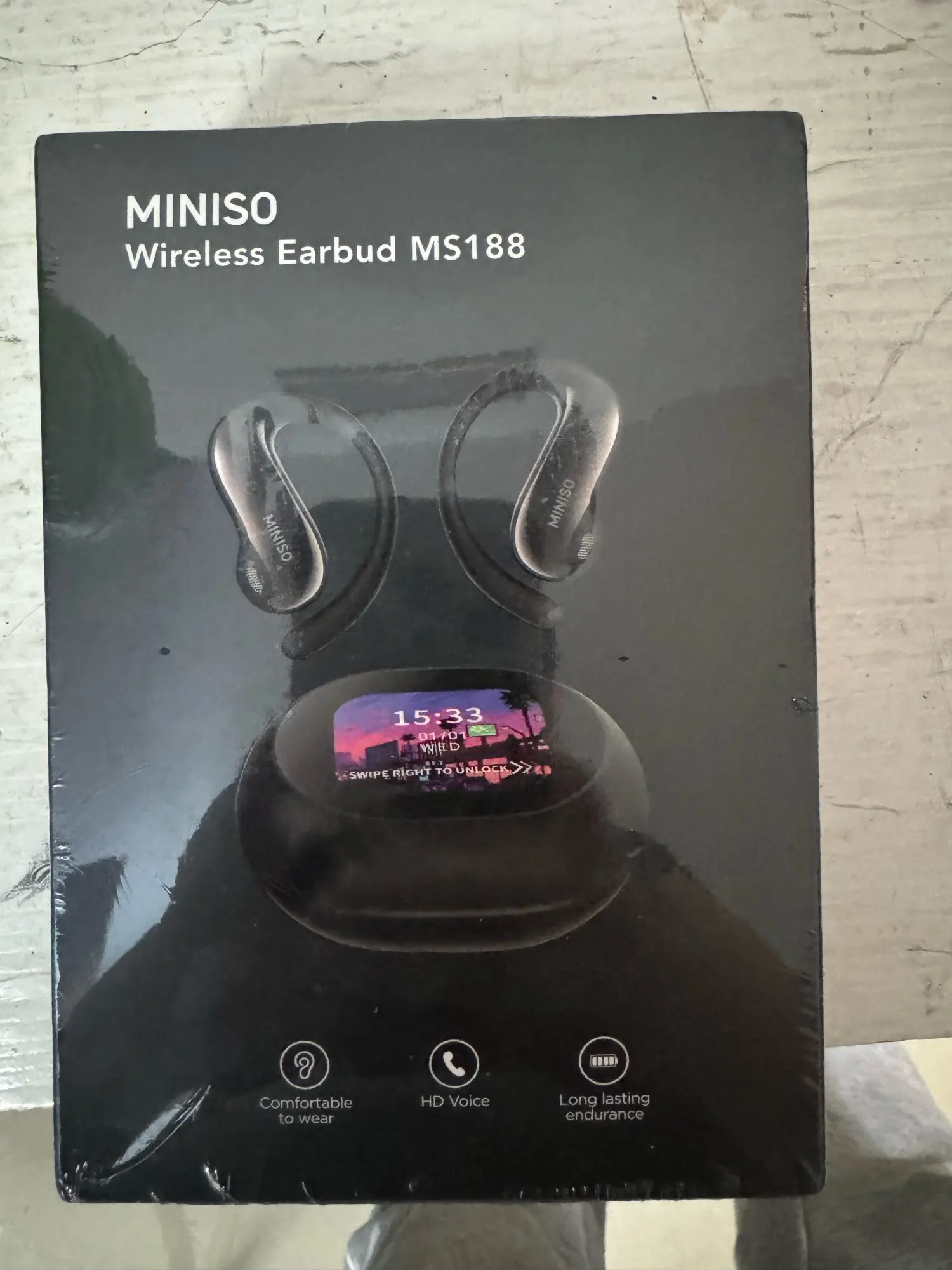
Image: Real-Time Translation in 135 Languages with 98% Accuracy. Shows individuals using the earbuds for translation in a travel setting.
4.3. Simultaneous Pairing with Two Devices
The MS188 supports multipoint pairing, allowing you to connect to two devices simultaneously for multitasking.

Image: Earbuds with charging case, phone, and laptop, illustrating simultaneous pairing capability.
5. Maintenance
5.1. Cleaning
- Regularly clean the earbuds and charging case with a soft, dry, lint-free cloth.
- Do not use abrasive cleaners, solvents, or spray cleaners.
- Ensure charging contacts on both earbuds and the case are clean and free of debris to maintain proper charging.
5.2. Storage
- When not in use, store the earbuds in their charging case to protect them and keep them charged.
- Store the device in a cool, dry place, away from extreme temperatures and direct sunlight.
5.3. Battery Care
- Charge the device using the provided Type-C charging cable.
- Avoid fully depleting the battery frequently, as this can reduce its lifespan.
- If storing for an extended period, charge the battery to about 50% every few months.
6. Troubleshooting
6.1. Clearing Bluetooth Pairing History
If both earbuds cannot pair with each other or with a device:
- Clear all connected devices from your phone's Bluetooth settings.
- Tap the left and right earphones 5 times simultaneously. This will clear their internal Bluetooth pairing history.
6.2. Resetting the Earphones
If the earphones fail to pair with each other or reconnect to your device:
- Tap both earphones five times simultaneously.
- This action will reset the earphones and clear their Bluetooth pairing history.
- After resetting, attempt the initial pairing process again.
6.3. No Sound or Poor Sound Quality
- Ensure the earbuds are properly seated in your ears.
- Check the volume levels on both your device and the earbuds.
- Ensure the earbuds are fully charged.
- Move closer to your connected device to avoid signal interference.
- Try resetting the earbuds and re-pairing them.
7. Specifications
| Feature | Specification |
|---|---|
| Brand Name | MINISO |
| Model | MS188 |
| Material | Metal, Plastic, Silica Gel |
| Battery Capacity | 300mAh |
| Maximum Wireless Range | <10m |
| Number Of Drivers | 2 |
| Driver Diameter | 10mm |
| Impedance Range | up to 32 Ω |
| Frequency Response Range | 20 - 20000Hz |
| Communication | Wireless (Bluetooth) |
| Connectors | Type C |
| Waterproof | Yes |
| Features | With microphone, AI Translation, HD LED screen |
| Package List | User Manual, Carrying Bag, Charging Cable |
| Certification | CE, FCC |
| Style | OWS ear hook headphones |
| Functions | Common Headphone, For Mobile Phone, HiFi Headphone, Sport, For Hearing Aid, For Outdoor, For Swimming, For Office, For Study |
8. User Tips
- The EarJoy app is easy to download and use, especially for the translation features.
- The AI translation function operates in real-time, providing immediate language conversion.
- Explore the various functions displayed on the charging case's HD LED screen for quick access to controls like volume, music playback, and camera trigger.
9. Warranty and Support
For warranty information, technical support, or service inquiries, please refer to the documentation provided at the point of purchase or contact your retailer. Keep your proof of purchase for warranty claims.