
Introduction
This manual provides comprehensive instructions for the proper installation and maintenance of your 3D Metal 'S' Emblem Car Sticker, designed for MINI Cooper S models (R56, R53, F56, R50, R52, R57 accessories). Please read all instructions carefully before use to ensure safety and optimal application.
Safety and Warnings
WARNING:
- Keep the product out of reach of children under 3 years old.
- Be careful of sharp edges during handling and installation.
Product Overview
The 'S' Emblem Car Sticker is a high-quality 3D metal decal designed to enhance the appearance of your MINI Cooper S. It features a self-adhesive backing for easy application to various car surfaces.

Figure 1: Front view of the 'S' Emblem Car Stickers (Red with Silver and Black outlines).

Figure 2: Detail of the 'S' Emblem (Red with Silver outline).
Setup and Installation
Follow these steps for proper installation of your 'S' Emblem Car Sticker:
- Prepare the Surface: It is best to clean the desired application area on your car with alcohol. Ensure the surface is completely dry and free from water, oil, dust, or wax. Avoid applying the sticker to a car that has been recently waxed.
- Choose Placement: Select a flat surface on your car's rear trunk or side fender that accommodates the size of the emblem.
- Apply the Emblem: Carefully tear off the protective backing from the 3M adhesive tape on the back of the emblem. Position the emblem precisely on the chosen spot.
- Secure the Emblem: Press down firmly on the emblem for at least one minute to ensure strong adhesion.
- Post-Installation Care: Do not wash your car within 24 hours after installation to allow the adhesive to fully cure.
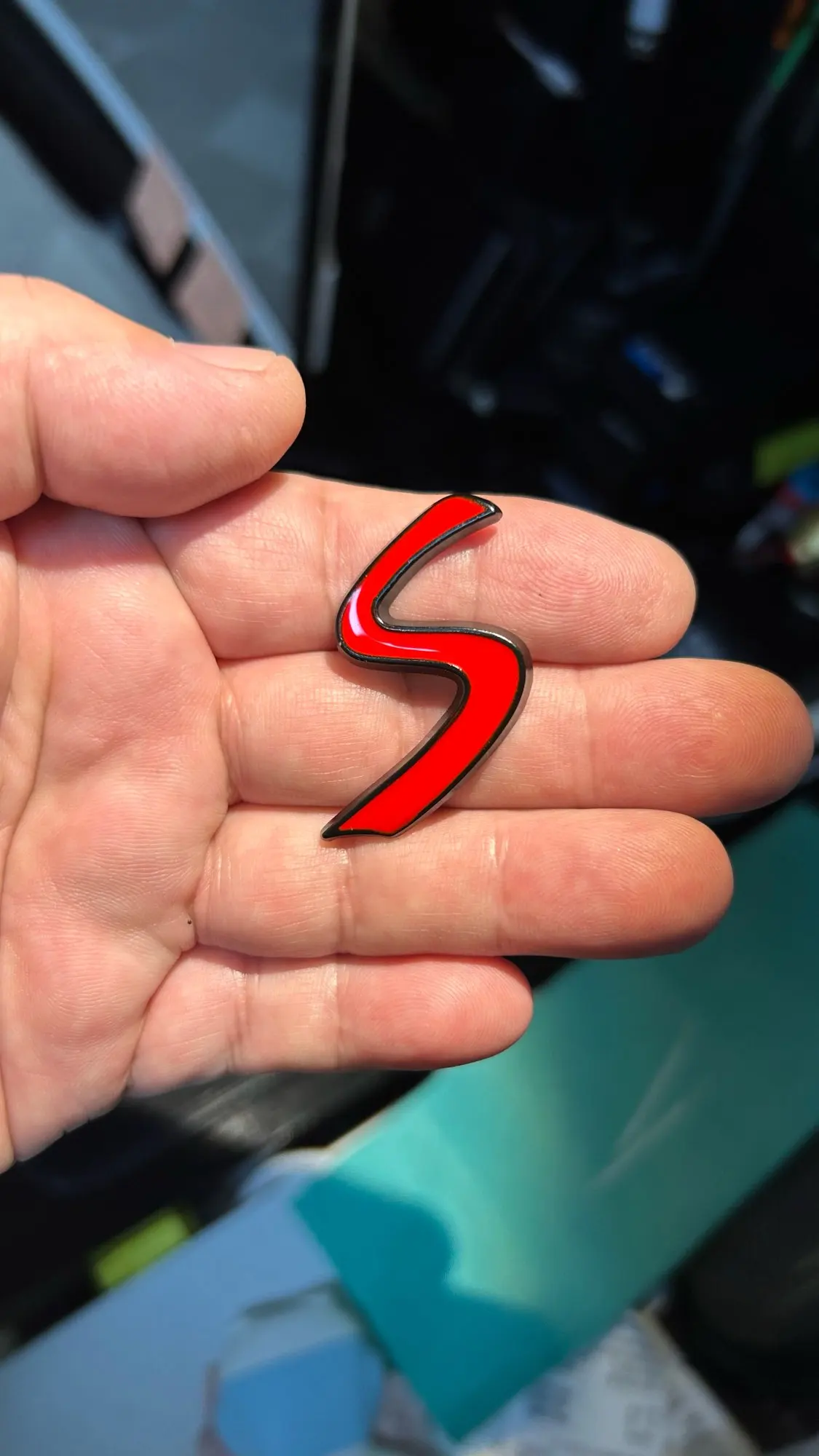
Figure 3: Back side of the 'S' Emblem with adhesive tape.
Operating Instructions
This product is a decorative car emblem and does not require any operational procedures. Once installed, it serves its aesthetic purpose.
Maintenance
- Cleaning: To clean the emblem, use a soft, lint-free cloth. Avoid harsh chemicals or abrasive materials that could damage the finish or adhesive.
- Storage (if not installed immediately): Store the emblem in a dry place at room temperature (15°C - 35°C).
Troubleshooting
If the emblem does not adhere properly or begins to peel:
- Ensure the surface was thoroughly cleaned and dry before application.
- Re-clean the surface and the emblem (if possible without damaging the adhesive) and reapply, ensuring firm pressure for an extended period.
- Avoid washing the car for at least 24 hours after re-application.
Specifications
| Feature | Detail |
|---|---|
| Product Name | MINI S Badge Sticker |
| Item Type | Emblems |
| Material | Metal (Emblem Material: PVC) |
| Special Features | Car Badge Sticker, Self-Adhesive Letters For Cars |
| Sticker Placement | Car Rear Trunk / Side Fender |
| Item Weight | 17g |
| Dimensions (Big Emblem) | Length: 6.5cm (2.53inch), Width: 3.8cm (1.49inch) |
| Dimensions (Small Emblem) | Length: 4.2cm (1.65inch), Width: 2.5cm (0.98inch) |
| Model Name | S Emblem Logo |
| Compatible Car Maker | MINI |
| Origin | Mainland China |
| Package Includes | 1pc * MINI S Emblem Sticker |

Figure 4: Dimensions of the 'S' Emblem Car Stickers.
User Tips
- Always double-check the dimensions of the emblem against your desired application area on the car to ensure a perfect fit, especially for specific car models like the F56 Mini.
- For best adhesion, consider warming the application surface slightly with a hairdryer before applying the emblem, especially in colder weather.
Warranty and Support
For any inquiries or support regarding your 'S' Emblem Car Sticker, please contact the manufacturer or EU authorized representative:
Manufacturer:
- Company: Wuhan Yunhaolian Technology Co., Ltd
- Address: No. 02-1DGG139, 2nd Floor, Building C9, Group 2, Wuhan Software New City Phase II, No. 8 Huacheng Avenue, Donghu New Technology Development Zone, Hongshan District, Wuhan Hubei Province, China
- Telephone: 86-15171436333
- Email: hylsll25@163.com
EU Authorized Representative:
- Company: MJCM SARL
- Address: 78 avenue des Champs, Elysees Bureau 326, Paris, France, 75008
- Telephone: 33-752907452
- Email: mjcm190928@gmail.com
A detailed user manual (PDF) is available for download from the product page for additional information and guidance.