
1. Introduction
The U36 Retro Gaming Console is a portable gaming solution designed to provide hours of entertainment with a vast library of classic games. Featuring a powerful S905 CPU and running on the EmuELEC 3.9 system, this console comes pre-loaded with over 50,000 games and supports more than 40 classic emulators, including PSP, PS1, N64, NES, SEGA, and more. Its compact design and wireless gamepads make it easy to set up and enjoy anywhere with an HDMI-compatible display.
Video: U36 Game Console Product Overview, Unboxing, and Gameplay Demonstration.
2. Safety Information
Please read and follow all instructions carefully to ensure safe operation and prevent damage to the device. Keep the console and accessories away from water, excessive heat, and direct sunlight. Do not attempt to disassemble or repair the device yourself. Use only the specified power source.
3. Package Contents
Verify that all items are present in your package:
- 1x U36 Game Stick Console
- 1x HD Cable (HDMI)
- 2x 2.4G Wireless Gamepads
- 1x USB Wireless Receiver
- 1x Power Cable (USB)
- 1x 128GB Game Card (pre-installed)
- 1x User Manual
- 1x Packaging Box

Image: Contents of the U36 Game Stick package.
4. Setup Instructions
Follow these steps to connect and start using your U36 Game Stick:
- Plug the USB wireless receiver into an available USB port on the Game Stick console.
- Plug the provided Power Cable into the Game Stick and connect it to a 5V 2A power source. A standard mobile phone charging plug (not included) is required.
- Connect the HD Cable (HDMI) from the Game Stick to an HDMI port on your TV or monitor.
- Set your TV's input source to the corresponding HDMI port where the Game Stick is connected. If your TV has multiple HDMI ports, select the correct one.
- Install 2 x AAA batteries into each wireless gamepad. (AAA batteries are not included).
- Important Note: Please follow the default parameter settings and do not adjust the resolution to avoid potential issues like a green screen or system crash. For the first use, ensure the gamepads are fully charged to prevent any impact on your gaming experience.
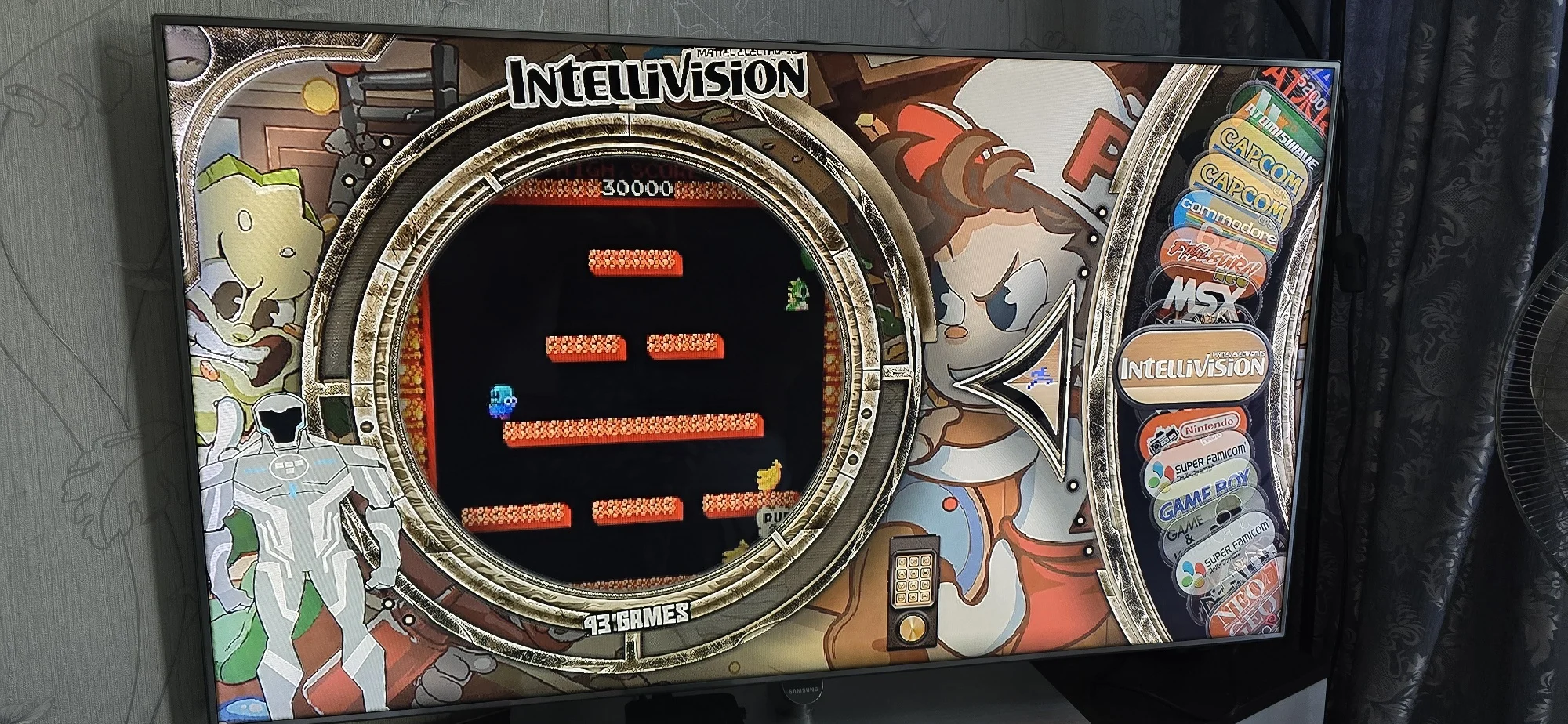
Image: Connection diagram for the U36 Game Stick.
Wireless Controller Setup
The wireless controllers are designed to work with the included USB wireless receiver. One receiver can support up to two controllers. Ensure the receiver is securely plugged into the Game Stick's USB port before attempting to use the controllers.

Image: Ergonomic design of the 2.4G Wireless Handle.
5. Operating Instructions
Basic Button Functions:
- Press X button: Search games.
- Press Start button (on homepage): Call out the settings page.
- Press Start + Select buttons (twice): Quickly exit the current game and return to the game list.
- Press dual joystick: Call out the quick menu for options such as closing the game, saving, loading, and other settings.
- Press and hold Y button: Add games to your favorites list.
The specific functions of other buttons may vary depending on the game being played and are not designed by the native hardware.

Image: Detailed features of the U36 Gamepad.
6. Maintenance
To ensure the longevity of your U36 Game Stick, keep it clean and free from dust. Use a soft, dry cloth to wipe the console and controllers. Avoid using liquid cleaners or abrasive materials. Store the device in a cool, dry place when not in use.
7. Troubleshooting
If you encounter any issues, please refer to the following table for common problems and their solutions:
| Fault | Inspection and Treatment Method |
|---|---|
| No image on TV |
|
| Picture is achromatic |
|
| No Sound |
|
| Picture is chaotic | The power of the adapter may be insufficient. Replace the power supply with a suitable 5V 2A adapter. |
8. Specifications
| Feature | Detail |
|---|---|
| Project Name | U36 |
| Classification | Game Console |
| CPU | Quad-core S905 |
| GPU | Penta-core ARM Mali-450 GPU up to 750MHz+[DVFS] |
| Operating System | EmuELEC 3.9 |
| ROM Storage | 128GB |
| RAM Storage | 0 (as per product data) |
| Built-in Games | 50,000+ |
| Supported Emulators | 50+ (including PSP, PS1, DreamCast, N64, NDS, NES, MAME, Naomi, SATURN, CPS, FC, GB, MD, Genesis, NGA, NEOGEO, SFC, Arcade) |
| HD Output | HDMI 4K, 1080P/720P |
| DC Power Supply | 5V 2A |
| Controller Type | Dual 2.4G Wireless Gamepad |
| Controller Battery | 2 x AAA batteries per controller (not included) |
| Removable/Replaceable Battery | Yes (for controllers) |
| Bluetooth-compatible | Yes |
| WIFI | No |
| Supporting Language | English |
| Console Dimensions (approx.) | 9.5cm (3.74in) Length x 5cm (1.96in) Width |
| Controller Dimensions (approx.) | 16.5cm (6.49in) Length x 11cm (4.33in) Height |
| Weight | 480g (console and accessories) |
| Certification | CE, FCC |

Image: Detailed product specifications and dimensions.

Image: Powerful S905 Chip for smooth gaming.

Image: Game Stick design features.

Image: Multi-Simulator Support for various classic platforms.
9. User Tips
- For optimal responsiveness, consider connecting other wired controllers to the console's USB ports to potentially reduce input lag.
- The console supports up to 4 players, allowing for multi-player gaming sessions.
- While the console boasts a large game library, the quality and performance of individual games may vary. Some demanding titles, especially from platforms like PSP, might not run perfectly.
- If you experience controller lag, explore the advanced settings menu (accessed via the Start button on the homepage) as there might be options to fine-tune controller performance.
10. Frequently Asked Questions (FAQ)
- Q: Does the U36 Game Stick come with a memory card?
- A: Yes, the U36 Game Stick includes a 128GB memory card pre-loaded with the EmuELEC 3.9 system and over 50,000 games.
11. Warranty & Support
For any issues not covered in this manual, or for warranty inquiries, please contact the seller or manufacturer directly. Please refer to the original packaging or purchase documentation for specific contact information.
A detailed user manual in PDF format is also available for reference. You can typically find this document on the product's support page or by contacting customer service.