
1. Product Overview
The DUTRIEUX TPMS (Tire Pressure Monitoring System) Sensor is designed to provide real-time tire pressure and temperature monitoring for compatible Tesla vehicles. Utilizing Bluetooth Low Energy (BLE) technology, these sensors ensure stable signal connection and reliable performance.
Key Features:
- Advanced Technology: Equipped with Xinke's BG22 chip for stable and efficient operation.
- Bluetooth Low Energy (BLE): Ensures reliable wireless communication with your vehicle.
- Long Lifespan: Battery designed to last at least 7 years.
- Extreme Temperature Resistance: Operates effectively from -40°F to +257°F (-40°C to +125°C).
- Automatic Sync: Plug-and-play functionality with no programming or calibration required.
- Real-time Monitoring: Provides continuous updates on tire pressure and temperature.
- Abnormal Pressure Alarm: Alerts you to significant deviations in tire pressure.
Compatibility:
These sensors are compatible with the following Tesla models and years:
- Tesla Model S (2020-2024)
- Tesla Model 3 (2020-2024)
- Tesla Model X (2020-2024)
- Tesla Model Y (2020-2025)
Note: Always verify compatibility with your specific vehicle model year before installation.

Image: Compatible Tesla Models (Model 3, Y, S, X) and their respective year ranges.
2. Setup and Installation
Installation of the DUTRIEUX TPMS sensors is designed to be straightforward, often requiring no special programming or calibration. It is recommended that installation be performed by a qualified technician.
Installation Steps:
- Remove the Old Sensor: Carefully remove the existing TPMS sensor from the wheel.
- Install the New Sensor: Mount the new DUTRIEUX TPMS sensor securely into the wheel valve stem opening.
- Inflate the Tire: Inflate the tire to the manufacturer's recommended pressure.
- Tighten the Nut & Valve Cap: Securely tighten the retaining nut and install the valve cap.
- Perform a Dynamic Balance Test: It is highly recommended to re-balance the wheel after sensor replacement to ensure smooth driving.
- Relearn the Tire Pressure Sensor: Drive the vehicle for a short period (typically 2-10 minutes) to allow the car's system to automatically recognize and connect with the new sensors. If needed, initiate the tire update process through your Tesla's infotainment system settings.
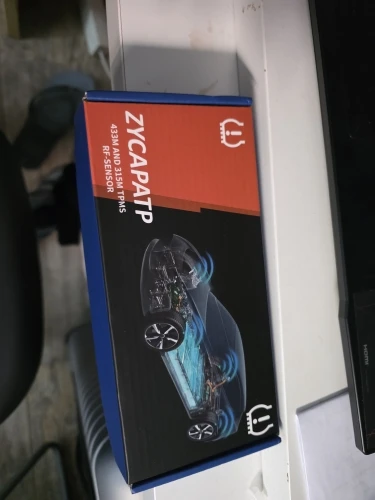
Image: Visual guide for TPMS sensor removal and installation.
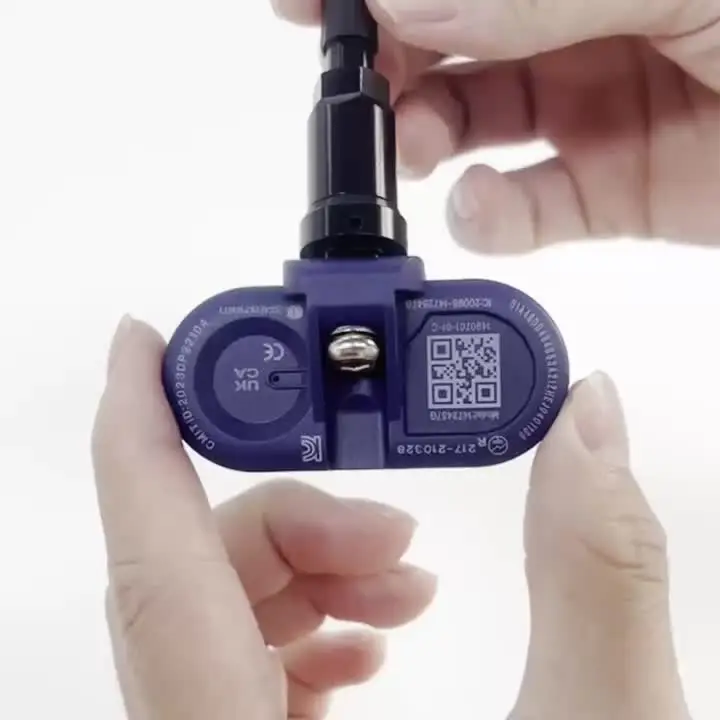
Video: Product overview and demonstration of the sensor's components and general fitment.
3. Operating Instructions
Once installed and recognized by your Tesla, the DUTRIEUX TPMS sensors operate automatically, continuously monitoring your tires.
Automatic Monitoring:
- The sensors will automatically connect with your Tesla's TPMS system.
- Real-time tire pressure and temperature data will be displayed on your vehicle's infotainment screen.
- The system will alert you if it detects abnormal tire pressure or temperature conditions.
Image: Illustration of real-time tire pressure and temperature monitoring on a vehicle display, showing normal and abnormal data alerts.

Image: Key features of the TPMS sensor including strong signal, Bluetooth low energy, auto sync, 7-year lifespan, 2.4GHz working frequency, abnormal pressure alarm, and high temperature resistance.
4. Maintenance
The DUTRIEUX TPMS sensors are designed for long-term, maintenance-free operation.
- The internal battery is sealed and not user-replaceable, with an expected lifespan of at least 7 years.
- No routine maintenance is required for the sensors themselves.
- Ensure tire valves and caps are kept clean and free from debris to prevent air leaks.
5. Troubleshooting
Sensor Not Detected by Vehicle:
- Verify Installation: Ensure the sensors are correctly installed in each wheel.
- Initiate Relearn Process: Access your Tesla's infotainment system settings, navigate to the 'Tires' or 'Service' section, and look for an option to 'Update Tires' or 'Relearn TPMS'.
- Drive the Vehicle: After initiating the relearn process (if applicable) or after installation, drive the vehicle for at least 2-10 minutes at a speed above 15 mph (25 km/h). The system typically needs driving time to recognize new sensors.
- Check Tire Pressure: Ensure all tires are inflated to the recommended pressure. Significant under-inflation can sometimes interfere with sensor activation.
- Professional Assistance: If issues persist, consult a professional automotive technician or your Tesla service center.
6. Specifications
| Parameter | Value |
|---|---|
| Technology | Bluetooth Low Energy (BLE) |
| Chipset | Xinke's BG22 |
| Working Frequency | 2.4 GHz |
| Temperature Measurement Range | -40°C to +125°C (-40°F to +257°F) |
| Voltage | 2.3 - 3.6 V |
| Static Current | 4 µA |
| Instantaneous Emissions | 3.3 mA |
| Pressure Monitoring Range | 100 - 900 kPa |
| Battery Life | ≥ 7 years |
| OE Part Numbers (Partial List) | 1490701-01-B, 1490701-01-C, 1472547G, etc. |
Image: Diagram showing key specifications of the TPMS sensor including temperature range, voltage, pressure range, working frequency, current, and battery life.
7. User Tips
- Quick Recognition: After installation, go into your Tesla's settings, click on 'Tire Update' (or similar), and drive for about 2 minutes for the sensors to be recognized.
- Seamless Integration: Many users report that these sensors connect without delay and are identical in performance to original equipment.
- Easy Detection: The sensors are designed to be detected instantly by your vehicle without the need for complicated tools or programming.
8. Warranty and Support
For warranty information, please refer to the terms and conditions provided by your retailer or contact the manufacturer directly. Keep your proof of purchase for any warranty claims.
For additional technical support or detailed instructions, you may refer to the official product documentation, which can sometimes be found in PDF format. For example, a user manual PDF might be available at: Product User Manual (PDF).