1. Product Overview
The Xiaovv BQ3 is a versatile 4MP dual-lens WiFi security camera designed for comprehensive indoor and outdoor surveillance. It features a unique dual-screen display, Pan-Tilt-Zoom (PTZ) capabilities, AI Humanoid Detection, two-way audio, and multiple night vision modes to ensure your property is monitored effectively.

2. Package Contents
- Xiaovv BQ3 Security Camera
- Power Adapter (DC-5A)
- Mounting Accessories (screws, wall plugs)
- User Manual (this document)
3. Component Identification

- White Light: Provides illumination for color night vision.
- Wide-angle Lens: Top lens for panoramic viewing.
- Infrared Light: For infrared night vision.
- Power Connector: For DC-5A power input.
- Rear Speaker: For two-way audio communication.
- Camera Shot: Bottom PTZ lens.
- Front Microphone: For two-way audio communication.
- TF Card Slot (1): For Micro SD card storage.
- Reset Button (2): To reset the camera to factory settings.
4. Setup Instructions
4.1 Powering the Camera
- Connect the provided DC-5A power adapter to the camera's power connector.
- Plug the power adapter into a standard electrical outlet. The camera will power on automatically.
4.2 Micro SD Card Installation (Optional)
For local storage of recordings, install a Micro SD card (32GB/64GB/128G, not included).
- Locate the TF card slot (1) on the camera (refer to Figure 2).
- Gently insert the Micro SD card into the slot until it clicks into place.
- To remove, press the card inward until it springs out.
4.3 App Download and Initial Connection
The camera operates via a mobile application. Search for the 'V380 Pro' app (or similar app specified in the packaging) on your smartphone's app store (iOS or Android) and install it.
- Open the app and create an account or log in.
- Follow the in-app instructions to add a new device. This typically involves scanning a QR code on the camera or manually entering its ID.
- Ensure your phone is connected to a 2.4GHz Wi-Fi network during the initial setup, as the camera supports Wi-Fi IEEE 802.11b/g/n/ax 2.4GHz.
4.4 Mounting the Camera
The camera supports Ceiling, Normal, and Pendant Mount installations. Use the provided mounting accessories to secure the camera in your desired location. Ensure the camera is within range of your Wi-Fi network and has a clear line of sight for optimal surveillance.

5. Operating Instructions
5.1 Dual-Lens and Dual-Screen Functionality
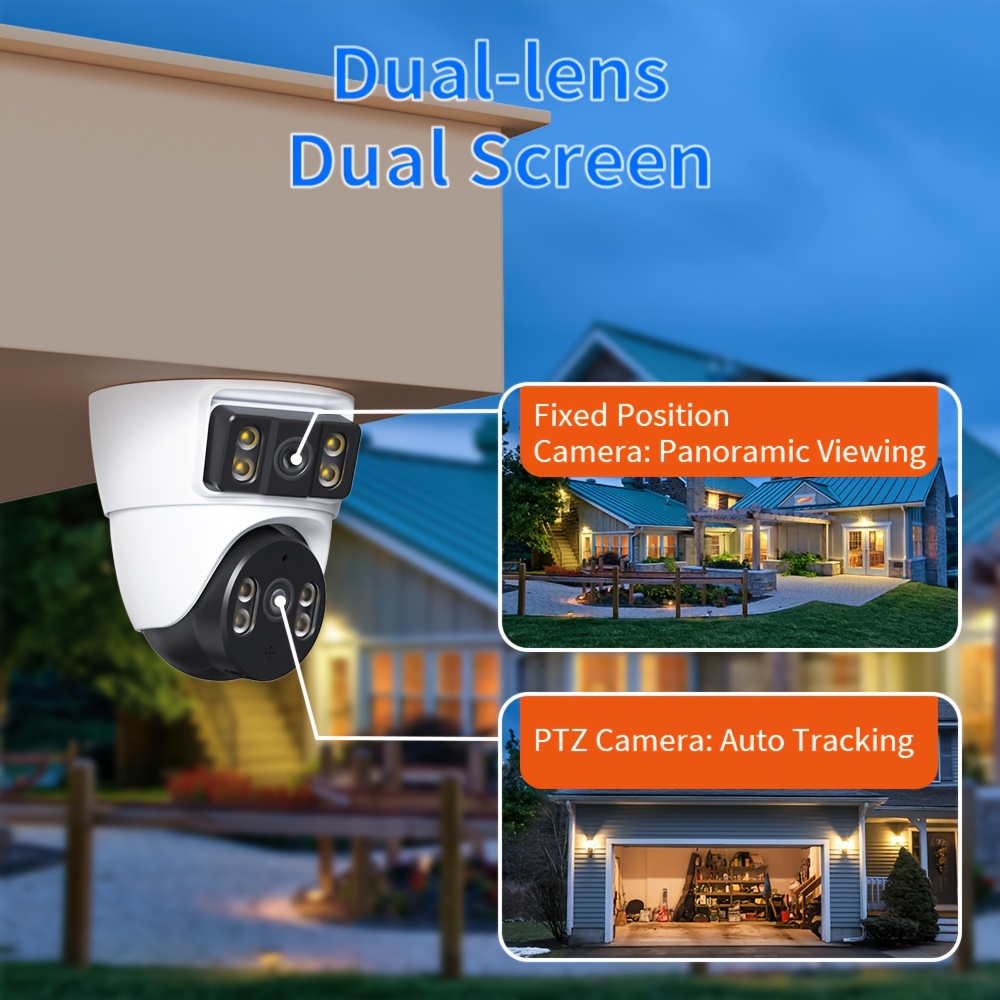
The camera features two lenses for enhanced coverage:
- Top Lens: A wide-angle lens providing a panoramic, fixed view.
- Bottom Lens: A PTZ (Pan-Tilt-Zoom) lens that can be controlled via the mobile app.
The dual-screen feature in the app allows you to view both camera feeds simultaneously, eliminating blind spots.
5.2 PTZ Control
Control the bottom lens's movement directly from your mobile application:
- Pan: Rotate the camera horizontally up to 355°.
- Tilt: Adjust the camera vertically up to 90°.
- Digital Zoom: Utilize the 2x digital zoom feature for closer inspection.
5.3 Two-Way Audio
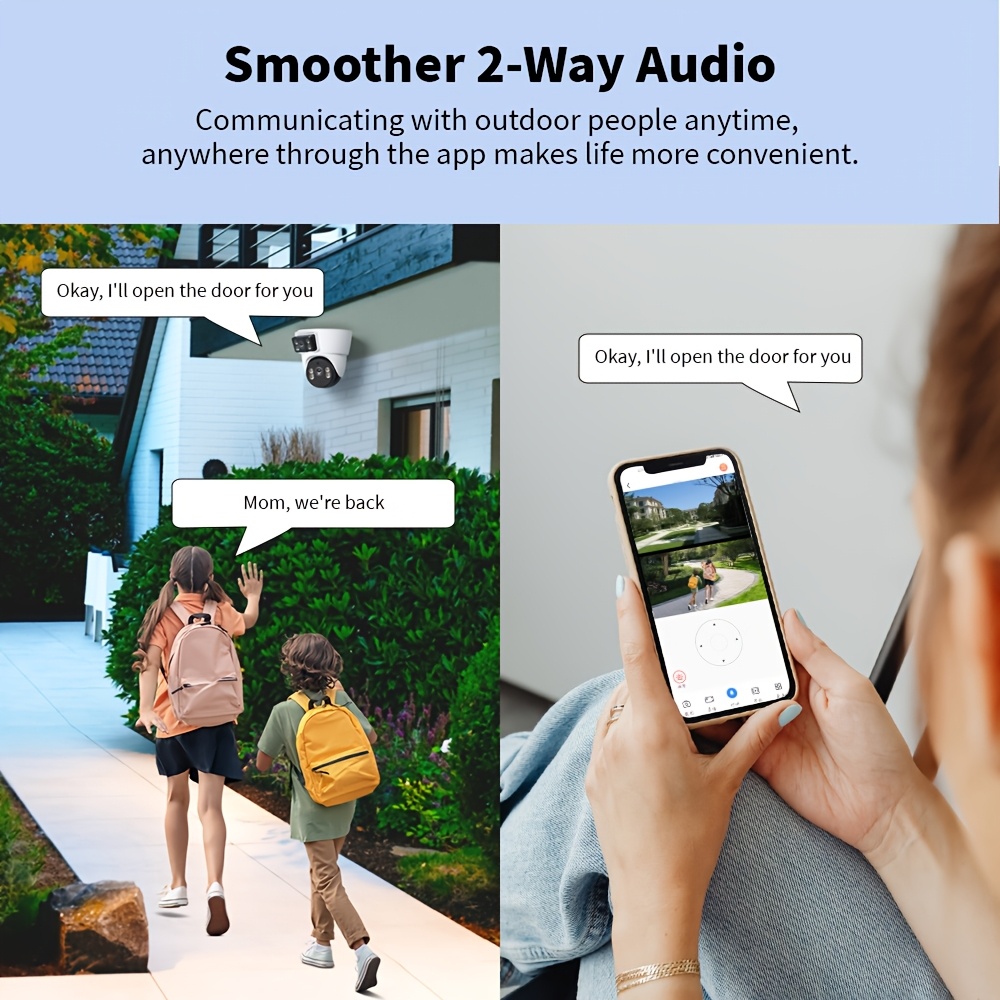
The camera is equipped with a microphone and speaker for two-way communication. Use the app to:
- Speak to individuals near the camera (e.g., delivery personnel, family members).
- Issue vocal alerts if suspicious activity is detected.
5.4 AI Humanoid Detection and Motion Tracking
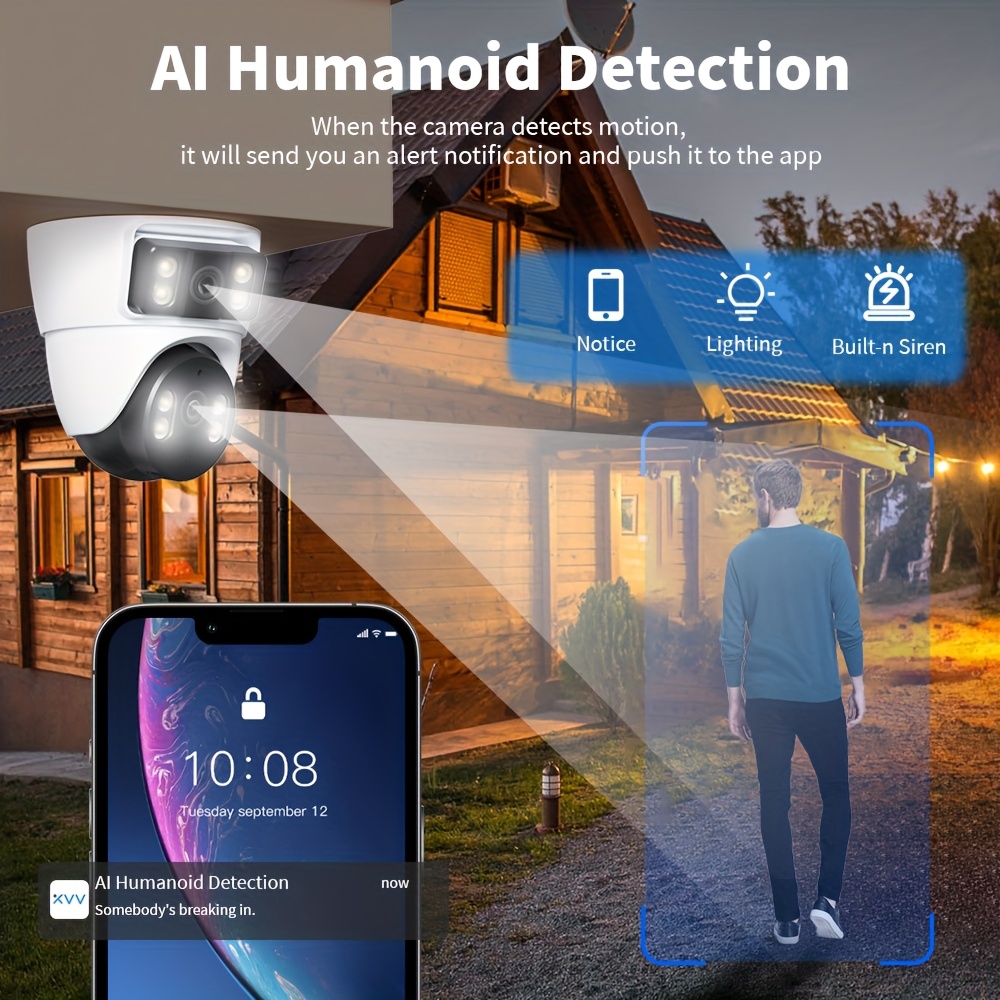
The camera's AI features enhance security:
- Humanoid Detection: Automatically identifies human shapes, reducing false alarms from pets or moving branches.
- Motion Tracking: The PTZ lens can automatically track detected human movement.
- Alerts: Upon detection, the camera sends an alert notification to your app, activates its lights, and can trigger a built-in siren.

5.5 Night Vision Modes
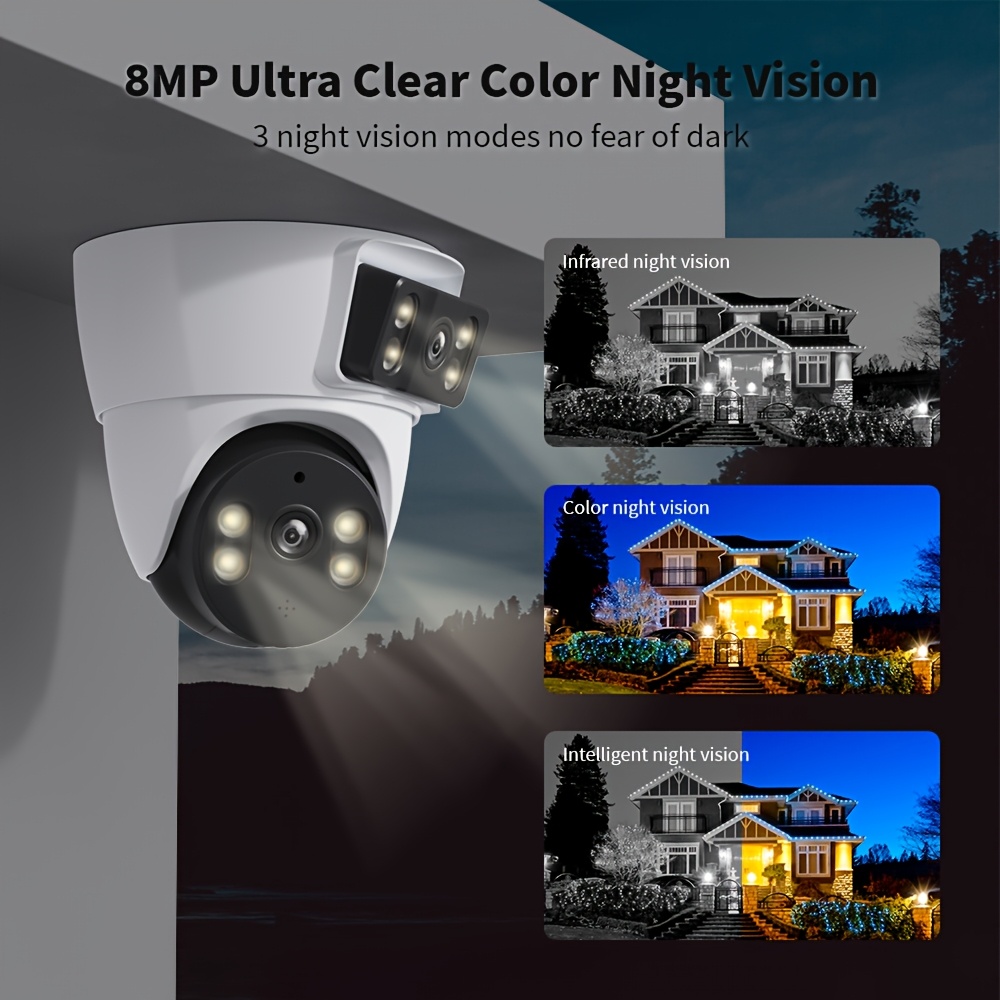
The camera offers three night vision modes for clear monitoring in low-light conditions:
- Infrared Night Vision: Standard black and white view using infrared lights.
- Color Night Vision: Utilizes white lights to provide a full-color view in the dark.
- Intelligent Night Vision: Automatically switches between infrared and color night vision based on detected motion or light conditions.
5.6 Multi-User Sharing
You can share camera access with multiple family members or trusted individuals through the mobile application, allowing them to view the live feed and recordings.

6. Maintenance
6.1 Cleaning
- Wipe the camera lens and body with a soft, dry cloth.
- Do not use harsh chemicals or abrasive cleaners.
6.2 Weather Resistance
The camera is rated IP65 waterproof, making it suitable for various weather conditions and both indoor and outdoor use. It can operate in temperatures ranging from -10°C to +50°C.

6.3 Firmware Updates
Periodically check the mobile application for available firmware updates to ensure optimal performance and access to new features. Follow the in-app instructions for updating.
7. Troubleshooting
- Camera not powering on: Ensure the power adapter is securely connected to both the camera and a working power outlet.
- Cannot connect to Wi-Fi: Verify your Wi-Fi network is 2.4GHz. Ensure the camera is within range of your router. Try resetting the camera using the reset button (2) and re-attempting the setup process in the app.
- No recordings: Check if a Micro SD card is properly installed and formatted. Ensure cloud recording service (if subscribed) is active.
- Poor image quality: Clean the camera lens. Ensure adequate lighting, especially at night, or adjust night vision settings.
- Two-way audio issues: Check microphone and speaker settings in the app. Ensure there are no obstructions blocking the microphone or speaker.
- Frequent disconnections: Improve Wi-Fi signal strength by moving the camera closer to the router or using a Wi-Fi extender.
8. Specifications
| Feature | Specification |
|---|---|
| Product Name | Xiaovv Conch Gun Dome Camera BQ3 |
| Model Number | BQ3 (XVV-3640S-BQ3) |
| Brand | Xiaovv |
| Resolution | 4MP (2*2M) per lens, 1080P(Full-HD) output |
| Lens (mm) | 4mm |
| Lens Angle | 110° ± 5° |
| Zoom Type | Digital zoom (2x) |
| Lens Quantity | Dual Lens |
| Connectivity | WIFI (IEEE 802.11b/g/n/ax 2.4GHz) |
| Movement Range (Pan) | 0°-360° |
| Movement Range (Tilt) | 0°-360° |
| Color Night Vision | Yes |
| AI Functions | Motion Detection, AI Humanoid Detection |
| Alarm Type | Telefon Alarm, Local Alarm, Email Photo |
| IP Rating | IP65 (Waterproof / Weatherproof) |
| Power Mode | Mains Electricity (DC-5A) |
| Operating Temperature | -10°C to +50°C |
| Installation | Ceiling, Normal, Pendant Mount |
| Scene | Indoor and Outdoor |
| Video Compression Format | H.265-AVI |
| Supported Operating Systems | Windows 98, XP, Vista, 7, 8, 2000, 2003, 2008, macOS |
| Storage Function | Micro SD card (32GB/64GB/128G, purchased separately) |
| Certification | CE, FCC |
| Origin | Mainland China |
9. User Tips
- Power Source: This camera requires a constant power connection via the included DC-5A adapter; it is not battery-rechargeable.
- Mobile App: The companion mobile application for controlling the camera and viewing feeds is typically free to download and use.
- Wi-Fi Stability: For optimal performance, ensure the camera is installed in an area with strong and stable 2.4GHz Wi-Fi coverage.
- SD Card Capacity: While the camera supports up to 128GB Micro SD cards, consider your recording needs. Larger cards allow for longer recording periods before overwriting old footage.
10. Warranty and Support
For warranty information, technical support, or service inquiries, please refer to the documentation provided with your purchase or contact the seller directly. Keep your proof of purchase for any warranty claims.


