
1. Introduction
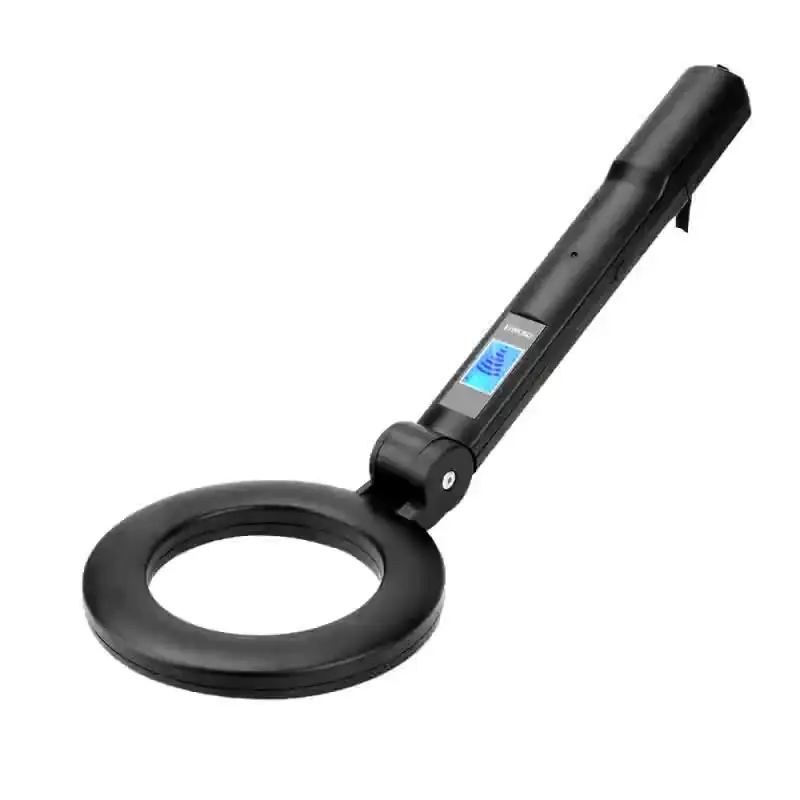
Thank you for choosing the Aideepen DM3005B Portable Metal Detector. This device is designed for fast and accurate detection of metal objects, featuring a foldable design for portability and an LED screen for clear mode indication. It is suitable for various applications, including security checks in government agencies, airports, stations, and examination halls, as well as outdoor treasure hunting.

Figure 1: Aideepen DM3005B Portable Metal Detector
2. Product Components
Familiarize yourself with the main parts of your metal detector:

Figure 2: Metal Detector Components
- Battery Cover: Protects the battery compartment.
- Audible and Vibrating Alarms: Provides alerts when metal is detected.
- Display: LED screen showing detection modes and status.
- Power Switch: Turns the device on and off.
- 360° Side-scan Detection Area: The circular probe for detecting metal objects.
3. Setup
3.1 Battery Installation
The metal detector requires one 9V 6F22 battery (not included). Follow these steps to install the battery:
- Locate the battery cover at the rear of the handle.
- Open the rear cover.
- Insert one 9V 6F22 battery into the compartment, ensuring correct polarity.
- Close the battery cover securely.

Figure 3: Battery Installation Process
4. Operating Instructions
4.1 Powering On/Off
Press the Power Switch to turn the metal detector on. Press it again to turn the device off.
4.2 Detection Modes
The device features an LED screen and offers three detection modes:

Figure 4: Detection Modes and User Interface
- Silent Mute Vibration Detection Mode: The detector will only vibrate when metal is found, with no audible alarm.
- Buzzing Non-Vibration Detection Mode: The detector will emit an audible beep when metal is found, with no vibration.
- Beep Vibration Detection Mode: The detector will both beep and vibrate when metal is found.
When the detector detects metal, the buzzer will sound an alarm and/or the device will vibrate according to the selected mode.
4.3 Scanning Technique
Hold the detector by the handle and sweep the 360° side-scan detection area over the target area. The built-in induction coil ensures a fast detection response, alarming immediately if a metal substance is within range.

Figure 5: Fast Detection Response
The 360° probe allows for precise detection of very small metal objects.

Figure 6: 360° Search Capability
For a visual guide on operation, please watch the product demonstration video:
Video 1: Product Demonstration
5. Maintenance
- Keep the device clean and dry. Wipe with a soft, damp cloth if necessary.
- Do not use abrasive cleaners or solvents.
- Remove the battery if the device will not be used for an extended period to prevent leakage.
- Store the detector in a cool, dry place away from direct sunlight and extreme temperatures.
6. Troubleshooting
| Problem | Possible Cause | Solution |
|---|---|---|
| Detector does not turn on | Low or dead battery; Battery incorrectly installed | Replace battery; Reinstall battery with correct polarity |
| No detection or weak detection | Battery low; Interference from other electronic devices | Replace battery; Move away from sources of electromagnetic interference |
7. Specifications
| Feature | Detail |
|---|---|
| Model | DM3005A / DM3005B |
| Display Color | Green / Blue |
| Current Consumption | Less than 3mA |
| Operating Temperature | -10°C to +50°C |
| Detection Modes | Silent Mute Vibration, Buzzing Non-Vibration, Beep Vibration |
| Probe Diameter | 140mm (5.51 inches) |
| Total Length (unfolded) | 268mm (10.55 inches) |
| Battery Type | 1 x 9V 6F22 battery (not included) |
| Certifications | CE |

Figure 7: Product Dimensions
8. User Tips
- Detection Depth: The actual detection depth can vary significantly based on the size, type, and orientation of the metal object, as well as soil conditions (moisture, mineralization). Larger objects are generally detected at greater depths.
- Practice: Familiarize yourself with the detector's sensitivity by testing it with known metal objects of different sizes on various surfaces.
- Environmental Use: The detector is suitable for various environments, including security checkpoints and outdoor ground scanning.

Figure 8: Applicable Environments
9. Warranty and Support
For any questions, technical support, or warranty inquiries, please contact the manufacturer or your point of purchase. Please refer to the official user manual PDF for additional details: View User Manual (PDF).