
1. Introduction
The ONWA KS-200A+ is a high-performance Class B+ AIS Transponder designed for marine vessels. It transmits and receives all AIS data from nearby targets, enhancing situational awareness and safety at sea. Featuring SOTDMA technology, 5W transmission power, NMEA 2000 compatibility, and built-in Wi-Fi, the KS-200A+ offers reliable and efficient communication for modern marine navigation systems.


2. Safety Information
Please read this manual carefully before operating the device. Failure to follow instructions may result in damage to the unit or personal injury. Keep the device away from strong magnetic fields and extreme temperatures. Ensure all electrical connections are made correctly to prevent short circuits or power surges.
- Always disconnect power before making or breaking electrical connections.
- Ensure proper ventilation around the unit to prevent overheating.
- Do not open the device casing; refer servicing to qualified personnel.
3. Package Contents
Verify that all items are present in the package:

- ONWA KS-200A+ Class B AIS Transponder Unit
- Power/Data Cable
- Mounting Screws and Brackets
- Quick Start Manual (PDF version available online)
4. Installation
This section provides instructions for installing your KS-200A+ AIS Transponder. Ensure the unit is mounted in a dry, protected location with adequate ventilation.
4.1. Mounting
Secure the transponder unit using the provided mounting screws and brackets. Choose a location that allows for easy access to connections and indicators, and is away from heat sources.
4.2. Connections
Refer to the interconnection diagram below for wiring. All connections should be made securely.

- Power/Data (PWR-DATA): Connect the provided power/data cable to the 10.5-35VDC power supply. The red wire is positive (+), and the black wire is negative (-). This port also handles RS232 data.
- NMEA 2000: Connect to your vessel's NMEA 2000 network for data sharing with compatible devices.
- GPS Antenna: Connect an external GPS antenna (optional accessory) to the GPS port for accurate positioning data.
- AIS Antenna: Connect a suitable VHF antenna to the AIS port (PL259 female connector) for AIS signal transmission and reception.
- Ethernet Interface: (Only for KS200B+_N models) Connect for network integration.
- SART Switch: (Only for KS200A+_SART models) For emergency distress signaling.
5. Operation
5.1. Power On/Off
To turn the device ON, press the [ON/OFF] switch on the rear panel to the ON direction. To turn the device OFF, press the [ON/OFF] switch to the OFF direction.

5.2. Indicator Lights
The KS-200A+ features several LED indicators to show its operational status:

| Indication | Light | Description |
|---|---|---|
| POWER | Red, continuously lit | Device is turned on. |
| GPS | Orange, blinking | GPS positioning is unavailable. |
| GPS | Green, continuously lit | GPS positioning successful. |
| TX | Red, blinking | Transmits a light that flashes when a signal is emitted. Reporting intervals vary based on boat speed and data type (e.g., <2kn: 3 min; >2kn: 30 sec; static data: 6 min). |
| RX | Green, blinking | Indicator flashes green when an AIS signal is received. |
5.3. AIS SART Button (KS200A+_SART models only)
The AIS SART button is for emergency use only. When pressed, the device will send an AIS SART message, which can be received by all AIS devices. Press the button again to restore normal state once the danger has passed.
6. User Tips
- Ensure all connections, especially power and antenna cables, are secure before powering on the device to prevent intermittent operation.
- For optimal performance, ensure your VHF antenna is suitable for AIS transmission and reception. If sharing an antenna with a VHF radio, an active splitter is generally recommended.
- Utilize the built-in Wi-Fi for seamless updates and effortless integration with other devices onboard, simplifying configuration and data management.
7. Specifications
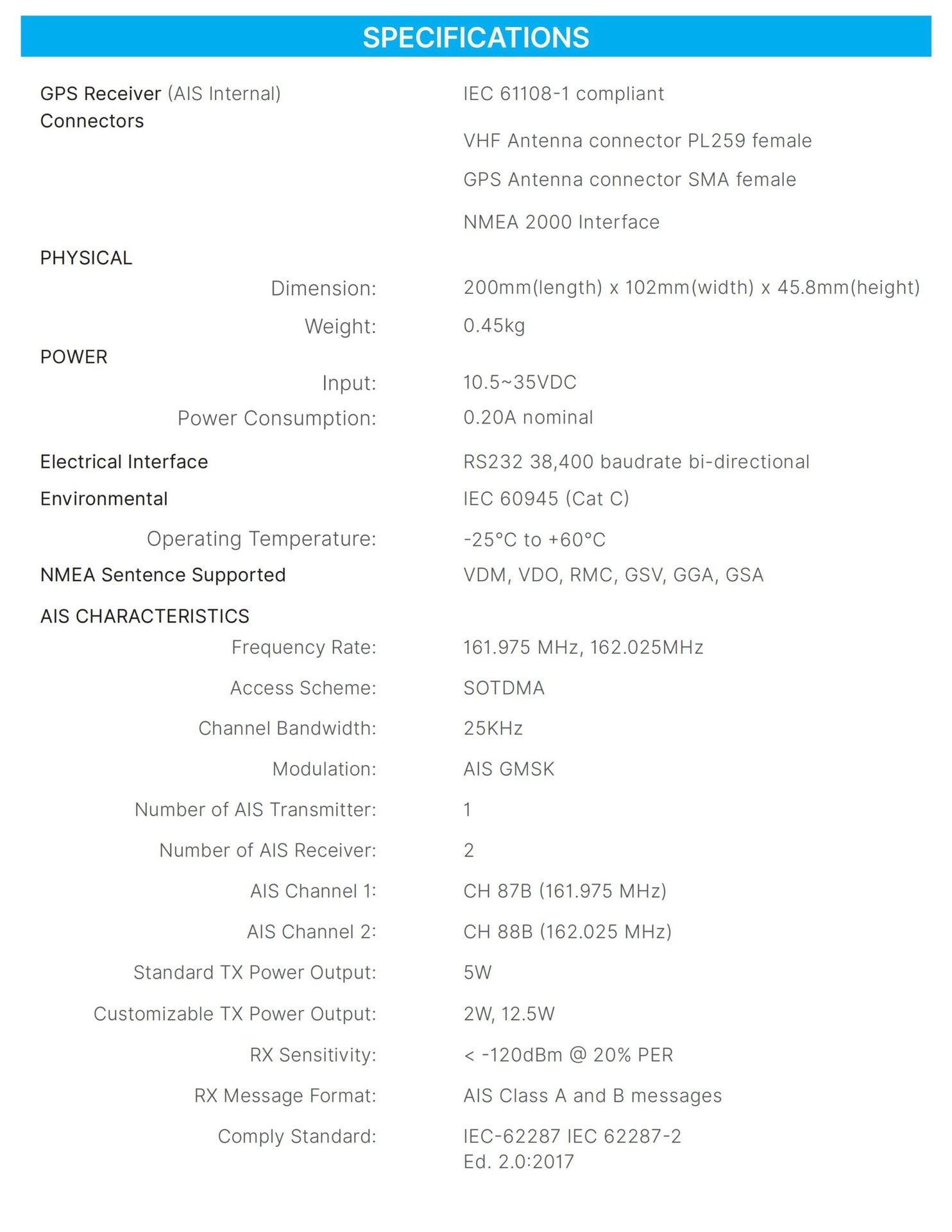
Below are the technical specifications for the ONWA KS-200A+ AIS Transponder:

| SPECIFICATIONS | |
|---|---|
| GPS Receiver (AIS Internal) | IEC 61108-1 compliant |
| Connectors | VHF Antenna connector PL259 female GPS Antenna connector SMA female NMEA 2000 Interface |
| PHYSICAL | |
| Dimension: | 200mm (length) x 102mm (width) x 45.8mm (height) |
| Weight: | 0.45kg |
| POWER | |
| Input: | 10.5~35VDC |
| Power Consumption: | 0.20A nominal |
| Electrical Interface | RS232 38,400 baudrate bi-directional |
| Environmental | IEC 60945 (Cat C) |
| Operating Temperature: | -25°C to +60°C |
| NMEA Sentence Supported | VDM, VDO, RMC, GSV, GGA, GSA |
| AIS CHARACTERISTICS | |
| Frequency Rate: | 161.975 MHZ, 162.025MHZ |
| Access Scheme: | SOTDMA |
| Channel Bandwidth: | 25KHz |
| Modulation: | AIS GMSK |
| Number of AIS Transmitter: | 1 |
| Number of AIS Receiver: | 2 |
| AIS Channel 1: | CH 87B (161.975 MHz) |
| AIS Channel 2: | CH 88B (162.025 MHz) |
| Standard TX Power Output: | 5W |
| Customizable TX Power Output: | 2W, 12.5W |
| RX Sensitivity: | < -120dBm @ 20% PER |
| RX Message Format: | AIS Class A and B messages |
| Comply Standard: | IEC-62287 IEC 62287-2 Ed. 2.0:2017 |
8. Maintenance
- Cleaning: Clean the unit's exterior with a soft, damp cloth. Do not use harsh chemicals or abrasive cleaners.
- Software Updates: Periodically check the ONWA Marine Electronics website (www.onwamarine.com) for firmware updates. Updates can typically be performed via Wi-Fi or the RS232 programming interface.
- Connection Checks: Regularly inspect all cable connections for corrosion or damage, especially in marine environments.
9. Troubleshooting
| Problem | Possible Cause | Solution |
|---|---|---|
| Device does not power on. | No power supply or incorrect wiring. | Check power cable connections and ensure the power source (10.5-35VDC) is active. Verify the ON/OFF switch is in the 'ON' position. |
| GPS indicator is orange and blinking. | No GPS signal or antenna issue. | Ensure the GPS antenna is connected correctly and has a clear, unobstructed view of the sky. |
| No AIS data transmission (TX LED not blinking). | AIS antenna issue or incorrect configuration. | Check AIS antenna connection. Verify that the transponder is properly configured with your vessel's MMSI, Call Sign, and other required data. |
| No AIS data reception (RX LED not blinking). | AIS antenna issue or no nearby AIS targets. | Check AIS antenna connection. Ensure there are other AIS-equipped vessels within range. |
10. Frequently Asked Questions (FAQ)
- Q: Does the KS-200A+ support a compatible WiFi module?
- A: Yes, the KS-200A+ includes built-in Wi-Fi, allowing for seamless updates and effortless integration with other devices onboard.
- Q: Does this transponder require an active or passive VHF splitter?
- A: For optimal performance and to ensure proper signal transmission and reception for both your VHF radio and the AIS transponder, an active VHF splitter is generally recommended if you are sharing a single antenna.
11. Warranty and Support
The ONWA KS-200A+ AIS Transponder is covered by a manufacturer's warranty. For detailed warranty terms and conditions, please refer to the official ONWA Marine Electronics website or contact your local dealer. For technical support, troubleshooting assistance, or service inquiries, please visit www.onwamarine.com for contact information.
All specifications are subject to change without further notice. Please consider the environment before printing this manual.