
Introduction
Thank you for purchasing the MINI X3-A Turbo Jet Fan Electric Air Duster. This portable, high-speed blower is designed for a variety of cleaning and drying tasks, featuring a powerful brushless motor, adjustable wind speeds, and convenient Type-C charging. Please read this manual thoroughly before use to ensure safe and optimal operation.

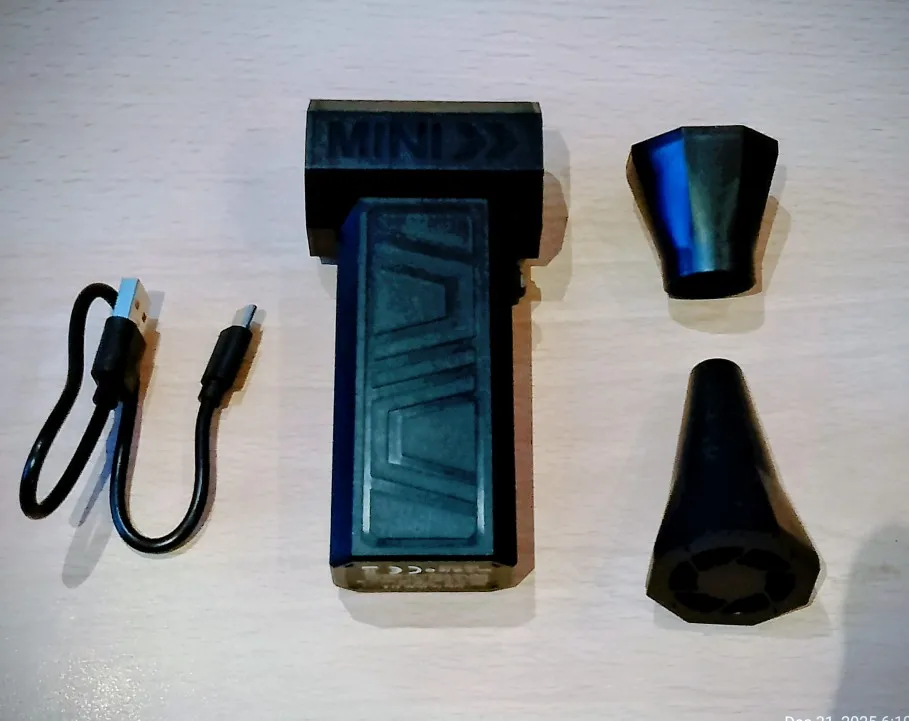
Package Contents
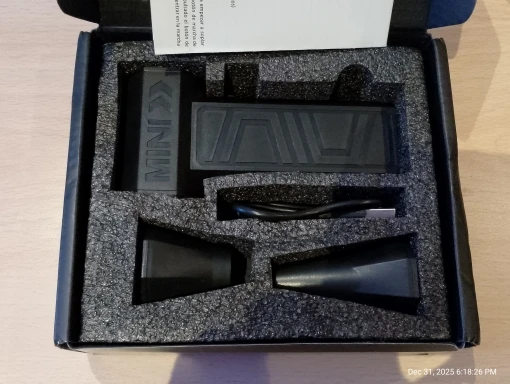
Ensure all items are present and in good condition upon unboxing:
- MINI X3-A Turbo Jet Fan
- USB Type-C Charging Cable
- Two Magnetic Nozzles (various shapes)
- User Manual (this document)
Setup
1. Initial Charging
- Before first use, fully charge the device.
- Connect the USB Type-C charging cable to the device's charging port and a suitable USB power adapter (not included).
- The power indicator will flash red during charging.
- Once fully charged, the blue light will remain constantly on.
- Do not use an adapter above 3A to charge this product.
- Do not use the device during charging.
2. Attaching Nozzles
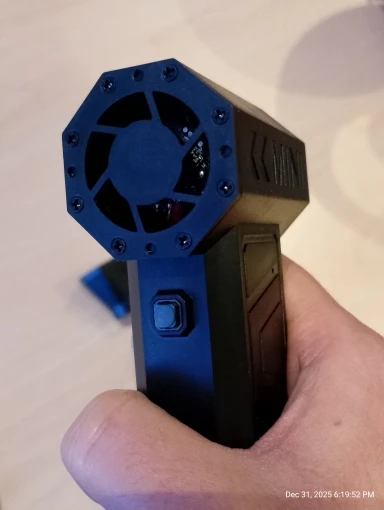
- Select the appropriate nozzle for your task.
- Align the nozzle with the air outlet of the Turbo Jet Fan.
- The nozzles attach magnetically. Ensure it is securely seated before operation.

Operating Instructions
Power On/Off and Speed Adjustment
- To Power On: Double-click the gear button to start blowing. The device will default to Gear 1 (Soft Wind).
- To Adjust Speed: Click the gear button again to cycle through the speeds (Gear 1 → Gear 2 → Gear 3).
- To Enter Violent Mode: Press and hold the gear button. This mode provides maximum power.
- To Power Off: Long press the gear button.
Wind Speed Settings and Battery Life
- Gear 1 (Soft Wind): Approximately 60-70 minutes of use.
- Gear 2 (Strong Wind): Approximately 40-50 minutes of use.
- Gear 3 (Super Strong Wind): Approximately 25-35 minutes of use.
- Gear 4 (Violent Wind): Approximately 8 minutes of use.
Note: The device automatically turns off when the power is less than 10%.
Typical Applications
The MINI X3-A Turbo Jet Fan is versatile and can be used for:
- Dusting electronics (computers, keyboards, cameras)
- Drying wet surfaces (car washing, pet drying)
- Clearing debris (leaves, sawdust)
- Blowing snow from vehicles or small areas
- Starting charcoal for BBQs
- Cleaning hard-to-reach areas in homes or vehicles


Maintenance
- Cleaning: Before each use, remove any debris from the air inlet and outlet to prevent blockages. Do not use alcohol, nail polish remover, or strong detergents to clean the product. Use a soft, dry cloth.
- Storage: Store the device in a dry environment. Do not expose it to high temperatures or direct sunlight (e.g., inside a hot car).
- Battery Care: If not used for an extended period, charge the device every three months to maintain battery health.
- Safety: Keep this product out of reach of children and pets. When operating, be careful to prevent foreign objects from being sucked into the air inlet, as this can damage the product and impair its function.
Troubleshooting
- Device does not turn on or stops abnormally:
- Immediately turn off the device and cease use. Do not attempt to disassemble or modify the product without authorization. Contact customer support for assistance.
- Charging issues:
- Ensure you are using a USB power adapter that does not exceed 3A output. Avoid using the device while it is charging.
- Weak airflow or unusual noise:
- Check the air inlet and outlet for any obstructions. Remove any debris that may be blocking the fan or airflow path.
- Nozzle detaches during use:
- Ensure the nozzle is firmly attached to the magnetic outlet. For tasks requiring precise movement, apply gentle pressure to the nozzle to keep it in place.
Specifications
| Feature | Detail |
|---|---|
| Product Name | Turbo Fan |
| Model | X3-A |
| Battery Type | 18650 Li-ion |
| Charging Time | 1.5 - 2.5 hours |
| Motor Power | 75W |
| Maximum Working Voltage | 7.4V |
| Maximum Working Current | 10A |
| Product Weight | 226g |
| Maximum Wind Speed | 19m/s (approx. 130000 RPM) |
| Adjustable Gears | 4 levels |
| Package Dimensions (L x W x H) | 16 cm x 13 cm x 5 cm |


User Tips
- Short Bursts for Longevity: For optimal device longevity and to prevent overheating, especially during high-power use, operate the blower in short bursts (e.g., 10-30 seconds) rather than continuous long periods.
- Versatile Cleaning: This tool is excellent for dusting sensitive electronics like computers and keyboards, cleaning car interiors, and reaching tight corners in your home.
- Fire Starting Aid: The powerful airflow can effectively speed up the process of starting charcoal for BBQs.
- Nozzle Security: While the magnetic nozzles are convenient, be mindful that they might detach with slight impact when blowing in narrow or awkward spaces. Hold the nozzle gently if precise movement is needed.
Warranty and Support
For detailed warranty information or technical support, please refer to the official user manual PDF or contact the seller directly.
A digital version of the user manual is available here: MINI X3-A Turbo Jet Fan User Manual (PDF)