
1. Introduction
General Safety Warnings
For your protection, read and understand all instructions before use. Keep this manual for future reference.
Intended Use
This product is for household use only. Use only as described in this manual.
Product Condition
Do not use the product if it is damaged in any way.
User Suitability
This product is intended for persons aged 18 years and above. It may be used by persons with reduced physical, sensory or mental capabilities, or lack of experience/knowledge, only if they are supervised or instructed on safe use and understand the hazards involved.
2. Package Contents
Please check the package to ensure all items are present and undamaged:
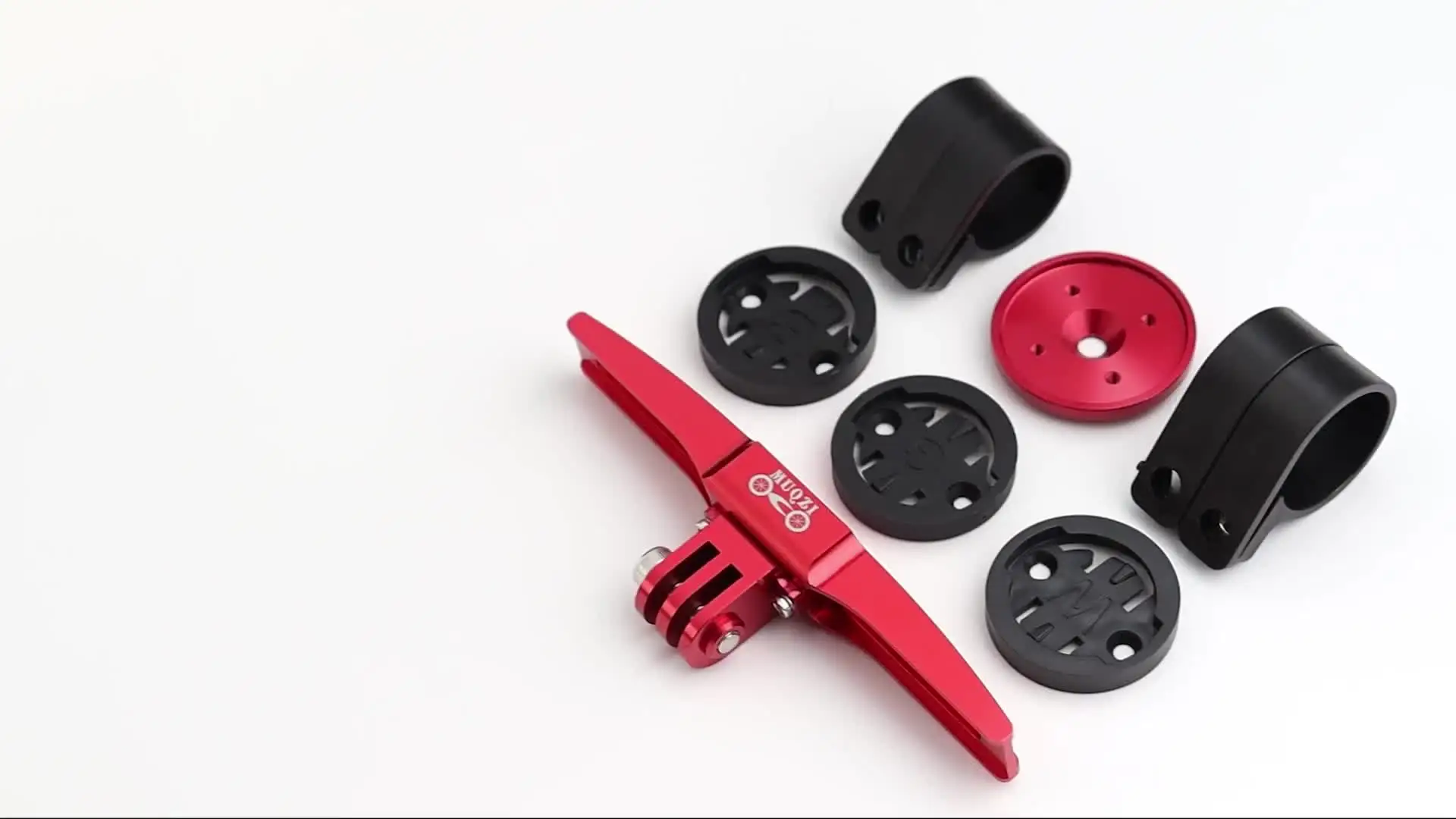
- 1x Main TT Bar Mount (Aluminum Alloy)
- 2x Handlebar Clamps (22.2mm)
- 2x Handlebar Clamps (25.4mm)
- 1x Computer Mount Base
- 1x Garmin Adapter
- 1x Bryton Adapter
- 1x Cateye Adapter
- 1x Wahoo Adapter
- 1x GoPro Mount Adapter
- Assorted Screws and Allen Wrenches for installation

Figure 2.1: All components included in the package.

Figure 2.2: Exploded view showing the main mount, clamps, and adapters.
3. Specifications
| Material | Aluminum Alloy |
| Handlebar Compatibility | 22.2mm and 25.4mm diameter TT Bars |
| Dimensions (L x W x H) | 13 cm x 7 cm x 3 cm (approximate package dimensions) |
| Weight | 0.169 kg (approximate package weight) |
| Origin | Mainland China |

Figure 3.1: Available handlebar clamp sizes.
4. Setup and Installation
Follow these steps to install the TT Bar Stopwatch Holder on your bicycle:
- Attach Clamps to Main Mount: Secure the appropriate handlebar clamps (22.2mm or 25.4mm) to the main mount using the provided screws and Allen wrenches. Ensure they are tightened securely.
- Install Computer Mount Base: Attach the round computer mount base to the top of the main mount using the central screw and Allen wrench.
- Select and Install Computer Adapter: Choose the correct computer adapter (Garmin, Bryton, Cateye, or Wahoo) for your device and secure it to the computer mount base with the small screws.
- Install GoPro Mount (Optional): If using an action camera, attach the GoPro mount adapter to the underside of the main mount using the provided screws.
- Mount to Bicycle TT Bars: Position the assembled mount onto your bicycle's TT bars. Ensure the clamps are correctly aligned with the bars.
- Secure to TT Bars: Tighten the screws on the handlebar clamps to firmly secure the entire assembly to your TT bars. Do not overtighten.
Video 4.1: Step-by-step assembly and installation guide for the TT Bar Stopwatch Holder.

Figure 4.1: Main mount with clamps attached.

Figure 4.2: Interchangeable computer mount adapters.
5. Operating Instructions
Once installed, the TT Bar Stopwatch Holder provides a secure platform for your devices:
- Attaching a Bike Computer: Align your compatible bike computer with the installed adapter and twist it gently until it locks into place.
- Attaching an Action Camera: Secure your action camera (e.g., GoPro) to the underside mount using its standard mounting hardware.

Figure 5.1: Product in use, holding a bike computer and an action camera.

Figure 5.2: Product in use, holding a bike computer.
6. Maintenance
- Regularly inspect all screws and connections to ensure they remain tight.
- Clean the mount with a soft, damp cloth. Avoid abrasive cleaners or solvents.
- Store the mount in a dry place when not in use for extended periods.
7. Troubleshooting
- Issue: Mount feels loose on the handlebars.
- Solution: Ensure you are using the correct size clamps (22.2mm or 25.4mm) for your TT bars. Tighten the clamp screws firmly, but do not overtighten to avoid damaging the handlebars or mount.
- Issue: Bike computer does not fit the adapter.
- Solution: Verify that you have installed the correct adapter for your specific bike computer brand (Garmin, Bryton, Cateye, Wahoo). If your computer is not one of these brands, it may not be compatible.
- Issue: Action camera mount is unstable.
- Solution: Ensure the GoPro mount adapter is securely fastened to the main mount and that your camera's mounting hardware is properly tightened.
8. User Tips
No specific user tips were available from reviews or Q&A for this product.
9. Warranty and Support
For any inquiries or support, please contact the manufacturer:
- Manufacturer: Guangzhou Aicai Technology Co., Ltd.
- Address: Room 709, No. 68, Gangwan Road, Huangpu District, Guangzhou
- EU Representative (VALHALLA TAXE): RUE GENERAL DE REFFYE EGD, 88000 EPINAL, France
- EU Representative Phone: +33-0629986194
- EU Representative Email: valhallatax@outlook.com
A detailed user manual in PDF format is also available for download. Please refer to the product page for the link.
This product is Made In China.
CE, FC, RoHS compliant.
This device, its accessories, batteries, and cords are recyclable. Please dispose of them responsibly at collection points or in stores.