
1. Introduction
Thank you for choosing the Freedconn Hero multi-scenario Bluetooth intercom headset. This product is designed to provide intimate protection and hassle-free after-sales service. All Freedconn products are manufactured to the highest standards of performance and safety.
Safety Tips
- Wearing a Freedconn headset while riding may reduce your ears' ability to pick up ambient sounds.
- Listening to music at maximum volume for extended periods can lead to temporary adaptation, preventing you from hearing soft sounds and potentially causing permanent hearing damage.
Warm Reminder
- For optimal sound quality, ensure the distance between the headset unit and your ears remains within 2 mm during installation.
- Please charge the HERO battery for at least 2 hours before the first use.
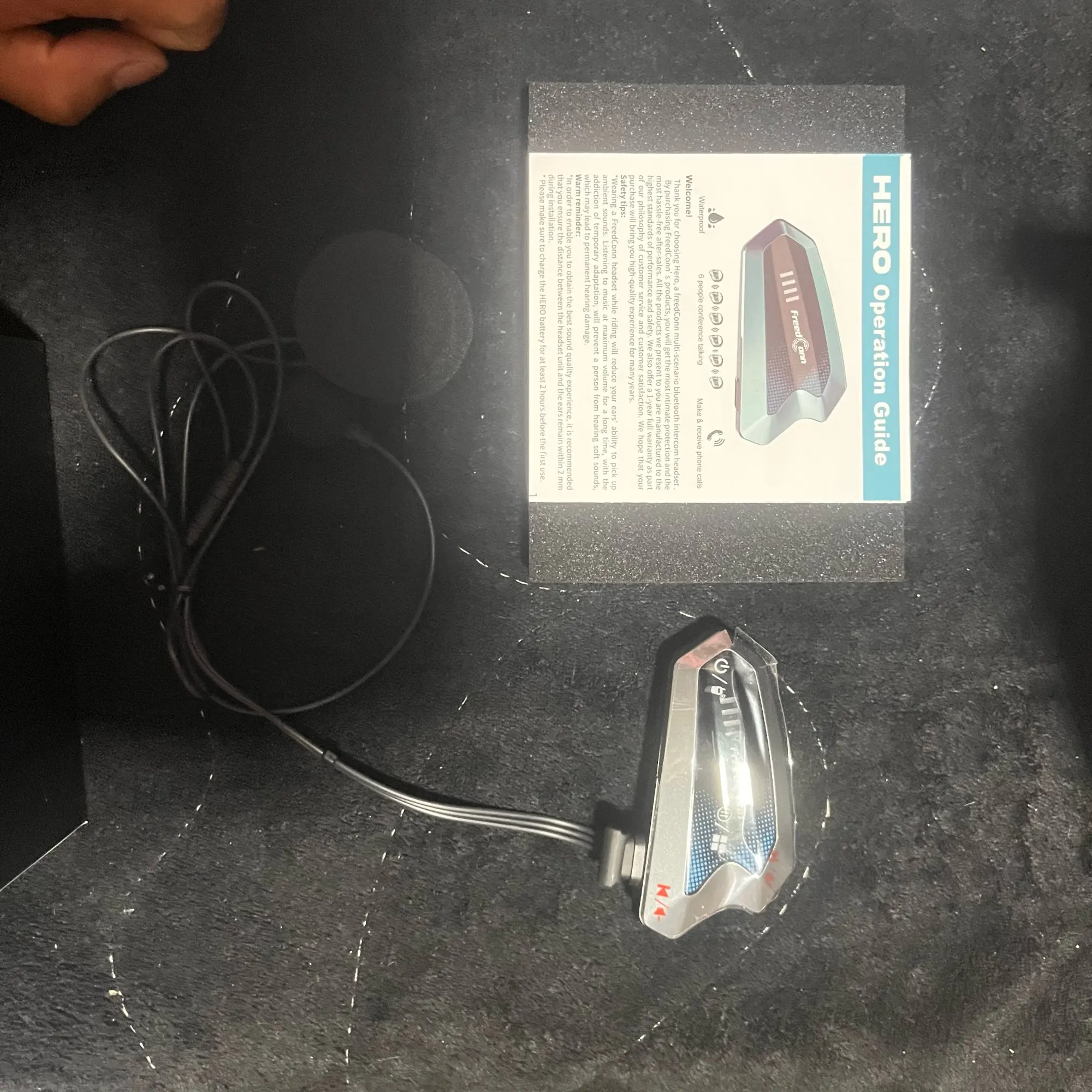
Figure 1: Freedconn Hero Headset and Basic Operation Guide Overview
2. Setup and Installation
Initial Charging
Before first use, ensure the Freedconn Hero headset is fully charged. Connect the headset to a 5V/1A charge adapter using the provided Type C USB cable. Charge for at least 2 hours.
Installation Steps
The Freedconn Hero headset is designed to be compatible with various helmet types, including Half Helmet, Modular, Motocross, Open Face, Full Face, and Flip Up Helmets.
- Attach Headphone Velcro: Secure the headphone Velcro to the reserved grooves on the left and right sides inside your helmet.
- Attach Host Velcro and Wiring: Attach Velcro to the Hero host unit. Carefully organize the headphone wiring and lining within the helmet.
- Position Microphone: Attach the microphone to the chin guard of the helmet. Ensure it is positioned so your mouth is not too far from the microphone for clear communication.
- Choose Host Location: Select an appropriate installation location for the host unit on the outside of the helmet. Insert the buckle clip into the left side of the helmet.
- Secure Headset: Tighten the host downwards and firmly insert the headset into the clip.
- Adjust Microphone: After installation, make any final adjustments to the microphone's position for optimal use.

Figure 2: Step-by-step installation guide for the Freedconn Hero headset on a helmet.
3. Operating Instructions
Basic Functions
- Switch On (Off) Button / Intercom Button:
- Switch On: Long press for 2 seconds.
- Switch Off: Long press for 3 seconds.
- Connect to Mobile Phone: Long press for 8 seconds under power-off state.
- Pairing Information Resetting: Long press for 8 seconds under power-on state.
- Volume Up / Previous Song Button:
- Volume Up: Long press.
- Previous Song: Short press.
- Multi-function Button:
- Pause/Play Music: Short press.
- Answering A Call: Short press.
- Ending A Call: Short press.
- Rejecting A Call: Long press for 2 seconds.
- Voice Dial: Long press for 2 seconds.
- Volume Down / Next Song Button:
- Volume Down: Long press.
- Next Song: Short press.
Voice Assistant
The headset features a flexible operation button for voice assistant activation. Long press the multi-function button for two seconds to wake up your phone's voice assistant (e.g., Siri). You can then use voice commands for functions such as music playback, making phone calls, or map navigation without needing to operate your phone manually.

Figure 3: Voice Assistant Functionality
Intercom Functionality
The Freedconn Hero supports group intercom for up to 6 riders with a maximum intercom distance of 1500 meters. It features one-click interconnection, ensuring clear, stable, and continuously connected communication even when companions turn corners or their line of sight is obstructed by objects of a certain thickness.

Figure 4: Multi-Rider Long Distance Bluetooth Intercom
Music Sharing & Connectivity
The headset supports music sharing and universal pairing with most Bluetooth intercom systems. It can connect with all Bluetooth devices such as TWS earphones, sports cameras, MP3 players, and GPS devices. For third-party brands, universal Bluetooth connectivity must be supported.

Figure 5: Connecting to All Bluetooth Devices
4. Specifications
| Feature | Specification |
|---|---|
| Product Name | Hero |
| Bluetooth Version | 5.1 Bluetooth+EDR |
| Dimensions (L x W x H) | 90mm x 48mm x 21mm (3.54in x 1.89in x 0.83in) |
| Host Weight | 48g (0.11 lbs) |
| Frequency | 2.402GHz - 2.480GHz |
| Voltage | 3.7V |
| Power | 4.07Wh |
| Charge Adapter | 5V/1A |
| Battery Type | Rechargeable lithium polymer battery |
| Battery Materials | Ternary material |
| Battery Capacity | 1100mAh |
| Intercom Time | Up to 30 hours |
| Music Time | Up to 26 hours |
| Auto Shutdown | After 15 minutes without any operation |
| Waterproof Rating | IP67 |
| Max Intercom Distance | 1500m |
| Max Number of Speakers | 6 (for group intercom) |
| Noise Reduction | CVC software algorithm, 95% noise reduction at 100km/h |
| Speaker Unit | 42mm High-Definition Sound Quality Speaker |
| Certifications | CE, RoHS, UL, FCC |

Figure 6: Detailed Product Information

Figure 7: Headset Dimensions

Figure 8: Bluetooth 5.1 Core Driver Performance

Figure 9: Battery Life and Auto Shutdown

Figure 10: Dual Ear High-Definition Call and Noise Reduction

Figure 11: 42MM High-Definition Sound Quality Speaker Unit
5. Maintenance
- Cleaning: Use a soft, dry cloth to clean the headset. Avoid using harsh chemicals or abrasive cleaners.
- Water Exposure: Although the device is IP67 waterproof, prolonged submersion or exposure to high-pressure water jets should be avoided. Ensure the charging port cover is securely closed.
- Storage: Store the headset in a cool, dry place away from direct sunlight and extreme temperatures.
- Battery Care: To prolong battery life, avoid fully discharging the battery frequently. Charge the device regularly, even if not in use for extended periods.
6. Troubleshooting
- No Power: Ensure the battery is charged. Connect the headset to a charger and try turning it on after a few minutes.
- Cannot Pair: Ensure the headset is in pairing mode (long press for 8 seconds under power-off state). Check if other Bluetooth devices are interfering. Try resetting pairing information (long press for 8 seconds under power-on state) and re-pairing.
- Intercom Issues: Ensure all devices are within the 1500m range and have sufficient battery. Check for physical obstructions that might be severely degrading the signal.
- Poor Sound Quality: Ensure the speakers are positioned correctly, within 2mm of your ears. Check for any debris blocking the speaker grilles.
- Voice Assistant Not Responding: Ensure your phone's voice assistant is enabled and the headset is properly connected to your phone. Try long-pressing the multi-function button for 2 seconds.
7. User Tips
- Check Functionality Upon Receipt: It is recommended to thoroughly test all functions of your headset immediately after receiving it to ensure everything is working correctly.
- Long-Term Durability: While the product is designed for durability, consistent care and adherence to maintenance guidelines will help ensure its longevity.
8. Warranty and Support
Freedconn offers a 2-year full warranty on this product, reflecting our commitment to quality and customer satisfaction. This warranty covers manufacturing defects and performance issues under normal use.
For detailed warranty terms and conditions, or for further assistance, please refer to the official user manual PDF available online or contact Freedconn customer support.
A comprehensive user manual in PDF format is available for download: View User Manual (PDF)
9. Product Video

Video 1: Promotional video showcasing the Freedconn Hero headset in various riding scenarios, highlighting its features like intercom and music.