
Introduction
The Khadas Tea is an ultralight, portable Hi-Res headphone amplifier designed to elevate your audio experience. It features a high-performance DAC, Bluetooth 5.0 connectivity, and a magnetic attachment for convenience.
This manual provides instructions for setting up, operating, and maintaining your Khadas Tea.
Quickstart

Khadas Tea magnetically attached to a smartphone, demonstrating its compact size and connectivity options. It is compatible with Android, iOS, Mac, and Windows devices.

Quickstart guide cover for the Khadas Tea.
Setup
Interface Diagram

Detailed diagram illustrating the buttons, ports, and indicators on the Khadas Tea device.
Controls and Ports
- Power Button (U): On/Off, Play/Pause, Answer/Reject Calls, Hey Siri, Reconnect Bluetooth.
- Volume Up / Previous Track (+): Increase volume, go to previous track.
- Volume Down / Next Track (-): Decrease volume, go to next track.
- 3.5mm Single-Ended Output: For connecting headphones.
- USB Type-C Input: For recharging and USB data input.
- RGB LED Indicator Light: Shows device status.
- Microphones: For voice calls.
Power On/Off
To Power On: Long-press the Power button (U) for 3 seconds.
To Power Off: Long-press the Power button (U) for 5 seconds.
Bluetooth Pairing
When the Tea is powered off, long-press the Power button (U) for 6 seconds to enter pairing mode. Select "Tea" from your device's Bluetooth settings to connect.
Screenshot showing the "Tea" device listed in a smartphone's Bluetooth settings, ready for pairing.
Magnetic Attachment
The Khadas Tea features a magnetic design for easy attachment to compatible smartphones (iPhone 12/13 series or newer with built-in MagSafe, or any smartphone with a MagSafe case).

The Khadas Tea magnetically attaches to the back of a smartphone for a secure and convenient connection.
Operating Instructions
Music Playback
The Khadas Tea supports high-resolution audio playback via both Bluetooth and USB connections.
Bluetooth Audio
Once paired, stream audio wirelessly from your device to the Khadas Tea. The built-in Qualcomm Bluetooth chip ensures ultra-high-quality Bluetooth audio.

Video demonstrating the Khadas Tea's features, including magnetic attachment, high-resolution audio, Bluetooth connectivity, and portability.
USB Audio
Connect your device to the Khadas Tea using a USB-C cable for wired high-fidelity audio. The device supports PCM up to 384kHz, DSD 256, and MQA formats.
Internal component diagram of the Khadas Tea, showcasing the ESS ES9281AC Pro DAC and Qualcomm Bluetooth chip for high-performance audio.
Volume and Track Control
The + and - buttons can be toggled between volume mode and track mode. Press both + and - simultaneously until the indicator light flashes cyan to switch modes.
- In Volume Mode: + increases volume, - decreases volume.
- In Track Mode: + goes to the previous track, - goes to the next track.
Smartphone Recharging (Power Pass-Through)
When the Tea is connected via USB, you can enable or disable smartphone recharging (power pass-through) by pressing the Power button (U) and Volume Down button (-) simultaneously until the indicator light momentarily flashes cyan. Note that the USB-C to C cable supports recharging, but the Lightning USB to USB-C cable does not.
Handling Incoming Calls
- Accept Call: Single-press the Power button (U).
- End Call: Single-press the Power button (U) again during a call.
- Reject Call: Double-press the Power button (U).
Note: Voice calls are only supported when connected via Bluetooth. If connected via USB, disconnect the USB cable before making or receiving a call.
Activating Siri
When the Tea is connected via Bluetooth, long-press the Power button (U) for 2 seconds to activate Siri.
Indicator Light Status
| Status | Indicator Light |
|---|---|
| Fully Charged (Power Off) | Off |
| Bluetooth Pairing | Blue (Flashing) |
| Bluetooth Paired | Blue (Solid) |
| Playing Music (Bluetooth) | Blue (Solid) |
| Playing MQA (USB) | Magenta (Solid) |
| Playing PCM (USB) | Yellow (Solid) |
| Low Battery | Red (Flashing) |
| Battery Recharging | Red (Solid) |
| Mode Switch Confirmation | Cyan (Momentary Flash) |
| Smartphone Recharging Toggle | Cyan (Momentary Flash) |
Maintenance
Battery Care
- To maximize battery life, the Khadas Tea will automatically power off after 10 minutes of inactivity (no music playback or operation).
- Use a power adapter that supports 5V ≥ 1.0A for recharging.
- Do not use the battery after it is immersed in water.
- Do not use in a high-temperature environment exceeding 60°C.
- If severe swelling occurs, please discontinue usage.
General Care
- It is forbidden to disassemble, hit, squeeze or throw into fire.
- Keep the device clean and dry. Avoid exposure to extreme temperatures or humidity.
Troubleshooting (FAQ)
Common Questions
What power adapters does Tea support?
You should use a power adapter that supports 5V ≥ 1.0A.
When Tea is recharging, why doesn't the indicator light turn red?
Because Tea's battery is already fully charged.
Why does Tea power off automatically when no music is playing?
In order to maximize battery life, Tea will automatically turn off after 10 minutes when there is neither music playback nor any operation.
Can I use my own Lightning to USB-C cable with Tea?
The cable included with Tea is MFi certified, model "Apple C78-USBH". When using a 3rd party cable, please ensure that it is the same model and MFi certified.
When playing MQA formatted audio, why doesn't the indicator light become magenta in color?
Tea only supports MQA renderer. The light will only turn magenta in color when the music playback device can perform MQA core decoding.
Can I answer voice calls through Tea when my phone is connected?
Tea can only be used for voice calls when connected over Bluetooth. If connected over USB, disconnect the USB cable before making a call.
What types of smartphones can Tea attach to magnetically?
iPhone 12, 13 series or newer with built-in MagSafe; or any smartphone with a MagSafe case.
Specifications
| Feature | Specification |
|---|---|
| Brand Name | Khadas |
| Model Number | Khadas Tea |
| Type | Portable |
| Material | Metal |
| D/A Converter | ES9281AC Pro |
| Inputs | USB Type-C |
| Outputs | 3.5 mm |
| Bluetooth | Yes |
| WIFI | No |
| PCM Sampling Frequencies | 384 kHz |
| PCM Word Length | 32-bit |
| DSD Sampling Frequencies | 11.2896 MHz (DSD256) |
| USB Compatibility | Windows 7, Windows 8, Windows 8.1, Windows 10, Windows XP, Windows Vista, iOS, Android, OSX |
| Certification | CE, FCC, RoHS, KC |
| Battery Capacity | 1160mAh |
| Continuous Music Playback | 8 Hours |
| Dimensions (approx.) | 0.3 inches thin |
| Weight (approx.) | 73.5g |
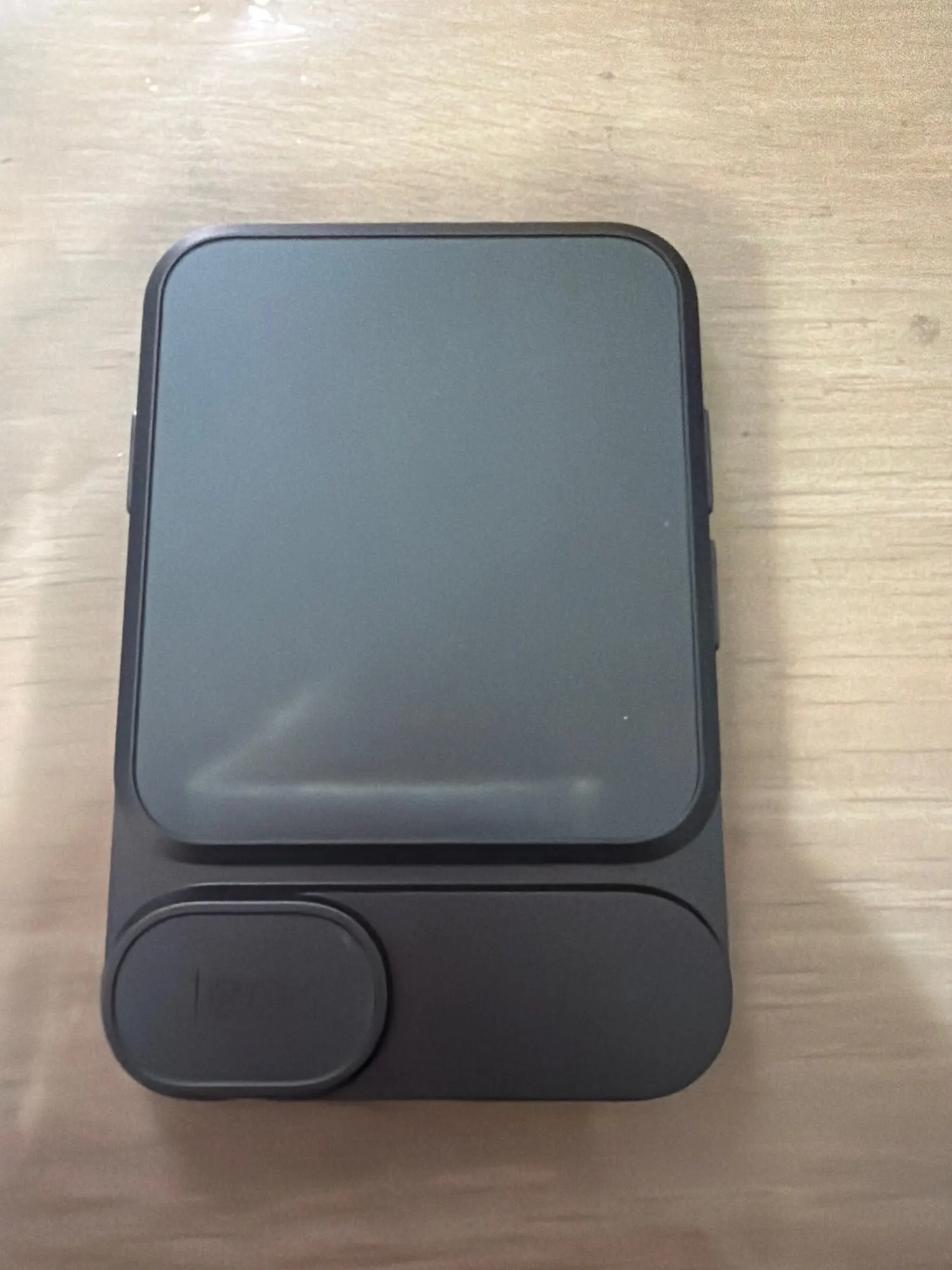
The Khadas Tea boasts a pocket-sized design, weighing only 73.5g and less than 0.3 inches thin, making it highly portable.

The Khadas Tea is equipped with a 1160mAh battery, offering up to 8 hours of continuous music playback.
User Tips
- For optimal sound quality, ensure your music playback device supports MQA core decoding to fully utilize the Khadas Tea's MQA capabilities.
- If using a headset with an inline microphone, be aware that the Khadas Tea will use its tiny built-in microphone for calls, not the headset's mic.
- While the device is thin and lightweight, its battery life is approximately 4-5 hours in some real-world usage scenarios, so plan charging accordingly for extended use.
- The device's design and packaging are often compared to Apple products, offering a premium feel.
Support
If you require assistance or have questions about your Khadas Tea, please contact customer service before arranging any return shipments. Refer to the included warranty card for more details.
Email: support@khadas.com
Website: https://khadas.com/tea
A user manual in PDF format is available for download: User Manual (PDF)