
1. Introduction
Thank you for choosing the JST-28 Wireless Cat Ear Headphones. These headphones combine fun design with practical features, offering wireless audio enjoyment with a built-in microphone and dazzling RGB lighting. Please read this manual carefully before using your headphones to ensure proper operation and to maximize your listening experience.

Figure 1: JST-28 Wireless Cat Ear Headphones
2. Package Contents
- JST-28 Wireless Cat Ear Headphones
- USB Charging Cable
- User Manual (this document)
3. Setup
3.1 Charging the Headphones
- Connect the small end of the USB charging cable to the charging port on the headphones.
- Connect the larger end of the USB cable to a USB power adapter (not included) or a computer's USB port.
- The LED indicator on the headphones will illuminate to show charging status.
- Once fully charged (approximately 2 hours), the LED indicator may change color or turn off.
- Disconnect the charging cable.
3.2 Adjusting and Folding
The JST-28 headphones feature an adjustable headband and foldable design for comfort and portability.
- Adjusting: Gently slide the earcups up or down along the headband to find a comfortable fit.
- Folding: The earcups can be folded inwards towards the headband for compact storage and easy carrying.
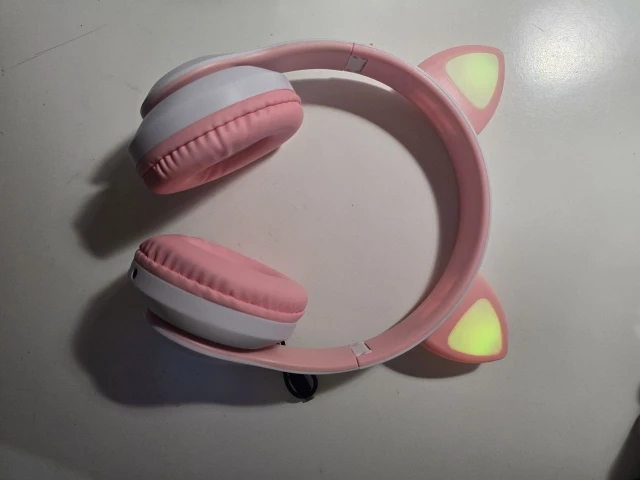
Figure 2: Adjustable and Foldable Design
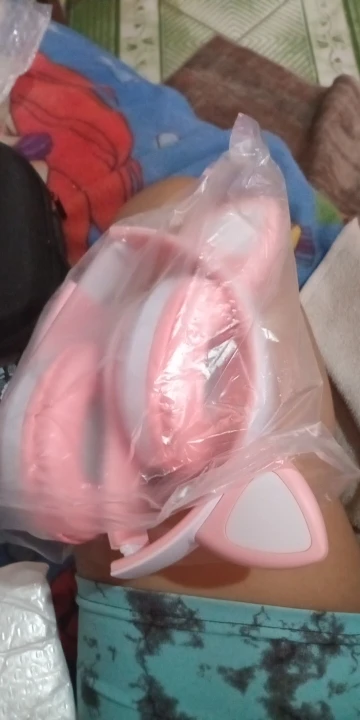
Figure 3: Headphones in folded position
4. Operating Instructions
4.1 Power On/Off
- Power On: Long press the Power button (⏻/‖) until the indicator light turns on.
- Power Off: Long press the Power button (⏻/‖) until the indicator light turns off.
4.2 Bluetooth Pairing
- Ensure the headphones are powered off.
- Long press the Power button (⏻/‖) for about 5 seconds until the indicator light flashes red and blue alternately, indicating pairing mode.
- On your device (smartphone, tablet, computer), enable Bluetooth and search for available devices.
- Select