
1. Introduction
This manual provides instructions for the safe and effective use of your Aideepen Mini Portable Solar Power Temperature and Humidity Meter. This compact device offers real-time digital display of both temperature and humidity, powered primarily by solar energy with a backup battery.
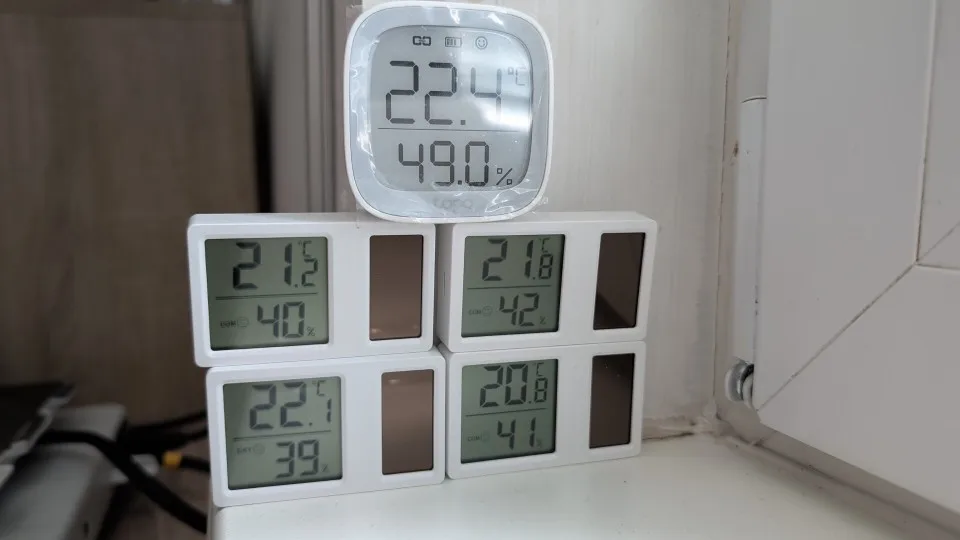
Figure 1: Front view of the Mini Portable Solar Power Temperature and Humidity Meter.
2. Product Features
- Green Energy & Long-lasting Life: Equipped with high-efficiency solar charging technology, reducing the need for frequent battery replacement.
- Accurate Measurement: Provides precise temperature readings from -10°C to 50°C and humidity from 10% to 95%RH.
- Clear Digital Display: High-definition screen ensures data is clear and easy to read.
- Compact and Portable: Small and lightweight design makes it suitable for various indoor environments like bedrooms, offices, or even car travel.

Figure 2: The compact design of the meter.
3. Setup
3.1 Battery Installation/Check
The device comes with an AG10 button battery pre-installed. However, it is recommended to check its secure placement upon first use.
- Gently open the back cover of the device.
- Ensure the AG10 button battery is correctly seated in its compartment. If it appears loose, carefully secure it.
- Close the back cover firmly.
3.2 Placement
Place the meter in your desired location. For optimal solar charging, ensure the solar panel (located on the right side of the display) is exposed to ambient light. Direct sunlight is not required but will aid in charging.

Figure 3: The meter's solar panel for energy saving.
4. Operating Instructions
The meter operates automatically once powered. There are no buttons or settings to adjust.
- Display: The large LCD screen will continuously show the current temperature (in Celsius) on the top line and the relative humidity percentage on the bottom line.
- Temperature Unit: The temperature is displayed in Celsius (°C) only. There is no option to switch to Fahrenheit.
- Real-time Monitoring: The device provides real-time updates of temperature and humidity in its immediate environment.
5. Maintenance
5.1 Cleaning
Wipe the device with a soft, dry cloth. Do not use abrasive cleaners or immerse the device in water.
5.2 Battery Replacement
While the device is solar-powered, the AG10 button battery acts as a backup. If the display becomes dim or inconsistent in low-light conditions, the battery may need replacement.
- Gently open the back cover.
- Remove the old AG10 battery.
- Insert a new AG10 button battery with the correct polarity.
- Close the back cover securely.
6. Troubleshooting
- Missing LCD Segments or Inconsistent Display:
This can often be caused by a loose battery connection. Open the back cover and ensure the AG10 button battery is firmly seated in its compartment. Tightening any internal screws if accessible and loose might also resolve the issue.
- Inaccurate Humidity Readings:
Humidity readings can vary slightly between different hygrometers. If you notice a minor discrepancy compared to other devices, this is generally within expected tolerances for consumer-grade instruments. Ensure the device is not placed near direct heat sources or in areas with extreme air currents.
- No Display:
Ensure the device is exposed to sufficient ambient light for solar power. If in a dark environment, check or replace the AG10 button battery.
7. Specifications

Figure 4: Product dimensions and key specifications.
| Parameter | Value |
|---|---|
| Theory | Thermometer Hygrometer |
| Certification | CE |
| Display Type | DIGITAL |
| Temperature Measurement Range | -10~50℃ |
| Temperature Measurement Accuracy | ±1℃ |
| Humidity Measurement Range | 10~95%RH |
| Humidity Measurement Accuracy | ±5%RH |
| Product Size | 70*43*14mm |
| Battery Type | AG10 button battery (1 included) |
| Power Source | Solar Powered with AG10 battery backup |
8. User Tips
- If the LCD display shows incomplete numbers or segments, try opening the back and ensuring the AG10 battery is securely in place.
- Be aware that humidity readings might show slight variations compared to other hygrometers. This is normal for general-purpose devices.
- The temperature is displayed exclusively in Celsius (°C). There is no option to switch to Fahrenheit.
- The device can operate in moderate sunlight even without the battery, utilizing its solar power capabilities.
9. Warranty and Support
For warranty information, technical support, or service inquiries, please contact your original retailer or the manufacturer directly. Please refer to your purchase documentation for specific contact details.
A detailed user manual in PDF format may also be available from the seller or manufacturer. (Reference: User Manual PDF)