
1. Introduction
This manual provides essential information for the safe and efficient use of your Xiaomi Micro USB Cable. Please read it thoroughly before use and keep it for future reference.
2. Package Contents
- Xiaomi Micro USB Cable (Quantity: 1)

Image: Xiaomi Micro USB Cable as packaged.
3. Product Overview
The Xiaomi Micro USB Cable is designed for charging and data synchronization of devices equipped with a Micro USB port. It supports fast charging up to 2A.

Image: Close-up of the Micro USB cable showing both USB-A and Micro USB connectors.
4. Setup and Connection
Follow these steps to connect your Xiaomi Micro USB Cable for charging or data transfer:
- Identify Device Port: Ensure your device has a Micro USB port. This cable is not compatible with USB-C or Lightning ports.
- Connect to Device: Insert the Micro USB end of the cable into the Micro USB port of your smartphone, tablet, or other compatible device.
- Connect to Power Source/Computer:
- For Charging: Insert the USB-A end of the cable into a compatible USB wall adapter, power bank, or car charger.
- For Data Transfer: Insert the USB-A end of the cable into an available USB port on your computer.
- Verify Connection: For charging, ensure your device indicates that it is charging. For data transfer, ensure your computer recognizes the connected device.
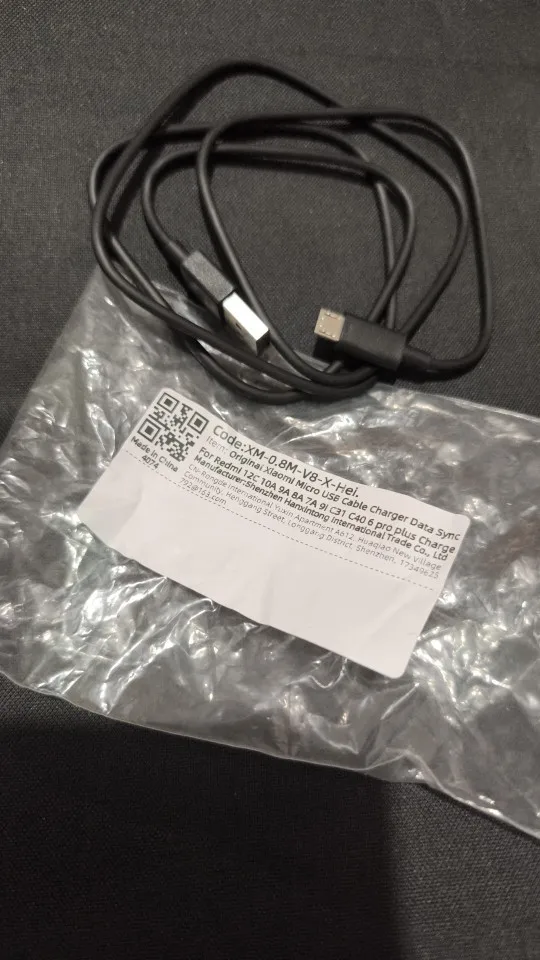
Image: Visual guide for connecting the charging cable. It illustrates selecting the correct connector (Micro USB for this cable), connecting the cable to the device and power adapter, and organizing the cable after use.
Important Safety Note:
Do not use the cable in high temperature or humid environments.
5. Operating Instructions
5.1 Charging
Once connected to a power source, the cable will facilitate power delivery to your device. For optimal charging speed, use a power adapter that supports 2A output.
5.2 Data Synchronization
When connected to a computer, your device should appear as a removable storage device or be accessible via device management software. You can then transfer files between your device and computer.
6. Maintenance and Care
- Storage: After use, coil the cable neatly. Avoid sharp bends or kinks that can damage the internal wires.
- Environment: Keep the cable away from extreme temperatures, direct sunlight, and high humidity.
- Cleaning: Gently wipe the cable and connectors with a dry, soft cloth if they become dirty. Do not use liquids or abrasive cleaners.
- Handling: Always pull from the connector head, not the cable itself, when disconnecting. Avoid excessive force.
7. Troubleshooting
7.1 Device Not Charging
- Ensure both ends of the cable are securely connected.
- Try using a different USB wall adapter or power source.
- Test the cable with another Micro USB device to rule out a device issue.
- Check the Micro USB port on your device for any debris or damage.
7.2 Slow Charging
- Verify that your power adapter provides sufficient output (e.g., 5V/2A). Lower output chargers will charge slower.
- Avoid using your device heavily while it is charging.
7.3 Data Transfer Issues
- Ensure the cable is connected directly to a USB port on your computer, not through a USB hub.
- Try a different USB port on your computer.
- Check your device's settings to ensure it is set to "File Transfer" mode when connected to a computer.
8. Specifications
| Feature | Specification |
|---|---|
| Brand | Xiaomi |
| Model | Micro USB Cable |
| Material | PVC |
| Connector A | USB Type-A |
| Connector B | Micro USB |
| Maximum Current | 2A |
| Features | Fast Charge, Data Sync |
| Length | 80 cm |
| Color Options | White, Black |
| Certifications | EAC, EPA, FCC, pse, weee |
9. User Tips
- Secure Fit: The cable is designed for a snug fit in Micro USB ports, even on older devices, ensuring stable connection and charging.
- Stable Performance: Expect consistent power delivery without significant voltage drops during charging.
- Handle with Care: While functional, some users note the cable may feel thinner than others. Avoid excessive pulling or bending to prolong its lifespan.
- Compatibility: This cable is specifically for devices with Micro USB ports. It is not compatible with USB-C or Apple Lightning ports.
10. Frequently Asked Questions (FAQ)
Q: Does this cable support fast charging?
A: Yes, this cable supports fast charging up to 2A, provided your power adapter and device also support it.
Q: Can I use this cable for data transfer?
A: Yes, the cable supports both charging and data synchronization.
Q: What devices are compatible with this cable?
A: This cable is compatible with any device that has a Micro USB port, such as many Android smartphones, tablets, power banks, and other electronic gadgets.
11. Warranty and Support
For detailed warranty information and customer support, please refer to the official Xiaomi website or the documentation provided with your purchase. A comprehensive user manual in PDF format may also be available for download at this link.